XStore theme
Sale 56%
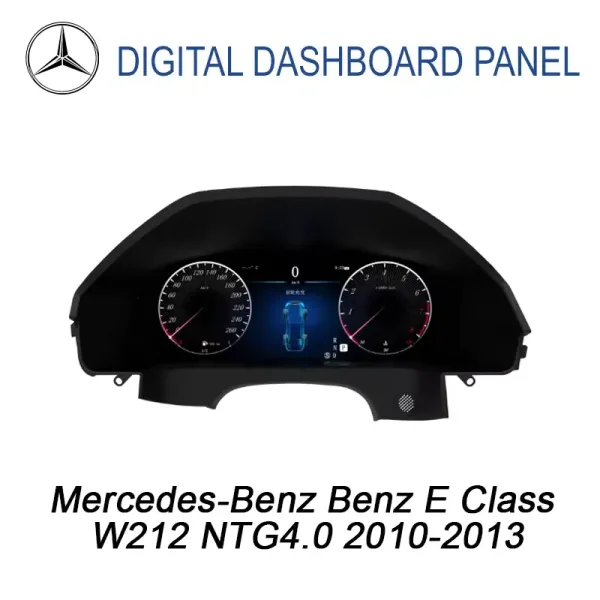
  • Mercedes W212 Digital Instrument Cluster 2010-2013 12.3
  • Mercedes E Class W212 Digital Gauge Cluster 2010–2013 | 12.3″
  • Mercedes E Class W212
  • Mercedes E Class W212 Digital Gauge Cluster 2010–2013 | 12.3″
  • Mercedes E Class W212 Digital Gauge Cluster 2010–2013 | 12.3″
  • Mercedes E Class W212 Digital Gauge Cluster 2010–2013 | 12.3″

Mercedes E-Class W212 Digital Instrument Cluster 2010–2013 | 12.3″ LCD Upgrade

Brand:
(1 customer review)

Original price was: $1,200.00.Current price is: $528.00.

Duty-Free EU & USA Only
Details
Secure by PayPal
DDP Tax-Prepaid Service

We handle all VAT and duties. Estimated savings: $120–$280.

USA (48 States)AustriaBelgiumBulgariaCroatiaCyprusCzechiaDenmarkEstoniaFinlandFranceGermanyGreeceHungaryIrelandItalyLatviaLithuaniaLuxembourgMaltaNetherlandsPolandPortugalRomaniaSlovakiaSloveniaSpainSweden
or

Have any Questions?

Feel free to Get in touch

🔥 New customers get $35 off their first order.

Buy 1 items get $35.00 OFF
on each product
Buy 2 items get $80.00 OFF
on each product
Pay safely with Paypal Pay safely with Visa Pay safely with Master Card Pay safely with JCB Pay safely with American Express Pay safely with Alipay Pay safely with Google pay Pay safely with Klarna Pay safely with DISCOVER Pay safely with  Apple Pay
Guarantee Safe and Secure Payment Checkout
iKAGOO Buyer Protection

Purchase Protection for This Product

Compatibility review, secure checkout, tracked delivery and practical after-sales support.

Mercedes-Benz E-Class W212 2010–2013

Bring a modern 12.3-inch digital dashboard into your W212 cabin without changing the character of the car.

The Mercedes W212 Digital Instrument Cluster replaces the older analog-style gauge view with a wider LCD driving display, while keeping the dashboard shape close to the original Mercedes-Benz interior. For daily use, you get clearer vehicle data, a cleaner driving view and a more modern cabin for the driver and passengers.

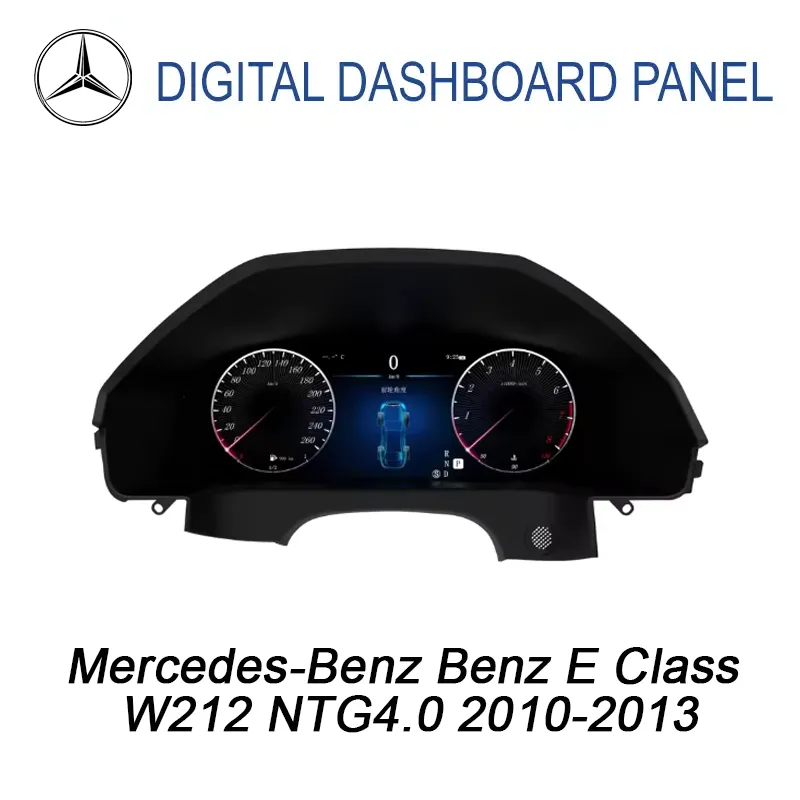
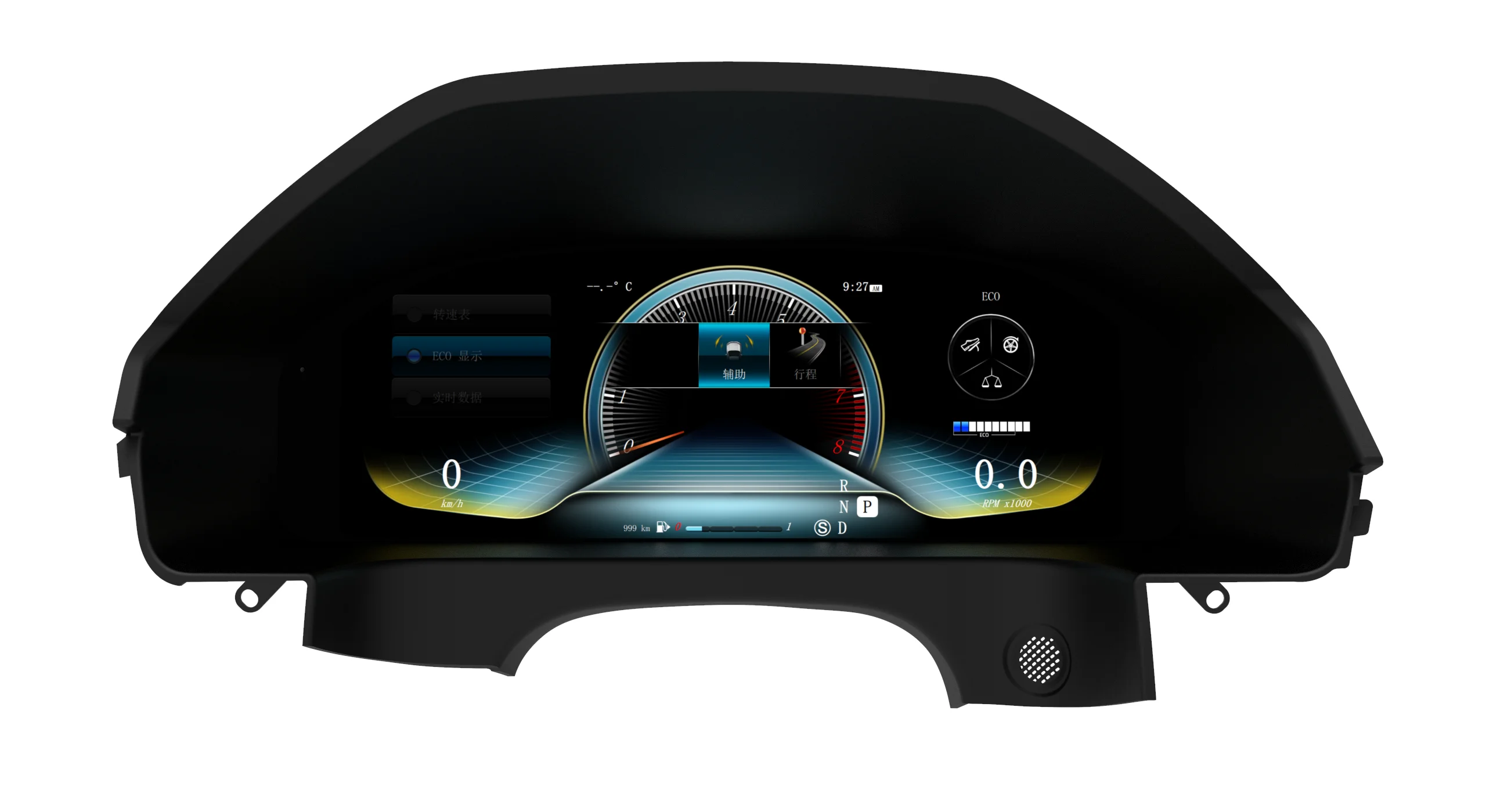
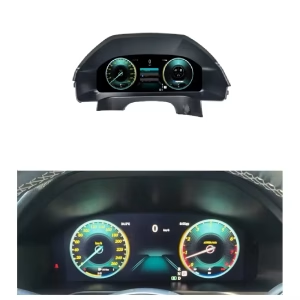
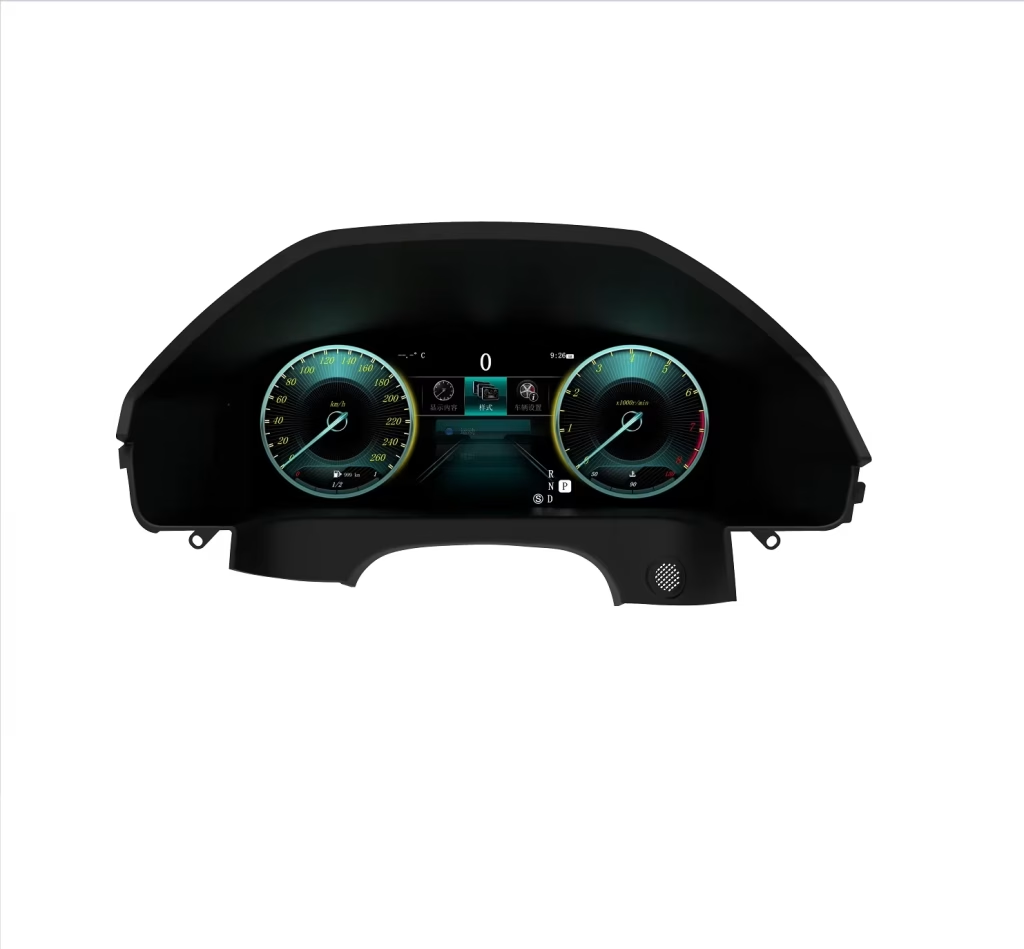
Mercedes W212 Digital Instrument Cluster 12.3 LCD front view
iKAGOO vehicle-specific upgrade

Mercedes E-Class W212 Digital Instrument Cluster 2010–2013 | 12.3″ LCD Upgrade

This 12.3-inch LCD cluster is built for Mercedes-Benz E-Class W212 2010–2013 vehicles with NTG 4.0. It gives your dashboard a newer digital driving interface with vehicle data, multiple themes, wireless CarPlay, Android Auto and CANBUS-based function retention after correct matching.

2010–2013 W212 NTG 4.0 12.3″ 1920×720 LCD Linux OS LHD & RHD supported
Mercedes E-Class W212 digital cluster installed dashboard upgrade
Quick Answer

What is this Mercedes W212 Digital Instrument Cluster?

The Mercedes W212 Digital Instrument Cluster is a 12.3-inch LCD dashboard upgrade for 2010–2013 Mercedes-Benz E-Class W212 vehicles using NTG 4.0. It upgrades the driver display from the older analog-style view to a digital interface with speed, RPM, vehicle status, driving themes and supported CANBUS data. Wireless CarPlay and Android Auto are included for a more modern navigation, call and music experience. Before shipment, iKAGOO checks your vehicle year, NTG system, dashboard layout, LHD/RHD position and connector information so the correct version can be prepared for your order. This helps reduce wrong-version risk before an international shipment leaves the warehouse.

1

Built for the W212 NTG 4.0 dashboard

This is not a universal loose display. It is selected for the Mercedes-Benz E-Class W212 2010–2013 dashboard shape and NTG 4.0 vehicle system, so your order is matched by vehicle information rather than only by product photos.

2

Original vehicle use stays familiar

After correct connection and configuration, supported steering-wheel controls, vehicle warnings, parking sensor information and dashboard data continue to work through the matched vehicle interface. The goal is a newer display without making the car feel like a random aftermarket build.

3

No intentional cutting of supported factory wiring

The matched harness and CANBUS route are prepared to connect with the supported factory wiring path. You should not cut, drill or permanently modify supported factory wiring during normal installation.

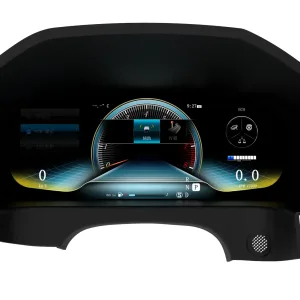
A digital gauge style that still belongs in a Mercedes cabin

The wide display gives the driver a cleaner speed, RPM and status layout, while the outer shape follows the W212 instrument area. That matters because a good digital cluster upgrade should make the cabin feel newer, not mismatched.

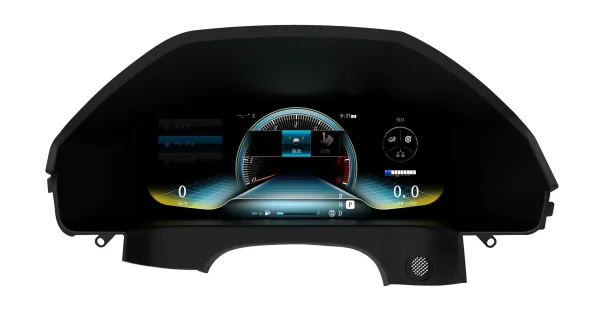
W212 NTG4.0 digital instrument cluster wide interface theme

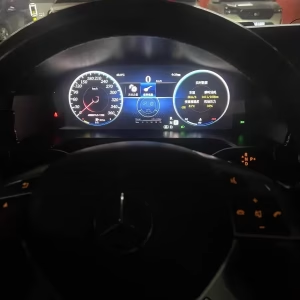
Installed view for daily driving confidence

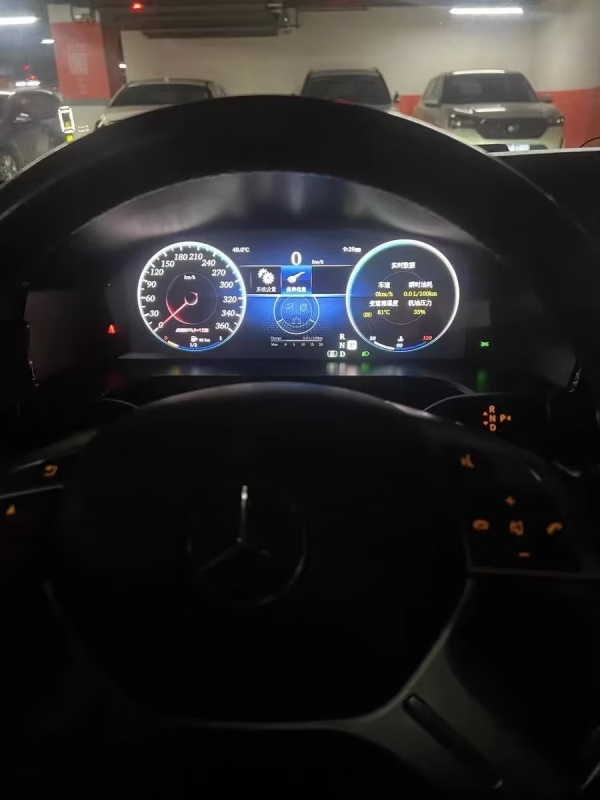
Inside the vehicle, the digital cluster gives the driver a brighter and more readable dashboard view. You can see vehicle data and driving information from the same natural position behind the steering wheel, which improves daily usability without adding a separate tablet-style screen on top of the dashboard.

Mercedes E-Class W212 digital cluster installed behind steering wheel

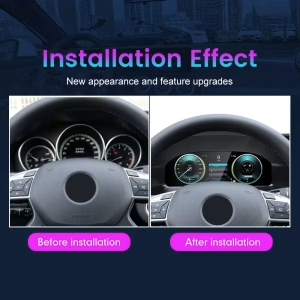
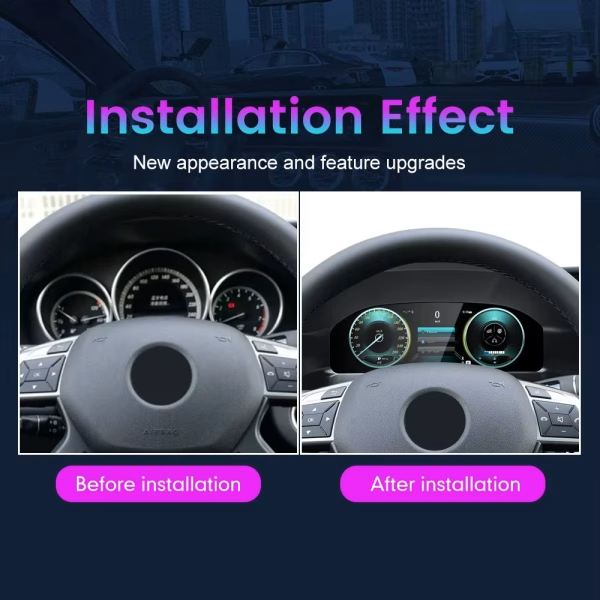
Before and after: the cabin feels newer without losing the W212 layout

The upgrade changes the driver’s first visual contact with the car. Instead of only refreshing the center screen, this cluster improves the dashboard area you look at every time you drive, making the cabin feel more current for both the owner and passengers.

Mercedes W212 before and after digital dashboard upgrade

Vehicle-specific version information reduces wrong-order risk

The W212 generation includes different factory systems and regional configurations. This is why iKAGOO asks for clear vehicle details before shipment instead of treating every E-Class badge as the same car. Correct version matching helps the cluster, harness and vehicle interface match the car you actually own.

Mercedes W212 Digital Instrument Cluster NTG4.0 2010-2013 version label
What this upgrade changes

More than a decorative screen

This upgrade improves the part of the car you see every time you drive: the instrument area. The 12.3-inch display gives you a modern digital dashboard, clearer vehicle status, multiple driving themes and a cleaner visual connection between the vehicle and the driver.

  • 12.3-inch IPS LCD display with 1920×720 resolution.
  • Linux system for stable dashboard operation.
  • Classic, Sport and Navigation-style display themes.
  • Wireless CarPlay and Android Auto for modern phone-based use.
  • CANBUS integration for supported vehicle data and warning information.
Vehicle name and version logic

W212 first, badge name second

This vehicle may be sold under different E-Class names across regions, but iKAGOO prepares the correct product by checking the vehicle generation, model year, factory NTG system, dashboard layout, LHD/RHD position and connector information. The badge alone is not enough for a reliable match.

  • Primary vehicleMercedes-Benz E-Class W212
  • Model years2010–2013
  • Factory systemNTG 4.0
  • Driving positionLHD & RHD supported
  • Main product typeDigital Instrument Cluster / LCD Cluster
Factory Functions Retained

Original vehicle functions supported after correct matching

The Mercedes W212 Digital Instrument Cluster is designed to work through the matched CANBUS and vehicle interface route. Under the supported W212 2010–2013 NTG 4.0 configuration, the following factory-related functions are prepared to continue after correct installation and setup.

Steering-wheel controls

Supported steering-wheel controls continue to provide familiar daily operation after the matched wiring and CANBUS settings are completed.

Vehicle warnings and status

Supported warning information, gear status, fuel, speed, RPM and related vehicle data are handled through the vehicle interface path.

Parking sensor information

Supported parking sensor information can continue to display through the matched system route, helping you keep useful vehicle feedback during parking.

Factory audio relationship

This cluster does not replace the complete factory audio system. iKAGOO checks your factory system route so the cluster upgrade does not create unnecessary conflict with the existing vehicle electronics.

CarPlay and Android Auto

Wireless CarPlay and Android Auto give you a newer way to use navigation, calls and music without relying only on the old factory interface.

Reversible wiring approach

The matched harness is designed for a clean connection path without intentionally cutting supported factory wiring during normal installation.

Special factory audio systems, non-standard cameras, previous aftermarket modifications or uncommon regional configurations may need additional connection instructions. Send the requested vehicle information when ordering so iKAGOO can prepare the correct version.

Specifications

Core hardware and display information

  • ProductMercedes W212 Digital Instrument Cluster
  • Screen12.3″ IPS LCD
  • Resolution1920×720
  • Refresh rate60Hz
  • Viewing angle178°
  • SystemLinux OS
  • CPUT507 Plus quad-core 1.8GHz
  • Memory2GB RAM / 32GB eMMC
Electrical and function route

Built for vehicle communication

  • Vehicle systemMercedes NTG 4.0
  • Vehicle dataCANBUS integration
  • Phone functionsWireless CarPlay / Android Auto
  • ConnectionsBluetooth / USB support
  • Voltage12V DC
  • Current≤ 3A
  • Power≤ 36W
  • Operating temperature−30°C to +85°C
Compare your upgrade options

Why this is a stronger route than only repairing the old display

Best fit for this page

iKAGOO Mercedes W212 Digital Instrument Cluster

Gives your 2010–2013 W212 a full 12.3-inch digital dashboard, vehicle data display, modern driving themes, wireless CarPlay, Android Auto and version matching before shipment.

Limited change

Repair the old analog-style cluster

Repair may keep the car original, but it does not modernize the driver display, add digital themes or improve the cockpit feel for long-term ownership.

Different purpose

CarPlay-only module

A CarPlay module can improve phone use, but it usually focuses on the center system. It does not give you a 12.3-inch digital instrument cluster in the driver’s dashboard area.

Why buy from iKAGOO

iKAGOO matches the version before shipment, not after the problem appears

International buyers often worry about ordering the wrong version, especially when Mercedes vehicles have different NTG systems, regional dashboards and previous modifications. iKAGOO reduces that risk by checking your vehicle information before shipment and preparing the product route around your actual W212 configuration.

Vehicle year check

We confirm that the order is for the supported W212 2010–2013 range instead of a different E-Class generation or facelift system.

Factory system check

We check the NTG 4.0 route because W212 vehicles can be confused with later NTG 4.5 / 4.7 systems in many markets.

Dashboard and connector check

Dashboard photos and connector information help us prepare the correct screen, harness and vehicle interface before packing.

After you order

What happens after you place an order?

iKAGOO support does not stop after payment. The order process is designed to reduce wrong-version risk, prepare the correct hardware route and support installation with useful evidence instead of guessing.

Step 1 — Secure checkout and order record

Your order number becomes the base record for vehicle matching, shipment follow-up and future support.

Step 2 — Vehicle information check

iKAGOO checks your model year, NTG system, LHD/RHD position, dashboard photos, connector route and any previous modifications when needed.

Step 3 — Correct version preparation

The screen, harness, CANBUS route and related vehicle interface are prepared according to your confirmed W212 information.

Step 4 — Product photos before packing

If requested before packing, you can ask for actual photos of the prepared product or visible accessories for your order.

Step 5 — Packing and dispatch

After version preparation, the order is packed and dispatched. Timing may vary by vehicle-specific preparation and stock status.

Step 6 — Tracking and shipping follow-up

Tracking is added after dispatch. For DDP or international routes, local tracking may update after customs or carrier handoff.

Step 7 — Installation and configuration support

If installation questions appear, iKAGOO may ask for photos, videos, wiring views, software version information and function-test results.

Step 8 — Engineer escalation when needed

When a normal setting check is not enough, useful evidence can be organized for technical judgment instead of stopping at general customer service replies.

Step 9 — Software, settings or firmware route

If confirmed settings, instructions or files are needed, iKAGOO coordinates the suitable technical route after the vehicle information is checked.

Step 10 — Cable, harness or accessory issue

If a required part is missing or incorrect, iKAGOO helps arrange the needed replacement route. Local purchase reimbursement must be approved first.

Step 11 — Confirmed hardware mismatch boundary

If the correct vehicle information was provided and no reasonable software, harness or accessory solution remains, iKAGOO gives a clear product-level handling route according to policy.

Step 12 — Support after successful installation

After the cluster is working, you can still contact iKAGOO for applicable maintenance, troubleshooting or software-related support using your order record.

iKAGOO Product Evaluation

Three Checks Before You Buy

These iKAGOO standards help you understand upgrade value, original vehicle compatibility and the correct installation path before ordering this W212 digital cluster.

iKAGOO Standard

Upgrade Necessity

Upgrade value score
92 out of 100
Strong Upgrade Case

Main result: 92. The “out of 100” text only explains the scoring scale.

This result means the upgrade has clear daily-use value, not just a newer-looking display.

  • Transforms the older analog-style gauge area into a 12.3-inch LCD digital dashboard.
  • Adds modern driving themes, vehicle data display, wireless CarPlay and Android Auto.
  • More complete cabin improvement than only repairing the old cluster or adding a CarPlay-only module.
  • Strong value for long-term W212 owners who want a newer cabin without replacing the vehicle.
Read the iKAGOO Upgrade Necessity Standard
iKAGOO Standard

Original Vehicle Compatibility

Vehicle compatibility score
90 out of 100
Near-OEM Match

Main result: 90. This does not mean 10% of factory functions are lost.

This result means the cluster upgrade has a strong vehicle-specific match when the correct W212 NTG 4.0 version is prepared.

  • Factory Function Continuity: 25%
  • Original Control Continuity: 15%
  • Vehicle Data & Warning Integration: 20%
  • Physical Architecture Match: 15%
  • Factory-Style UI & Interaction Match: 15%
  • Installation & Hardware Integration: 10%
Read the iKAGOO Original Vehicle Compatibility Standard
iKAGOO Standard

Installation Ease Level

Installation level result
Level 3 out of 5
Advanced DIY
L1 L2 L3 L4 L5

Main result: Level 3. It needs careful installation and testing, but it is not rated as a specialist-only system.

Suitable for experienced DIY installers or an automotive electronics installer who can remove trim carefully, connect matched wiring and complete function testing.

  • Requires careful instrument-area trim removal and clean reconnection.
  • Requires matched wiring connection and CANBUS or vehicle-interface setup.
  • No intentional cutting of supported factory wiring.
  • Full testing should be completed before the dashboard is reassembled.
Read the iKAGOO Installation Ease Level Standard
Installation and testing

What to check before final reassembly

Do not complete dashboard reassembly until the main functions have been tested. This saves time and helps identify connector, CANBUS or setting issues while the installer still has access to the wiring path.

Display and boot

Check screen startup, brightness, theme switching, speed and RPM display.

Vehicle data

Check gear status, warning information, fuel, temperature and supported vehicle data.

Controls and settings

Check supported steering-wheel controls, unit settings and language or unit display preferences.

Phone functions

Check wireless CarPlay, Android Auto, Bluetooth and USB connection route.

Parking information

Check supported parking sensor feedback and any factory-related warning display behavior.

Final fitment

Confirm the cluster sits cleanly in the dashboard and that trim pieces are restored without pressure on cables.

Shipping, warranty and support

Clear support boundaries for international buyers

iKAGOO provides order-based support, installation assistance and a 12-month hardware warranty route. If your installer finds a cable, setting or vehicle-interface question, contact iKAGOO with photos and videos before replacing parts or changing wiring.

Information to send before shipment

Help us prepare the correct version

  • Vehicle model and model year.
  • Dashboard photo from the driver seat.
  • Factory system information, especially NTG 4.0 confirmation.
  • LHD or RHD driving position.
  • Photos of connectors if requested.
  • Any previous aftermarket screen, amplifier or wiring modification.
Frequently Asked Questions

Mercedes W212 Digital Instrument Cluster FAQ

Will this fit my exact Mercedes E-Class W212 year?

Yes, if your vehicle is a supported Mercedes-Benz E-Class W212 from 2010–2013 with NTG 4.0 and the dashboard layout matches this product route. Send your vehicle year, dashboard photo and system information before shipment so iKAGOO can prepare the correct version.

Will original steering-wheel controls still work?

Yes, supported steering-wheel controls are retained after correct wiring and CANBUS configuration. This keeps daily operation familiar instead of making the upgrade feel like a universal standalone screen.

Will the factory camera or parking sensors continue to work?

It depends on the factory system route. This product is a digital instrument cluster, not a full camera replacement system. Supported parking sensor and warning information can continue through CANBUS, while the factory camera normally remains part of the center display system.

Does it support Apple CarPlay and Android Auto?

Yes. Wireless CarPlay and Android Auto are included, giving you a newer way to use navigation, calls and media through the upgraded digital dashboard experience.

Do I need to cut factory wiring?

No. Under the supported W212 NTG 4.0 matching route, the installation is designed around a matched harness and CANBUS connection without intentionally cutting supported factory wiring.

Is it suitable for DIY installation?

It depends on your experience. iKAGOO rates this as Level 3 — Advanced DIY, meaning it is suitable for experienced DIY installers or an automotive electronics installer who can remove trim, connect harnesses and complete function testing carefully.

What if my vehicle has NTG 4.5 or a different factory system?

It depends. Do not order only by the E-Class badge. W212 vehicles can use different Mercedes factory systems, so iKAGOO checks system information before shipment to avoid preparing the wrong version.

What should I send before shipment?

Send your vehicle model, model year, LHD/RHD position, dashboard photo, factory system information and connector photos if requested. This helps iKAGOO prepare the screen, harness and vehicle interface for your actual car.

Why buy from iKAGOO instead of a cheaper generic unit?

Because the main risk is not only price. The real risk is ordering a display that does not match your exact W212 system, wiring route or dashboard. iKAGOO adds version matching, order-based support, installation guidance and a clearer after-sales path.

What happens after I place the order?

After checkout, iKAGOO uses your order record to check vehicle information, prepare the correct version, pack the product, provide tracking and support installation. If a technical issue appears, photos, videos and setup information are used to guide the next step.

Can I ask for actual product photos before packing?

Yes, if you request this before packing. iKAGOO can provide photos of the prepared product or visible accessories when the request is made early enough in the order process.

What if my installer finds a cable or setting issue?

Contact iKAGOO before changing wiring or buying parts. Send clear photos, video, connection details and the exact function problem so the support team can check the harness, CANBUS setting or technical route.

Final buying note

Upgrade the W212 driver display with the right version prepared before shipment.

The best result comes from matching the product to your exact 2010–2013 W212 NTG 4.0 vehicle before it leaves the warehouse. Place the order, then provide the requested vehicle details so iKAGOO can prepare the correct Mercedes W212 Digital Instrument Cluster route for your car.

5.00

Based on 1 reviews
1
0
0
0
0

1 review for Mercedes E-Class W212 Digital Instrument Cluster 2010–2013 | 12.3″ LCD Upgrade

  1. Lena Schmidt

    Total rating
    Value for money

    2012 E200 W212 — Einbau am Samstag, ca. 1 Stunde. Keine Fehlermeldungen, CAN funktioniert sauber. Helligkeit dimmt mit Licht, Looks OEM.

    Is it helpful?
Add a review

Your email address will not be published. Required fields are marked

You have to be logged in to be able to add photos to your review.

iKAGOO shipping, warranty, returns and customer support
iKAGOO Customer Support

Shipping, Warranty & Returns

Clear information about order processing, international delivery, vehicle-specific products, warranty support, returns and damaged shipments.

Order processing Normally 1–3 business days before dispatch.
International delivery Normally 5–20 business days after dispatch, depending on destination.
Hardware warranty 12-month limited warranty for eligible manufacturing defects.
Vehicle-specific support Compatibility, wiring and configuration assistance are available.

Frequently Asked Questions

These answers provide a practical summary. The complete policy pages linked below apply to all orders.

01

Where are orders shipped from, and how long does delivery take?

Most iKAGOO orders are dispatched from our fulfillment location in China after the product configuration and vehicle information have been checked. Normal order processing takes approximately 1–3 business days.

Estimated delivery times after dispatch are:

  • USA and Canada: approximately 5–9 business days
  • European Union: approximately 7–15 business days
  • United Kingdom and Australia: approximately 7–10 business days
  • Other supported regions: approximately 7–20 business days

Delivery estimates may be affected by customs clearance, local holidays, remote-area delivery, weather or carrier delays.

02

Will I need to pay import tax, VAT or customs charges?

Standard international shipping normally does not include destination-country VAT, import duties, brokerage charges or customs clearance fees.

For eligible European Union destinations, an optional DDP shipping service may be available. Import-related charges are included only when DDP is selected at checkout or confirmed by iKAGOO in writing before shipment.

When DDP is not selected, the recipient is responsible for any charges collected by local customs or the delivery carrier.

03

Can I request express shipping?

Express or expedited shipping may be available for selected products and destinations. Availability, carrier and additional cost are confirmed before shipment.

Depending on the destination and product type, iKAGOO may use carriers such as DHL, FedEx, UPS, EMS, 4PX or another tracked logistics provider.

04

How can I track my shipment?

After the order has been dispatched, the tracking number or tracking link will normally be sent to the email address used for the order.

Tracking updates may take several business days to appear while a parcel is transferred between international and local carriers.

05

What is the iKAGOO return and refund policy?

Return eligibility depends on the reason for the return, the product condition, installation status, evidence provided and whether the return has been approved by iKAGOO.

For a non-defective return, the product must normally be unused, uninstalled, complete and suitable for resale. The customer is generally responsible for approved return shipping costs.

Original shipping charges, DDP charges, VAT, customs duties and other logistics costs are generally non-refundable unless required by applicable law or confirmed otherwise by iKAGOO.

Do not send a product back without receiving an approved return address and return instructions from iKAGOO.

06

What happens if iKAGOO confirmed compatibility but the product cannot be installed?

Additional protection may apply when iKAGOO confirmed compatibility before purchase, the customer supplied accurate vehicle information, and the customer cooperated with reasonable installation and diagnostic steps.

If iKAGOO confirms that no reasonable technical solution is available, and the issue is reported within 7 calendar days after delivery, the customer may be eligible for a refund of the product price without being required to return the product.

Original shipping, DDP, VAT, customs duties and other third-party charges are not included in this product-price refund.

07

What warranty does iKAGOO provide?

Eligible iKAGOO products include a 12-month limited hardware warranty covering verified manufacturing defects and eligible hardware failures under normal use.

Depending on the issue, the solution may include remote diagnosis, configuration assistance, replacement parts, repair, product replacement, partial refund or full refund.

The warranty does not normally cover damage caused by incorrect wiring, unauthorized modification, accidental damage, water ingress, impact, misuse, improper voltage, installation error or incompatible third-party equipment.

08

Does opening the product automatically cancel the warranty?

Inspection or third-party examination does not automatically cancel the entire warranty. However, damage caused by unauthorized repair, component replacement, incorrect modification, broken circuits or improper reassembly is not covered.

Contact iKAGOO before dismantling or repairing the product so that the correct diagnostic procedure can be provided.

09

What if my order arrives damaged or has missing parts?

Contact iKAGOO within 7 calendar days after delivery and keep the original packaging, shipping label, accessories and product.

Please provide clear photos or video showing:

  • The external shipping carton and shipping label
  • Any visible packaging damage
  • The product and affected area
  • All received accessories and wiring

After verification, iKAGOO may arrange a missing-part shipment, replacement, repair, refund or another reasonable solution based on the specific case.

10

What should I do if I ordered the wrong product?

Contact iKAGOO before installing or using the product. An exchange or return may be approved when the product remains unused, uninstalled, complete and suitable for resale.

Customers are normally responsible for shipping costs and any price difference when the wrong product, vehicle model, year or factory configuration was selected.

A free prepaid return label is not automatically provided.

11

Can I modify or cancel my order after payment?

Contact iKAGOO as soon as possible, preferably within 12 hours after placing the order, when requesting an address, vehicle configuration or product change.

A modification or cancellation is not effective until confirmed by iKAGOO. Vehicle-specific products may enter procurement, programming, testing, configuration or custom preparation shortly after payment.

Once preparation or shipment has started, cancellation may not be possible, or reasonable costs already incurred may be deducted.

12

What is included in the package?

Package contents vary by product, vehicle model, factory system and selected configuration.

Depending on the product, the package may include the main device, vehicle-specific wiring harnesses, CANBUS interface, adapters, USB cables, antennas, microphones, mounting hardware and other installation accessories.

Refer to the relevant product page, package photos and order confirmation for the exact included components.

13

How do I contact iKAGOO support?

You can contact iKAGOO through the contact form, email, WhatsApp or the available website support channels. Typical response time is within 24 business hours.

For faster technical support, include your order number, vehicle model and year, factory system photos, product photos and a clear video showing the issue.

Visit: iKAGOO Contact and Support

14

Is payment secure, and are installment options available?

Payments are processed through the secure payment methods displayed during checkout. Available card, wallet and installment options may vary by country, currency, payment provider and customer eligibility.

Any installment service, including options offered by PayPal or another provider, is subject to that provider’s regional availability and approval rules.

Read the Complete iKAGOO Policies

Review the full policy pages before ordering, especially for vehicle-specific products, international tax arrangements and installation-related returns.

This FAQ is a simplified customer guide. The complete published policy pages, order confirmation and applicable consumer law take priority if any wording differs.

Mercedes W212 Digital Instrument Cluster 2010-2013 12.3 Mercedes E-Class W212 Digital ...

Original price was: $1,200.00.Current price is: $528.00.

Add to cart