



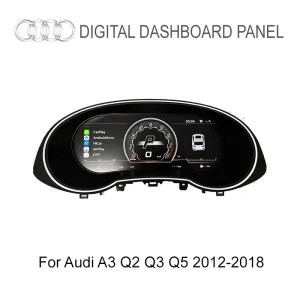
Q3 LCD Cluster Product Front View
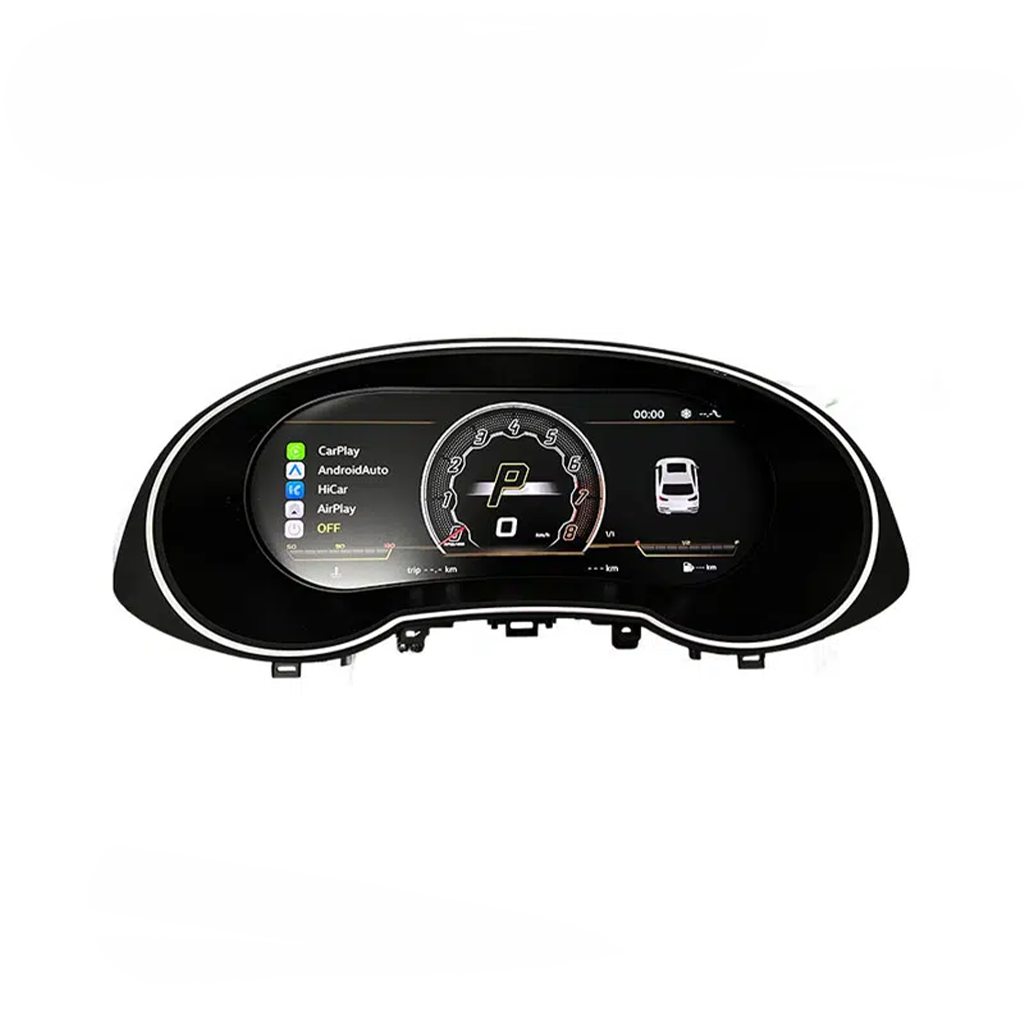
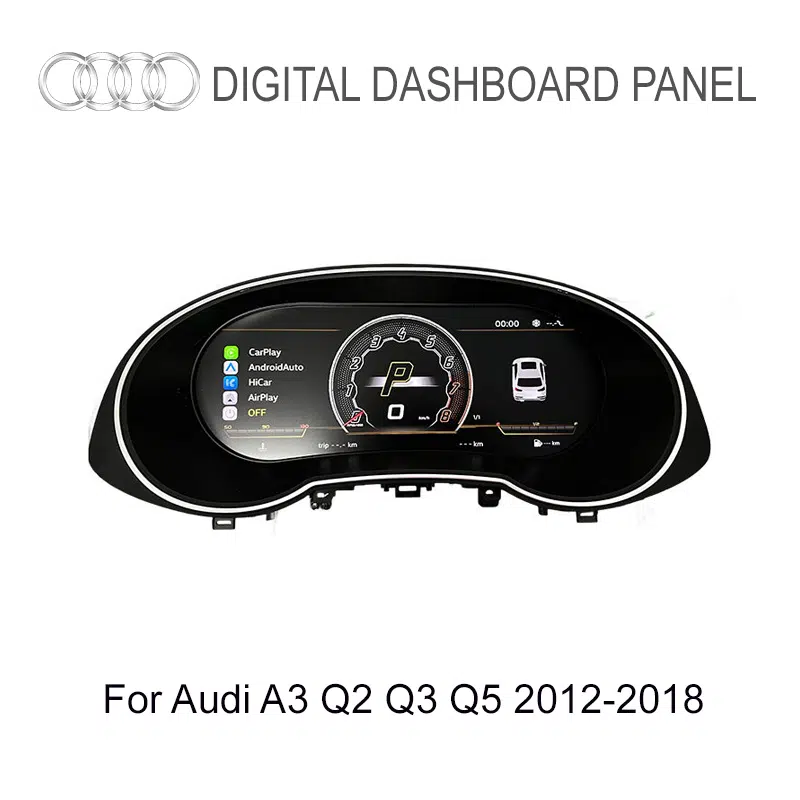
The product face shows the instrument-cluster shape, screen position and driver-information layout used for this Q3 upgrade.

| Weight | 3.8 kg |
|---|---|
| Dimensions | 42 × 28 × 42 cm |
| Support Years |


$820.00 Original price was: $820.00.$438.00Current price is: $438.00.

Select DDP Shipping at checkout. iKAGOO covers the applicable import duties and taxes included in your DDP shipping service. No separate payment of these covered charges at delivery. Standard Shipping does not include import taxes.
DDP is optional. Shipping fees and available methods depend on your delivery address. Remote areas may require confirmation.
DDP Shipping Guide →Final shipping is confirmed from your delivery address at checkout.
iKAGOO reviews fitment and provides defined compatibility protection, a 1-year hardware warranty, 3-year software support and 5-year parts support for eligible products.


Our goal is to get your order right before it leaves us. We verify compatibility, prepare the correct setup and contact you only if something needs confirmation.
Upgrade the first-generation Audi Q3 8U from an older analog-style gauge area to a sharper 10.25-inch digital driver display while keeping supported vehicle data and familiar steering-wheel interaction in front of the driver.
This Audi Q3 2012-2018 LCD Cluster changes the part of the cabin you look at on every drive. The 10.25-inch IPS display brings speed, RPM, fuel, trip data, supported warnings and compatible navigation content into a cleaner digital layout, giving the first-generation Q3 a more current cockpit feel without replacing the whole center console.
The larger digital display gives the older Q3 instrument area a sharper visual center that feels more current every time the car is driven.
Supported speed, RPM, fuel, temperature, trip and warning information remain easy to read in the driver’s natural sightline.
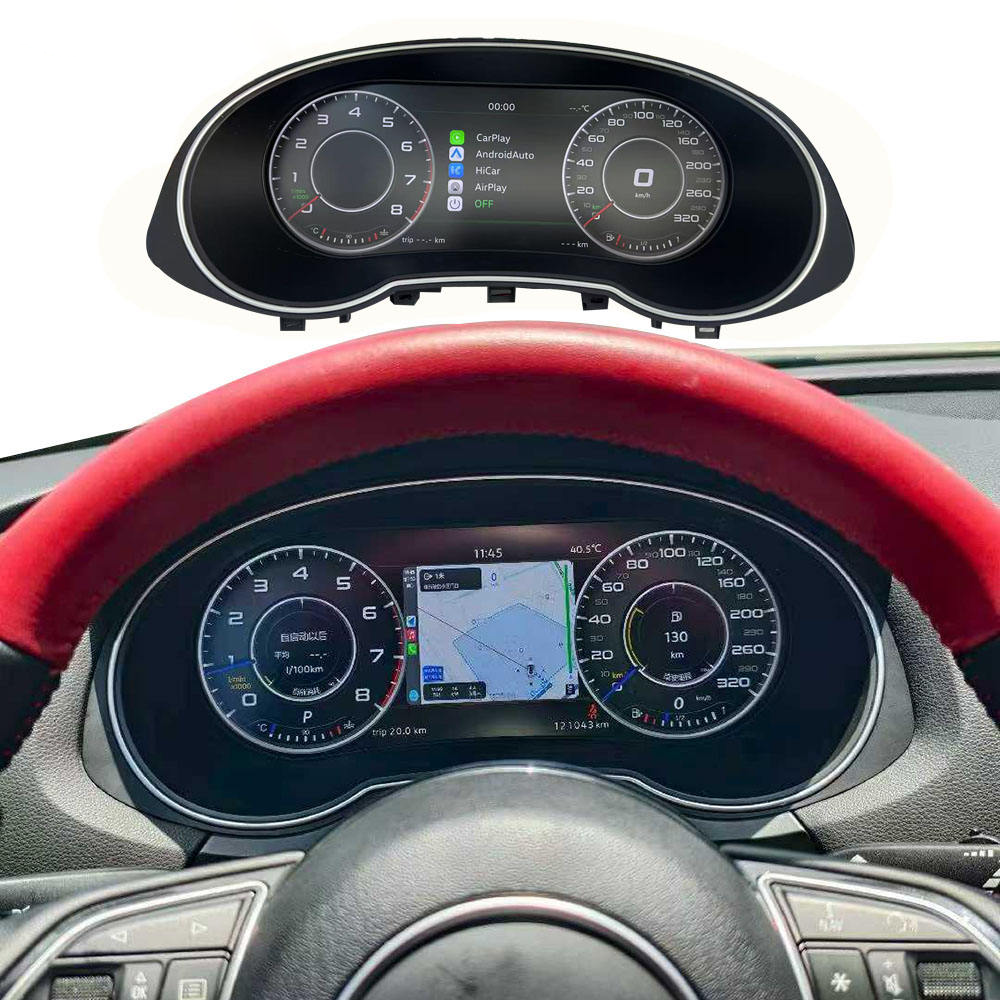
Supported full-screen navigation or compatible synchronized map content can place route information closer to the driver.
iKAGOO prepares the screen, harness and interface around the confirmed Q3 8U configuration so the order arrives as a vehicle-specific Q3 solution.
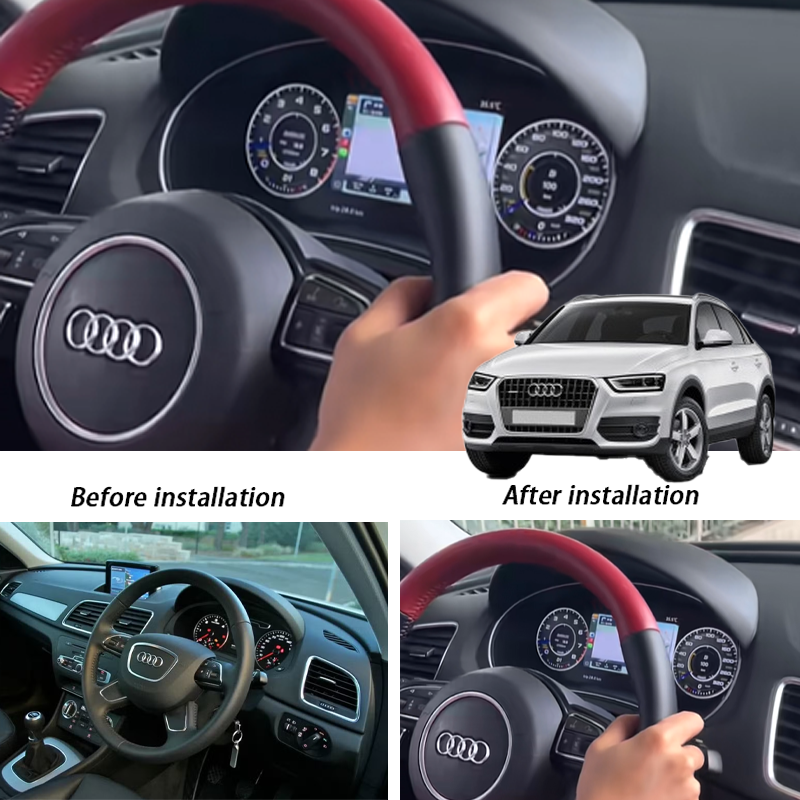
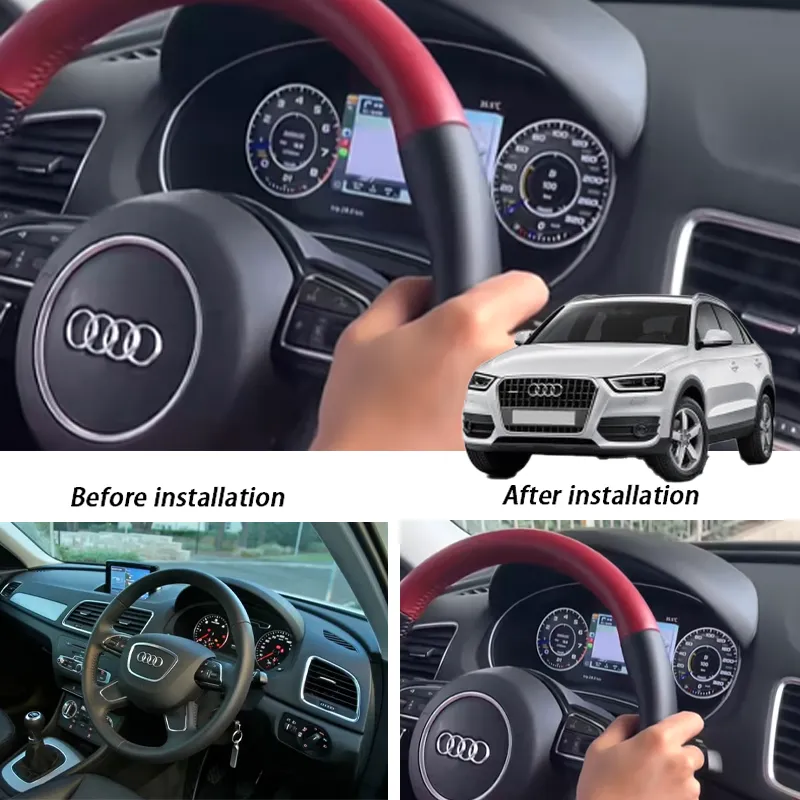
The product and installed views below show the Q3-focused screen layout, how it sits behind the steering wheel, and how supported navigation and driving data are presented in real use.
The product face shows the instrument-cluster shape, screen position and driver-information layout used for this Q3 upgrade.
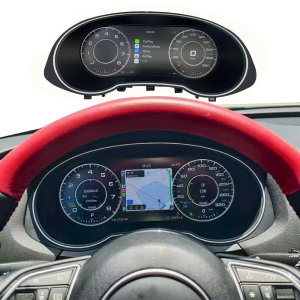
The installed view shows how the LCD cluster sits behind the steering wheel and keeps map and driving information directly in front of the driver.
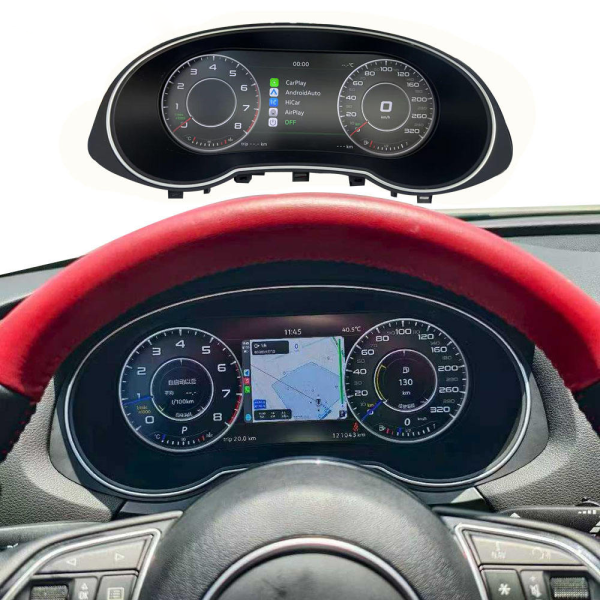
Yes. Supported full-screen navigation can use the cluster area for a larger route view, helping keep map information closer to the driver’s normal sightline.
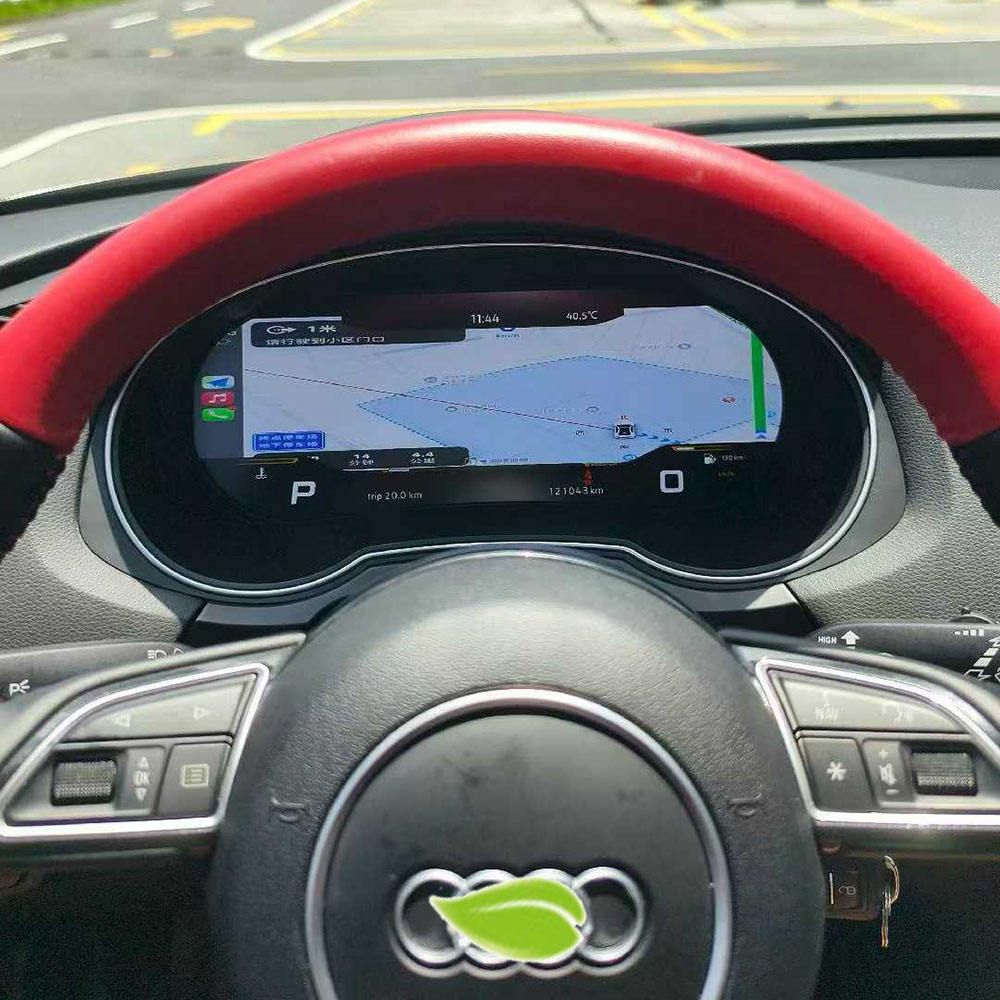
The digital layout can combine speed, gear, map and gauge information in one display, giving the driver more useful information than a basic analog-dial layout alone.
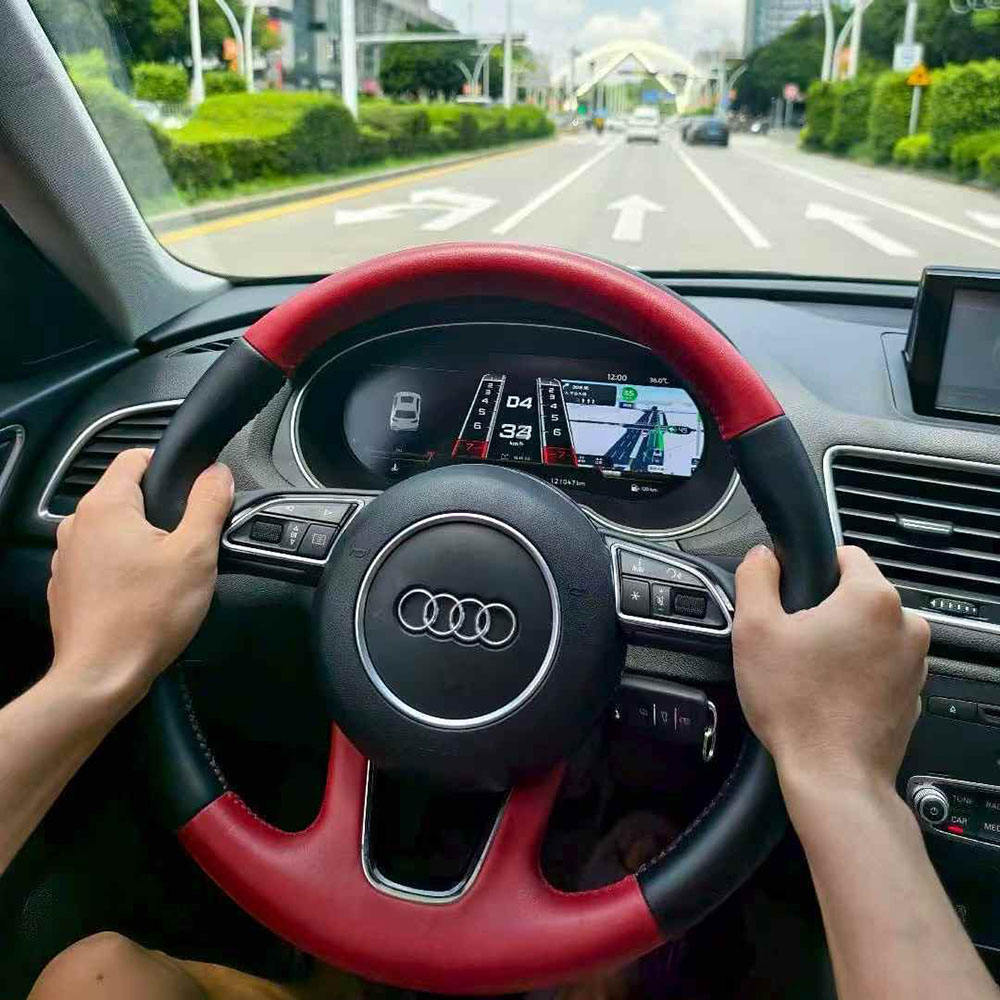
Primary fitment is the first-generation Audi Q3 8U compact SUV, with model-year registration varying by market.
For a 2018 vehicle, iKAGOO confirms that the dashboard is still the first-generation Q3 8U architecture rather than the later second-generation layout.
Yes. Left-hand-drive and right-hand-drive orders can be prepared when the dashboard and connector details are supplied.
Vehicle year, dashboard photo, original cluster photo, bezel/frame style, steering position and connector photos are used to match the correct Q3 8U version.
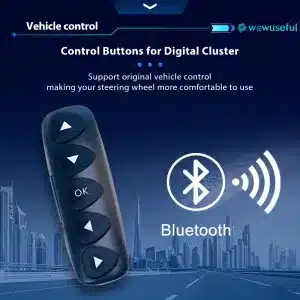
Supported steering-wheel buttons continue to operate cluster views after the matched connection and setup are completed.
Supported speed, RPM, fuel level, trip data, temperature and other vehicle information remain visible through the digital interface.
Supported warning and vehicle-status information continues to be presented on the cluster rather than being sacrificed for the new display.
On equipped kits and compatible source systems, supported navigation and media prompts can be shown on the cluster display.
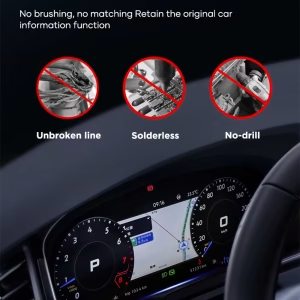
The matched connection path is designed around supported factory wiring without intentional wire cutting.
With a compatible source system, CAN-based synchronization can support Android navigation display on the cluster.
Remove the relevant trim and original instrument cluster with the appropriate tools so the replacement can be installed in the factory cluster area.
Connect the supplied harness and vehicle interface using the prepared Q3 8U vehicle-specific connection route.
Set the correct vehicle protocol, language, units and display mode, then confirm the supported controls and driving information.
The installation design supports a clean connection path without unnecessary cutting, soldering or drilling, helping preserve serviceability around the original wiring.
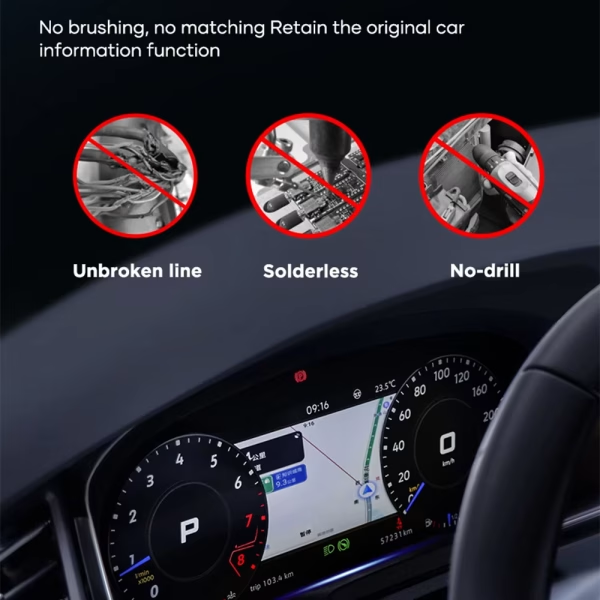
Beyond the basic digital-cockpit conversion, the current Q3 cluster visuals show multiple display styles, supported vehicle information, source synchronization, language options and a Linux-based operating environment designed for regular instrument-cluster use.
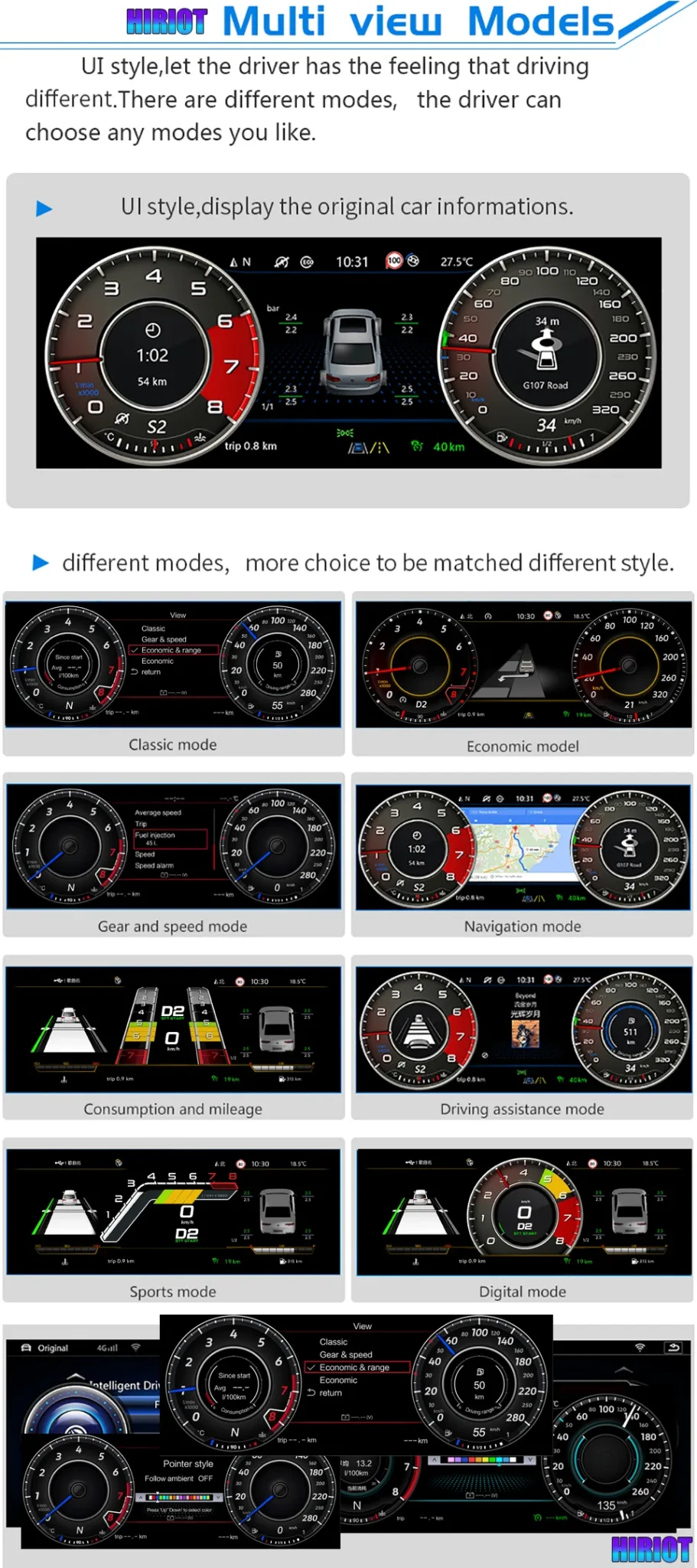
Choose a more familiar classic gauge look or a sportier digital presentation, letting the cockpit feel modern without forcing one fixed visual style.
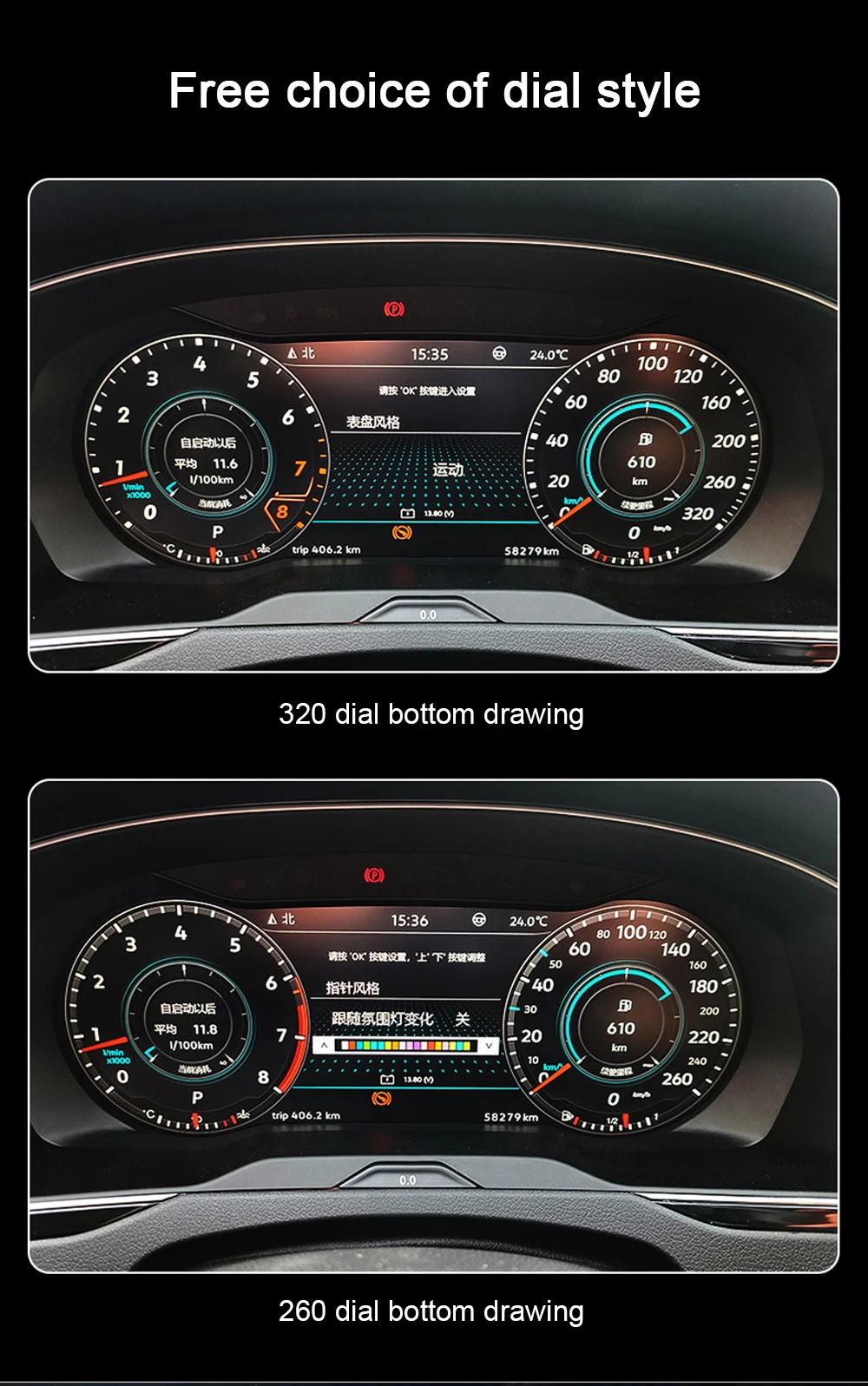
Classic, navigation, economy, driving-assistance and sport-style modes give the driver more useful ways to organize the cluster for different journeys.
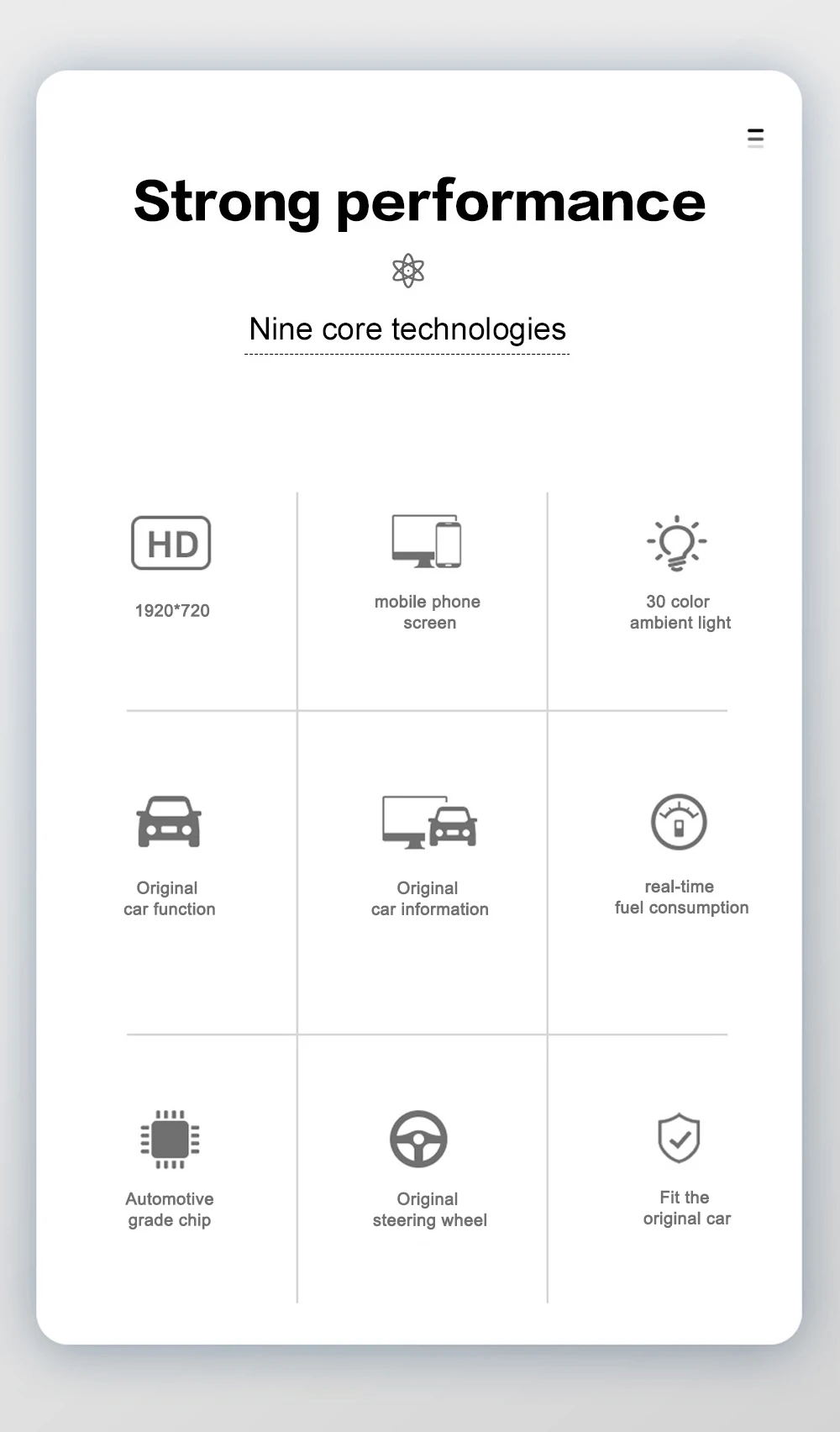
The function overview brings together the display, vehicle-information, steering-wheel-operation and real-time-data capabilities that make the cluster useful beyond appearance alone.
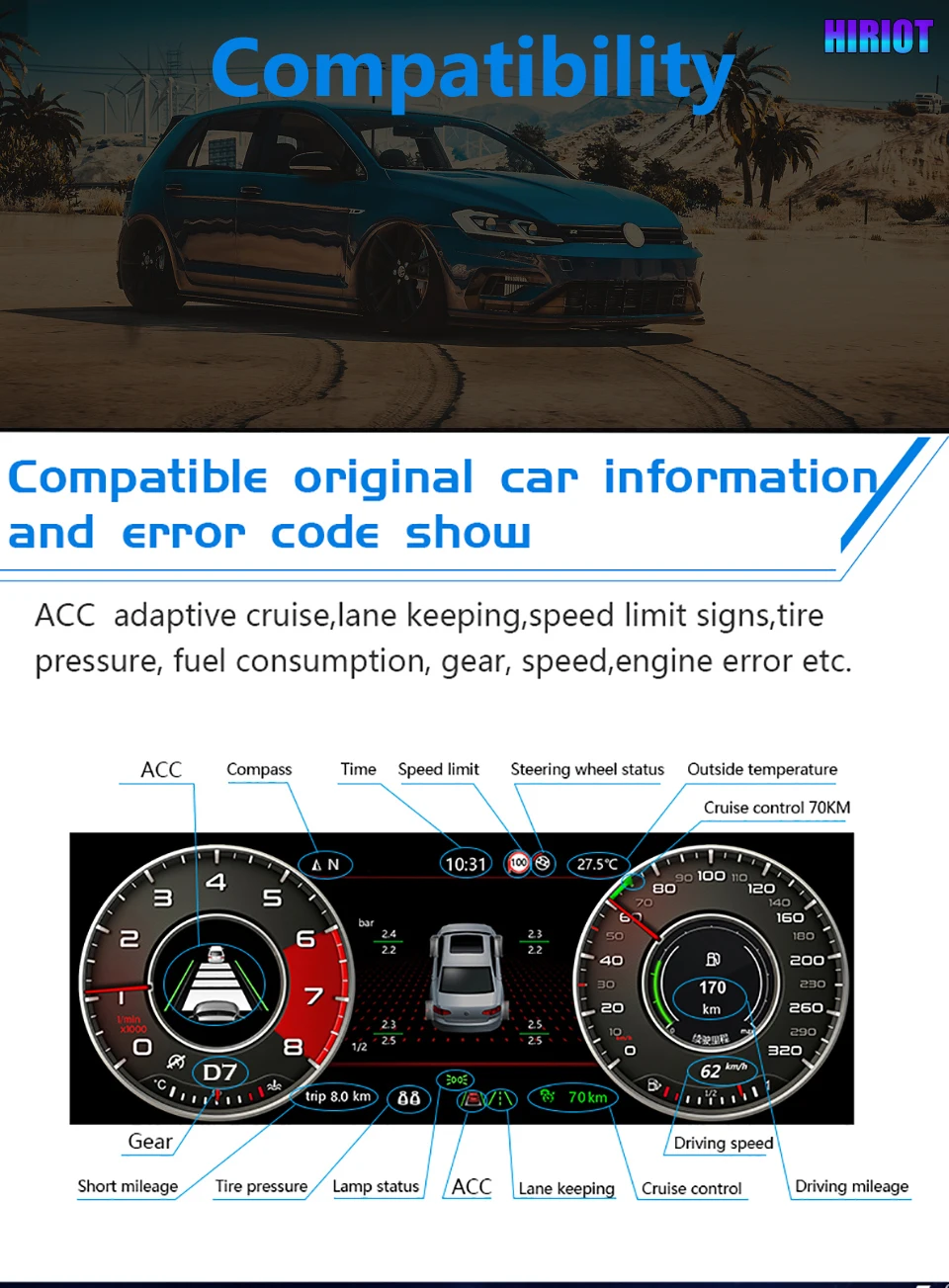
Supported fuel, warning data, speed, gear, trip and vehicle-status information can be presented through the cluster interface for real driving use.
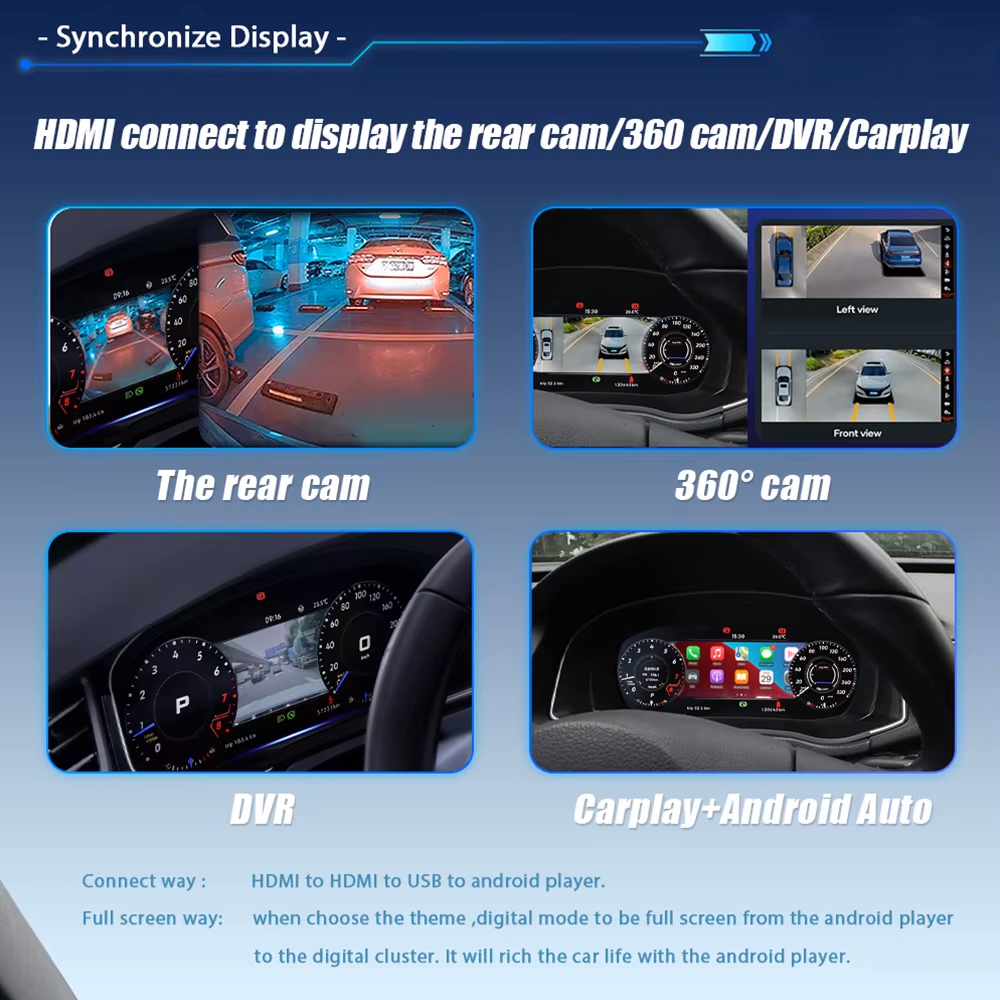
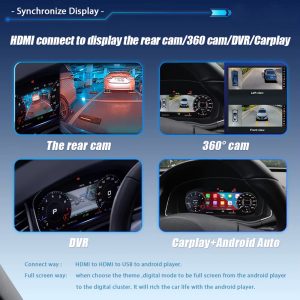
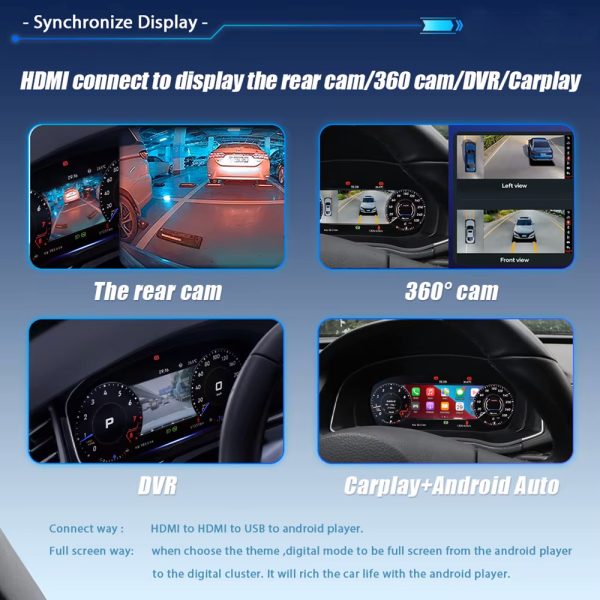
Yes, on equipped kits and compatible source systems. Supported rear-camera, 360-camera, DVR, CarPlay or Android Auto content can be synchronized to the cluster with the correct connection route.
Supported color settings let the driver adjust the cockpit mood while keeping the same physical dashboard structure.

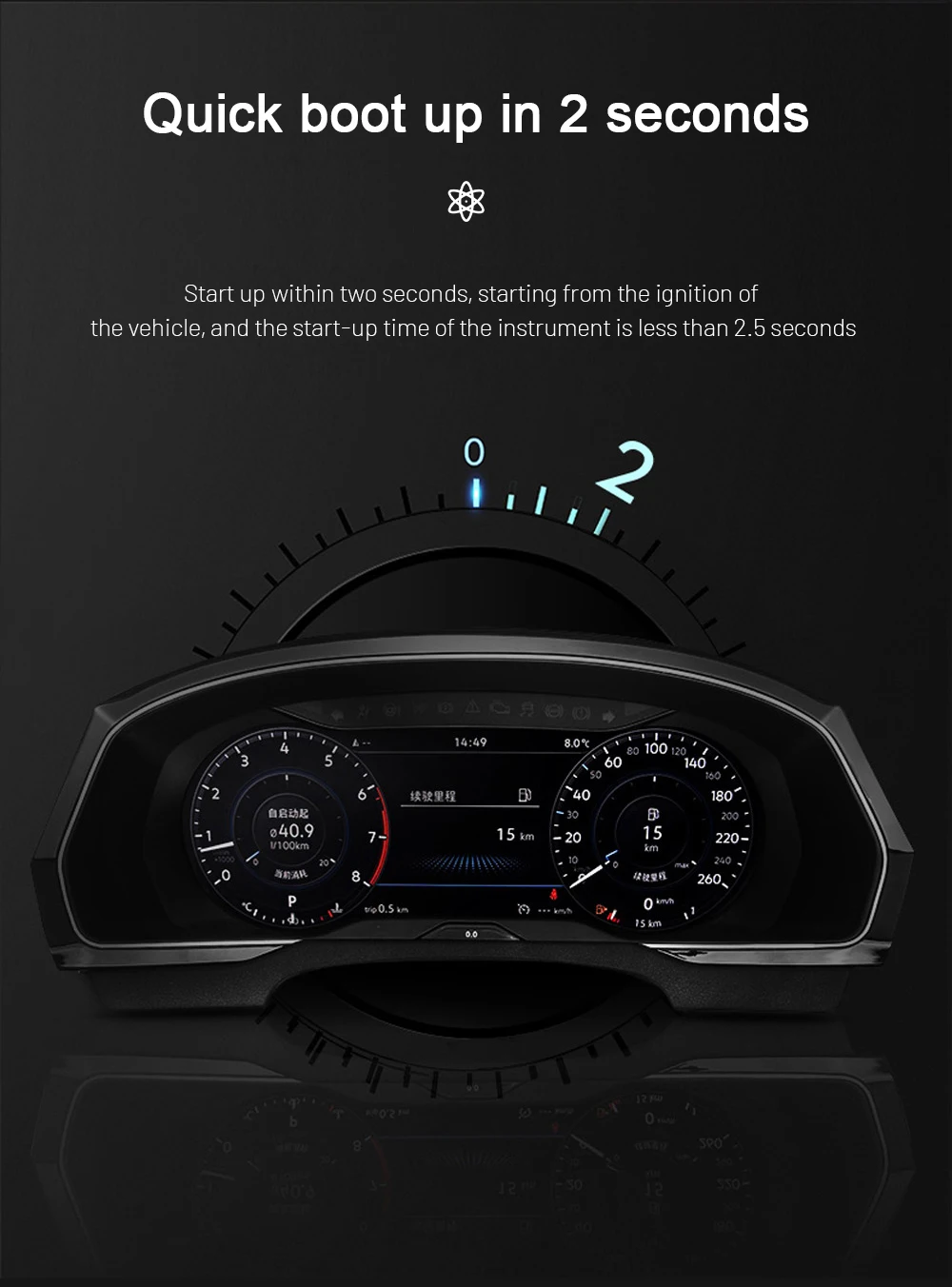
A fast boot process supports daily use because the instrument display is needed every time the vehicle starts.
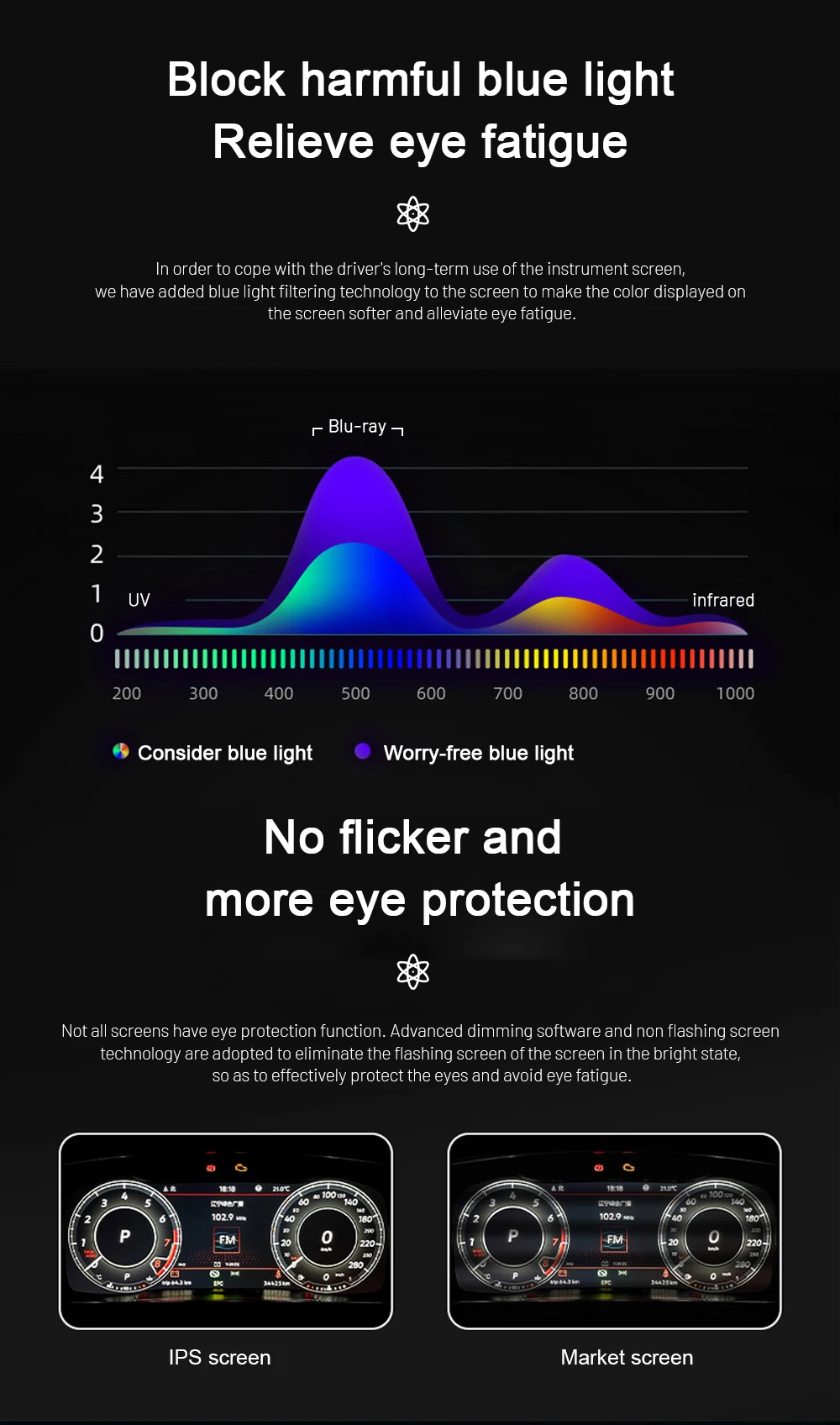
Anti-glare and eye-comfort display design helps the cluster remain easier to read during night driving and longer journeys.
More than 60 OSD languages make the cluster easier to use for owners across Europe, the UK, North America, Australia and other supported markets.

Supported maintenance and vehicle-status information adds everyday ownership value alongside the more modern cockpit appearance.

Choose a cleaner single-dial layout or a more familiar dual-dial arrangement depending on the information style you prefer while driving.

With the correct compatible source system, supported camera, DVR or Android navigation content can be routed to the cluster so more information stays in the driver display.

The lightweight Linux-based system is designed for stable instrument-cluster operation and responsive everyday use.
This upgrade modernizes one of the most visible parts of the Audi Q3 8U cabin while keeping supported driving information and familiar vehicle interaction directly in front of the driver. The result is a Q3 cockpit that looks more current, presents daily information more clearly and feels noticeably upgraded every time you drive.
Replace the older analog-style instrument area with a cleaner digital cockpit that immediately changes how the Q3 feels from the driver’s seat.
Supported speed, RPM, fuel, trip information, warnings and navigation content are presented more clearly in the driver’s natural sightline.
The upgrade is built around supported original steering-wheel interaction and vehicle information, giving the cabin a more modern display while preserving familiar Audi operation.
iKAGOO confirms the relevant Q3 configuration and prepares the matching cluster, harness and interface before shipment for a clearer installation path.
The core product parameters below summarize the current Q3 8U cluster specification without replacing the vehicle-specific fitment confirmation above.
The value combines the 10.25-inch display with vehicle-specific preparation and continued connection and setup support after delivery. iKAGOO confirms the vehicle configuration first so the screen, harness and interface are prepared as one matched Q3 8U upgrade.
Vehicle year, dashboard, cluster shape, steering position and connector details are used to prepare the matching version.
The cluster, harness and vehicle interface are prepared around the confirmed Q3 8U configuration.
The product route is built around retaining the supported controls, driving data and warning information listed for this cluster.
Connection and configuration guidance is available when help is needed during installation or setup.
Eligible hardware is covered by iKAGOO’s published 12-month limited hardware warranty terms.
For an owner who wants the first-generation Q3 to feel more current without abandoning the supported vehicle information and familiar controls used every day, this cluster offers a strong balance of visible improvement, OEM-function retention and a defined installation route.
The Q3 8U gains a meaningful visual and everyday-use improvement in the exact area the driver sees most, making the retrofit valuable for owners planning to keep and enjoy the vehicle.
Read the Digital Instrument Cluster Buying Guide →The modern display is designed around the supported Q3 controls, driving data and warning information, so the upgrade adds a new cockpit experience without turning normal vehicle interaction into something unfamiliar.
See the iKAGOO Factory Function Retention Standard →The vehicle-specific harness, defined three-step retrofit path and available iKAGOO guidance give the installer a clear, vehicle-specific setup to follow.
View the iKAGOO Installation Difficulty Guide →If your vehicle is a supported first-generation Audi Q3 8U and you want a more modern driver display with supported vehicle data, steering-wheel interaction and a vehicle-prepared installation route, this 10.25-inch LCD cluster is a strong way to make the cabin feel noticeably newer every day.


Clear information about vehicle compatibility, order preparation, international delivery, warranty, returns and after-sales support.
Vehicle-specific electronics require the correct version, wiring and configuration. Our process is designed to reduce avoidable compatibility and installation problems.
Vehicle model, year, original system and relevant configuration information may be reviewed before purchase to reduce the risk of selecting the wrong version.
After payment, submit the required vehicle information and relevant photos through the secure form linked on the order confirmation page, confirmation email or My Account. We review these details before preparing the correct version and components for dispatch.
Our goal is to get your order right before it leaves us. Please submit the required vehicle details and photos after payment. We review them before dispatch and contact you if clarification is needed.
A practical summary of the main terms that apply to vehicle-specific iKAGOO orders.
Most iKAGOO orders are dispatched from our fulfillment location in China after the product configuration and vehicle information have been checked.
Normal order processing is approximately 1–3 business days. Estimated delivery after dispatch is generally:
Customs clearance, holidays, weather, carrier delays and remote-area delivery may affect these estimates.
Choose DDP Shipping at checkout: iKAGOO covers applicable import duties and taxes included in the selected DDP service. No additional payment of those covered charges is due on delivery.
Standard Shipping: Import duties, VAT and customs fees are not included and may be collected separately.
DDP Destinations — Subject to Checkout Availability
USA: 48 contiguous states.
European Union (27): Austria, Belgium, Bulgaria, Croatia, Cyprus, Czechia, Denmark, Estonia, Finland, France, Germany, Greece, Hungary, Ireland, Italy, Latvia, Lithuania, Luxembourg, Malta, Netherlands, Poland, Portugal, Romania, Slovakia, Slovenia, Spain, Sweden.
Additional destinations (14): Canada, United Kingdom, Australia, United Arab Emirates, Singapore, Malaysia, Thailand, Vietnam, Indonesia, Philippines, Brunei, Myanmar, Cambodia, Laos.
Available shipping methods and costs are shown after entering your delivery address. Remote-area fees may apply.
Express or expedited shipping may be available for selected products and destinations. Availability, carrier and any additional cost are confirmed before shipment.
Depending on the route and product type, iKAGOO may use DHL, FedEx, UPS, EMS, 4PX or another tracked logistics provider.
After dispatch, the tracking number or tracking link is normally sent to the email address used for the order. Tracking updates may take several business days to appear during international carrier transfers.
Return eligibility depends on the reason for return, product condition, installation status, supporting evidence and whether the return has been approved by iKAGOO.
For an approved non-defective return, the product must normally remain unused, uninstalled, complete and suitable for resale. The customer is generally responsible for approved return shipping costs.
Original shipping, DDP, VAT, customs duties and other logistics costs are generally non-refundable unless required by law or otherwise confirmed by iKAGOO.
Do not send a product back before receiving an approved return address and return instructions from iKAGOO.
Additional protection may apply when iKAGOO reviewed the vehicle compatibility, the customer supplied accurate vehicle information and reasonable installation and diagnostic steps have been completed.
If iKAGOO confirms that no reasonable technical solution is available and the issue is reported within 7 calendar days after delivery, the customer may be eligible for a refund of the product price without being required to return the product.
Original shipping, DDP, VAT, customs duties and other third-party charges are not included in this product-price refund.
Eligible products include a 12-month limited hardware warranty covering verified manufacturing defects and eligible hardware failures under normal use.
Depending on the verified issue, support may include remote diagnosis, configuration assistance, replacement parts, repair, replacement, partial refund or full refund.
Inspection or third-party examination does not automatically cancel the entire warranty. However, damage caused by unauthorized repair, incorrect modification, broken circuits, improper reassembly, incorrect wiring, impact, water ingress or misuse is not normally covered.
Contact iKAGOO before dismantling, modifying or repairing the product so the correct diagnostic procedure can be provided.
Contact iKAGOO within 7 calendar days after delivery and keep the original packaging, shipping label, accessories and product.
Please provide clear photos or video showing:
After verification, iKAGOO may arrange a missing-part shipment, replacement, repair, refund or another reasonable solution.
Contact iKAGOO as soon as possible and before installation. For address, vehicle configuration or product changes, contact us preferably within 12 hours after placing the order.
An exchange or return may be approved when an incorrectly selected product remains unused, uninstalled, complete and suitable for resale. Customers are normally responsible for relevant shipping costs and price differences.
Vehicle-specific products may enter procurement, programming, testing or configuration shortly after payment. Once preparation or shipment has started, cancellation may no longer be possible, or reasonable costs already incurred may be deducted.
Package contents vary by product, vehicle model, factory system and selected configuration.
Depending on the product, the package may include the main device, vehicle-specific wiring harnesses, CANBUS interface, adapters, USB cables, antennas, microphones, mounting hardware or other required installation accessories.
Refer to the relevant product photos, specifications and order confirmation for the exact contents of your order.
You can contact iKAGOO through the website contact form, WhatsApp or other available support channels. Typical response time is within 24 business hours.
For faster technical diagnosis, include your order number, vehicle model and year, relevant factory-system photos, product photos and a clear video showing the issue.
Payments are processed through the secure payment methods displayed during checkout.
Available card, wallet and installment options may vary by country, currency, payment provider and customer eligibility.
Installment services, including options offered by PayPal or another payment provider, remain subject to that provider's regional availability and approval requirements.
This section is a simplified customer guide. The complete published policy pages, order confirmation and applicable consumer law take priority if any wording differs.
Volkswagen Golf 6 Digital Cluster for Golf 6, Golf Mk6, Golf VI and Typ 5K 2008–201...
$820.00 Original price was: $820.00.$438.00Current price is: $438.00.
Final shipping is confirmed from your delivery address at checkout.

Select what you plan to buy. We only show the details needed for that product.
We will review the details and send the recommended product version to your email.
We use essential cookies to keep the site secure and working properly. With your consent, we may also use analytics cookies to improve browsing experience. See our Privacy Policy.




Caleb Morrison –
Installed on my 2015 Q3. Plug-and-play harness clicked right in and the cluster synced with CANBUS immediately—speed, RPM, fuel, temps all accurate. The 10.25″ IPS screen is bright and glare-free. Looks factory once mounted.
Florian Becker –
Die Auflösung von 1920×720 ist beeindruckend. Selbst bei direkter Sonneneinstrahlung ist das Display gut lesbar. Ich hatte Bedenken wegen der Elektronik, aber es gibt keine Airbag- oder Motorfehler im System nach dem Einbau. Die Anzeige der originalen Fahrzeugdaten wie Verbrauch und Restreichweite ist sehr präzise. Die Lieferung nach München war schnell und das Paket gut geschützt.