XStore theme

No products in the cart.

Sale 40%
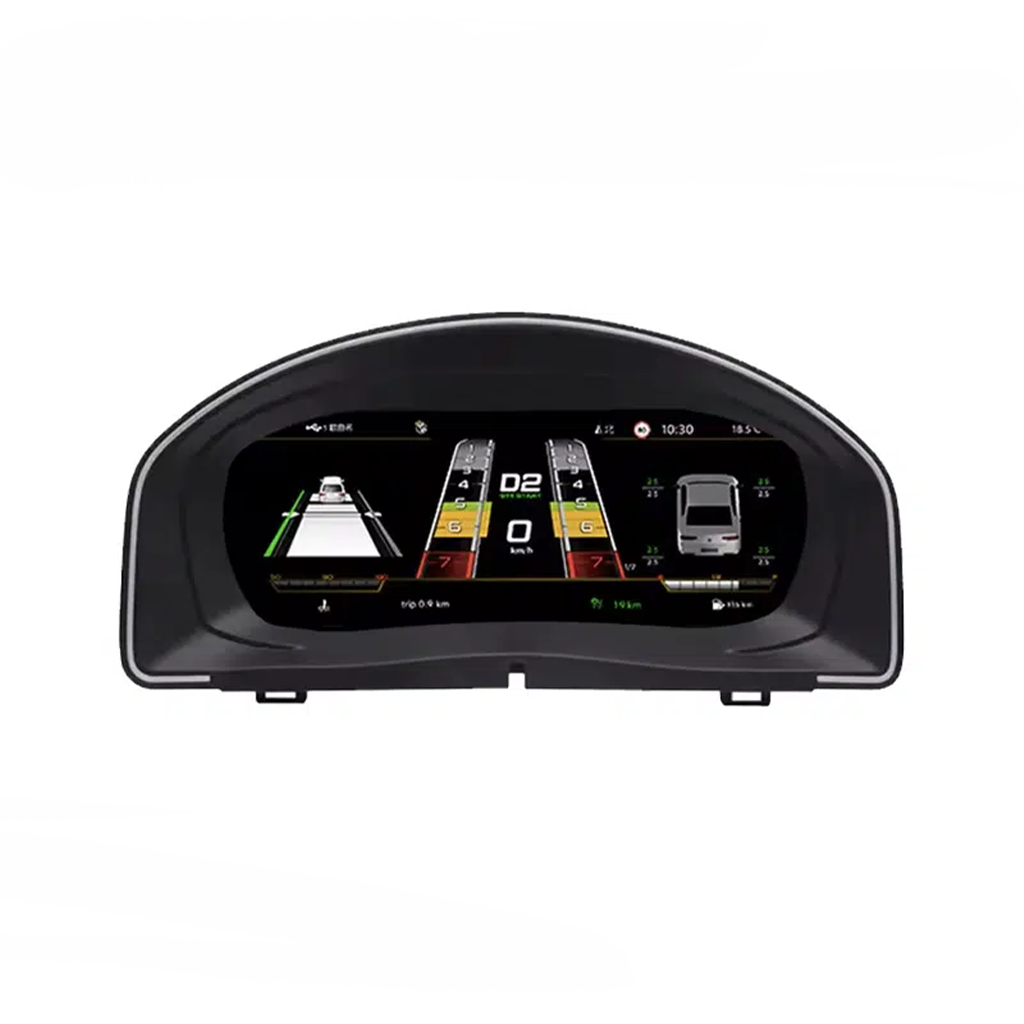
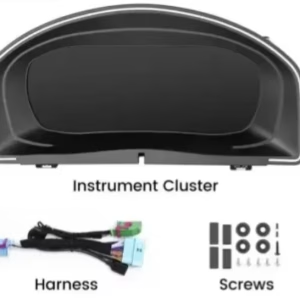
  • Volkswagen Scirocco 2009-2016 and Eos 2010-2015 10.25 inch Digital Instrument Cluster front view
  • Volkswagen Scirocco 2009-2016 and Eos 2010-2015 10.25 inch Digital Instrument Cluster front view
  • eos 2010 2015
  • scirocco 2009 2016
  • S9a62721e13f847bc8a8a09ca0bd24f4bU
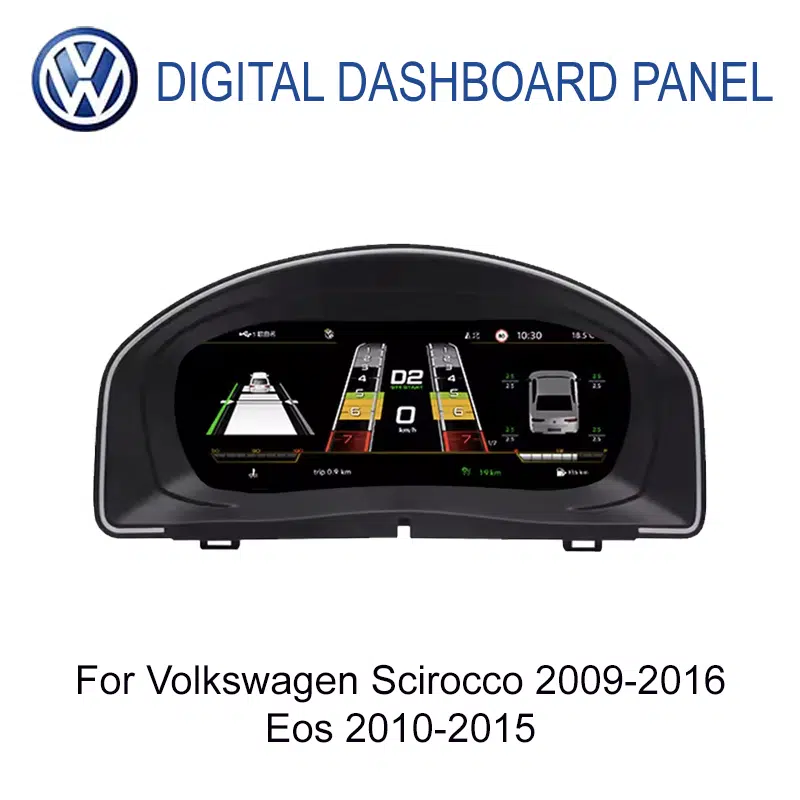
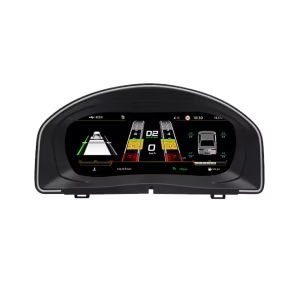
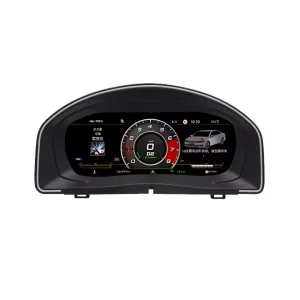
  • Volkswagen Scirocco 2009-2016 and Eos 2010-2015 10.25 inch Digital Instrument Cluster screen interface
  • Volkswagen Scirocco 2009-2016 and Eos 2010-2015 10.25 inch Digital Instrument Cluster screen interface
  • 86e40b03cf46da8e9f1108da465506c8
  • S2e1af3478ae24e65bd0b46c84d8a289ej
  • S6cbc90ebb0684b45b3d834f533091510r

VW Scirocco Eos Digital Cluster for Volkswagen Mk3 Type 13 and Eos 1F

Brand:
(2 customer reviews)

Original price was: $660.00.Current price is: $398.00.

Duty-Free EU & USA Only
Details
Secure by PayPal
DDP Tax-Prepaid Service

We handle all VAT and duties. Estimated savings: $120–$280.

USA (48 States)AustriaBelgiumBulgariaCroatiaCyprusCzechiaDenmarkEstoniaFinlandFranceGermanyGreeceHungaryIrelandItalyLatviaLithuaniaLuxembourgMaltaNetherlandsPolandPortugalRomaniaSlovakiaSloveniaSpainSweden
or

Have any Questions?

Feel free to Get in touch

Pay safely with Paypal Pay safely with Visa Pay safely with Master Card Pay safely with JCB Pay safely with American Express Pay safely with Alipay Pay safely with Google pay Pay safely with Klarna Pay safely with DISCOVER Pay safely with  Apple Pay
Guarantee Safe and Secure Payment Checkout
iKAGOO Buyer Protection

Purchase Protection for This Product

Compatibility review, secure checkout, tracked delivery and practical after-sales support.

Volkswagen OEM-Style Digital Cockpit

VW Scirocco Eos Digital Cluster for a Cleaner Volkswagen Cockpit

A 10.25-inch digital instrument cluster retrofit for Volkswagen Scirocco Mk3 / Type 13 / PQ35 platform / 2009-2016 and Volkswagen Eos / Type 1F / PQ35 platform / 2010-2015.

VW

Cleaner OEM-Style Driver Display

The VW Scirocco Eos Digital Cluster gives the older Volkswagen cockpit a sharper digital driver display while keeping the dashboard direction restrained, cool and close to the original cabin language.

Correct fitment is based on generation, not only the badge name. Volkswagen Scirocco Mk3 / Type 13 and Volkswagen Eos 1F share a PQ35-era upgrade logic, but your exact model year, cluster photo, steering-wheel controls, LHD/RHD position and previous modifications still need to be checked before shipment.
10.25-inch LCDA clearer instrument display for daily speed, RPM, mileage and supported vehicle data.
PQ35 RoutePrepared for Scirocco Mk3 / Type 13 and Eos 1F fitment logic.
iKAGOO CheckModel year, photos, LHD/RHD and visible configuration are reviewed before shipment.
Volkswagen Scirocco Mk3 Type 13 / PQ35 Volkswagen Eos 1F 10.25-inch LCD Level 3 — Advanced DIY

Modern Digital Cluster View Without a Random Universal Look

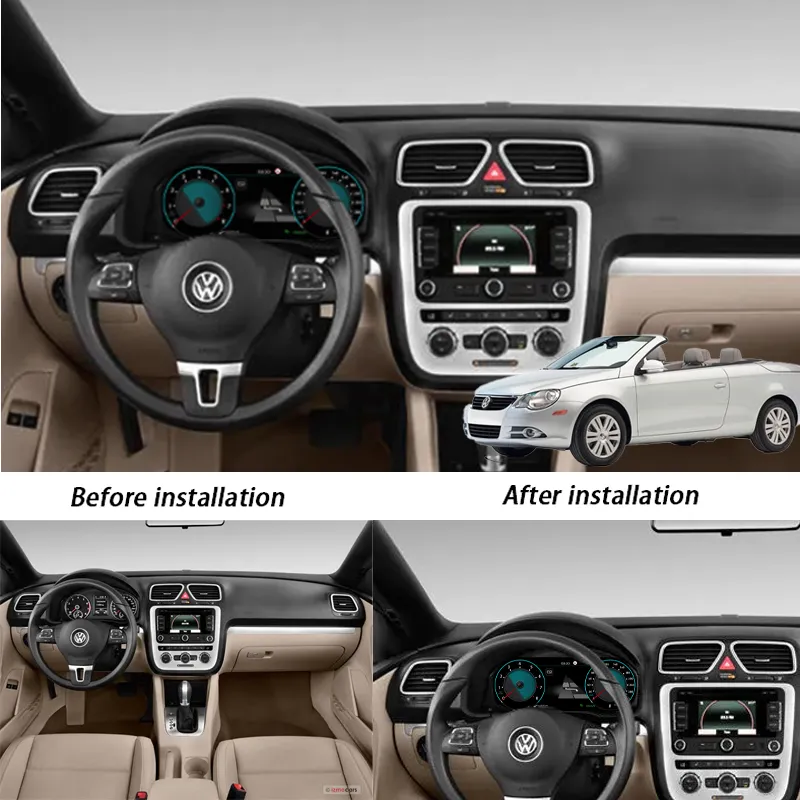
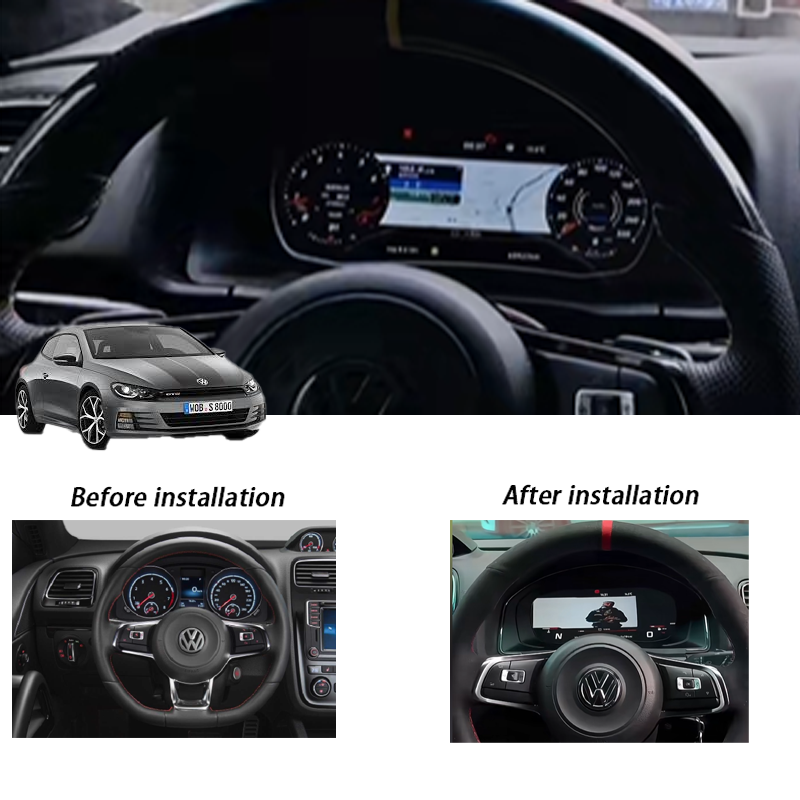
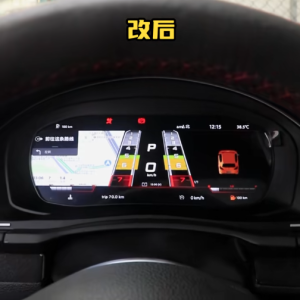
The first thing buyers notice after installation is the cleaner driver view. The upgrade keeps the screen in the original instrument-cluster position, so the cabin feels newer without losing the Volkswagen cockpit direction.

VW Scirocco Eos Digital Cluster installed in Volkswagen dashboard
iKAGOO Product Evaluation

Three Checks Before You Buy This Volkswagen Digital Cluster

These iKAGOO standards help you judge upgrade value, original vehicle function retention and the correct installation path before ordering.

iKAGOO Standard

Upgrade Necessity

92/100 Strong Upgrade Case

This score means the upgrade gives real daily-use value: clearer driving information, a newer cockpit feel and a better long-term ownership experience for older Scirocco Mk3 and Eos 1F vehicles.

Display
94
Cabin
91
Value
90
  • Upgrades the original analogue-style instrument area to a 10.25-inch LCD cockpit.
  • Improves daily readability for speed, RPM, gear, mileage and supported vehicle data.
  • Creates a more modern Volkswagen interior without replacing the whole vehicle.
  • More complete than only adding a CarPlay module because the driver display itself is improved.
Read the iKAGOO Upgrade Necessity Standard
iKAGOO Standard

Original Vehicle Compatibility

90/100 Near-OEM Match

A score of 90/100 does not mean 10% of factory functions are lost. It means the upgrade route is strong when the correct Volkswagen model year, cluster type, wiring route and interface are confirmed.

Function
90
Control
89
Fitment
91
  • Factory Function Continuity: supported vehicle data and warnings continue through the matched interface.
  • Original Control Continuity: supported steering-wheel control logic can remain usable after correct setup.
  • Vehicle Data & Warning Integration: the cluster is intended to preserve useful driver information, not only show graphics.
  • Physical Architecture Match: the product is shaped for the original instrument-cluster area.
  • Installation & Hardware Integration: matched harness and vehicle preparation reduce wrong-version risk.
Read the iKAGOO Original Vehicle Compatibility Standard
iKAGOO Standard

Installation Ease Level

Level 3 Advanced DIY

This level means the installation is suitable for experienced DIY installers or an automotive electronics installer. It requires careful trim removal, cluster handling, matched harness connection and full function testing.

L1
Easy
L2
Basic
L3
Advanced DIY
L4
Pro Route
L5
Specialist
  • Requires removal of the original instrument-cluster area and careful refitting.
  • Requires matched wiring connection and vehicle-interface configuration.
  • Requires post-install testing for display, warning data, steering-wheel control and vehicle information.
  • No intentional cutting of supported factory wiring is planned.
Read the iKAGOO Installation Ease Level Standard
Hero Value

A Digital Cockpit Upgrade for the Right Volkswagen Generation

This product is not a generic VW dashboard screen. It is a vehicle-specific digital instrument cluster retrofit route for Volkswagen Scirocco Mk3 / Type 13 and Volkswagen Eos 1F vehicles in the supported year range.

LCD

Cleaner Driver Display

The 10.25-inch LCD gives you a clearer view of speed, RPM, mileage, gear and supported vehicle information, making the older Volkswagen cabin feel more current in daily driving.

OEM

OEM-Style Cabin Direction

The design direction stays restrained, cool and Volkswagen-like instead of using an exaggerated universal aftermarket style.

FIT

Lower Wrong-Version Risk

iKAGOO checks your model year, dashboard photo, cluster photo, LHD/RHD position and existing modification information before preparing the order.

Quick Answer

What This Volkswagen Digital Cluster Upgrade Does

The VW Scirocco Eos Digital Cluster is a 10.25-inch digital instrument-cluster upgrade for Volkswagen Scirocco Mk3 / Scirocco III / Type 13 / PQ35 platform / 2009-2016 and Volkswagen Eos / Type 1F / PQ35 platform / 2010-2015. It replaces the ageing analogue-style dashboard view with a sharper LCD cockpit while keeping the display in the original driver-focused cluster position. Supported vehicle data, warning information and steering-wheel control logic can continue to work after correct matching and installation. Before shipment, iKAGOO checks your model year, dashboard layout, cluster photos and vehicle configuration so the order is prepared around your actual car, not only the model name.

Buyer Concerns

The Five Questions Buyers Usually Need Answered First

These points reduce wrong orders before international shipping and reduce confusion during installation.

YEAR

Exact Fitment

Supported vehicles are Volkswagen Scirocco Mk3 / Type 13 / 2009-2016 and Volkswagen Eos 1F / 2010-2015. Earlier generations or other VW models should not be treated as supported.

CTRL

Original Controls

Supported steering-wheel control logic and supported vehicle data can continue to work when the matched interface is installed correctly.

NO

Not a Universal Screen

This is a digital instrument cluster retrofit route, not a universal tablet-style display or a generic Volkswagen listing.

WIRE

No Intentional Wire Cutting

The intended route uses matched wiring and does not intentionally cut supported factory wiring. If plugs do not match, installation should stop.

CHK

Fitment Review Before Shipment

iKAGOO checks dashboard layout, cluster photos, LHD/RHD position and visible configuration before preparing the correct version.

SUP

Support After Delivery

If the installer has a wiring, setting or display issue, iKAGOO asks for clear photos and videos so the support route is based on usable evidence.

Core Buyer Benefits

What Changes After This Digital Cluster Upgrade

The value is not only a newer screen. The main value is a clearer driving display, a more modern Volkswagen cabin and a prepared installation route.

READ

Clearer Daily Readability

Speed, RPM, mileage, gear and supported vehicle information become easier to read than an ageing analogue-style dashboard.

CAB

Better Long-Term Ownership Value

The cockpit looks and feels newer, which matters for owners keeping a Scirocco Mk3 or Eos 1F for the long term.

KIT

Cleaner Installation Route

The matched harness and vehicle-interface preparation reduce the risk of improvising after the product arrives.

Factory Functions Retained

Original Volkswagen Functions Supported After Correct Matching

The product should be judged by whether it keeps the vehicle useful after installation, not only whether the screen turns on.

SWC

Steering-Wheel Controls

Supported steering-wheel controls continue to work after correct connection and configuration. This keeps daily operation familiar instead of making the car feel like a universal aftermarket build.

DATA

Vehicle Data and Warnings

Supported speed, RPM, mileage, gear, fuel, temperature and warning information continue through the matched vehicle interface where supported by the vehicle configuration.

NO CUT

No Intentional Wire Cutting

The intended route uses a matched harness and vehicle-specific connection logic. If plugs do not match, stop installation and contact iKAGOO instead of forcing or cutting wiring.

  • Special factory equipment, non-standard wiring, previous cluster repairs, previous aftermarket modifications or uncommon regional configurations may require extra checking before shipment.
Product Media Story

See How the Upgrade Improves the Volkswagen Driver Area

Each visual section explains the buyer benefit before the image, so the page reads like a product story instead of a parts manual.

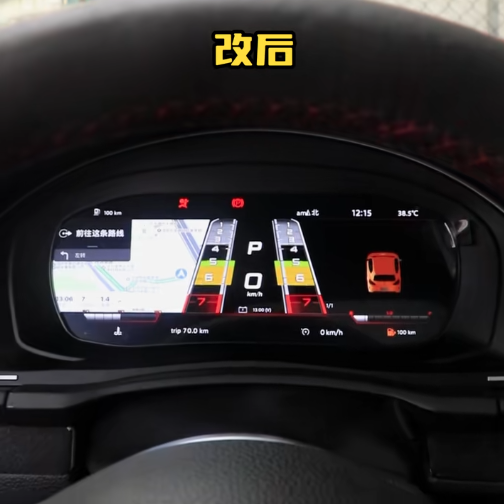
Multiple Display Modes Give the Older Volkswagen Cabin a Newer Cockpit Feel

The screen layout can present classic-style gauges, digital driving information and navigation-related display views. This helps your Scirocco Mk3 or Eos 1F feel more current in daily driving while keeping the main information where Volkswagen originally placed it: directly in front of the driver.

Volkswagen Scirocco Mk3 Type 13 and Eos 1F 10.25 inch digital cluster display

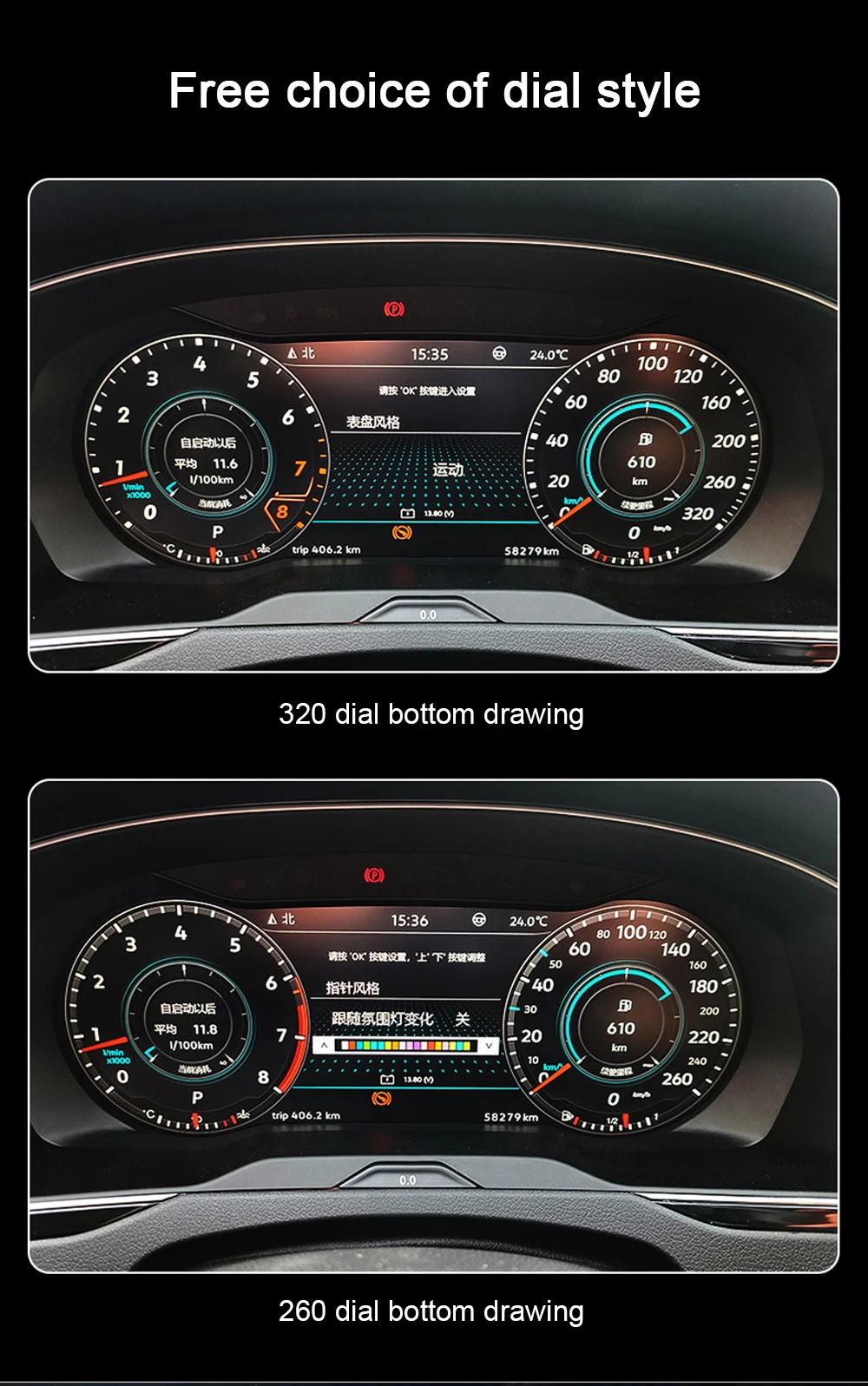
Clean Gauge View for Daily Driving

The gauge-style interface keeps the driving layout familiar while making the dashboard look newer. It is useful for owners who want modern display clarity without losing the simple Volkswagen cockpit logic.

VW Scirocco Eos Digital Cluster gauge display for Volkswagen cockpit upgrade

Vehicle Data View Keeps the Upgrade Practical

The dashboard should not become only a decorative screen. Supported driving data, warning information and vehicle status help the display stay useful every day after correct installation.

Volkswagen Scirocco Eos digital cluster vehicle information display

Matched Cluster Hardware and Harness Matter More Than the Screen Alone

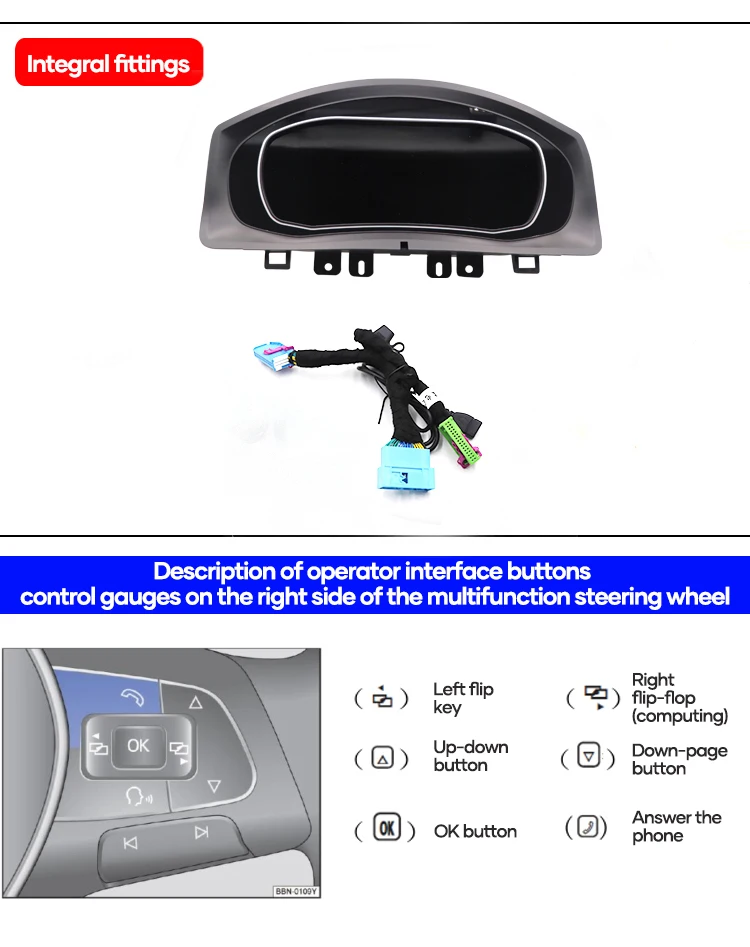
A Volkswagen digital cluster upgrade is not only a front screen. The housing, harness, mounting hardware and vehicle interface route decide whether the installation looks clean and whether the supported data path works correctly.

VW Scirocco Eos Digital Cluster wiring harness and Volkswagen fitment kit

Dashboard Housing Should Follow the Original Cluster Area

The cluster housing and hood structure help the new display sit in the correct dashboard position. Poor trim alignment quickly makes a cockpit upgrade look cheap, even if the screen itself works.

Volkswagen Scirocco Eos digital cluster housing for original dashboard area

The Original Cluster Route Needs Careful Handling

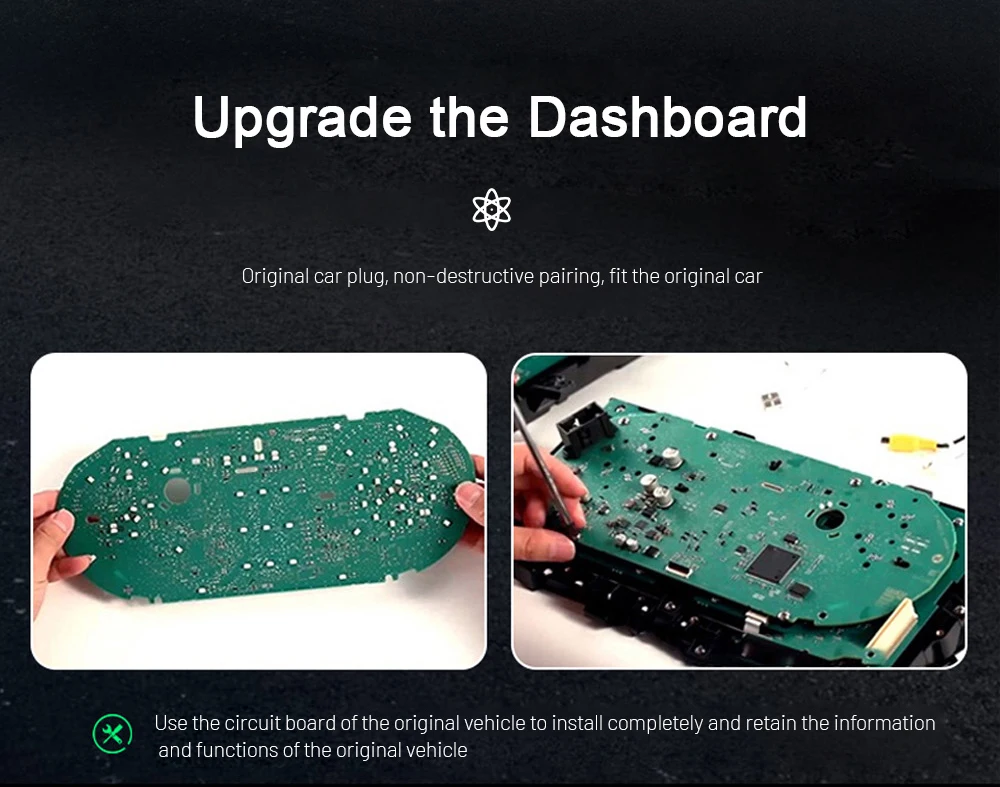
The original information path matters on this type of digital cluster retrofit. A clean installation is not only about powering on the screen; it is about keeping supported vehicle information and driver controls usable.

Volkswagen digital cluster circuit board and dashboard upgrade route

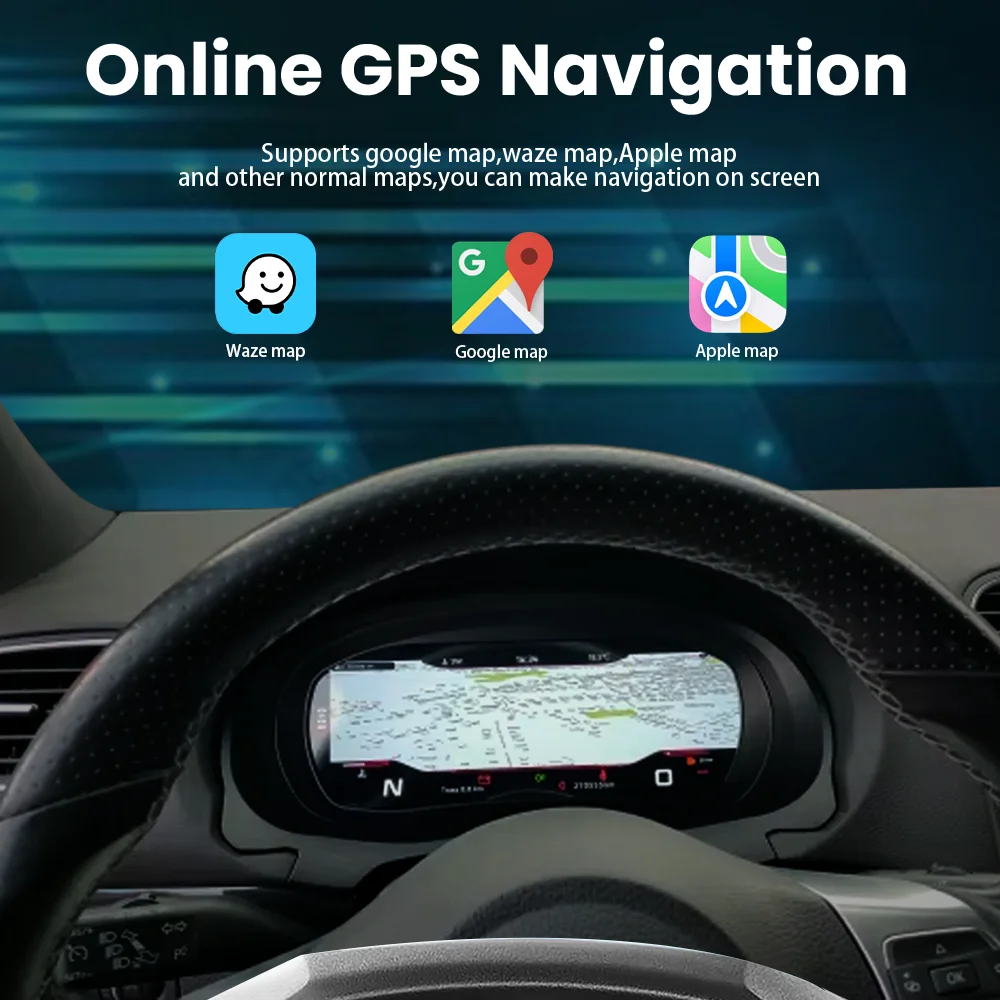
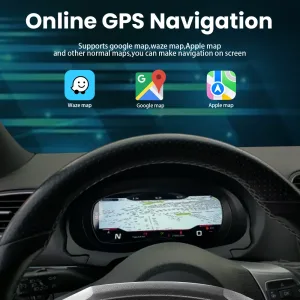
Navigation-Related Display Can Make Older VW Driving Feel Newer

When used with the correct source and connection route, the digital cluster can show navigation-related display information. This is valuable for owners who want the cabin to feel more modern without replacing the whole car.

Volkswagen Scirocco Eos digital cluster navigation display mode

Supported Vehicle Information Stays in the Driver’s View

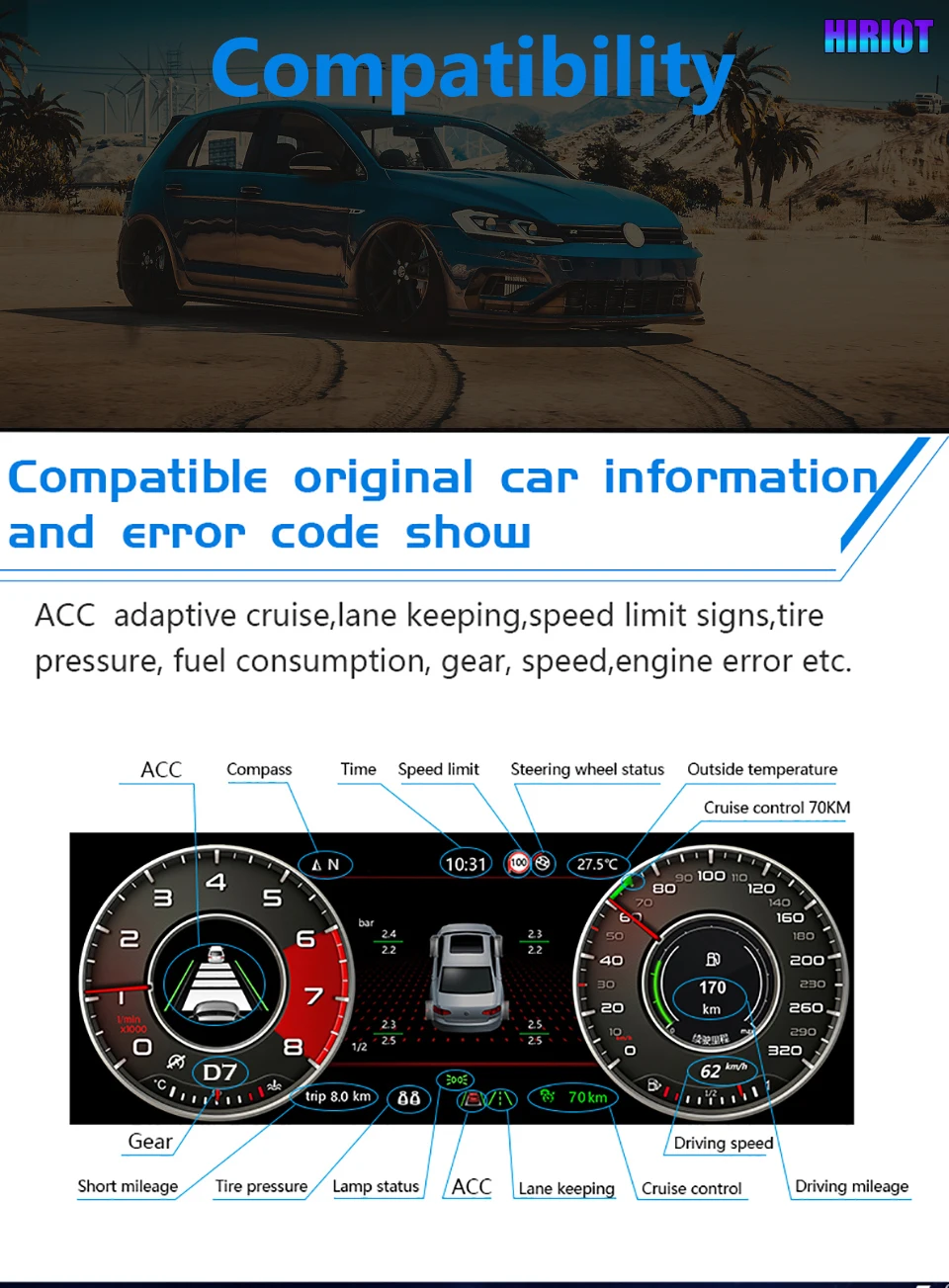
Supported information such as speed, gear, mileage, temperature, warning status and other vehicle data can continue through the matched interface. This keeps the digital cockpit useful instead of turning it into only a decorative screen.

Volkswagen digital instrument cluster vehicle data and warning information display

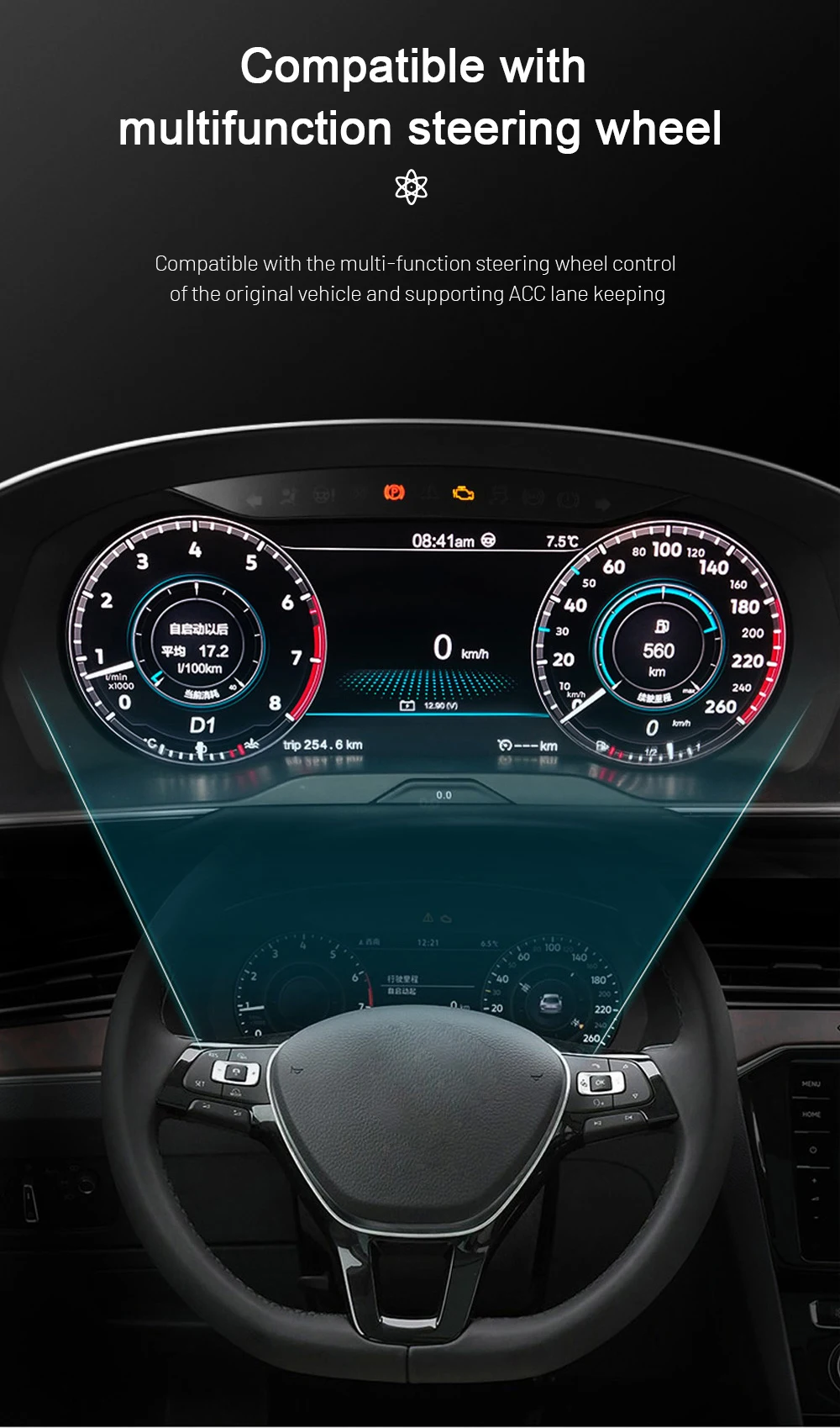
Multifunction Steering-Wheel Control Logic Is Considered

Correct steering-wheel control retention matters because you should not lose familiar operation after upgrading the cluster. iKAGOO checks the supported vehicle configuration and prepares the interface route for the order.

Volkswagen digital cluster multifunction steering wheel control display

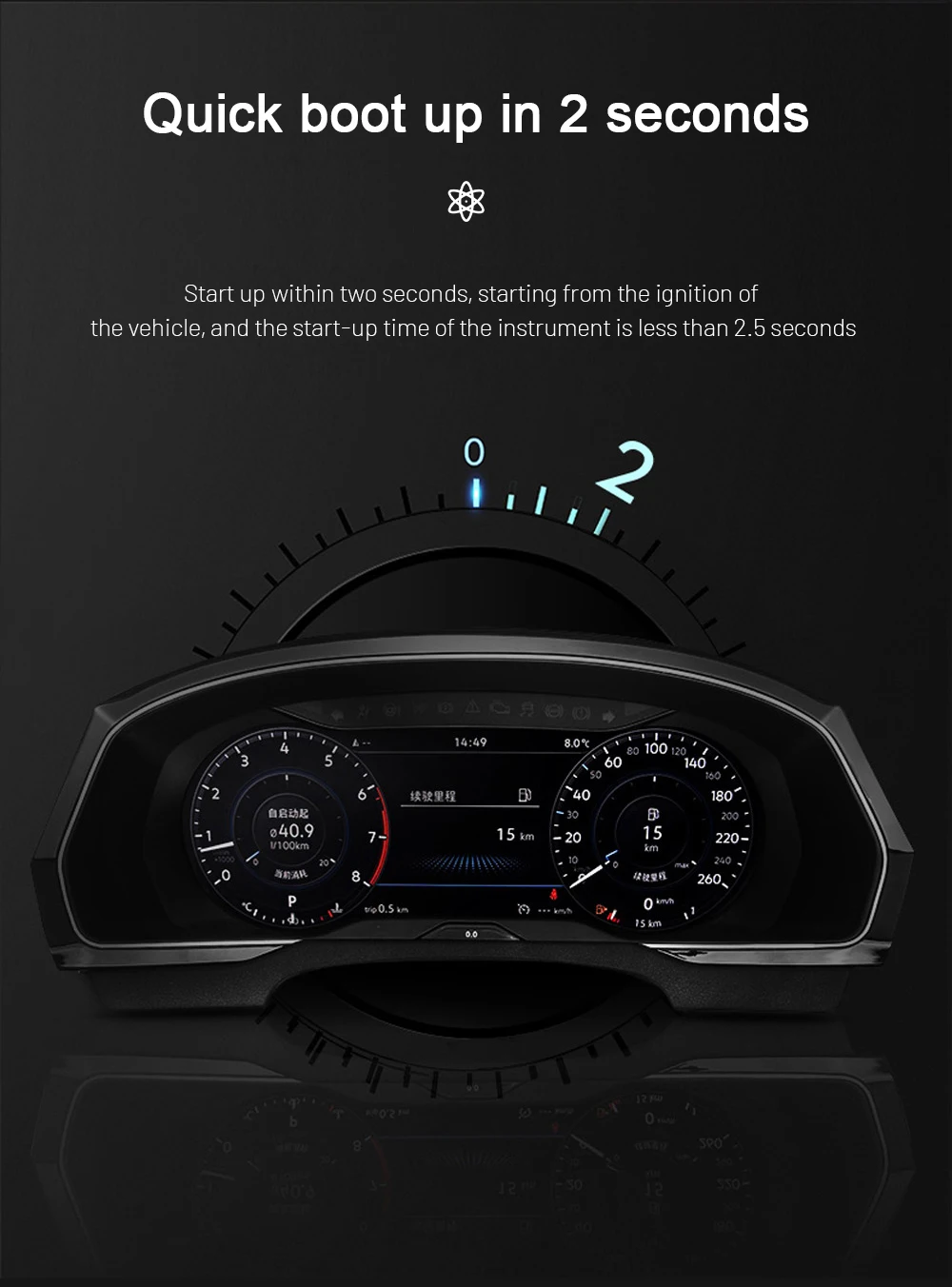
Fast Startup Helps the Cluster Feel Natural Every Day

A fast-starting cluster matters because the display should be ready when you start the car, not several moments after you begin driving. This improves the feeling of a factory-style upgrade in normal daily use.

Volkswagen digital cluster quick boot startup display

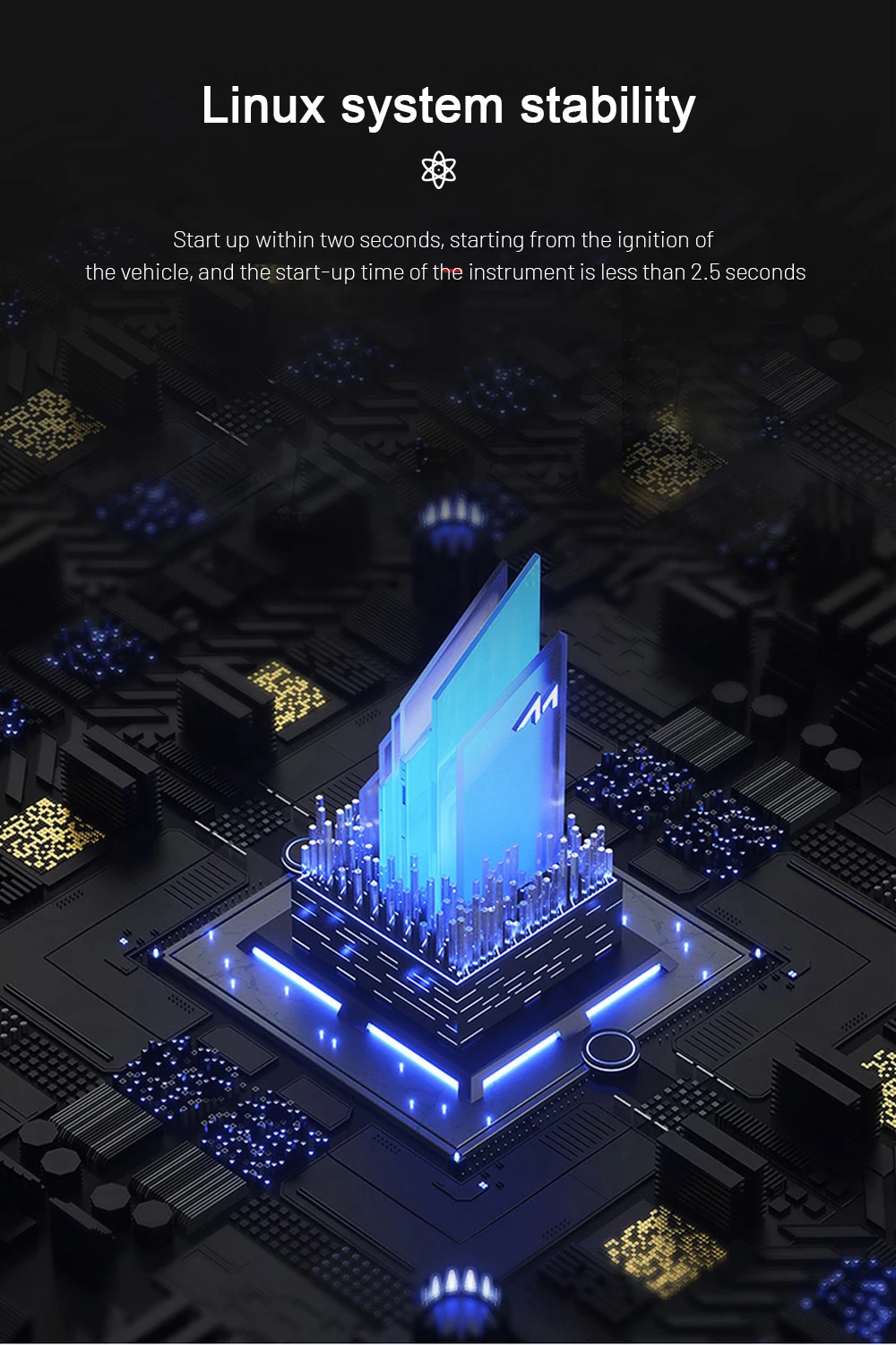
Linux-Based Instrument Display for Focused Use

A dedicated cluster system should focus on stable vehicle information display. The Linux-based system is used for a quick, focused cockpit experience rather than turning the instrument cluster into a general entertainment tablet.

Volkswagen digital instrument cluster Linux system stability graphic

External Source Display Depends on the Correct Setup

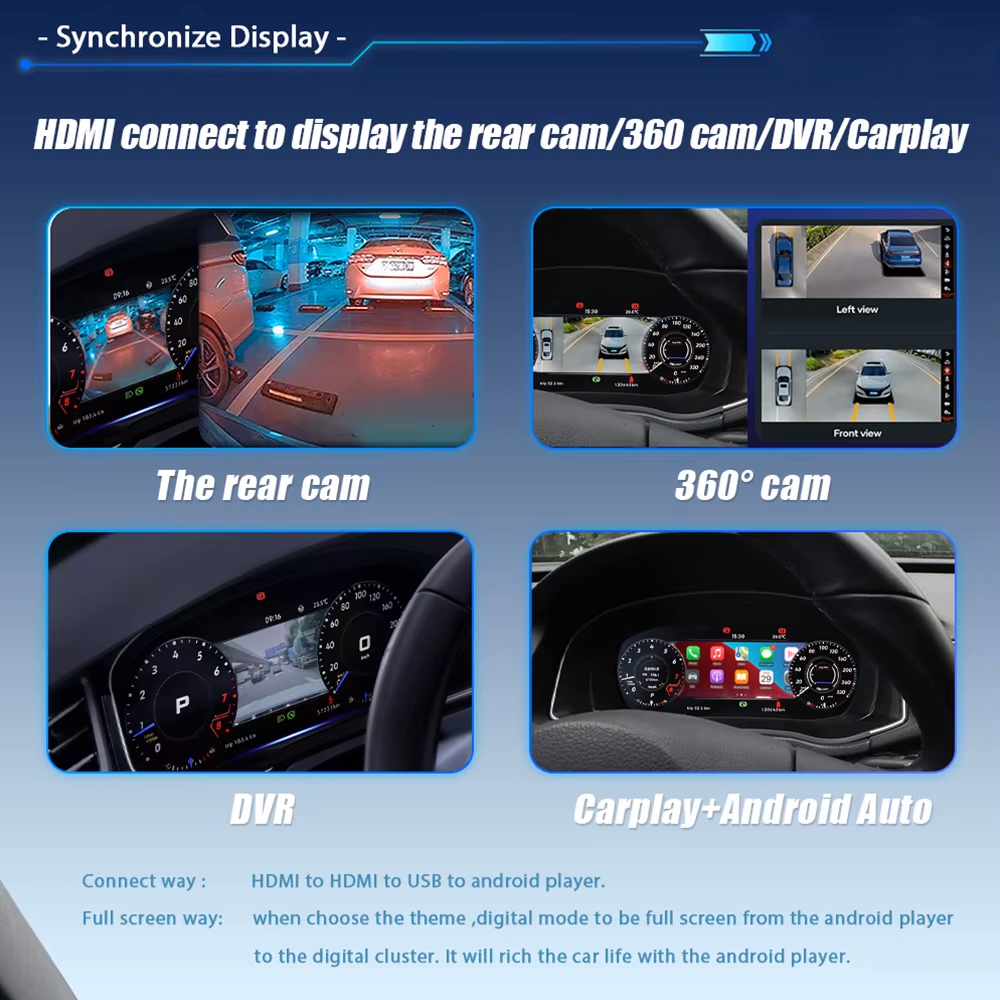
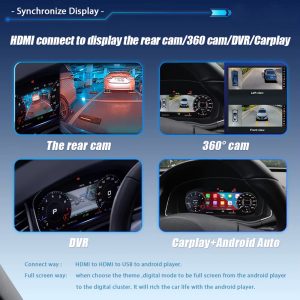
Where the correct source and connection route are used, the display can show reverse-view, 360-view, DVR or CarPlay-related content. This depends on the vehicle equipment and external source, so iKAGOO checks your setup before preparing the order.

Volkswagen digital cluster HDMI source display for camera and CarPlay content

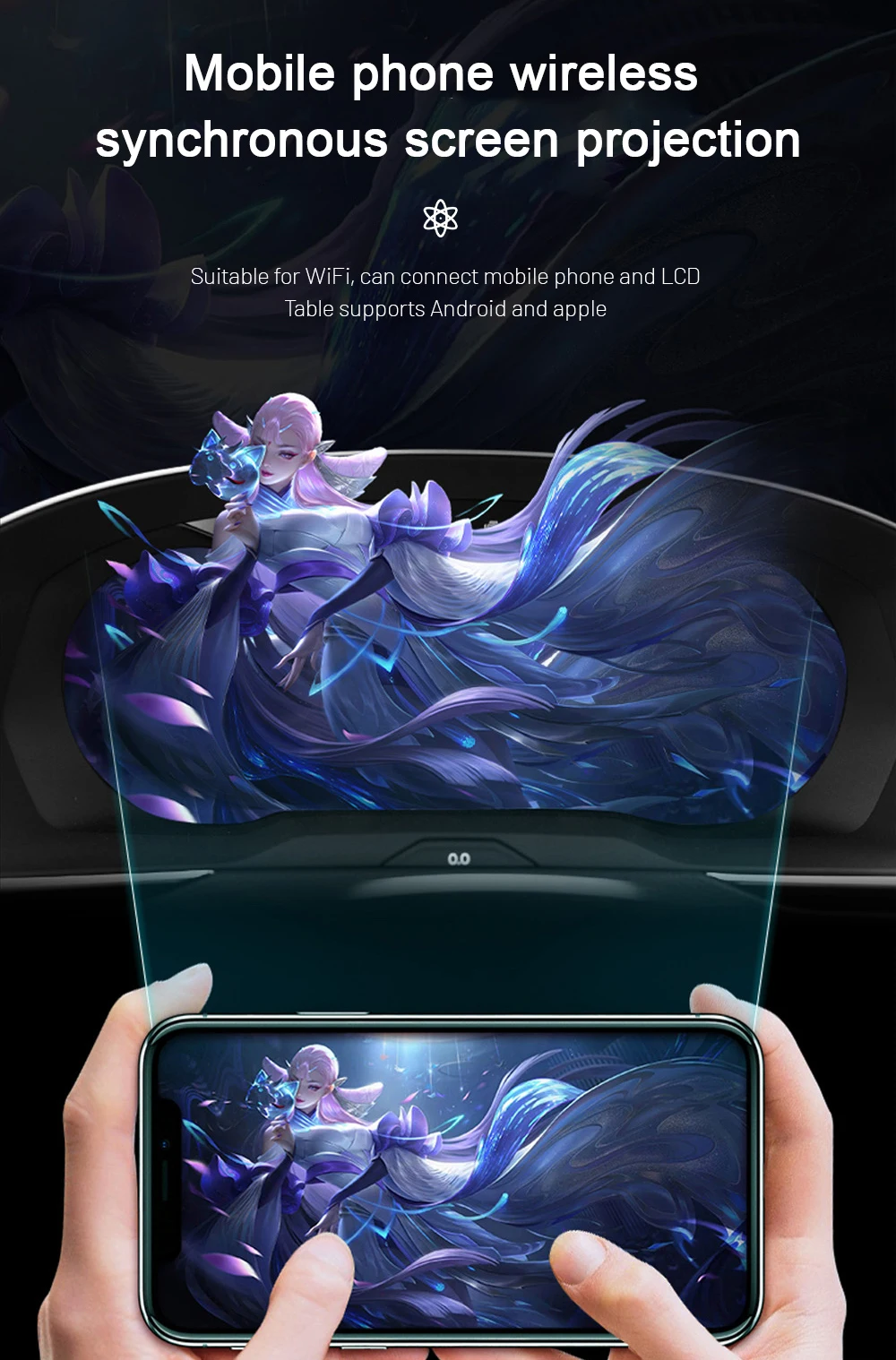
Phone Projection Support Requires a Compatible Source

Phone projection is useful when your vehicle has a compatible Android head unit or display source connected to the cluster route. This is why iKAGOO does not treat every Scirocco or Eos as identical before shipment.

Volkswagen digital cluster mobile phone projection display support
Vehicle Confirmation

Send These Details Before Shipment

The same Volkswagen name can hide different regional equipment, previous repairs or old modifications. These checks help reduce wrong-version risk before international shipping.

CAR
Vehicle modelVolkswagen Scirocco Mk3 / Type 13 or Volkswagen Eos / Type 1F.
YEAR
Supported yearsScirocco 2009-2016; Eos 2010-2015.
DASH
Dashboard photoFront photo of the current instrument cluster and surrounding trim.
SWC
Steering wheel photoUseful for confirming supported multifunction control logic.
LHD
LHD / RHDDriver position matters for regional dashboard and installation planning.
MOD
Existing modificationTell us if the car already has aftermarket wiring, cluster repair history or warning lights.
Why This Upgrade Is Worth Buying

It Solves More Than an Old Cluster Look

A digital cluster upgrade is worth buying when it improves daily driving visibility, keeps supported vehicle information usable and gives you a clear version-matching path before shipment.

VIEW

Better Daily-Use Display

The LCD cockpit makes important driving information easier to read and gives the driver area a more modern Volkswagen feel.

DRV

More Complete Than CarPlay-Only

A CarPlay module changes the centre-screen experience. This upgrade improves the driver’s instrument display itself.

PREP

Prepared Before Shipping

iKAGOO checks the vehicle generation, photos and wiring route before shipment to reduce avoidable mismatch problems.

Why Buy from iKAGOO

For This Product, Correct Volkswagen Matching Is the Real Value

A cheaper cluster is not a better deal if it arrives with unclear fitment, wrong wiring or no practical support. iKAGOO’s value is the matching process before shipment and the support route after delivery.

VIN

Vehicle-Specific Preparation

iKAGOO checks whether your order is for Volkswagen Scirocco Mk3 / Type 13 / 2009-2016 or Volkswagen Eos 1F / 2010-2015, then reviews the visible dashboard and cluster information.

KIT

Screen, Harness and Interface Matching

The screen, harness and connection route are prepared for the supported Volkswagen digital cluster upgrade instead of treating all VW dashboards as the same.

CAN

Original Function Integration

Supported vehicle data, steering-wheel controls and warning information are considered during the version-matching and installation-support route.

SAFE

Factory Wiring Protection

The intended route avoids intentional cutting of supported factory wiring. If the harness does not match, installation should stop before damage occurs.

HELP

Installation and Configuration Support

If an installer finds a setting, wiring or display question, iKAGOO asks for clear photos and videos so the support route is based on useful evidence.

12M

Warranty and After-Sales Route

The product is supported by a 12-month limited hardware warranty and a documented after-order support process.

How iKAGOO Prepares Your Order

Correct Version Preparation Before Packing

For this VW Scirocco Eos Digital Cluster, the important work happens before the parcel is packed. The goal is to avoid discovering a wrong version only after international delivery.

Check 1 CAR

Model and Year Confirmation

iKAGOO checks whether your order matches Volkswagen Scirocco Mk3 / Type 13 / 2009-2016 or Volkswagen Eos 1F / 2010-2015. This prevents treating a different Volkswagen platform as the same product route.

Check 2 IMG

Dashboard and Cluster Photo Review

Dashboard photos, original cluster photos and steering-wheel photos help confirm the visible cluster route, multifunction control logic and signs of previous modification before shipment.

Check 3 CAN

Harness and Interface Route

The screen, harness and vehicle-interface route are prepared according to the supported Volkswagen generation, actual dashboard information and installation condition you provide.

After You Order

What Happens After You Place an Order?

This is the practical support route for your VW Scirocco Eos Digital Cluster order. It is designed for version matching, shipping clarity and installation support.

01

Order Record

Your order number becomes the reference for vehicle matching, shipping and after-sales service.

02

Vehicle Review

iKAGOO checks model, year, dashboard photo, cluster photo, LHD/RHD position and visible configuration.

03

Version Preparation

The screen, harness and connection route are prepared according to the vehicle information you provide.

04

Photo Before Packing

You can request product, harness or accessory photos before dispatch if you ask before packing.

05

Packing and Dispatch

After confirmation, the product is packed and shipped with tracking information.

06

Tracking Follow-Up

International tracking may update in stages when the parcel changes carriers or clears local handling.

07

Installation Support

If a problem appears during installation, iKAGOO may ask for wiring photos, videos and symptom details.

08

Engineer Route

If the issue is not a basic setting question, usable evidence can be escalated for technical judgement.

09

Settings or Firmware

If settings or firmware are involved, iKAGOO coordinates the applicable instruction after version confirmation.

10

Cable or Accessory Issue

If a required cable or accessory is missing or incorrect, iKAGOO checks the evidence and provides the approved route.

11

Hardware Mismatch

If no reasonable software, cable or configuration solution remains, iKAGOO provides a clear handling route under policy.

12

After It Works

You can still contact iKAGOO for applicable update, activation, troubleshooting or maintenance guidance using your order record.

Compare Upgrade Options

Choose the Route That Actually Solves Your Dashboard Problem

For a Volkswagen Scirocco Mk3 or Volkswagen Eos 1F, a digital cluster purchase should not be judged only by price. The better question is whether the option improves the cockpit, keeps useful vehicle information and gives you a clear support route after delivery.

Option 1

Keep the Old Factory Cluster

What it solves: It keeps the vehicle fully original and avoids immediate installation work.

What it does not solve: It does not modernise the cockpit, improve the driver display or give the dashboard a newer Volkswagen digital look.

Best for: Owners who want to preserve the car exactly as-is and do not care about a digital cockpit upgrade.

Buying conclusion: This is the lowest-change option, but it does not solve ageing display appearance or upgrade value.

Option 2

Repair the Old Cluster

What it solves: It may restore a faulty original cluster if the problem is repairable and the rest of the vehicle system is healthy.

What it does not solve: It still leaves you with the old analogue-style cockpit and does not add a 10.25-inch LCD digital instrument display.

Best for: Owners who only want fault repair and do not want a visual or functional dashboard upgrade.

Buying conclusion: Repair can be reasonable for originality, but it is not the strongest route if your goal is a modern Volkswagen cockpit.

Option 3

Used OEM Cluster

What it solves: A used OEM cluster may keep the vehicle closer to factory parts if the exact compatible unit is found.

What it does not solve: It may still require matching, coding, mileage handling or condition checks, and it does not create the same 10.25-inch digital cockpit experience.

Best for: Owners who prioritise original used parts and have access to a qualified Volkswagen electronics specialist.

Buying conclusion: This route can be useful in specific repair cases, but it is not the clearest upgrade path for buyers wanting a newer digital display.

Recommended Route

iKAGOO Digital Instrument Cluster

What it solves: The VW Scirocco Eos Digital Cluster upgrades the original driver display to a 10.25-inch LCD cockpit for Volkswagen Scirocco Mk3 / Type 13 and Volkswagen Eos 1F.

What it does not solve: It is not a universal repair for every Volkswagen cluster fault, and it still requires correct vehicle information, matched wiring and proper function testing.

Best for: Owners who want a cleaner Volkswagen-style digital cockpit, retained supported vehicle data, no intentional cutting of supported factory wiring and iKAGOO fitment support before shipment.

Buying conclusion: This is the strongest purchase route when your goal is not only to fix an old cluster, but to modernise the driver display with a vehicle-specific upgrade path.

Specifications

Key Product Information

TYPE
Product typeDigital Instrument Cluster / LCD Cluster / Virtual Cockpit Retrofit.
SCIR
Supported Volkswagen SciroccoVolkswagen Scirocco Mk3 / Scirocco III / Type 13 / PQ35 platform / 3-door coupe / 2009-2016.
EOS
Supported Volkswagen EosVolkswagen Eos / Type 1F / PQ35 platform / convertible coupe / 2010-2015.
10.25
Screen size10.25-inch LCD display.
DATA
Display valueSpeed, RPM, mileage, gear, warning and supported vehicle information.
SYS
System directionDedicated digital instrument-cluster display route, not a universal dashboard tablet.
L3
Installation Ease LevelLevel 3 — Advanced DIY.
WIRE
Wiring approachMatched harness route; no intentional cutting of supported factory wiring.
CHK
Buyer confirmationModel year, dashboard photo, cluster photo, LHD/RHD and existing modification information.
SUP
SupportFitment review, installation guidance, configuration support and 12-month limited hardware warranty.
Harness, Accessories and Installation

Install the Cluster Like a Vehicle Electronics Upgrade, Not a Decoration

This is a Level 3 — Advanced DIY installation path. It is suitable for experienced DIY installers or an automotive electronics installer who can remove the original cluster area, connect the matched harness and test the vehicle functions after installation.

TRIM

Physical Installation Work

The installer should remove the required trim and original instrument cluster carefully, position the 10.25-inch cluster assembly correctly and avoid forcing the dashboard housing or mounting points.

  • Remove trim and cluster components carefully.
  • Protect clips, screws and dashboard edges.
  • Fit the new cluster housing without forcing alignment.
CAN

Wiring and Vehicle Interface

The matched harness and vehicle interface must be connected according to the prepared route. The goal is to retain supported vehicle data and steering-wheel control logic without intentionally cutting supported factory wiring.

  • Connect the dedicated wiring harness.
  • Connect CANBUS or vehicle-interface wiring where applicable.
  • Check plugs, pins and locking tabs before powering on.
TEST

Function Testing After Installation

After connection, the installer should test the display, speed/RPM data, mileage display, warning information, steering-wheel controls and sleep/current behaviour before the trim is fully restored.

  • Test vehicle data and warning display.
  • Test steering-wheel control response where supported.
  • Check sleep behaviour and abnormal power draw symptoms.

Stop Installation and Contact iKAGOO If Any of These Happen

Do not force the installation. These warning signs can damage the vehicle, the cluster or the wiring route. Pause the work and send clear photos or videos to iKAGOO before continuing.

  • Connector shape or pin layout is clearly different from the prepared harness.
  • Any pin is bent, loose, pushed back or visibly damaged.
  • The wiring harness does not match the instruction route or vehicle connector.
  • There is abnormal heat, burning smell, smoke or visible electrical stress.
  • The same fuse blows repeatedly after connection.
  • Power, ground or ACC signal cannot be confirmed safely.
  • The installer needs to cut the factory main harness to continue.
  • CANBUS, camera, amplifier, audio or vehicle data behaviour is abnormal and cannot be explained.
Shipping, Warranty and After-Sales

Support Does Not Stop After Payment

iKAGOO treats this as a vehicle-specific electronics upgrade. The order record, vehicle information and installation evidence help us support the correct version after delivery.

SHIP

Tracked Global Shipping

After preparation and packing, the order is shipped with tracking. International tracking may update in stages when the parcel changes carriers or enters local delivery handling.

12M

12-Month Hardware Warranty

The product is covered by iKAGOO’s 12-month limited hardware warranty under the published warranty policy. Installation damage, forced wiring changes and unsupported modifications are handled according to policy terms.

Read the iKAGOO Warranty Policy
RTN

Clear Return and Handling Boundary

If a confirmed hardware incompatibility remains after correct vehicle information, installation checks and technical review, iKAGOO gives a clear handling route under the return policy.

Read the Return and Refund Policy
FAQ

Frequently Asked Questions

Is this for every Volkswagen Scirocco or Eos?

No. This product is for Volkswagen Scirocco Mk3 / Type 13 / PQ35 platform / 2009-2016 and Volkswagen Eos 1F / PQ35 platform / 2010-2015. Earlier Scirocco generations, other Volkswagen models and earlier Eos years should not be treated as supported without checking the vehicle details first.

Will this fit my exact Volkswagen Scirocco or Eos?

It depends. The supported range is clear, but iKAGOO still checks your dashboard, cluster and vehicle details before shipment because regional equipment and previous modifications can change the installation route.

Will original steering-wheel controls still work?

Yes, when your vehicle has the supported control system and the matched interface is connected correctly. Send clear steering-wheel and cluster photos before shipment.

Will the factory camera or parking sensors continue to work?

It depends. Camera, parking and external display behaviour depend on the vehicle equipment and the connected source. Send your factory system and dashboard information before shipment so iKAGOO can check the proper route.

Does this require cutting factory wiring?

No. The intended route uses a matched harness and does not intentionally cut supported factory wiring. If your installer finds mismatched plugs, stop and contact iKAGOO before modifying anything.

Is this a universal VW cluster?

No. This page is for the VW Scirocco Eos Digital Cluster route, not a universal Volkswagen screen for Tiguan, Jetta or Passat. Do not copy those model names into this product description.

Does it support Apple CarPlay or Android Auto display?

It depends. The digital cluster itself is not a standalone Android head unit. CarPlay or Android Auto display requires a compatible source or Android head unit connection and the correct display route.

Is it suitable for DIY installation?

It depends. This is Level 3 — Advanced DIY, suitable for experienced DIY installers or automotive electronics installers who can remove the cluster area and test vehicle functions after installation.

What should I send before shipment?

Send your model year, dashboard photo, original cluster photo, steering-wheel control photo, LHD/RHD position and any existing modification information. These details reduce wrong-version risk.

What if my vehicle has a special factory audio system?

It depends. Special factory audio, previous retrofits or non-standard wiring can change the connection route. Tell iKAGOO before shipment so the product and support route can be prepared correctly.

What if my connector or factory system is different?

Stop installation and send photos to iKAGOO before changing wiring. Connector mismatch, pin differences or previous aftermarket wiring should be checked before continuing.

What happens after I place the order?

iKAGOO uses your order record to check vehicle information, prepare the correct version, arrange packing and provide support if your installer needs help during installation or configuration.

Can I request actual product photos before packing?

Yes. Ask before packing if you want to see the prepared product, visible accessories or harness items. This request should be made before dispatch, not after tracking has started.

What if tracking does not update clearly?

It depends. International tracking may update in stages when a parcel changes carrier or enters local delivery handling. Contact iKAGOO with your order number so the logistics route can be checked.

What if my installer finds a cable or setting issue?

Send clear photos, videos and symptom details before changing wiring. iKAGOO can check the cable route, settings or vehicle-interface behaviour based on the information provided.

What if software, firmware or settings are required?

It depends. iKAGOO will first confirm your product version and symptom details. If an electronic instruction or file is appropriate, it may be provided after technical confirmation.

Why buy from iKAGOO instead of a cheaper generic unit?

Because version matching, harness preparation and after-sales support matter more than a low product price. A cheaper unit is not cheaper if it arrives with unclear fitment or no practical installation help.

Final CTA

Order the Correct VW Scirocco Eos Digital Cluster Version

Send your Volkswagen model year, dashboard photo, cluster photo, steering-wheel photo and LHD/RHD position before shipment. iKAGOO will use this information to prepare the correct version and support route for your order.

5.00

Based on 2 reviews
2
0
0
0
0

2 reviews for VW Scirocco Eos Digital Cluster for Volkswagen Mk3 Type 13 and Eos 1F

  1. Nicolas Petit

    Total rating
    Value for money

    C’est incroyable comme cet écran change l’intérieur de la voiture. La fluidité du système Linux est excellente, ça démarre instantanément. J’adore avoir les instructions de navigation CarPlay affichées directement devant moi. La finition du cadre est très propre, on dirait une pièce d’origine Volkswagen. Livraison rapide et sans frais de douane pour la France.

    Is it helpful?
  2. Carlos Mendez

    Total rating
    Value for money

    Estaba pensando en vender mi coche, pero este cuadro de instrumentos me ha hecho enamorarme de él otra vez. La resolución 1920×720 es muy nítida. Puedes cambiar los colores y temas según tu estado de ánimo. El soporte técnico me ayudó mucho con una duda sobre el cableado, son muy amables. Una compra obligatoria si tienes un Scirocco.

    Is it helpful?
Add a review

Your email address will not be published. Required fields are marked

You have to be logged in to be able to add photos to your review.

iKAGOO shipping, warranty, returns and customer support
iKAGOO Customer Support

Shipping, Warranty & Returns

Clear information about order processing, international delivery, vehicle-specific products, warranty support, returns and damaged shipments.

Order processing Normally 1–3 business days before dispatch.
International delivery Normally 5–20 business days after dispatch, depending on destination.
Hardware warranty 12-month limited warranty for eligible manufacturing defects.
Vehicle-specific support Compatibility, wiring and configuration assistance are available.

Frequently Asked Questions

These answers provide a practical summary. The complete policy pages linked below apply to all orders.

01

Where are orders shipped from, and how long does delivery take?

Most iKAGOO orders are dispatched from our fulfillment location in China after the product configuration and vehicle information have been checked. Normal order processing takes approximately 1–3 business days.

Estimated delivery times after dispatch are:

  • USA and Canada: approximately 5–9 business days
  • European Union: approximately 7–15 business days
  • United Kingdom and Australia: approximately 7–10 business days
  • Other supported regions: approximately 7–20 business days

Delivery estimates may be affected by customs clearance, local holidays, remote-area delivery, weather or carrier delays.

02

Will I need to pay import tax, VAT or customs charges?

Standard international shipping normally does not include destination-country VAT, import duties, brokerage charges or customs clearance fees.

For eligible European Union destinations, an optional DDP shipping service may be available. Import-related charges are included only when DDP is selected at checkout or confirmed by iKAGOO in writing before shipment.

When DDP is not selected, the recipient is responsible for any charges collected by local customs or the delivery carrier.

03

Can I request express shipping?

Express or expedited shipping may be available for selected products and destinations. Availability, carrier and additional cost are confirmed before shipment.

Depending on the destination and product type, iKAGOO may use carriers such as DHL, FedEx, UPS, EMS, 4PX or another tracked logistics provider.

04

How can I track my shipment?

After the order has been dispatched, the tracking number or tracking link will normally be sent to the email address used for the order.

Tracking updates may take several business days to appear while a parcel is transferred between international and local carriers.

05

What is the iKAGOO return and refund policy?

Return eligibility depends on the reason for the return, the product condition, installation status, evidence provided and whether the return has been approved by iKAGOO.

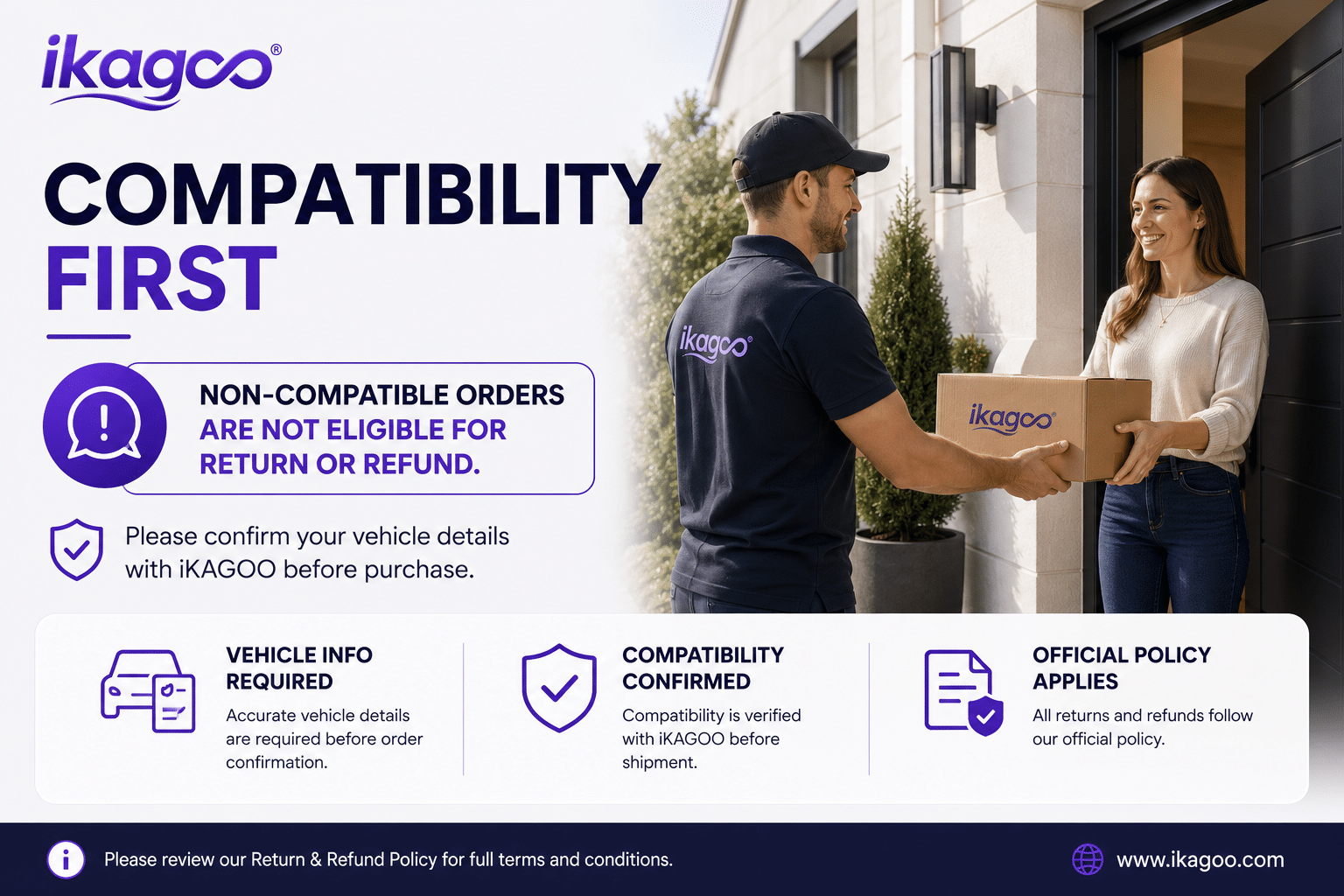
For a non-defective return, the product must normally be unused, uninstalled, complete and suitable for resale. The customer is generally responsible for approved return shipping costs.

Original shipping charges, DDP charges, VAT, customs duties and other logistics costs are generally non-refundable unless required by applicable law or confirmed otherwise by iKAGOO.

Do not send a product back without receiving an approved return address and return instructions from iKAGOO.

06

What happens if iKAGOO confirmed compatibility but the product cannot be installed?

Additional protection may apply when iKAGOO confirmed compatibility before purchase, the customer supplied accurate vehicle information, and the customer cooperated with reasonable installation and diagnostic steps.

If iKAGOO confirms that no reasonable technical solution is available, and the issue is reported within 7 calendar days after delivery, the customer may be eligible for a refund of the product price without being required to return the product.

Original shipping, DDP, VAT, customs duties and other third-party charges are not included in this product-price refund.

07

What warranty does iKAGOO provide?

Eligible iKAGOO products include a 12-month limited hardware warranty covering verified manufacturing defects and eligible hardware failures under normal use.

Depending on the issue, the solution may include remote diagnosis, configuration assistance, replacement parts, repair, product replacement, partial refund or full refund.

The warranty does not normally cover damage caused by incorrect wiring, unauthorized modification, accidental damage, water ingress, impact, misuse, improper voltage, installation error or incompatible third-party equipment.

08

Does opening the product automatically cancel the warranty?

Inspection or third-party examination does not automatically cancel the entire warranty. However, damage caused by unauthorized repair, component replacement, incorrect modification, broken circuits or improper reassembly is not covered.

Contact iKAGOO before dismantling or repairing the product so that the correct diagnostic procedure can be provided.

09

What if my order arrives damaged or has missing parts?

Contact iKAGOO within 7 calendar days after delivery and keep the original packaging, shipping label, accessories and product.

Please provide clear photos or video showing:

  • The external shipping carton and shipping label
  • Any visible packaging damage
  • The product and affected area
  • All received accessories and wiring

After verification, iKAGOO may arrange a missing-part shipment, replacement, repair, refund or another reasonable solution based on the specific case.

10

What should I do if I ordered the wrong product?

Contact iKAGOO before installing or using the product. An exchange or return may be approved when the product remains unused, uninstalled, complete and suitable for resale.

Customers are normally responsible for shipping costs and any price difference when the wrong product, vehicle model, year or factory configuration was selected.

A free prepaid return label is not automatically provided.

11

Can I modify or cancel my order after payment?

Contact iKAGOO as soon as possible, preferably within 12 hours after placing the order, when requesting an address, vehicle configuration or product change.

A modification or cancellation is not effective until confirmed by iKAGOO. Vehicle-specific products may enter procurement, programming, testing, configuration or custom preparation shortly after payment.

Once preparation or shipment has started, cancellation may not be possible, or reasonable costs already incurred may be deducted.

12

What is included in the package?

Package contents vary by product, vehicle model, factory system and selected configuration.

Depending on the product, the package may include the main device, vehicle-specific wiring harnesses, CANBUS interface, adapters, USB cables, antennas, microphones, mounting hardware and other installation accessories.

Refer to the relevant product page, package photos and order confirmation for the exact included components.

13

How do I contact iKAGOO support?

You can contact iKAGOO through the contact form, email, WhatsApp or the available website support channels. Typical response time is within 24 business hours.

For faster technical support, include your order number, vehicle model and year, factory system photos, product photos and a clear video showing the issue.

Visit: iKAGOO Contact and Support

14

Is payment secure, and are installment options available?

Payments are processed through the secure payment methods displayed during checkout. Available card, wallet and installment options may vary by country, currency, payment provider and customer eligibility.

Any installment service, including options offered by PayPal or another provider, is subject to that provider’s regional availability and approval rules.

Read the Complete iKAGOO Policies

Review the full policy pages before ordering, especially for vehicle-specific products, international tax arrangements and installation-related returns.

This FAQ is a simplified customer guide. The complete published policy pages, order confirmation and applicable consumer law take priority if any wording differs.

Volkswagen Scirocco 2009-2016 and Eos 2010-2015 10.25 inch Digital Instrument Cluster front view VW Scirocco Eos Digital Cluste...

Original price was: $660.00.Current price is: $398.00.

Add to cart