


VW Jetta Digital Instrument Cluster Retrofit 2012 2018 Installation Guide 2012–2018
Complete retrofit guide for the 2012–2018 Volkswagen Jetta (PQ35/MK6 & MK6.5): plug-and-play VW Jetta digital instrument cluster with CANBUS steering-wheel controls [R10], OTA updates, and step-by-step installation. VW Jetta Digital Instrument Cluster (2012–2018) — Installation & Control Guide.
1. Product Overview
This guide covers Volkswagen Jetta cluster retrofit on the PQ35 platform with a 10.3" 1920×720 display, fully compatible with Jetta CANBUS steering wheel controls and OTA updates.
- Non-destructive, plug-and-play. Only the factory cluster is removed. No drilling, cutting, coding, or VIN matching. Original vehicle data remains untouched and reversible.
- Automotive-grade Linux platform. Engineered for VW PQ vehicles; 100+ stability iterations; typical cold boot ≈ 3 seconds; no lag in long-term use.
- 10.3" 1920×720 OEM-grade panel. Multiple VW/Audi-style UIs; preserves OEM steering-wheel logic and information hierarchy.
- Deep vehicle integration. Wired/wireless phone mirroring, multi-language/units, driving mode views, full warning lights & passive alerts, complete data visualization, and OTA online updates [R9].
- Embedded OEM controller board. All body-domain alerts remain visible for safe driving.
- 1:1 factory look & fit. Trim geometry modeled from Sagitar/Jetta interior for tight gaps and OEM-like finish.
Feature set and themes may vary by model year/region/gateway. Refer to your official owner’s manual [R1][R2].
2. Quality Standards (Jetta Digital Cluster Validation)
| No. | Test Item | Conditions | Result |
|---|---|---|---|
| 1 | Basic functional test | All primary functions verified | PASS |
| 2 | Operating voltage range | 9–16 V normal operation | PASS |
| 3 | Surge immunity | High-/low-frequency surge | PASS |
| 4 | Power fluctuation | Simulated in-vehicle power dynamics | PASS |
| 5 | ESD robustness | Air: 25 kV (off), 10 kV (on); Contact: 15 kV (off) | PASS |
| 6 | Low-temp storage | −40 °C, 48 h | PASS |
| 7 | Low-temp operation | −30 °C, 24 h | PASS |
| 8 | High-temp operation | +70 °C, 24 h | PASS |
| 9 | High-temp storage | +85 °C, 48 h | PASS |
| 10 | EM interference (radio/handset) | No disturbance during call | PASS |
| 11 | Power cycle endurance | 1,000,000 cycles | PASS |
| 12 | Software stress | Continuous CAN data pressure | PASS |
| 13 | DDR/Flash endurance | Memory read/write stress | PASS |
Note: Internal validation points for Ikagoo’s PQ-platform Jetta cluster; details vary by year/region.
3. Package Contents
- Digital cluster assembly (Sagitar/Jetta specific)
- Vehicle-specific wiring harness
- Basic installation tools

Check all items before installation. If your kit doesn’t match the vehicle year, contact support.
4. Important Notes
- PQ platform (2012–2018 Jetta). For vehicles equipped with analog pointer clusters. RHD/diesel/hybrid supported.
- Compatibility check. If your factory analog cluster matches the one shown in our videos/photos, the retrofit applies. [R1]
- ESD precautions. Discharge body static (hold a metal pipe and wash hands). Handle the PCB by the edges; do not touch components.
- Keep the OEM buzzer/speaker. Do not remove it, or the system may trigger a “cluster fault.” [R7]
- Before removal. Disable “Winter Tire” warning and set “Speed Warning” to maximum, then turn both off in the multi-function display [R8].
5. Installation Gallery
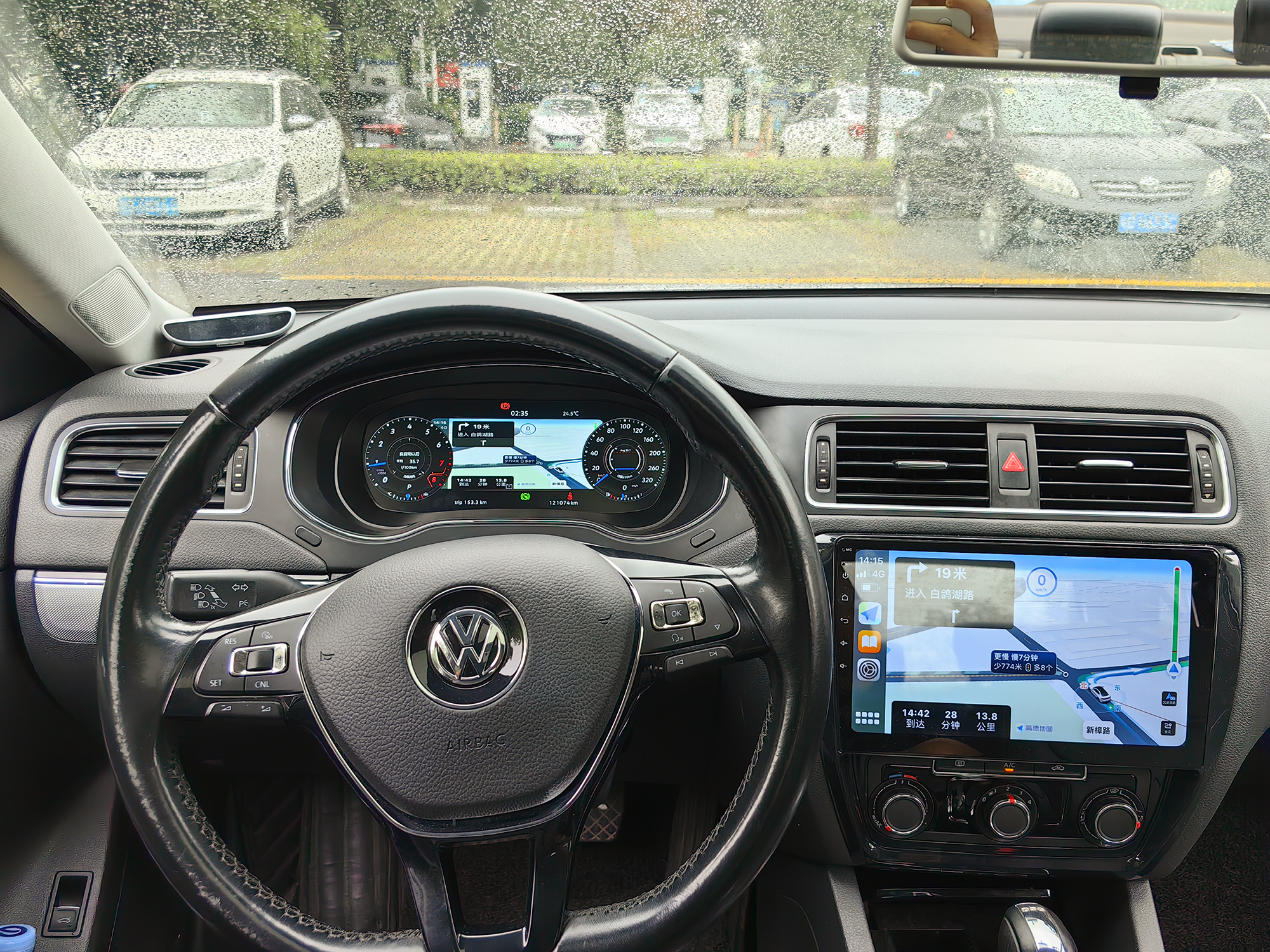
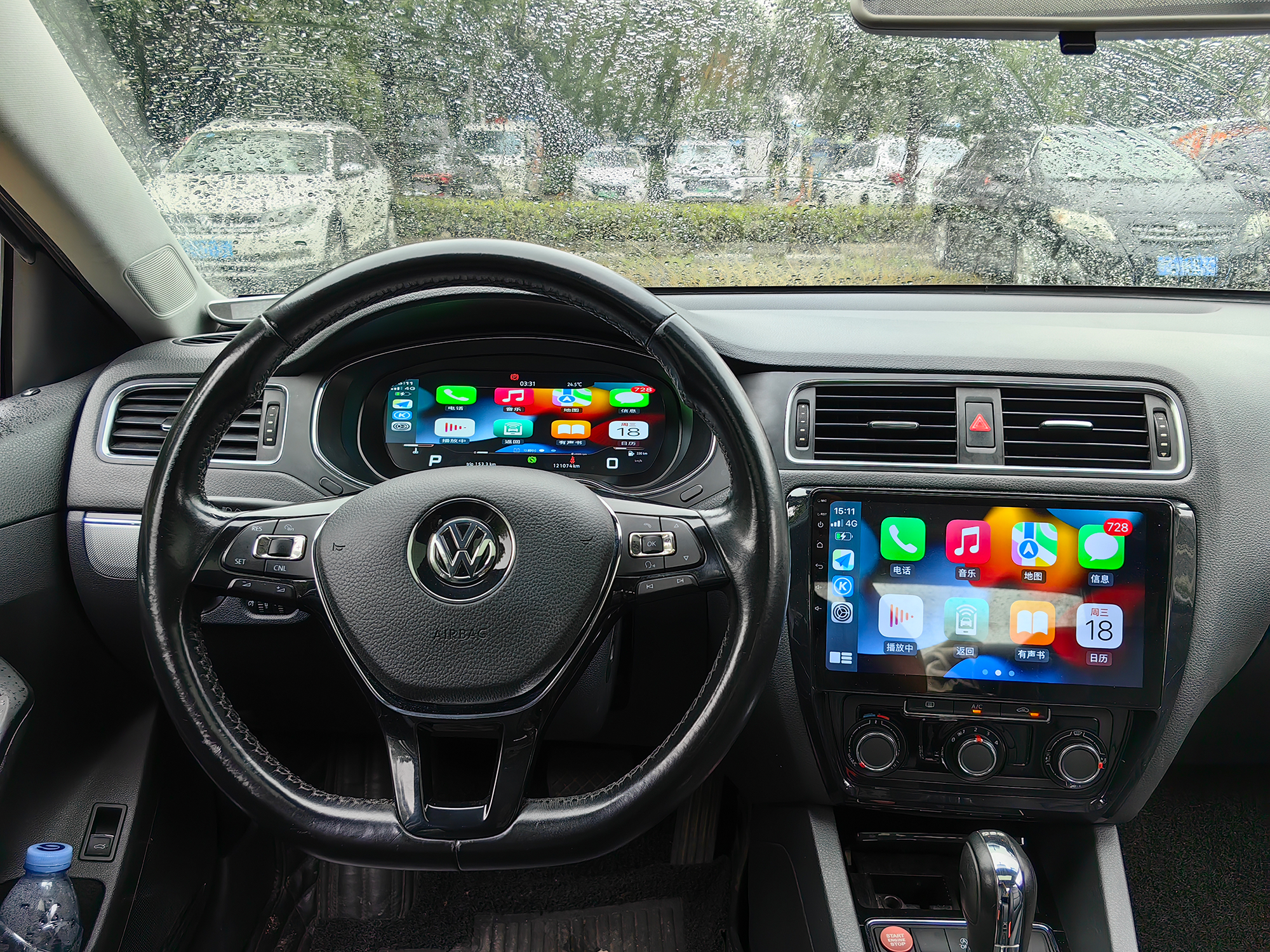
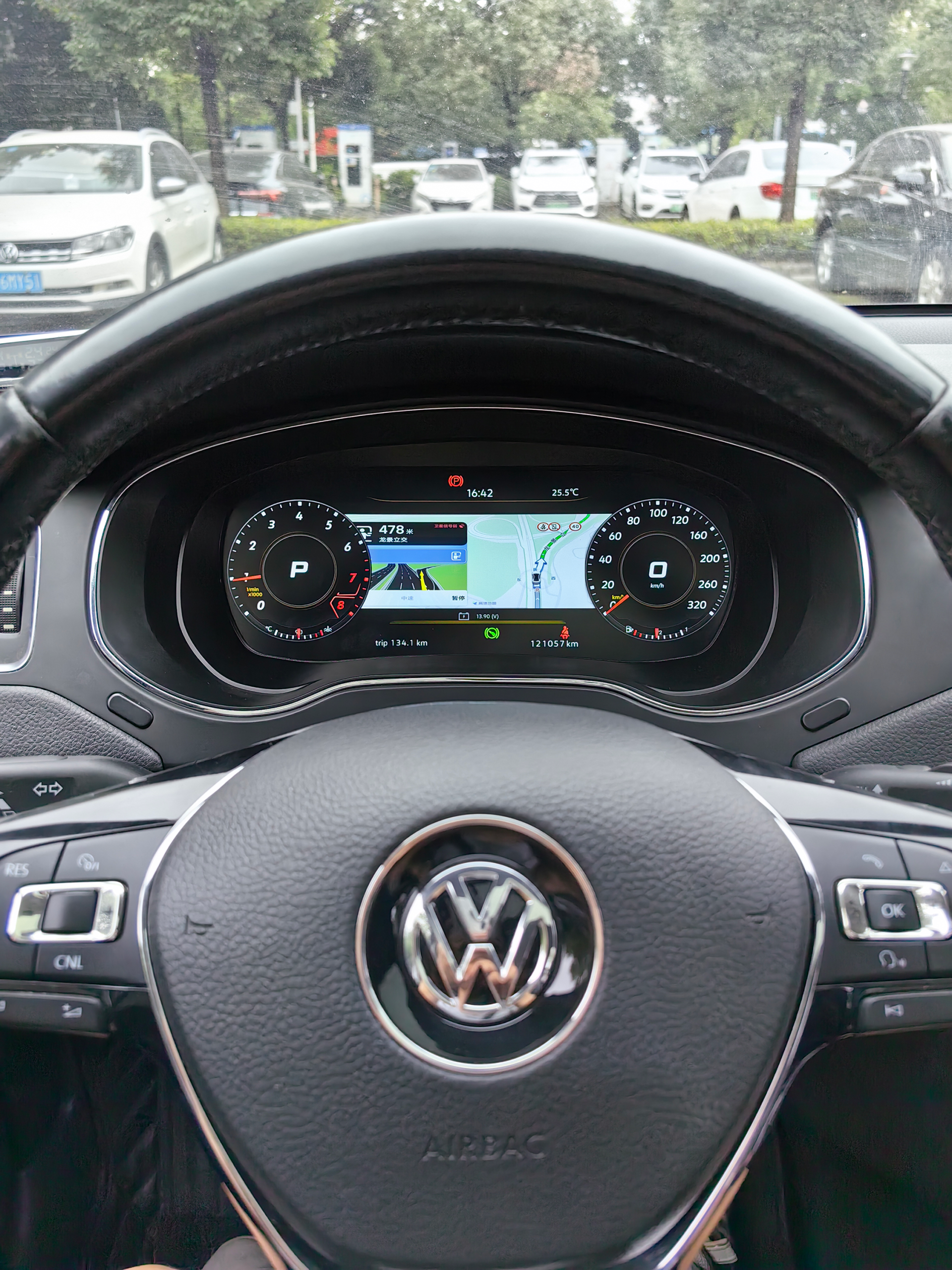
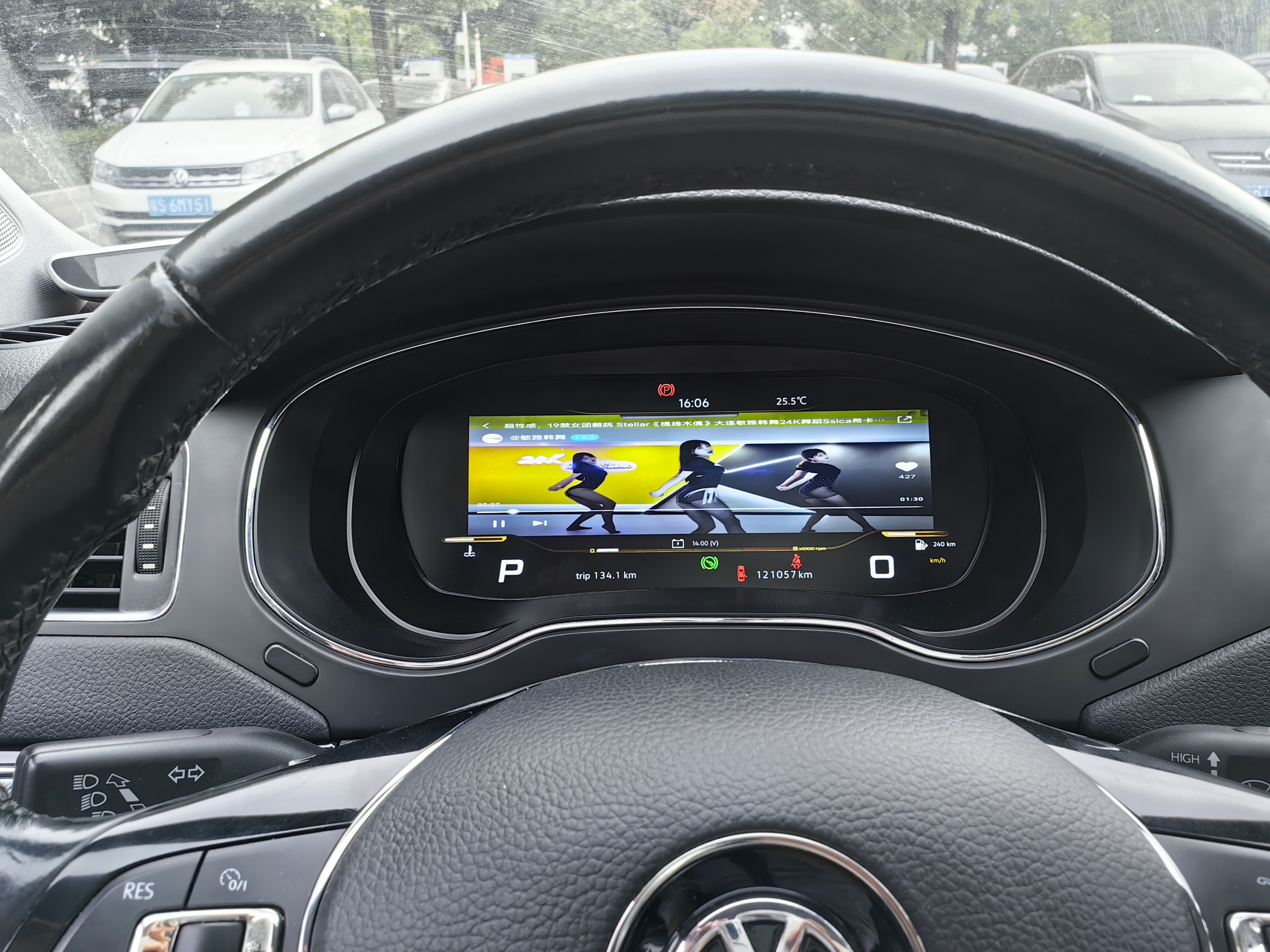
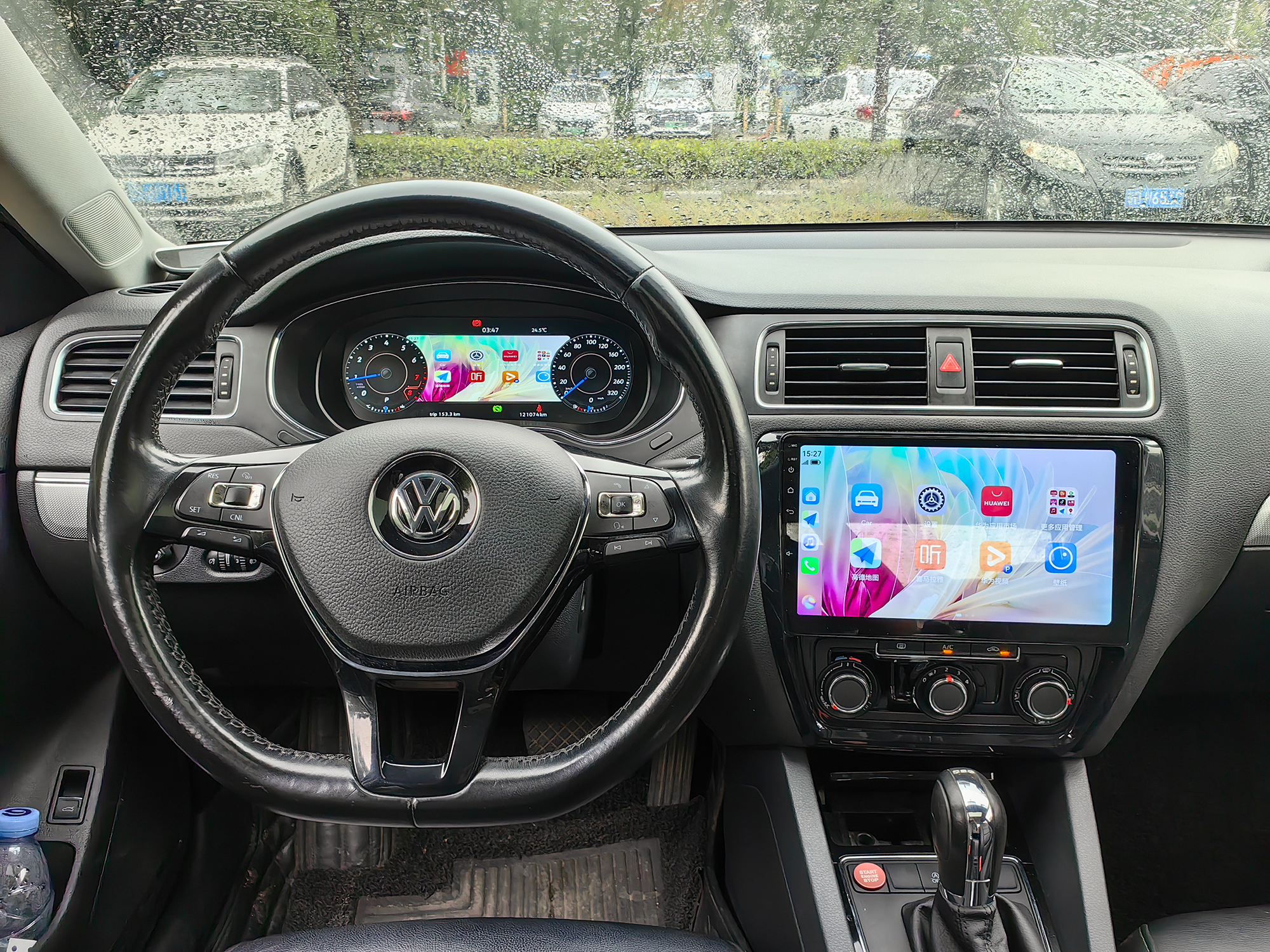
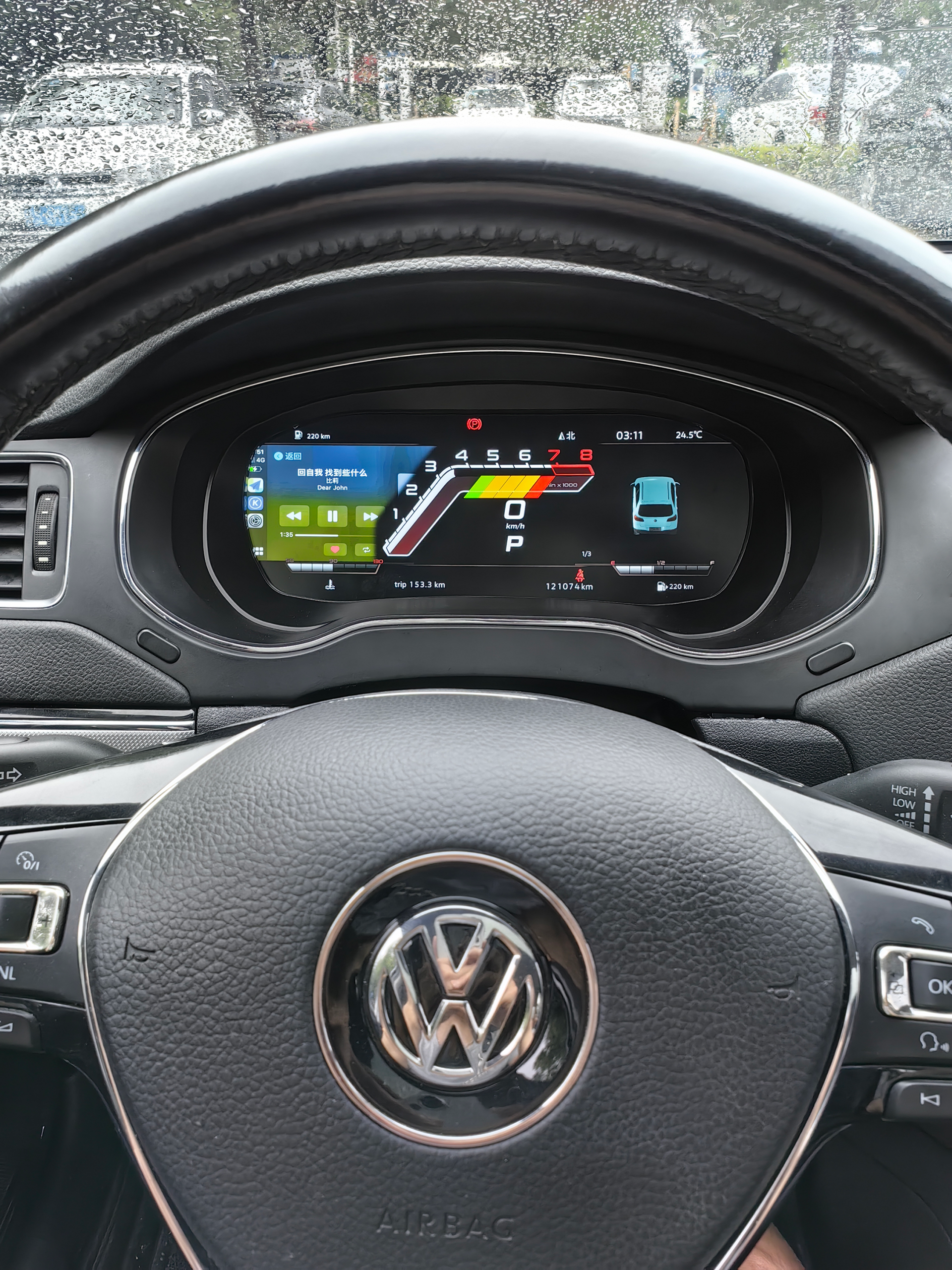


6. Installation Videos
Some higher-trim analog clusters have a small add-on board behind the mini display. Secure it as shown and insert it into the digital cluster. Missing this board causes inaccurate fuel reading and fault codes.


USB & Mirroring Leads (after installation)
The cluster provides two USB leads: Upgrade USB (wired update) and Mirroring USB (wired mirroring). We recommend routing both into the storage pocket under the steering wheel for easy access.
Full Installation Process (Video)
PQ Fuel Gauge Calibration (only if full tank doesn’t show “Full”)
- Fill the tank and drive a few hundred meters.
- Open Driving Data → Refuelable Volume and note the remaining fuel value.
- Enter Settings → Calibration → Tank Capacity and input that value.
- Confirm. “Refuelable Volume” should become 0 and the gauge should read “Full.”
Vehicle Model Icon
If the on-screen vehicle model doesn’t match your car: go to Settings → Vehicle Model, select the correct one, then shut down and lock the car for a few minutes before restarting.
More real-car demos: TikTok — Official Install Tutorials
7. Cluster Control Guide
- Language & Units: Settings → Language/Units. Choose EN or CN; km/h or mph; °C or °F.
- Themes & Display: Select a VW-style theme; adjust density and night brightness.
- Steering-wheel mapping: Verify page up/down, OK/Back. If mismatched, check module versions [R4] or use OBDeleven [R5][R6].
- Drive-mode views: Switch Eco/Comfort/Sport layouts where applicable.
- Phone mirroring: Via Mirroring USB or wireless mirroring. Some functions are restricted while driving.
- Warnings & alerts: All body-domain DTCs/warnings are retained; see also cluster button issues [R7].
- OTA update: Settings → System → Online Update (APP date ≥ Apr 16, 2025, M-D-Y). Install takes ~5–6 minutes — do not power off. For official procedures see erWin [R9].
- Version check: After update, verify in Settings → Version Info; restore theme/units if needed.
8. External Resources
- VW Owner’s Manuals (US) — Official online manuals (2012+).
- VW Owner’s Manuals (UK/EU) — EU/UK manuals lookup.
- Ross-Tech Wiki — Jetta (16/AJ) Tweaks — Useful adaptations/coding.
- Ross-Tech — Steering Wheel Control Module Versions — SWCM version/feature matrix.
- OBDeleven for Volkswagen — Official tool overview.
- VWVortex — OBDeleven gauge views guide — Community tutorial.
- NHTSA TSB — Cluster Buttons Inoperative (PDF).
- NHTSA TSB — Instrument Panel Trim Removal Tips (PDF).
- erWin — Official Volkswagen Service Information (VWGoA) — Procedures/wiring/TSB (registration required).
- CAN bus — Technical Overview — Background reference.








Add comment
You must be logged in to post a comment.