VW Magotan B6 Digital Instrument Cluster for a Cleaner OEM-Style Cockpit
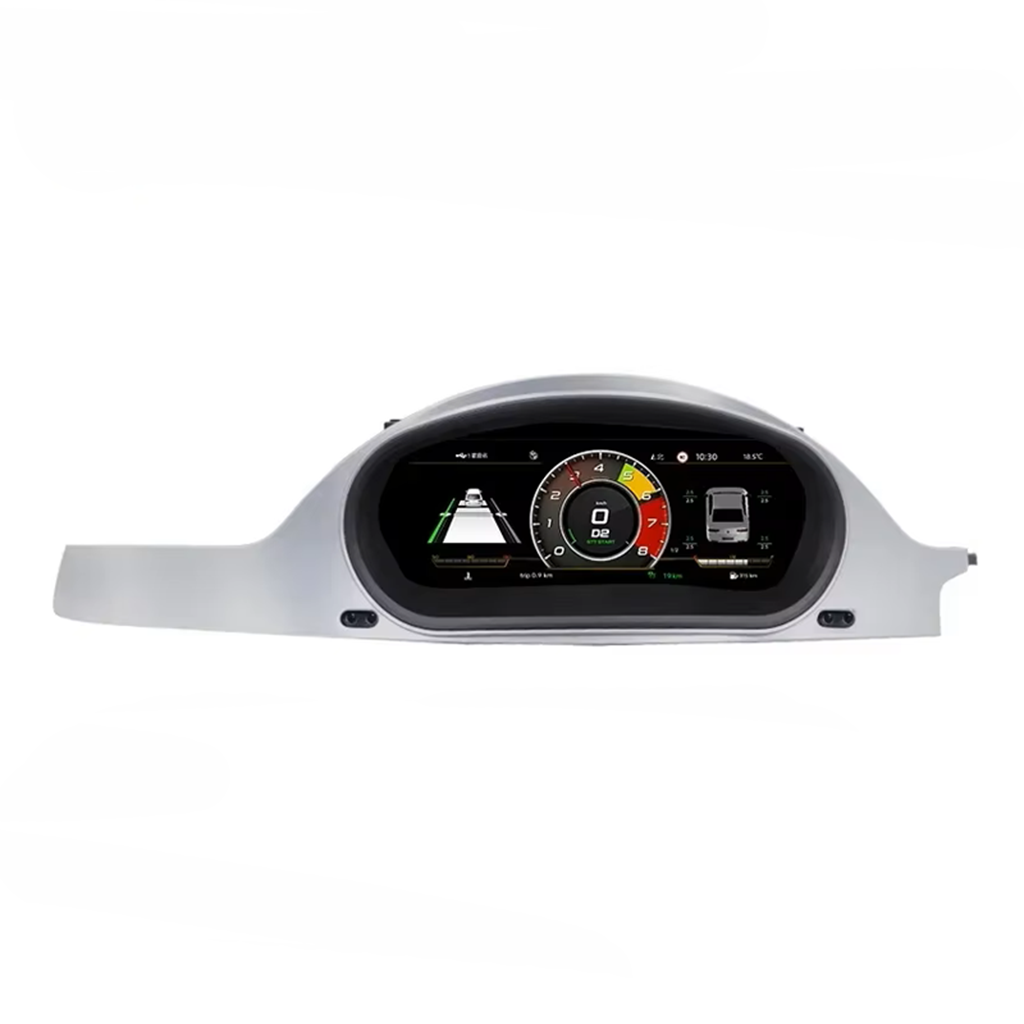
The VW Magotan B6 Digital Instrument Cluster upgrades the 2007-2011 factory analog gauge area into an OEM-style LCD dashboard panel. It is built for buyers looking for a digital dashboard upgrade, virtual instrument cluster, cockpit speedometer screen, speedometer replacement and retained vehicle data—not just a decorative display. iKAGOO checks your model year, original cluster, dashboard layout, steering position and connector photos before shipment so the correct version is prepared for your vehicle.
Digital Dashboard Upgrade for VW Magotan B6 2007-2011
This is a vehicle-specific LCD instrument cluster upgrade for supported Volkswagen Magotan B6 vehicles with the original mechanical pointer cluster. It replaces the old analog speedometer area with a modern digital dashboard while retaining supported vehicle data, warning information and steering-wheel control logic after correct connection and configuration.
What is this product?
The VW Magotan B6 Digital Instrument Cluster is an OEM-style LCD dashboard upgrade for supported 2007-2011 Volkswagen Magotan B6 vehicles with the original mechanical pointer instrument cluster.
It upgrades the factory analog gauge area into a digital dashboard with clearer speed, RPM, fuel, mileage, warnings, driving data and selectable display layouts.
Supported steering-wheel controls, vehicle data and warning indicators continue to work through the matched harness and vehicle interface after correct installation.
The listed screen specification belongs in the product details, but the buying intent is digital cluster retrofit, dashboard upgrade and speedometer replacement—not screen size alone.
Before shipment, iKAGOO checks your model year, dashboard layout, original cluster photos, LHD/RHD position and connector details to reduce wrong-version risk.
Replace the Factory Analog Gauges
This upgrade targets buyers searching for a factory analog gauge replacement rather than a simple decorative screen. The LCD dashboard panel gives the Magotan B6 a newer driver display while keeping the instrument position familiar.
Virtual Instrument Cluster Look
The display gives your Volkswagen cabin a virtual instrument cluster style without turning the dashboard into a universal aftermarket tablet. It makes the cabin look newer and easier to read for daily driving.
Version Matching Before Shipment
iKAGOO does not rely only on the model name. We check your year, original cluster, steering position and connector photos so the correct digital cluster kit and harness route are prepared before dispatch.
Three Checks Before You Buy
These iKAGOO standards help you judge upgrade value, original-vehicle compatibility and the correct installation path before ordering this Volkswagen digital cluster.
Upgrade Necessity
This score explains why the upgrade makes sense for daily use, not only whether the dashboard looks newer.
- The original analog cluster is one of the most dated areas of the Magotan B6 cabin.
- The LCD dashboard makes speed, RPM, mileage, fuel and warnings easier to read.
- Theme, navigation-style and vehicle-data layouts add real daily-use value.
- Compared with keeping or repairing the old cluster, this gives a stronger cockpit upgrade.
Original Vehicle Compatibility
A score of 90/100 does not mean that 10% of factory functions are lost. It measures the upgrade route, factory-control retention and vehicle-specific matching.
- Factory Function Continuity: supported driving data and warning display route retained.
- Original Control Continuity: steering-wheel control logic remains supported after correct setup.
- Vehicle Data & Warning Integration: speed, RPM, fuel, mileage and warning information are displayed through the matched interface.
- Installation & Hardware Integration: matched housing, harness and interface route reduce wrong-version risk.
Installation Ease Level
Suitable for experienced DIY installers or an automotive electronics installer who can remove the cluster carefully, connect the matched harness and complete function testing.
- Original cluster removal and careful trim handling are required.
- Connector match, harness route and vehicle-interface setup must be checked before final assembly.
- No intentional cutting of supported factory wiring is expected.
- Function testing should include vehicle data, warnings, steering-wheel controls and display modes.
LCD Dashboard Panel, Vehicle Data and OEM-Style Fitment
Each media block explains one buying point: dashboard transformation, high-intent feature value, retained vehicle functions, harness matching and why version confirmation matters.
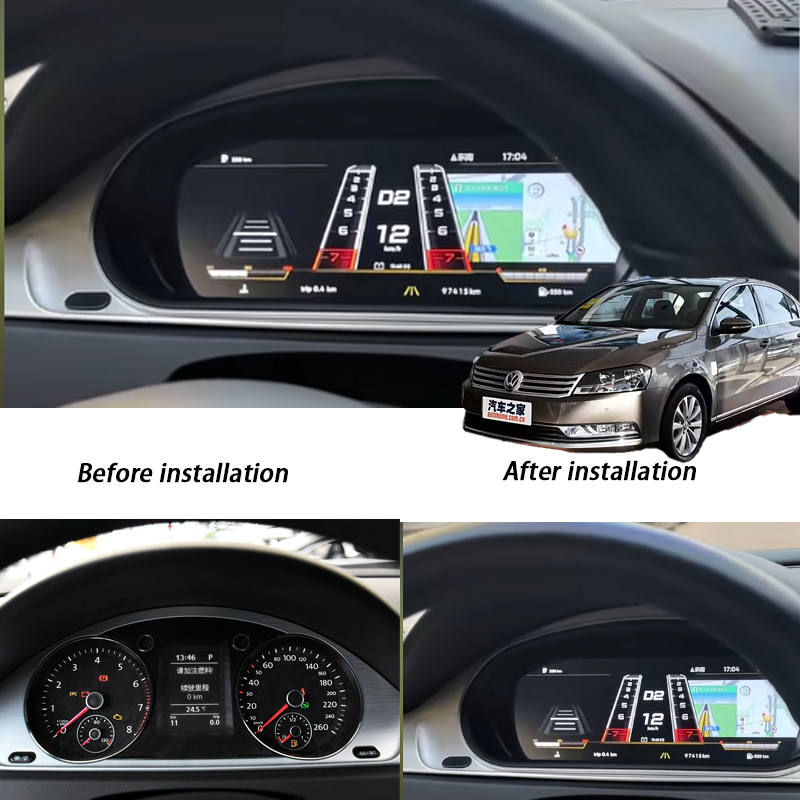
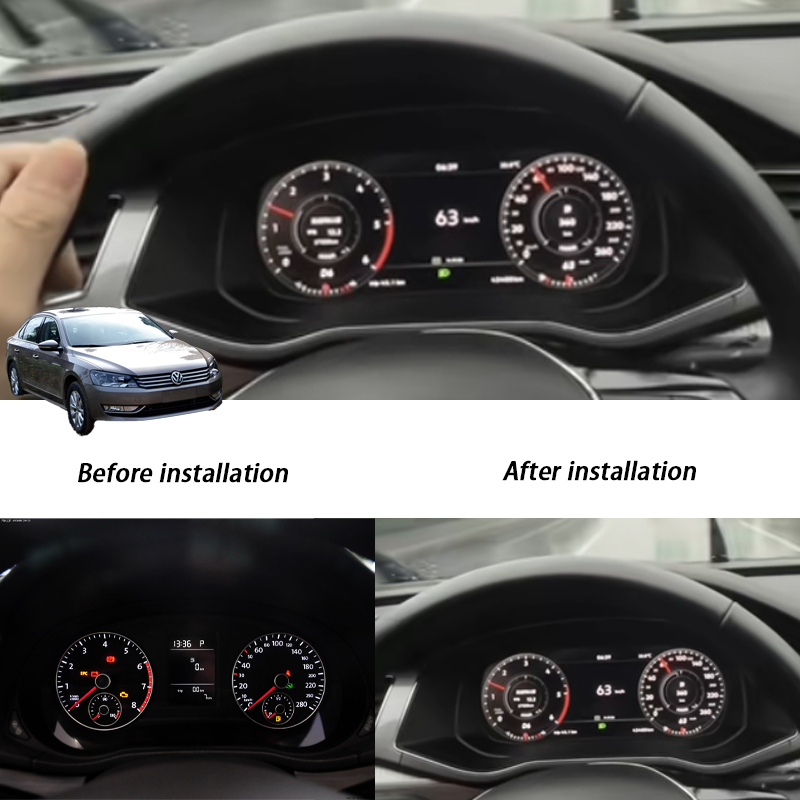
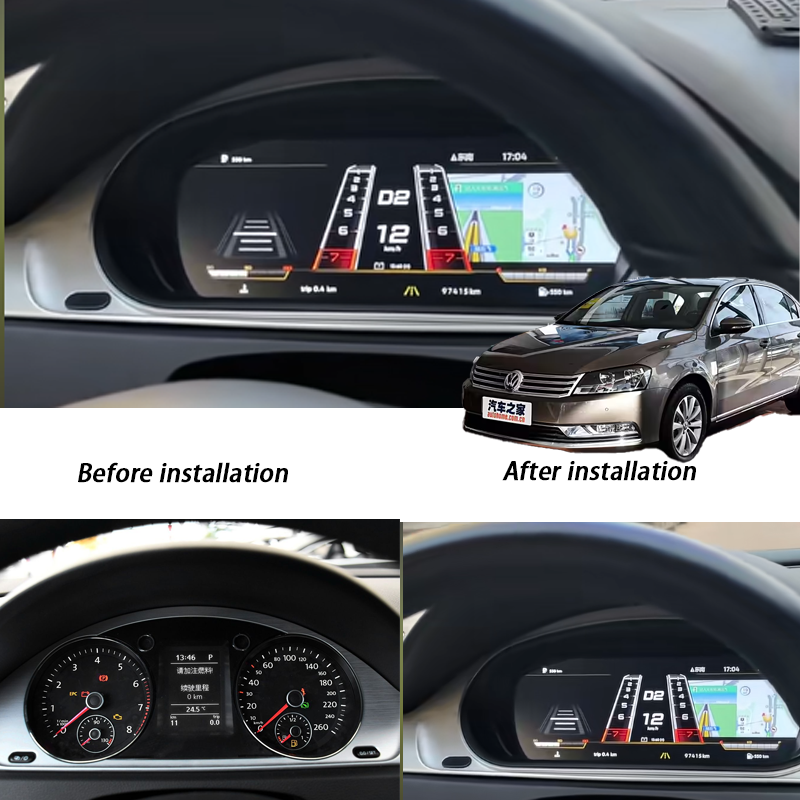
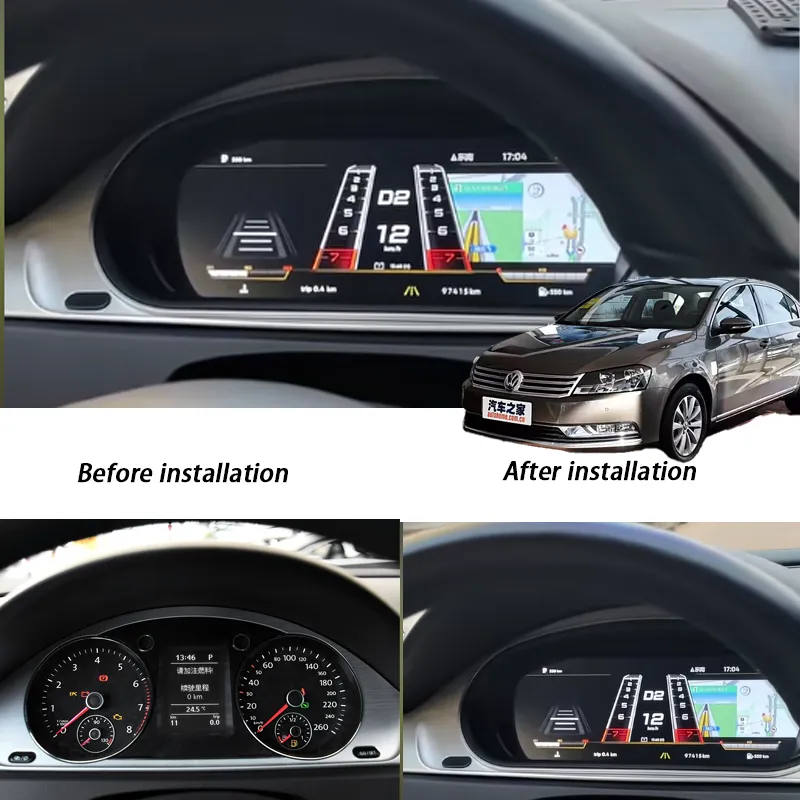
Before-and-After Upgrade for the Magotan B6 Cabin
The old mechanical pointer cluster makes the Magotan B6 feel older than the rest of the vehicle. This digital dashboard upgrade changes the driver’s view immediately with a cleaner LCD dashboard panel. The upgrade gives the car a newer cockpit without forcing a complete interior rebuild.
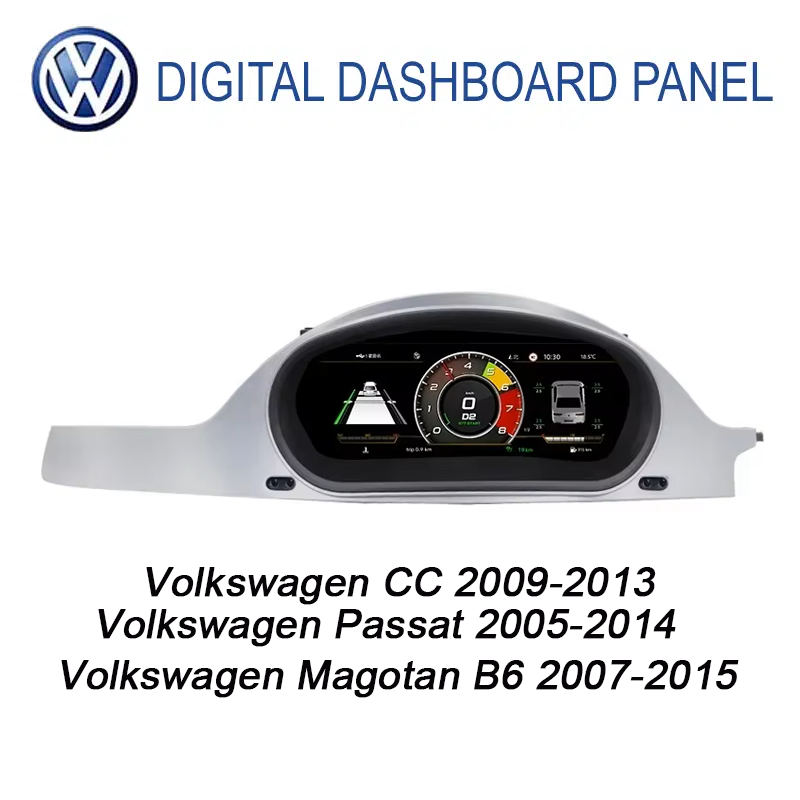
Magotan, Passat B6/B7 and CC Fitment Must Be Checked
Many buyers search for VW Passat B6 B7 CC digital cluster because these Volkswagen models can share a related upgrade route. That does not mean every vehicle is automatically the same. iKAGOO checks your dashboard layout, original cluster and connector photos before shipment so the correct LCD cluster version is prepared.
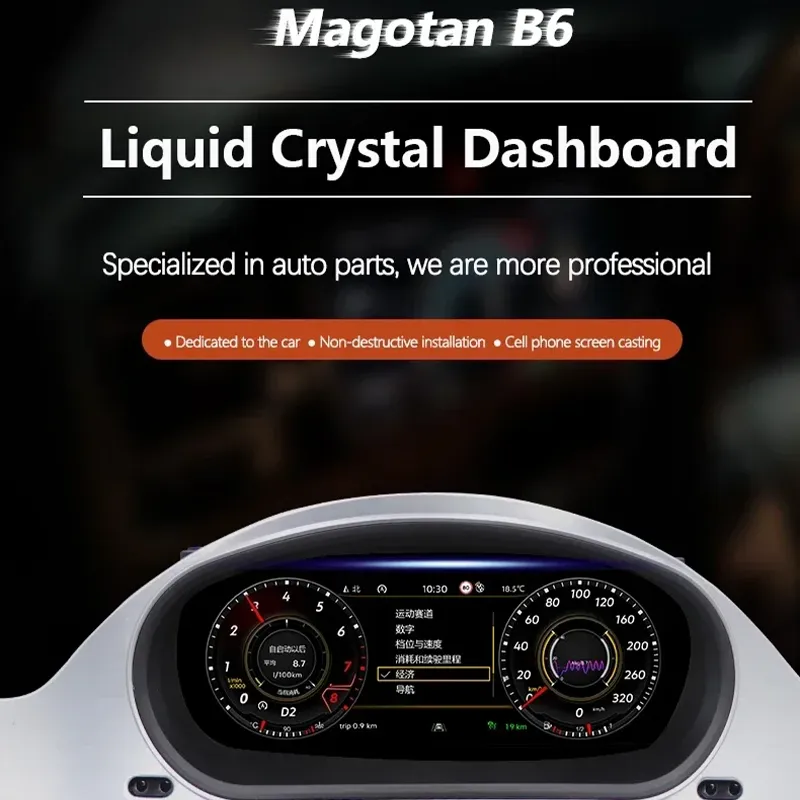
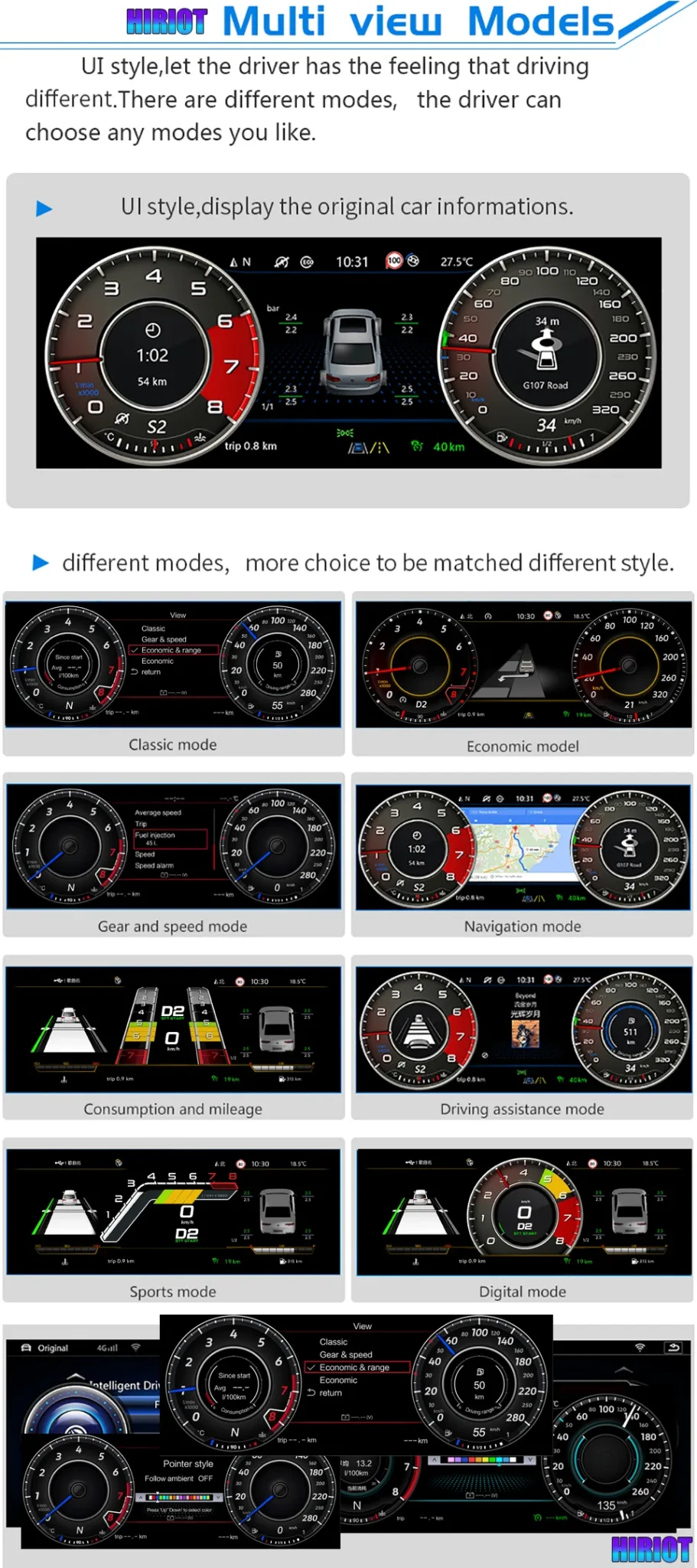
Multiple UI Modes for Daily Driving
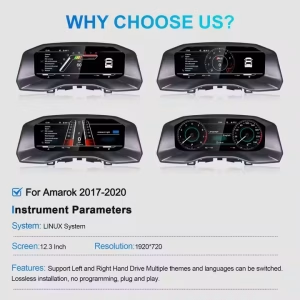
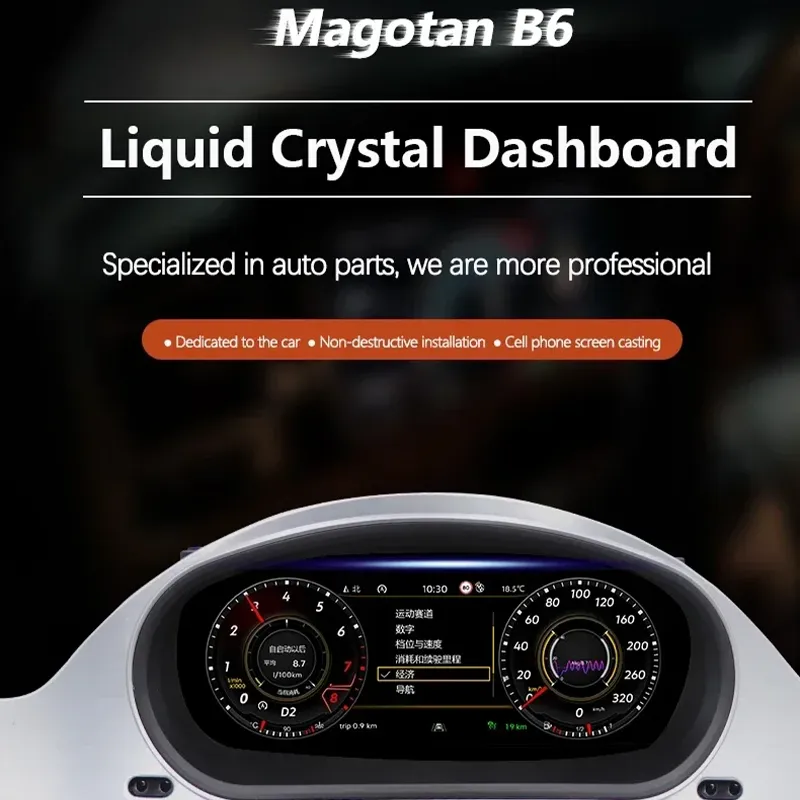
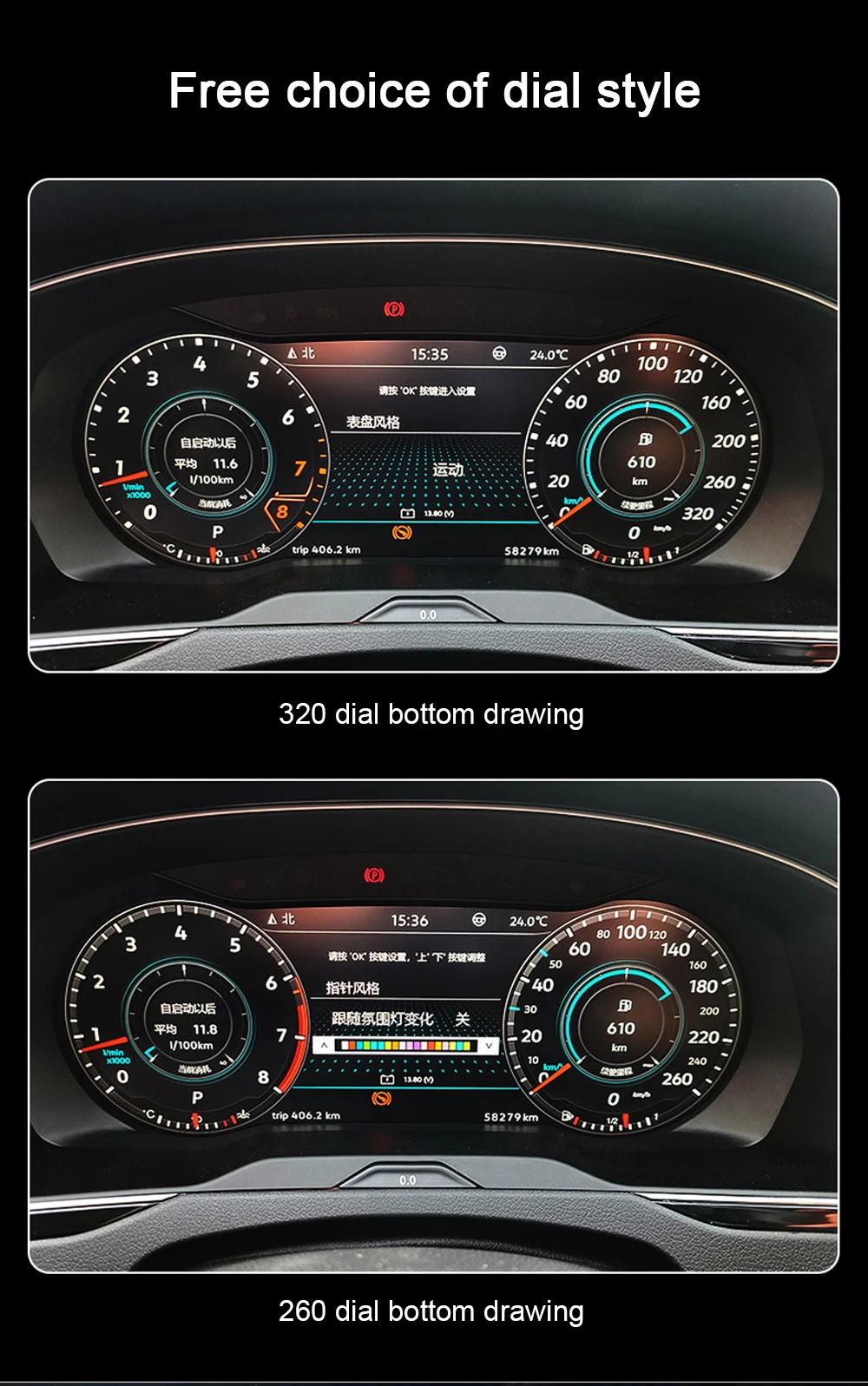
The digital cluster can show different dashboard styles, including classic mode, sport-style mode, navigation mode, consumption display and vehicle information layouts. This is why serious buyers search for virtual instrument cluster retrofit instead of only a replacement speedometer. You get a more flexible dashboard for commuting, highway driving and long-term ownership.
Retained Vehicle Data and Warning Information
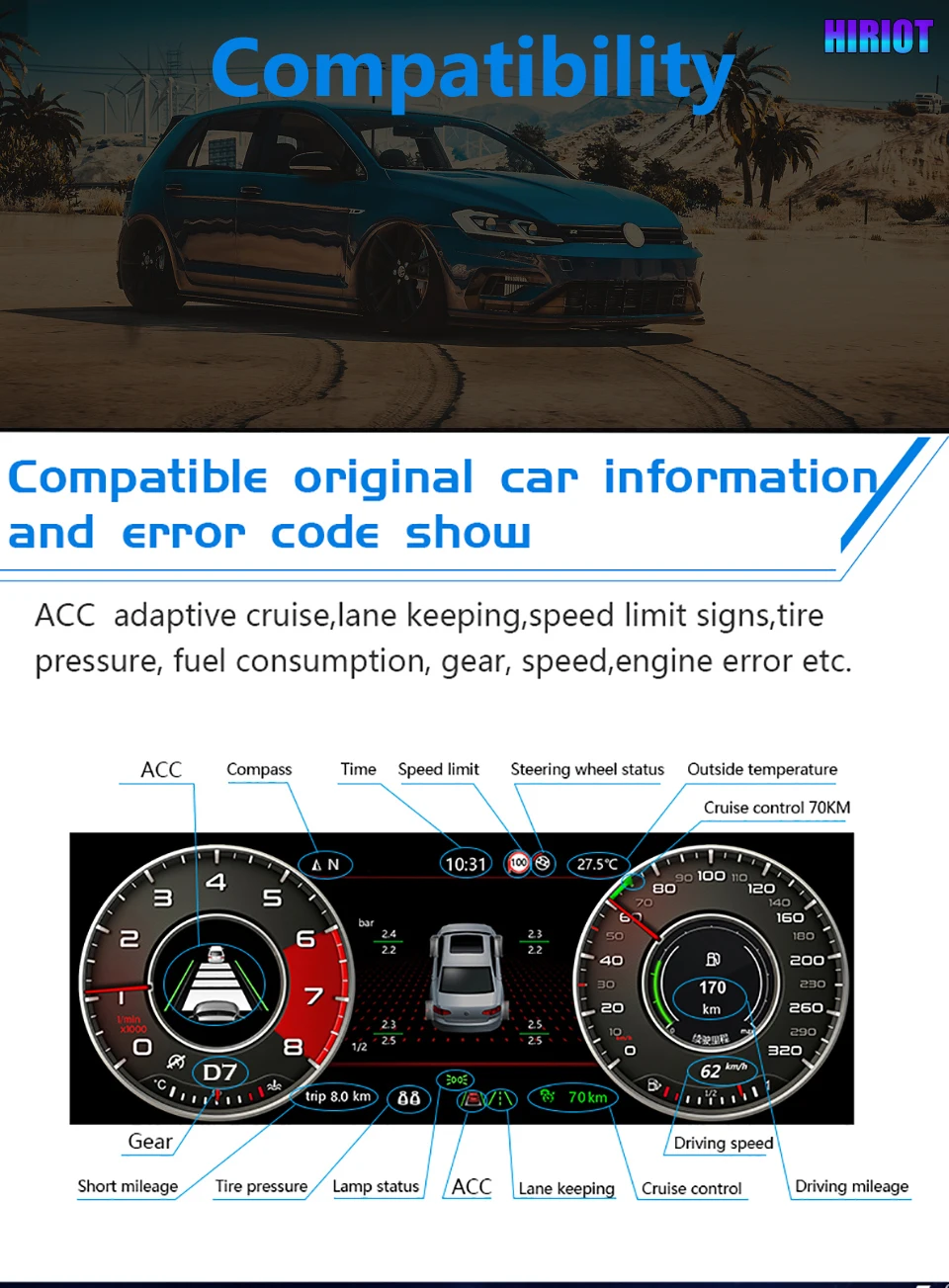
A useful LCD dashboard panel must do more than look modern. This upgrade supports speed, RPM, mileage, fuel consumption, gear, warning status and vehicle information through the matched interface where the vehicle configuration provides the data. The goal is a real digital instrument cluster, not a decorative screen.
Multifunction Steering-Wheel Controls Stay Familiar
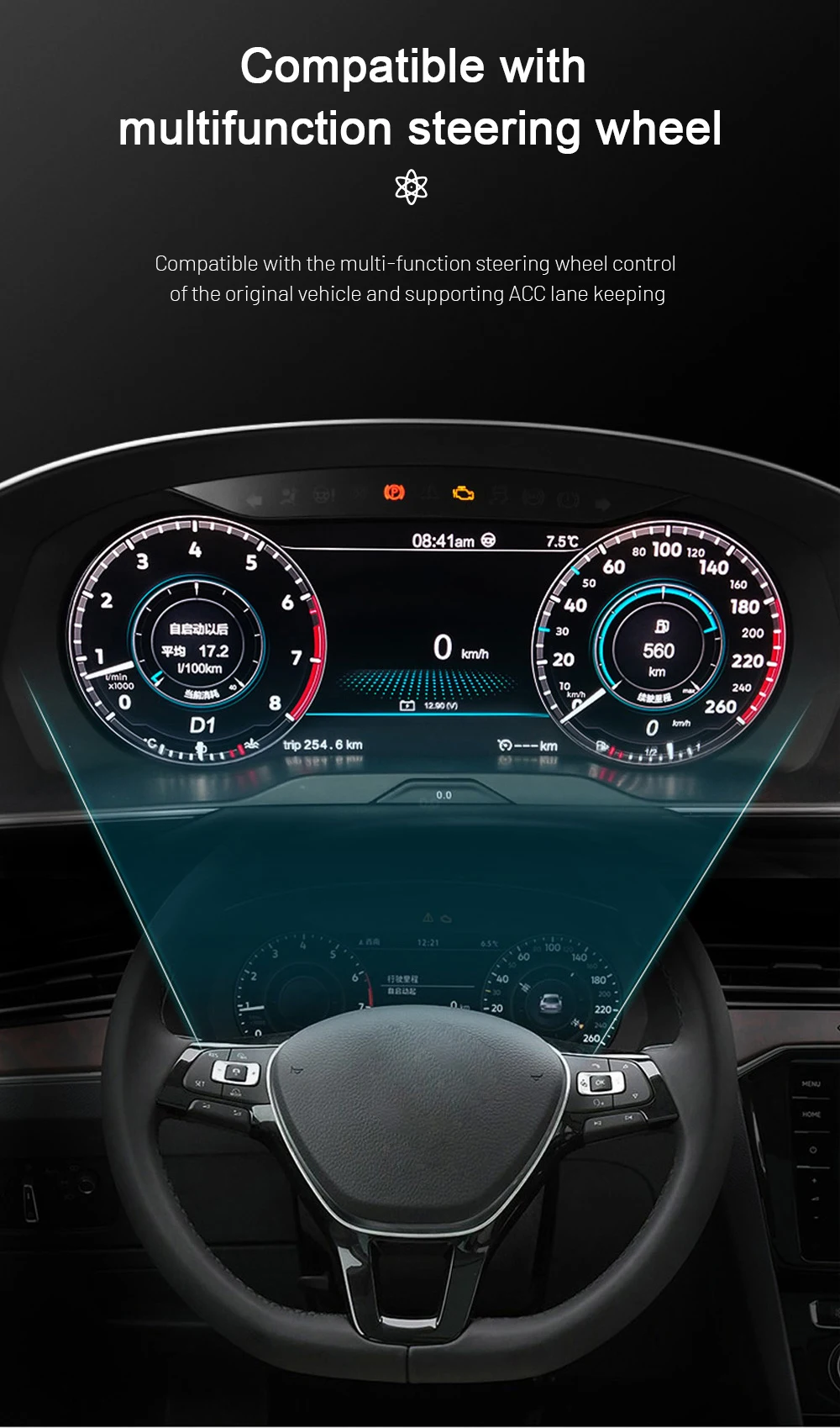
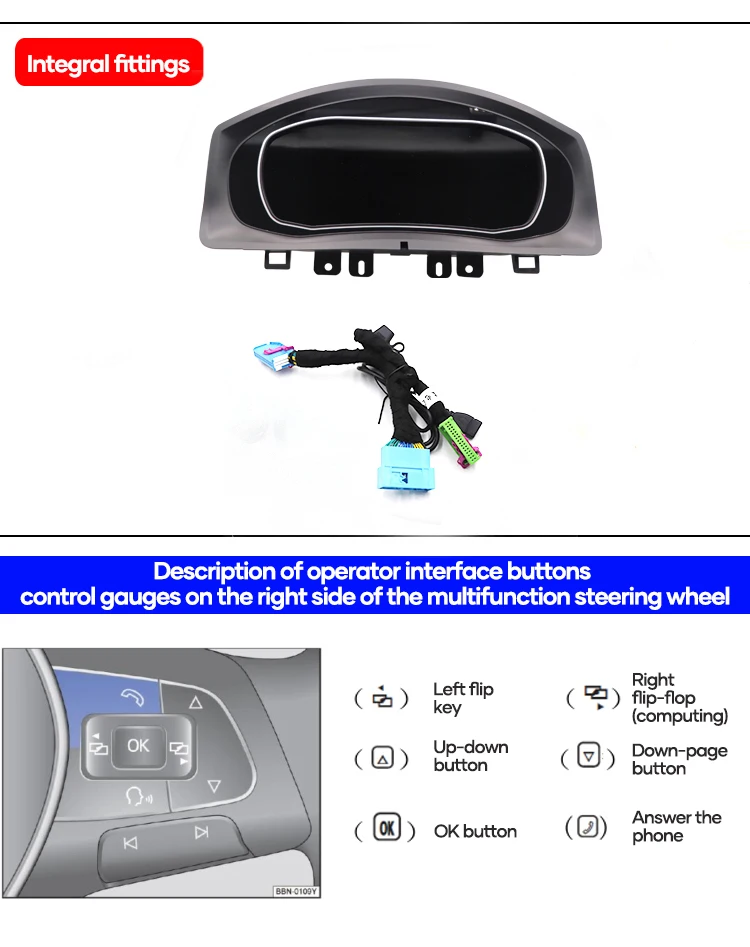
Supported steering-wheel controls can continue to operate cluster menus after the correct wiring and vehicle-interface setup. This matters because drivers expect the new dashboard to remain practical in daily use. iKAGOO checks steering position and control layout before shipment to reduce wrong-version risk.
Matched Housing and Main Unit for the Cluster Area
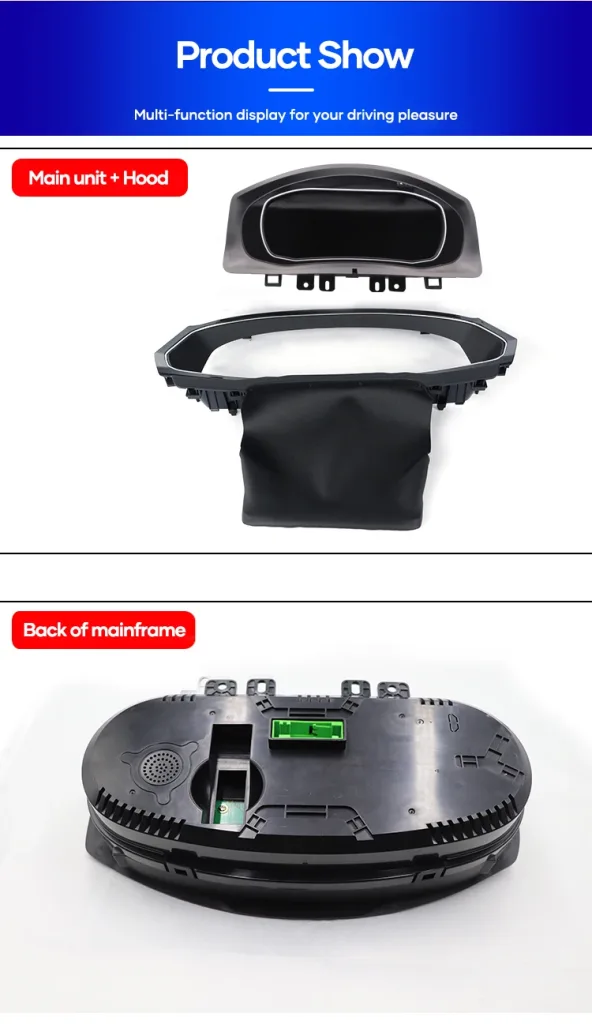
This is not a universal flat display. The housing, main unit and rear connector area must fit the original dashboard structure so the cluster sits correctly in the vehicle. For older Volkswagen models, the hardware shape is just as important as the display specification.
Connector and Harness Route for Cleaner Installation
Buyers search for plug and play digital cluster because they want a clean route, not cut wires and trial-and-error wiring. The supported route uses matched connectors and harness logic. If your connector does not match the expected layout, stop and contact iKAGOO before making changes.
Original PCB Route Helps Preserve Vehicle Information
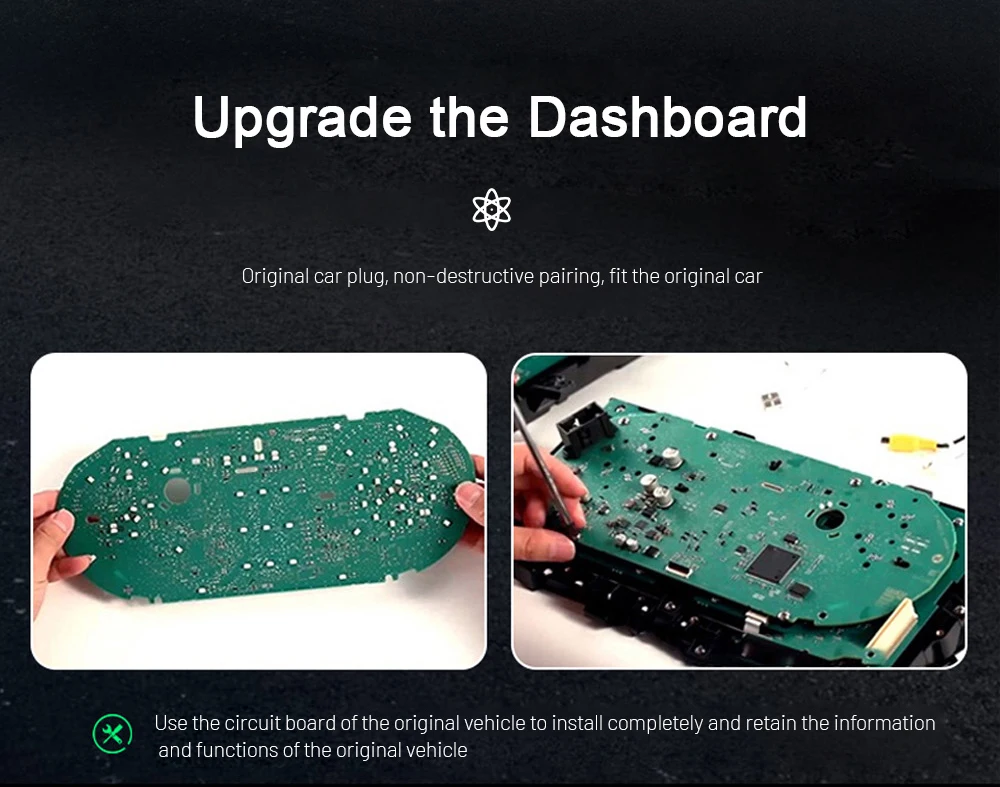
Some supported cluster routes use the original vehicle circuit-board logic to preserve vehicle information and original communication behavior. This is why the installer must handle the original cluster carefully and test the display before final assembly. The benefit is better factory-function continuity instead of a simple screen swap.
Dial Style Choices Make the Cabin Feel Newer
The LCD dashboard supports different dial-style visuals, so the driver can choose a display style that feels more classic, sporty or modern. This gives the Magotan B6 a more premium cockpit feel without changing the entire dashboard. Test all styles before final trim reassembly.
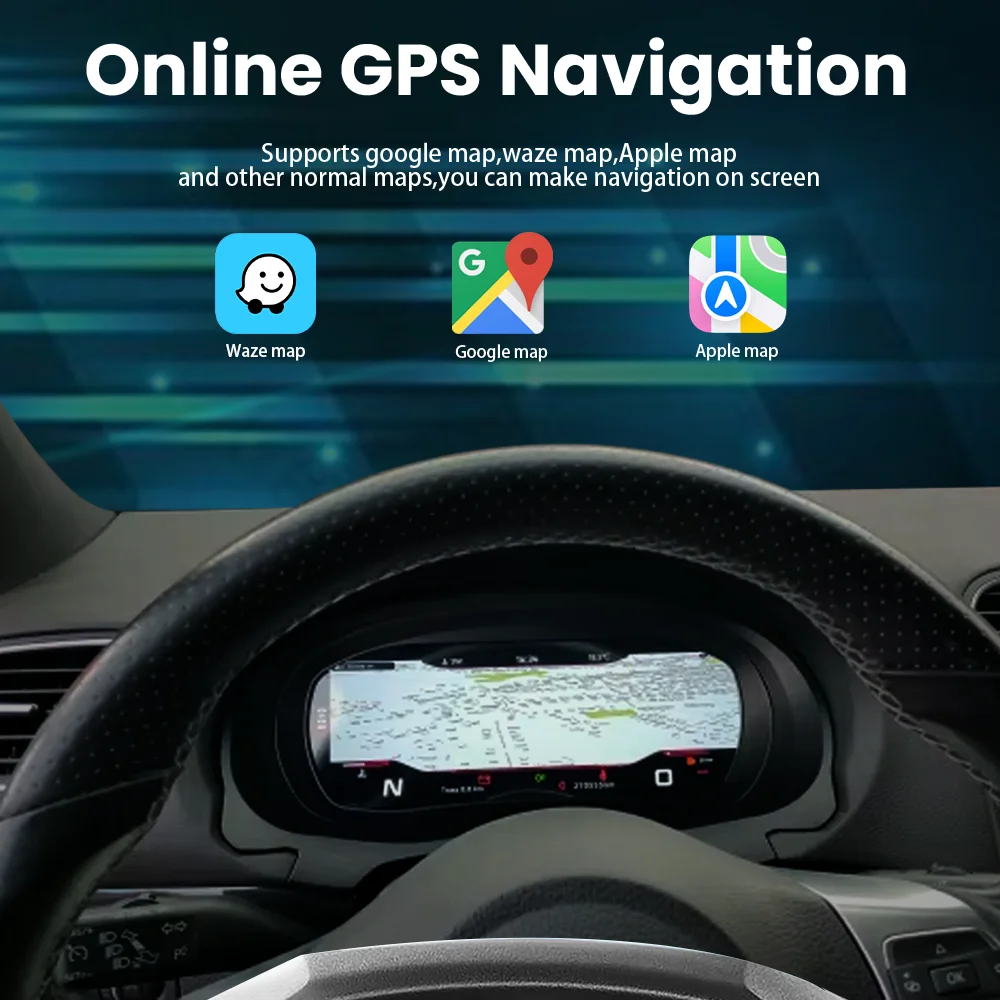
Navigation-Style Information for Easier Long Trips
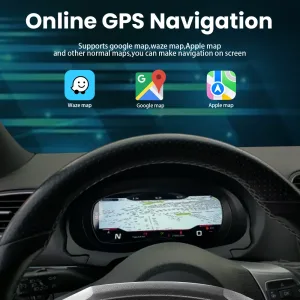
When the selected kit and paired system support it, map-style or route-related display can make navigation easier to follow from the driver’s position. This is a high-value reason buyers search for digital dashboard upgrade, because the dashboard becomes part of the driving information system rather than only showing speed.
Screen Comfort for Day and Night Driving
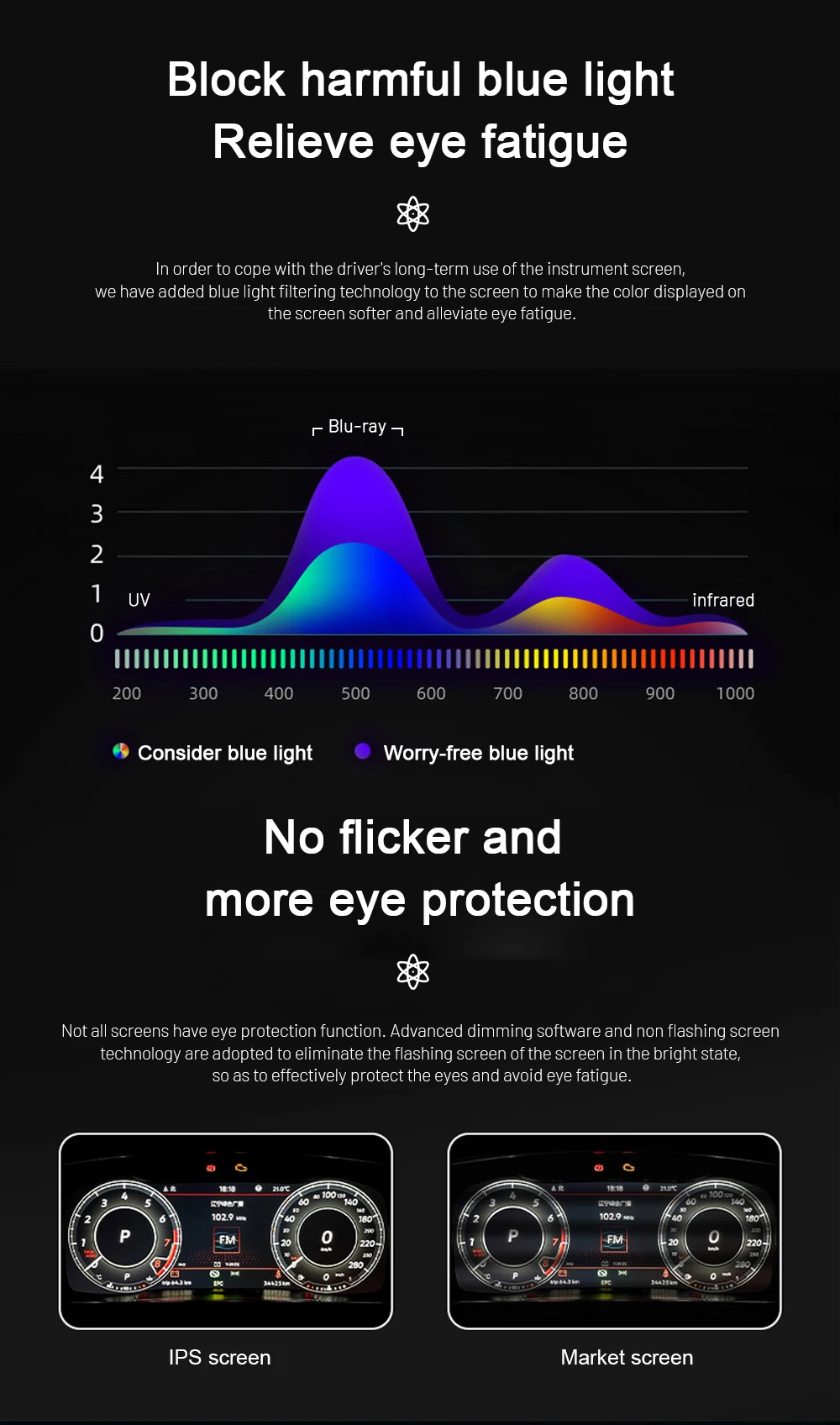
A digital cluster should be clear without making the driver tired. The display route focuses on easier readability, brightness control and reduced eye strain during longer driving. This makes the upgrade more useful than only changing the appearance of the dashboard.
Theme Color Choices for a More Personal Interior
Color and theme settings help the cluster match the owner’s preferred cabin style. This is useful for drivers who want the older Volkswagen interior to feel more modern without making it look overbuilt. The feature adds daily enjoyment while keeping the original dashboard position.
Fast Boot Behavior for Real Daily Use
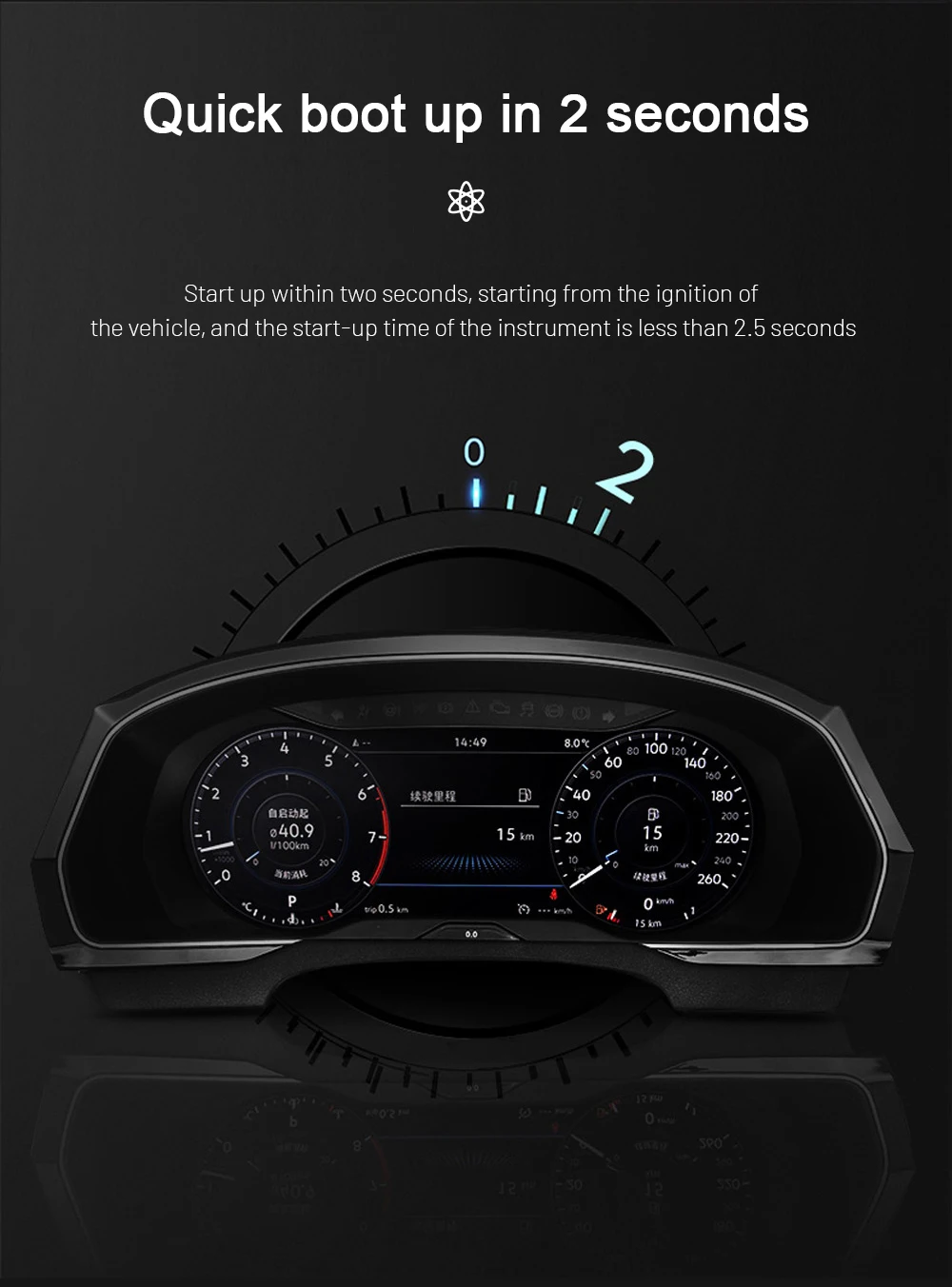
A dashboard cluster should be ready quickly when the car starts. The Linux-based route is designed for fast startup and stable daily display behavior. This matters for owners who use the vehicle every day and do not want a slow entertainment-style screen in the instrument position.
Linux System Stability for Instrument Use
The cluster route is built around a Linux-based instrument system rather than a general app tablet. For a digital instrument cluster, stability and predictable startup are more important than unnecessary app features. This supports a cleaner long-term ownership experience after correct matching and installation.
Original Vehicle Functions Supported After Correct Matching
The product is designed to upgrade the dashboard while keeping supported original driving information and control logic usable on compatible vehicles.
Vehicle Data Retained
Speed, RPM, mileage, trip data, fuel level, coolant temperature and warning indicators are supported through the matched vehicle interface where your ECU and sensors provide the data.
Steering-Wheel Controls
Supported multifunction steering-wheel buttons continue to operate the cluster menu and display options after correct wiring and configuration.
Warning Information
Supported vehicle warnings and status information continue to appear through the cluster route after proper installation and testing.
Navigation-Style Display
Map or guidance-related display can be supported when your selected kit and paired head-unit route allow the required connection.
No Intentional Wire Cutting
The supported installation route uses matched connectors and harness logic. Do not cut factory wiring if a connector does not match; stop and contact iKAGOO first.
LHD / RHD Confirmation
Left-hand-drive and right-hand-drive vehicles should be checked by dashboard photos and steering-position details before shipment, especially for regional imports.
Product Details That Matter Before Ordering
The details below are written to reduce wrong-version risk. Screen size belongs here as a specification, not as the main search keyword.
Not Just Another Digital Cluster Listing
Many listings use similar phrases such as digital instrument cluster, digital dashboard upgrade, LCD dashboard panel, virtual instrument cluster and cockpit speedometer screen. The real problem is not finding a screen online. The real problem is getting the correct version for your exact vehicle before international shipment.
- iKAGOO checks your model year, steering position, original cluster and connector photos before shipment.
- We prepare the matched cluster route, harness and vehicle-interface direction for your order.
- We help reduce wrong-version risk caused by Magotan, Passat B6/B7 and CC naming differences.
- We support installation checking with photos, videos, connector details and function testing feedback.
- We provide practical after-sales support instead of leaving you with only a product listing.
Which Upgrade Route Makes Sense?
This comparison helps buyers decide between keeping the old cluster, buying a generic low-service unit or choosing the iKAGOO matched upgrade route.
Keep the Old Analog Cluster
Lower cost at first, but the cabin still feels dated and you do not get a digital dashboard, virtual instrument cluster look or modern display layout.
Generic Online Digital Cluster
May use the right keywords but often gives limited help with connector photos, steering position, vehicle data checking, harness route and after-sales installation support.
iKAGOO Digital Instrument Cluster Route
The VW Magotan B6 Digital Instrument Cluster is prepared with vehicle information review, original function retention logic, no intentional wire cutting route and practical support after the order.
How iKAGOO Supports This Upgrade After Payment
Vehicle-specific products need more than a checkout button. The process below helps avoid wrong-version shipping and gives the installer a practical support path.
Order Record
Your order number becomes the support reference for compatibility review, shipping follow-up, installation help and warranty communication.
Vehicle Review
iKAGOO checks your vehicle year, dashboard layout, original cluster, LHD/RHD position, steering-wheel controls and connector photos when needed.
Correct Version Prep
The matched digital cluster route, harness and vehicle-interface direction are prepared to reduce wrong-version risk before dispatch.
Photo Before Packing
If requested before packing, you can ask for actual prepared product or visible accessory photos before shipment.
Packing & Dispatch
After version confirmation, the order is packed and shipped. Preparation time may vary by vehicle-specific matching and stock status.
Tracking Follow-Up
Tracking is added after dispatch. DDP or local-carrier tracking may update after customs or carrier handover.
Installation Support
If the installer finds a cable, setting or display issue, iKAGOO checks photos, videos, wiring details and function behavior before advising.
Engineer Escalation
If the issue is not a normal setting problem, useful evidence can be sent to the relevant technical route for further judgment.
Software or Settings
When a confirmed setting, instruction or file is needed, iKAGOO coordinates the appropriate support route after the required information is checked.
Cable or Accessory Issue
If a confirmed cable or accessory issue remains, iKAGOO provides the next handling route. Do not buy replacement parts locally without written confirmation.
Hardware Incompatibility
If accurate vehicle details were provided and no reasonable software, cable or accessory solution is confirmed, iKAGOO gives a clear case handling route under the applicable policy.
Working After Install
After installation succeeds, you can still contact iKAGOO for applicable maintenance, troubleshooting or software-support direction using your order number.
Frequently Asked Questions
These questions focus on real buyer concerns: fitment, retained functions, speedometer replacement, no wire cutting, installation level and what iKAGOO checks before shipment.
Will this VW Magotan B6 Digital Instrument Cluster fit my car?
Yes, if your vehicle matches the supported 2007-2011 Magotan B6 route and original mechanical pointer cluster requirement. Send your model year, dashboard photo, original cluster photo and connector photo before shipment so iKAGOO can confirm the correct version.
Is screen size the main keyword for this product?
No. Screen size is a specification, not the main buying keyword. Real buyers usually search by vehicle, digital instrument cluster, digital dashboard upgrade, virtual instrument cluster, LCD dashboard panel or speedometer replacement.
Does it replace the factory analog gauge cluster?
Yes. This LCD dashboard panel is designed as a factory analog gauge replacement route for supported Volkswagen Magotan B6 vehicles, giving the driver a modern digital cockpit view.
Will original steering-wheel controls still work?
Yes, on supported configurations after correct wiring and setup. If your vehicle does not have multifunction buttons or has a different stalk-control route, send photos before shipment so the control method can be checked.
Will vehicle data and warnings still display?
Yes, supported speed, RPM, mileage, fuel, trip, temperature and warning data can continue to display through the matched vehicle interface. Actual displayed items depend on the vehicle sensors, ECU data and configuration.
Do I need to cut factory wiring?
No. The supported route is designed around matched connectors and harness logic without intentional cutting of supported factory wiring. If a connector does not match, stop installation and contact iKAGOO before modifying anything.
Is this suitable for DIY installation?
It depends. The Installation Ease Level is Level 3 — Advanced DIY. It is suitable for experienced DIY installers or automotive electronics installers who can remove the cluster carefully, connect the harness and test all functions before reassembly.
Can it fit Passat B6, Passat B7 or CC?
It depends. Some related Volkswagen PQ-platform models may share a similar upgrade route, but badge name alone is not enough. Compatibility must be checked by dashboard layout, original cluster, year range, steering position and connector photos.
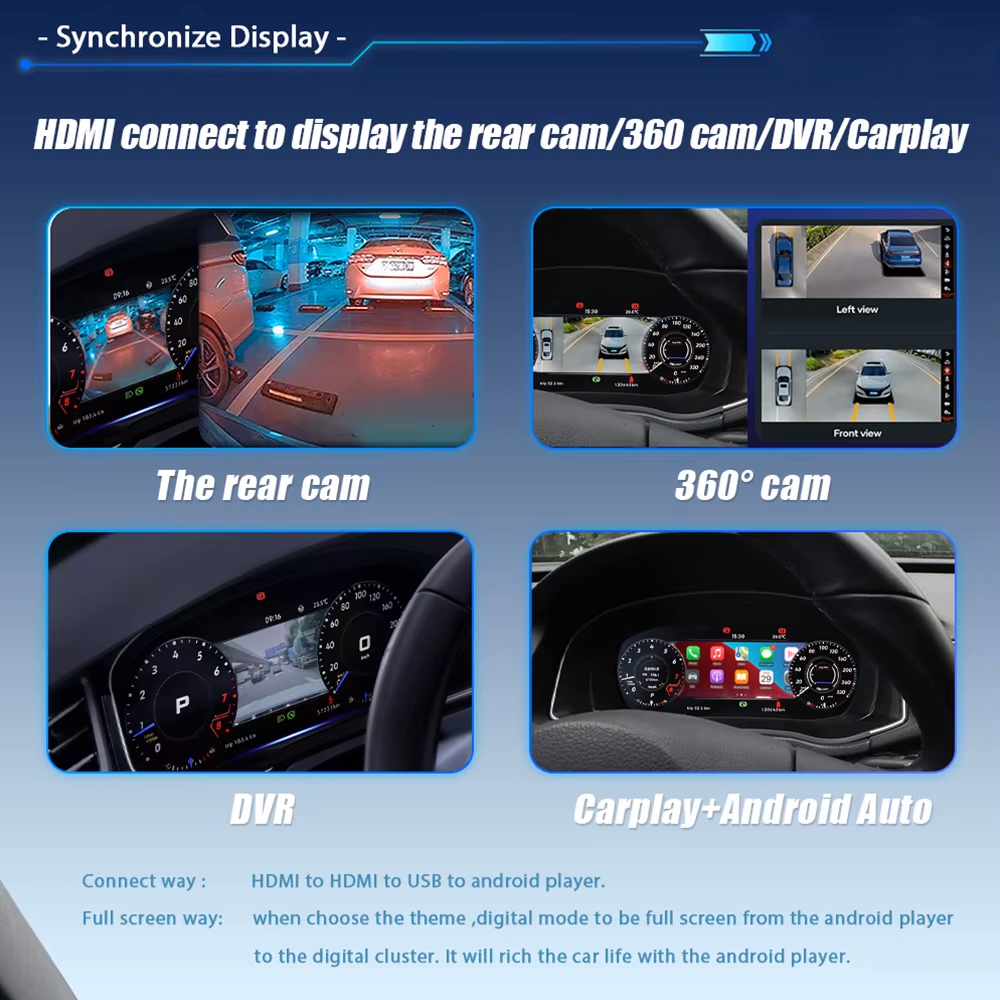
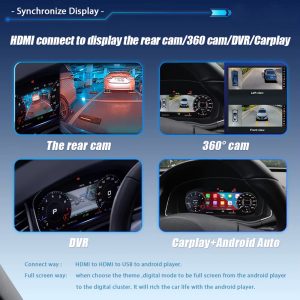
Does it support CarPlay or Android Auto display routes?
It depends on the selected kit and paired head-unit route. Do not assume every cluster order includes the same connectivity behavior. Send your current system photos and expected use before shipment if this function matters to you.
Why buy from iKAGOO instead of a cheaper generic listing?
Because the risk is usually not the screen itself; it is wrong version, wrong connector, wrong control route or poor after-sales support. iKAGOO reviews vehicle information before shipment and supports installation checking after delivery.
Check Compatibility, Policies and Related VW Upgrades
Use these pages before ordering if you want to understand installation expectations, warranty coverage and the broader Volkswagen digital cluster category.
Compatibility & Installation
Understand what vehicle photos and installation information are useful before shipment.
Volkswagen Digital Clusters
Browse related Volkswagen digital instrument cluster upgrades and compare fitment direction.
Warranty Policy
Review hardware warranty coverage, exclusions and support requirements for vehicle-specific electronics.
Return & Refund Policy
Check how approved returns, wrong orders and confirmed incompatibility cases are handled.
Is iKAGOO Reliable?
Learn how iKAGOO handles order review, shipping follow-up, installation support and after-sales cases.
VW/Audi Cluster Install Guide
Review general digital cluster installation expectations before arranging an installer.
Upgrade Your Magotan B6 Dashboard the Safer Way
Choose the VW Magotan B6 Digital Instrument Cluster if you want a cleaner digital dashboard upgrade, retained vehicle data and iKAGOO version matching before shipment.


Álvarez Raúl –
Questo cruscotto digitale ha trasformato la mia Volkswagen Magotan. Il display è grande e chiaro, e mi permette di accedere facilmente a tutte le informazioni vitali senza distrazioni. L’installazione è stata rapida e il risultato finale è molto professionale, dando un tocco moderno alla mia auto. È come avere una macchina nuova!