XStore theme

Chevrolet Silverado Digital Dash 2007-2013 – 15.1″ LCD Gauge Cluster for GMC Sierra

(2 customer reviews)

Original price was: $1,580.00.Current price is: $1,180.00.

Duty-Free EU & USA · Shipping shown in cart EU & USA · Shipping in cart
Secure by PayPal
DDP Tax-Prepaid Service

We handle applicable VAT and import duties for eligible EU and USA orders. Estimated savings: $120–$280 .

Shipping is separate. The exact shipping cost is calculated by destination and shown in your cart before checkout.

USA (48 States) Austria Belgium Bulgaria Croatia Cyprus Czechia Denmark Estonia Finland France Germany Greece Hungary Ireland Italy Latvia Lithuania Luxembourg Malta Netherlands Poland Portugal Romania Slovakia Slovenia Spain Sweden
Shipping to China
Checking available shipping…
or
Pay safely with Paypal Pay safely with Visa Pay safely with Master Card Pay safely with JCB Pay safely with American Express Pay safely with Alipay Pay safely with Google pay Pay safely with Klarna Pay safely with DISCOVER Pay safely with  Apple Pay
Guarantee Safe and Secure Payment Checkout
More Than Hardware

Built to Fit. Backed Beyond Delivery.

iKAGOO reviews fitment and provides defined compatibility protection, a 1-year hardware warranty, 3-year software support and 5-year parts support for eligible products.

After Payment We Work to Get It Right the First Time
View Full Order Process Full Process
01 Order Received Order
02 Final Compatibility Check Check
03 Test & Prepare Test
04 Pack & Ship Ship
05 Tracking & Support Support

Our goal is to get your order right before it leaves us. We verify compatibility, prepare the correct setup and contact you only if something needs confirmation.

Chevrolet Silverado / GMC Sierra 2007–2013

15.1" Digital Gauge Cluster for Chevrolet Silverado & GMC Sierra 2007–2013

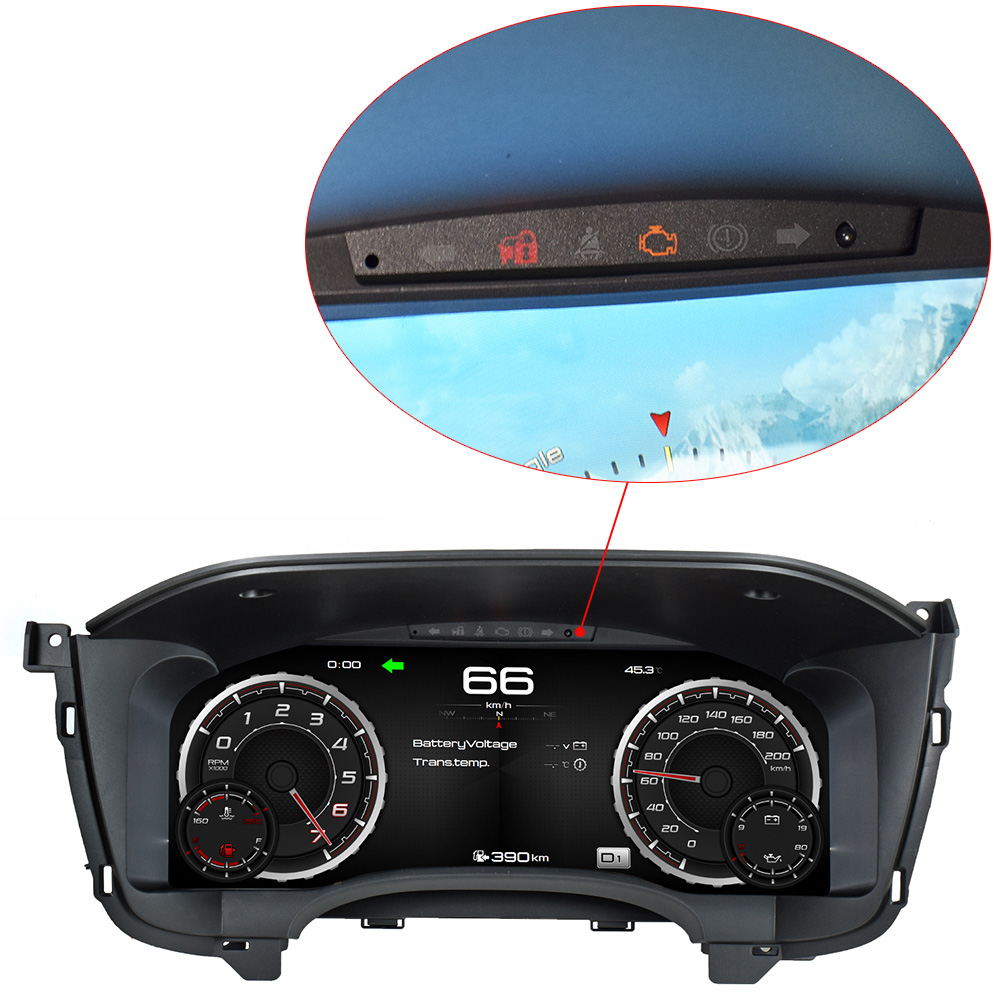
Upgrade the original mechanical-style instrument cluster to a 15.1-inch 1920×720 digital dash with Linux operation, fast startup and support for applicable original vehicle information.

15.1" · 1920×720 Large high-resolution driver display
Original Vehicle Data Speed, gear, fuel, warnings and supported factory data
Linux · 2–5 sec Focused platform with fast startup
3 Display Modes Classic · Off Road · Sport
Vehicle-specific fitment: designed for supported 2007–2013 Chevrolet Silverado and GMC Sierra configurations.
15.1-inch Chevrolet Silverado digital dash fully installed in 2007-2013 Silverado
REAL INSTALLED RESULT
Chevrolet Silverado 2007-2013 original cluster versus 15.1-inch digital dash before and after installation
Real Before / After Comparison

How Much Does a 15.1-inch Digital Dash Change a 2007–2013 Silverado?

The whole driver-information area moves from an older mechanical-style gauge layout to a wide digital cockpit.

Before Traditional mechanical-style gauges and smaller information areas.
After 15.1-inch digital gauge display with modern vehicle-data presentation.
Why it matters The instrument cluster stays directly in your view on every drive.
Key Specifications at a Glance

What Are the Key Specifications of the 15.1-inch Silverado / Sierra Digital Gauge Cluster?

15.1-inch LCD Large-format digital instrument display
1920 × 720 Sharp gauge and vehicle-data graphics
Linux System Focused digital instrument platform
2–5 sec Startup Fast response after vehicle ignition
Multiple Modes Classic · Off Road · Sport
Original Gauge Data Supports applicable factory vehicle information
9V–16V 0.8A–1.5A specified operating current
Multi-Language English, Spanish, German, French and more
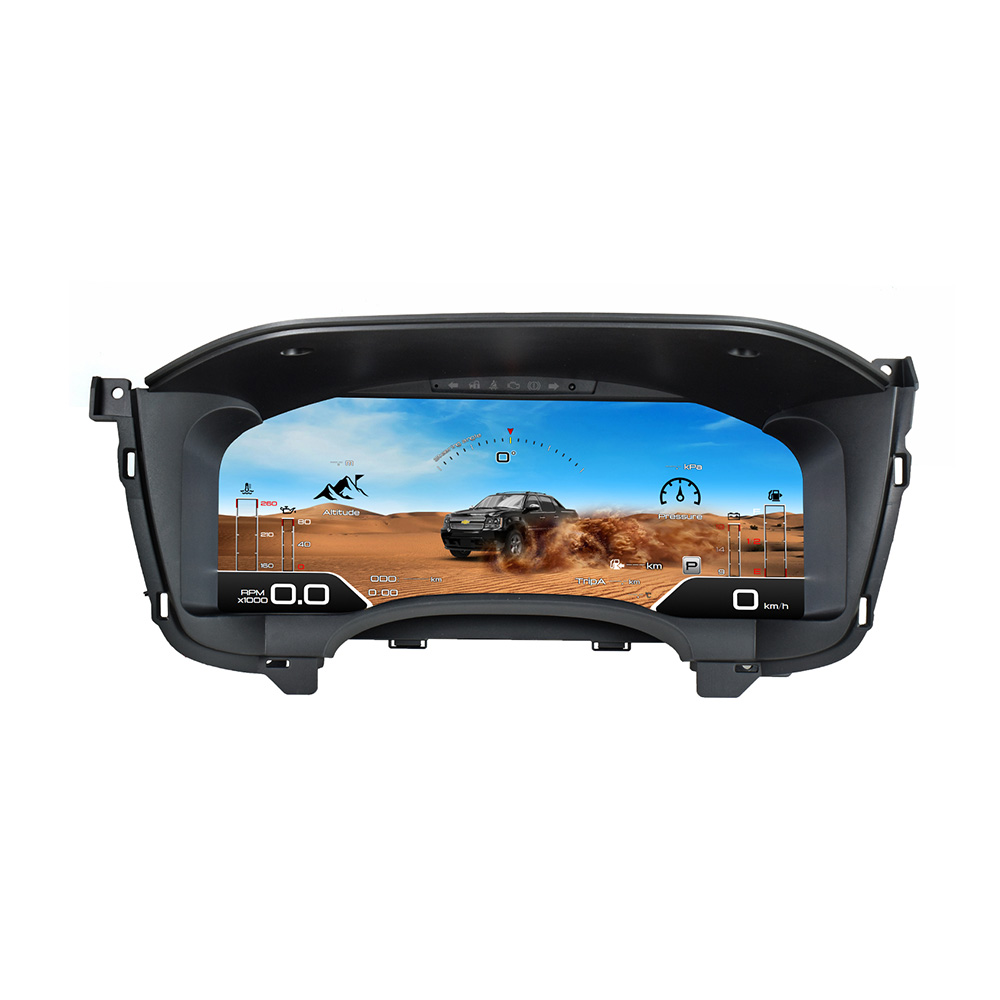
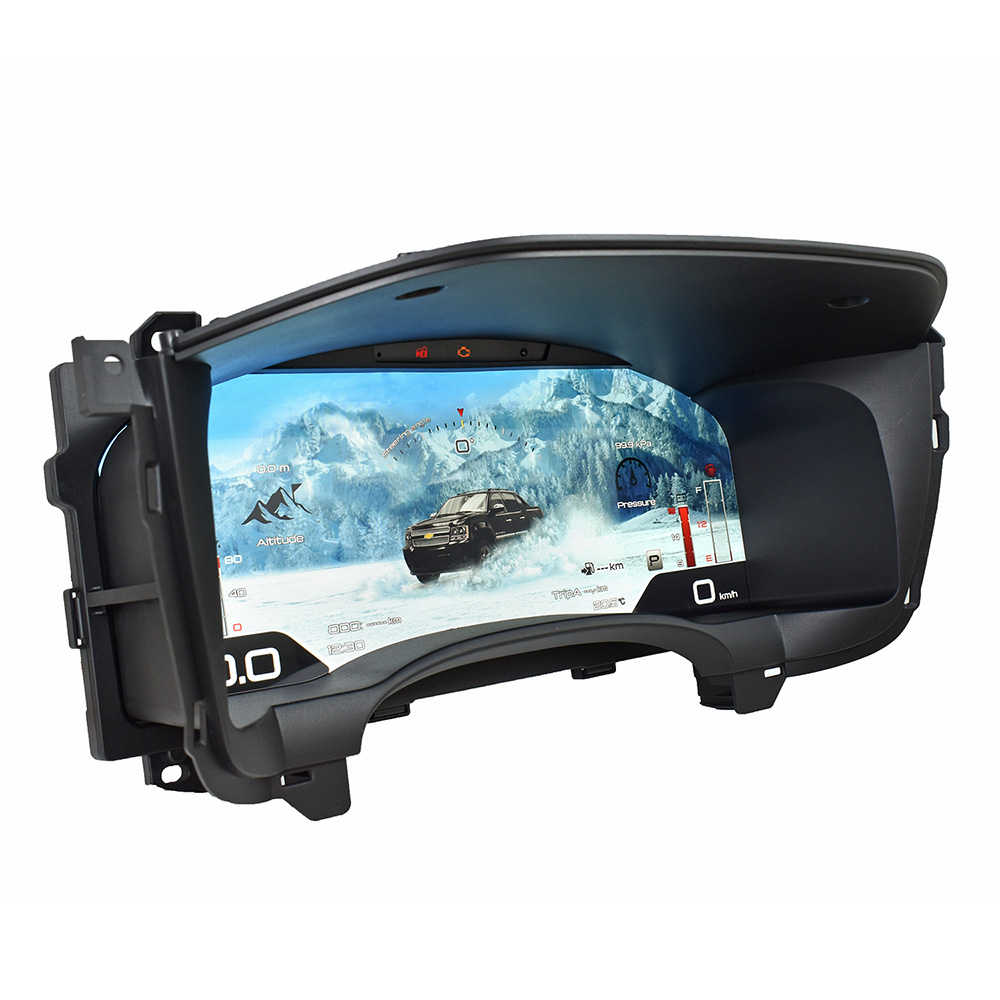
Chevrolet Silverado digital gauge cluster 15.1-inch LCD product view
Vehicle-Specific Upgrade

Why Upgrade the Instrument Cluster on a 2007–2013 Chevrolet Silverado or GMC Sierra?

Because the gauge cluster is one of the few parts of your truck that stays directly in your view every time you drive.

A well-kept Silverado or Sierra can remain useful for years, but the original mechanical-style gauges immediately reveal the age of the cabin. The 15.1-inch digital cluster modernizes the driver's main information area.

If you are still comparing this type of retrofit, read our Digital Instrument Cluster Upgrade Guide for the checks that matter before ordering.

Factory Vehicle Information

Which Original Silverado / Sierra Gauge Functions Can the Digital Cluster Retain?

The cluster is designed to retain supported original instrument functions when those functions and vehicle data are already present in the original truck.

Vehicle SpeedDigital speed display
Gear PositionSupported transmission information
Fuel ConsumptionSupported original fuel information
Tire PressureWhen factory TPMS data is available
ACC InformationWhere the original vehicle is equipped
Lane KeepingWhere factory equipment and data support it
Speed Limit SignsWhere originally equipped and supported
Vehicle WarningsSupported engine and vehicle alerts
Important: the cluster can display supported factory information. It does not create ACC, lane keeping, TPMS or another factory feature that the original truck never had. See the Original Vehicle Compatibility Standard for how iKAGOO evaluates retained functions and vehicle integration.
Digital Gauge Interface

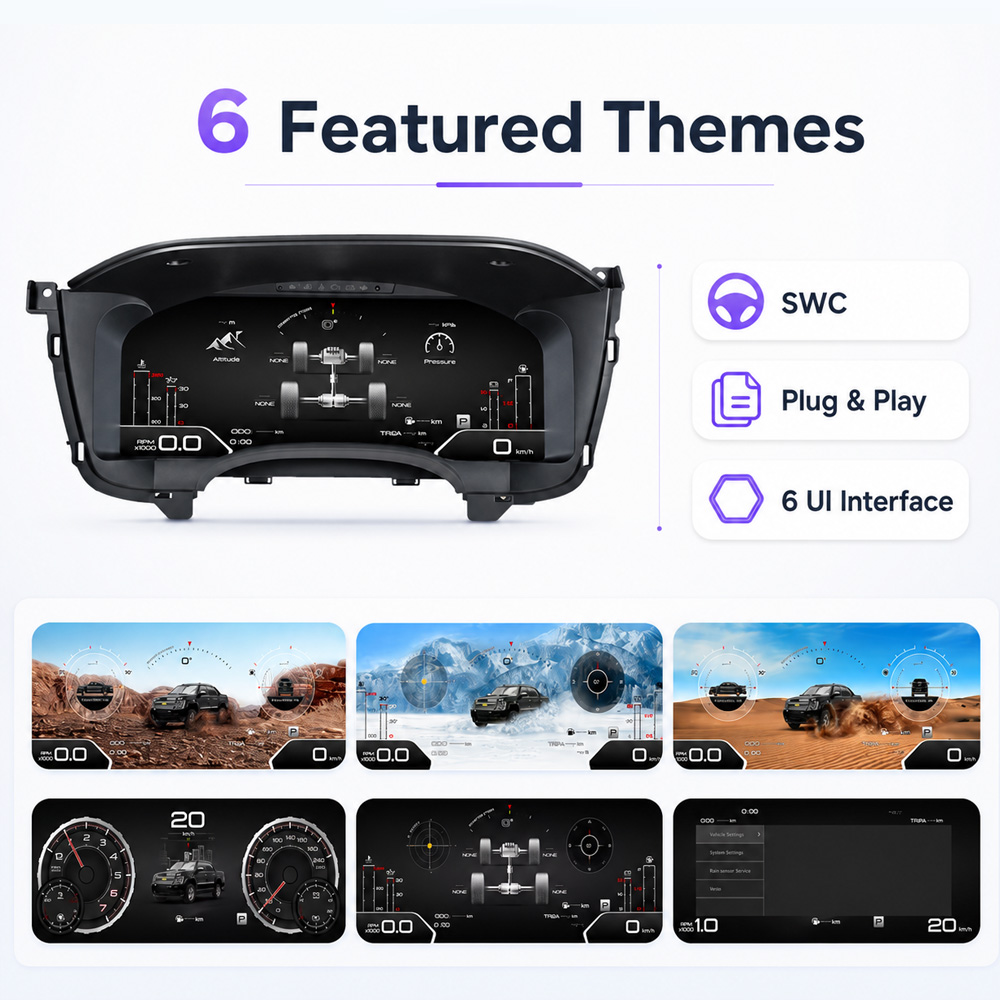
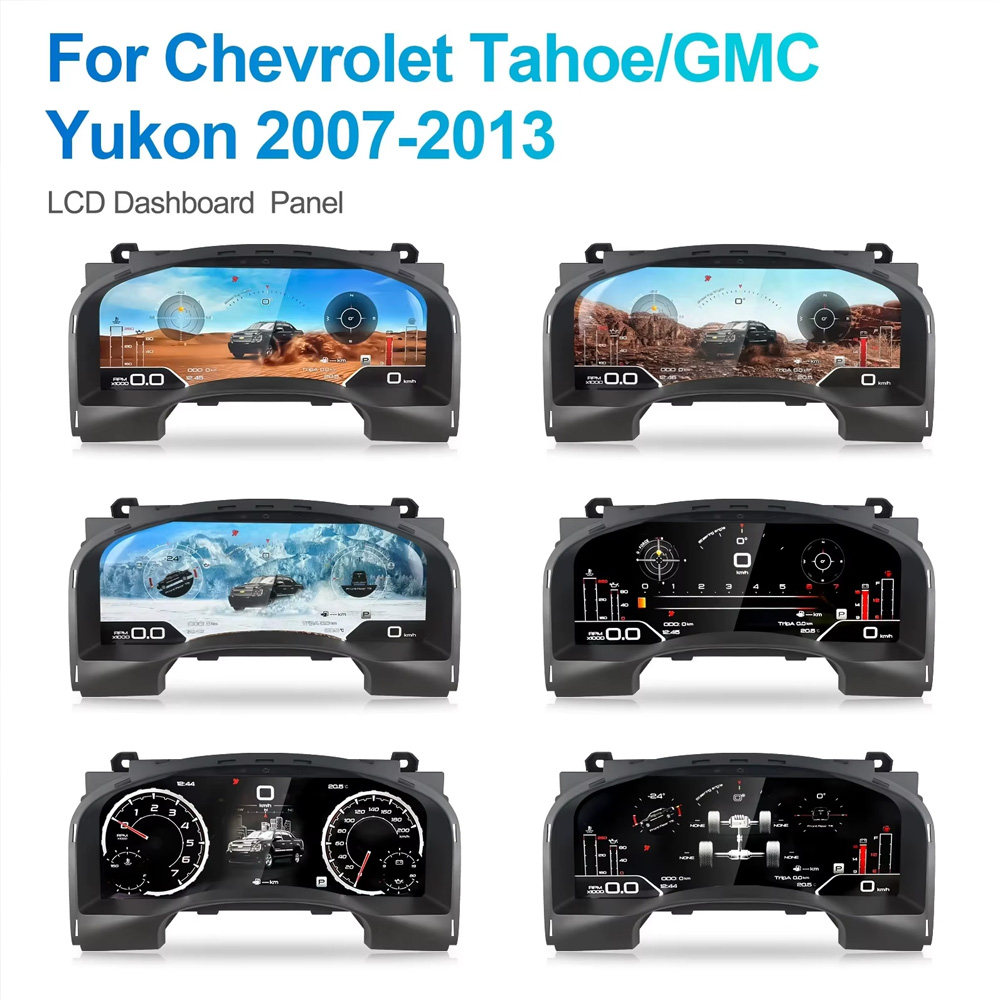
What Display Modes Are Available on the Silverado / Sierra Digital Dash?

Confirmed named layouts include Classic, Off Road and Sport.

Classic offers a cleaner everyday gauge presentation, Off Road creates a more truck-oriented visual layout, and Sport gives the display a more dynamic appearance.

Interface graphics can vary slightly according to software version.

15.1-inch Silverado GMC Sierra digital gauge cluster showing multiple display themes
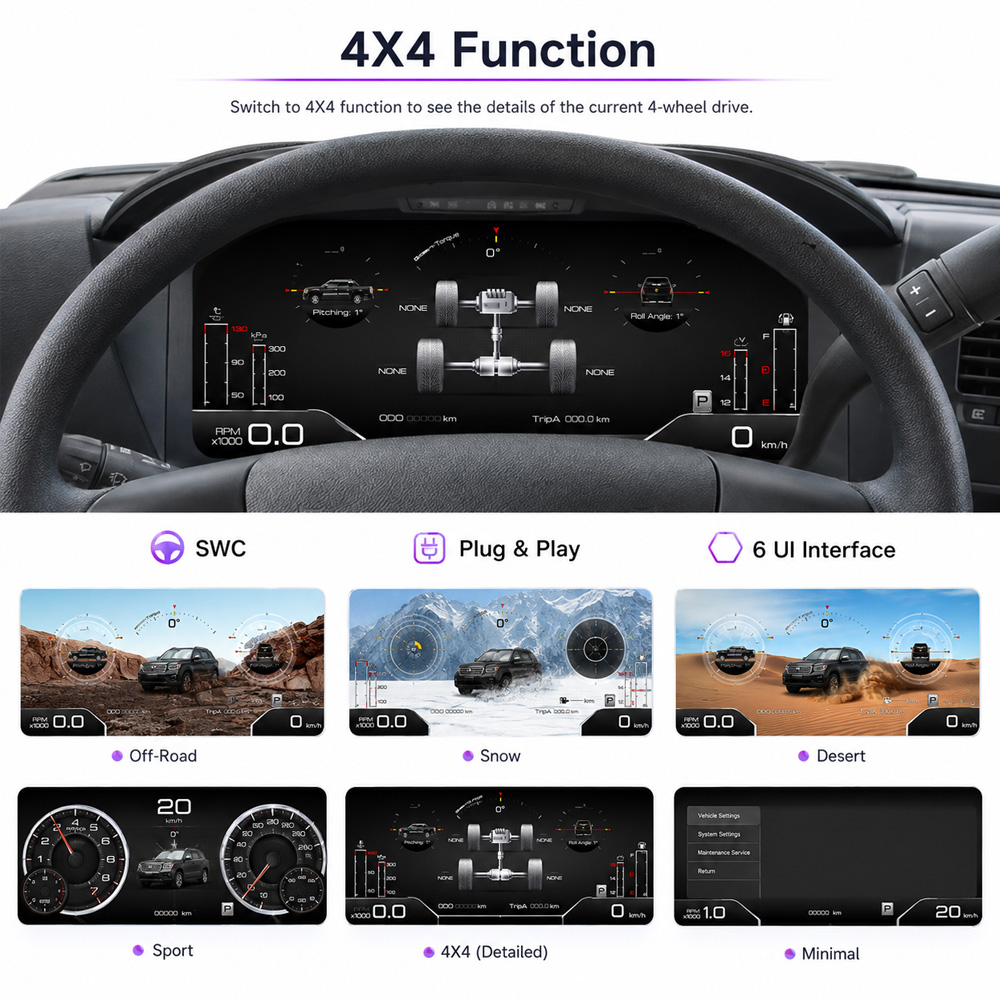
GMC Sierra digital dash showing 4X4 vehicle information on 15.1-inch LCD cluster
Truck-Focused Vehicle Data

Can the 15.1-inch Silverado / Sierra Digital Cluster Display 4X4 and Vehicle Information?

Product media shows a dedicated 4X4 interface together with digital speed, drivetrain and vehicle-data presentation.

Actual information depends on the data supplied by the original truck and the matched cluster configuration.

Direct Compatibility Answers

Will This 15.1-inch Digital Gauge Cluster Fit My Exact 2007–2013 Silverado or Sierra?

The model year is the starting point—not the final compatibility decision. Original cluster layout, dashboard configuration and factory equipment still matter.

Is 2007–2013 Silverado enough to confirm compatibility?

Direct answer: No.

The model year still has to be matched against the actual dashboard and original cluster configuration.

BUYER ACTION → Send the vehicle details required for an iKAGOO compatibility review.
Will speed, gear, fuel and TPMS information remain available?

Direct answer: The cluster is designed to retain supported original instrument data.

Exact available information follows the functions and vehicle data already present in the original truck.

BUYER ACTION → Tell iKAGOO which original functions are essential before shipment.
Will ACC or lane-keeping information still display?

Direct answer: It can when the original vehicle is equipped and the required data is supported.

The digital cluster does not create an ADAS function the truck did not originally have.

Does the digital cluster require mileage or VIN programming?

Direct answer: One universal programming rule is not confirmed for every configuration.

Mileage and programming requirements should be confirmed against the actual original cluster before shipment.

BUYER ACTION → Photograph the original mileage before installation.
How quickly does the digital instrument cluster start?

Direct answer: Approximately 2–5 seconds under normal operation.

Startup, shutdown and repeated ignition behavior should still be checked during the first installation test.

Does this version support CarPlay or Android Auto map synchronization?

Direct answer: No.

This version is a digital instrument-cluster upgrade. Apple CarPlay and Android Auto map synchronization are not supported.

BEST FIT → Buyers focused on the digital driver display and original vehicle information.

For a broader fitment checklist, see the aftermarket digital dash compatibility guide .

Multi-Language Interface

Which Languages Does the Silverado / Sierra Digital Gauge Cluster Support?

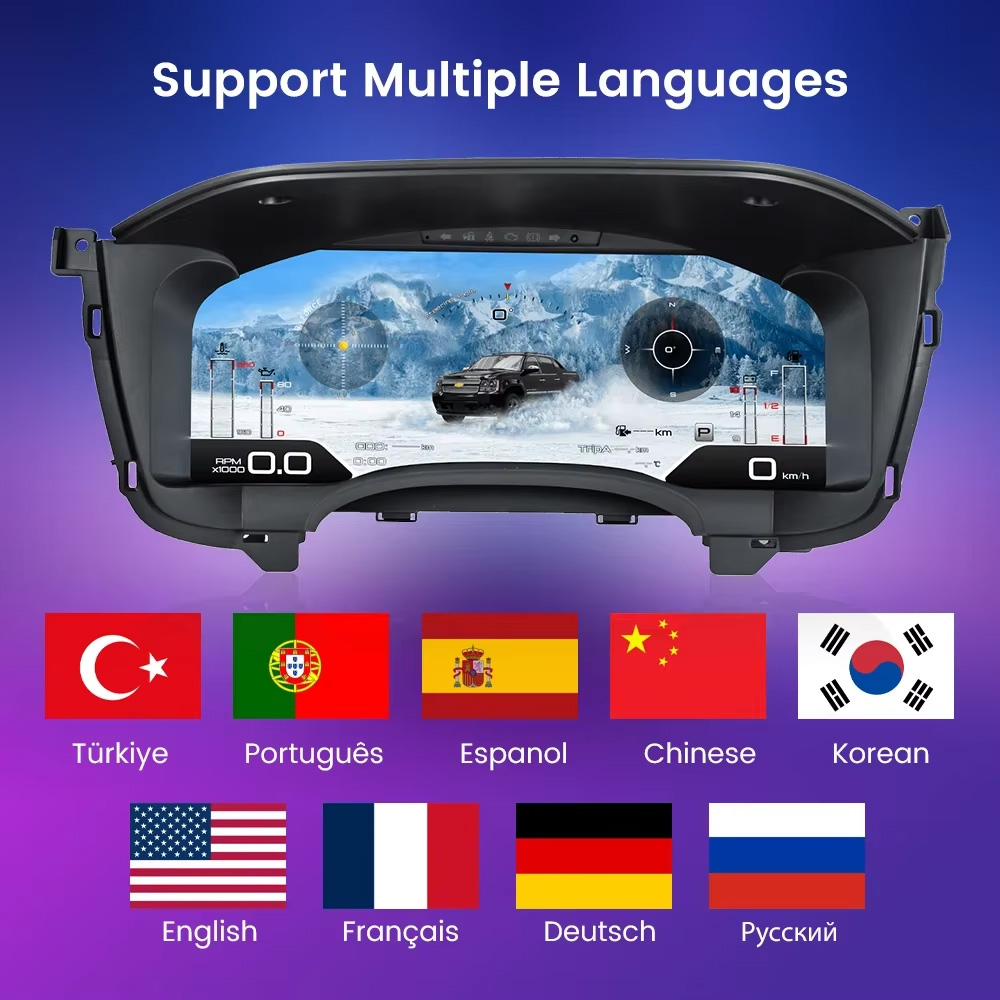
Supported interface languages include English, Spanish, German, French, Italian, Portuguese, Japanese, Korean, Russian, Arabic, Turkish, Simplified Chinese and Traditional Chinese .

Additional engineering-language options may vary by software version.

Silverado GMC Sierra digital gauge cluster multi-language interface
Why Buy From iKAGOO

Why Buy a Silverado / Sierra Digital Gauge Cluster From iKAGOO Instead of Only Comparing Price?

With a vehicle-specific digital cluster, the purchase is not only the screen. Vehicle matching, version records and support after installation matter too.

Vehicle-Specific Review

Vehicle year and original dashboard/cluster information stay connected to the order rather than treating every 2007–2013 truck as identical.

See how iKAGOO checks compatibility →

Support Matters After Installation

A lower purchase price can become poor value if the seller cannot later identify the hardware, configuration or software route.

Why cheap digital clusters without support can cost more →

Know Who You Are Buying From

iKAGOO explains how compatibility review, pre-shipment preparation and after-sales support are handled.

Is iKAGOO Reliable? →

From Buying Decision to First Drive

What Happens After I Order the 2007–2013 Silverado / Sierra Digital Dash?

OPTION 1 · ORDER FIRST

Place the Order, Then Send Your Vehicle Details

Order normally, then send the requested vehicle year and original dashboard/cluster photos. iKAGOO performs the vehicle-specific review before shipment.

OPTION 2 · CHECK BEFORE BUYING

Request a Preliminary Compatibility Check

Send your vehicle information before purchase if you want an initial compatibility assessment first. The stricter final review still takes place after payment and before shipment.

1. Decide whether the upgrade makes sense. Compare the original cluster, expected daily benefit and installation burden.
2. Submit the vehicle information. Model year and original dashboard/cluster photos establish the compatibility route.
3. iKAGOO performs the final pre-shipment review. The stricter review happens after payment and before shipment.
4. Install and power-test before closing the dashboard. Check startup, speed, units, gear information, profile and important warnings first.
5. Keep the order as your support reference. Later technical questions can be traced back to the product route supplied for your truck.

See the complete iKAGOO How to Order process →

iKAGOO Three-Indicator Buying Evaluation

How Does iKAGOO Rate This Silverado / Sierra Digital Dash for Upgrade Value, Vehicle Compatibility and Installation?

Each indicator answers a different buyer question. A strong result in one area does not replace the other two checks.

Question 1 · Is this upgrade worth doing?

Upgrade Necessity

84/100
Strong Upgrade Case
Optional Useful Strong Essential
Why it scores highly The real installed result shows a substantial change from the older mechanical-style cluster to a 15.1-inch 1920×720 digital cockpit.
Why it is not higher The factory cluster already provides the core driving information, and this version does not add CarPlay or Android Auto map synchronization.
Buyer interpretation:
Best for owners keeping the truck who want a major improvement to the part of the interior they see on every drive.

See how iKAGOO calculates Upgrade Necessity →

Question 2 · How closely can it integrate with the truck?

Original Vehicle Compatibility

90/100
Near-OEM Integration Route
Major Gap Functional Near-OEM Ideal
What supports the score Vehicle-specific physical design, support for applicable original data, truck-focused interfaces and compatibility review before shipment.
Why it is not 100/100 Individual trucks can differ in original cluster configuration, equipment and available vehicle data.
Buyer interpretation:
90/100 does not mean “90% of functions work.” It describes the overall integration route; the exact vehicle still needs to be matched correctly.

Read the full Original Vehicle Compatibility Standard →

Question 3 · Who should install it?

Installation Ease

L3
Advanced DIY
L1
Easy
L2
Basic
L3
Advanced
L4
Pro
L5
Specialist
Why it is L3 The original main cluster must be removed. The replacement must then be connected and power-tested before final dashboard reassembly.
Recommended installer Experienced DIY installer with dashboard-removal experience, or an automotive-electronics installer.
Stop condition Stop if housing or connectors do not match naturally, or if important vehicle information behaves incorrectly.
Buyer interpretation:
If you have never removed and tested an instrument cluster before, professional installation is the safer route.

Check the iKAGOO Installation Difficulty Standard →

Confirmed Technical Specifications

What Are the Confirmed Specifications for the 15.1-inch Silverado / Sierra Digital Instrument Cluster?

Product TypeVehicle-Specific LCD Digital Gauge Cluster / Digital Dash
Screen Size15.1 inches
Resolution1920 × 720
Operating SystemLinux
Startup TimeApproximately 2–5 seconds
Display ModesClassic / Off Road / Sport
Operating Voltage9V–16V
Operating Current0.8A–1.5A
Chevrolet ApplicationChevrolet Silverado 2007–2013
GMC ApplicationGMC Sierra 2007–2013
Original Gauge Functions Designed to retain supported original instrument functions according to vehicle equipment and available original data
CarPlay Map SyncNot supported
Android Auto Map SyncNot supported
Real Buyer Questions

What Do Silverado / Sierra Owners Need to Know Before Buying a Digital Gauge Cluster?

My Silverado is between 2007 and 2013. Is the year alone enough to confirm fitment?

No. Original dashboard and instrument-cluster configurations can differ. Use the iKAGOO compatibility review to provide the vehicle year and original dashboard/cluster photos.

Will my original mileage remain correct after replacing the cluster?

Mileage handling should be confirmed for the exact vehicle and original cluster rather than assumed from the screen itself. Photograph the original odometer before installation and confirm the route before shipment.

Do I need VIN programming or special coding?

One universal programming rule is not confirmed for every 2007–2013 Silverado/Sierra configuration. Confirm it against the original cluster if programming is important for your vehicle.

Will TPMS, gear position, fuel information and warning lights still display?

The cluster is designed to retain supported original gauge functions. Exact information depends on the factory equipment and data present in the truck. See the factory-function retention standard .

My truck has ACC or lane-keeping information. Will the digital dash show it?

These functions can be retained where the original vehicle is equipped with them and the corresponding data is supported by the matched route.

How do I check whether digital speed and MPH/km/h units are correct?

During first power-on, verify speed, units, gear information, warnings and vehicle profile before reinstalling all dashboard trim.

Is this really a plug-and-play installation?

Vehicle-specific connections can simplify installation, but the original cluster still has to be removed and the replacement must be connected and tested. Review the installation difficulty guide before deciding whether to DIY.

Is this worth buying if my original gauges still work?

It makes the most sense if you intend to keep the truck and want a substantial modernization of the driver's everyday view. See Is a Car Electronics Upgrade Worth It?

Why does after-sales support matter for a digital instrument cluster?

Because hardware version, configuration, vehicle data and future troubleshooting can matter long after installation. Read why cheap digital clusters without after-sales support can cost more .

Does this version support CarPlay or Android Auto maps on the digital cluster?

No. This version does not support Apple CarPlay or Android Auto map synchronization on the instrument display.

What should I test before reinstalling all dashboard trim?

Check startup, speed, units, gear display, fuel information, important warnings and the correct vehicle profile. The digital instrument cluster upgrade guide includes a broader testing checklist.

Compatibility Before Shipment

How Do I Confirm a 2007–2013 Silverado / Sierra Digital Dash Before Ordering?

You can order first and send your vehicle information afterward, or request a preliminary compatibility check before buying. Either way, the vehicle year and original dashboard/cluster information are reviewed before shipment.

Still comparing sellers? See how iKAGOO handles compatibility and after-sales support.

5.00

Based on 2 reviews
2
0
0
0
0

2 reviews for Chevrolet Silverado Digital Dash 2007-2013 – 15.1″ LCD Gauge Cluster for GMC Sierra

  1. Ethan Miller –

    Total rating
    Value for money

    My truck is old but still runs great, so I didn’t want to replace it just because the interior looked dated. This cluster was a good way to modernize the part I look at every day.

    Is it helpful?
  2. Michael Dawson –

    Total rating
    Value for money

    This is more about improving the actual gauge cluster than adding entertainment features, which is exactly what I wanted.

    Is it helpful?
Add a review
iKAGOO vehicle compatibility, international shipping, warranty and customer support
iKAGOO Customer Support

Compatibility, Shipping & Support

Clear information about vehicle compatibility, order preparation, international delivery, warranty, returns and after-sales support.

Compatibility Review Vehicle information is checked before dispatch.
Order Processing Normally 1–3 business days before dispatch.
12-Month Warranty Limited hardware warranty for eligible defects.
Tracked Delivery Tracking information is provided after dispatch.
Vehicle-Specific Order Process

We Check the Details Before Your Order Leaves Us

Vehicle-specific electronics require the correct version, wiring and configuration. Our process is designed to reduce avoidable compatibility and installation problems.

Before Payment

Initial Compatibility Review

Vehicle model, year, original system and relevant configuration information may be reviewed before purchase to reduce the risk of selecting the wrong version.

After Payment

Final Compatibility & Configuration Check

Before dispatch, the order is checked against the confirmed vehicle information so the appropriate version, configuration and required vehicle-specific components can be prepared.

After Payment We Work to Get It Right the First Time
View Full Order Process Full Process
01 Order Received Order
02 Final Compatibility Check Check
03 Test & Prepare Test
04 Pack & Ship Ship
05 Tracking & Support Support

Our goal is to get your order right before it leaves us. We verify compatibility, prepare the correct setup and contact you only if something still needs confirmation.

Shipping, Returns, Warranty & Order Questions

A practical summary of the main terms that apply to vehicle-specific iKAGOO orders.

01

Where are orders shipped from and how long does delivery take?

Most iKAGOO orders are dispatched from our fulfillment location in China after the product configuration and vehicle information have been checked.

Normal order processing is approximately 1–3 business days. Estimated delivery after dispatch is generally:

  • USA & Canada: approximately 5–9 business days
  • European Union: approximately 7–15 business days
  • UK & Australia: approximately 7–10 business days
  • Other supported regions: approximately 7–20 business days

Customs clearance, holidays, weather, carrier delays and remote-area delivery may affect these estimates.

02

Will I need to pay VAT, import duties or customs charges?

Standard international shipping normally does not include destination-country VAT, import duties, brokerage charges or customs clearance fees.

For eligible European Union destinations, DDP shipping may be available. Import-related charges are included only when DDP is selected at checkout or confirmed by iKAGOO in writing before shipment.

When DDP is not selected, charges collected by local customs or the delivery carrier are normally the recipient's responsibility.

03

Can I request express shipping and how do I track the parcel?

Express or expedited shipping may be available for selected products and destinations. Availability, carrier and any additional cost are confirmed before shipment.

Depending on the route and product type, iKAGOO may use DHL, FedEx, UPS, EMS, 4PX or another tracked logistics provider.

After dispatch, the tracking number or tracking link is normally sent to the email address used for the order. Tracking updates may take several business days to appear during international carrier transfers.

04

What is the return and refund policy?

Return eligibility depends on the reason for return, product condition, installation status, supporting evidence and whether the return has been approved by iKAGOO.

For an approved non-defective return, the product must normally remain unused, uninstalled, complete and suitable for resale. The customer is generally responsible for approved return shipping costs.

Original shipping, DDP, VAT, customs duties and other logistics costs are generally non-refundable unless required by law or otherwise confirmed by iKAGOO.

Do not send a product back before receiving an approved return address and return instructions from iKAGOO.

05

What if the product still cannot be installed after compatibility review?

Additional protection may apply when iKAGOO reviewed the vehicle compatibility, the customer supplied accurate vehicle information and reasonable installation and diagnostic steps have been completed.

If iKAGOO confirms that no reasonable technical solution is available and the issue is reported within 7 calendar days after delivery, the customer may be eligible for a refund of the product price without being required to return the product.

Original shipping, DDP, VAT, customs duties and other third-party charges are not included in this product-price refund.

06

What warranty is provided, and does opening the product cancel it?

Eligible products include a 12-month limited hardware warranty covering verified manufacturing defects and eligible hardware failures under normal use.

Depending on the verified issue, support may include remote diagnosis, configuration assistance, replacement parts, repair, replacement, partial refund or full refund.

Inspection or third-party examination does not automatically cancel the entire warranty. However, damage caused by unauthorized repair, incorrect modification, broken circuits, improper reassembly, incorrect wiring, impact, water ingress or misuse is not normally covered.

Contact iKAGOO before dismantling, modifying or repairing the product so the correct diagnostic procedure can be provided.

07

What if my order arrives damaged or has missing parts?

Contact iKAGOO within 7 calendar days after delivery and keep the original packaging, shipping label, accessories and product.

Please provide clear photos or video showing:

  • The external shipping carton and shipping label
  • Visible packaging damage
  • The product and affected area
  • All accessories and wiring received

After verification, iKAGOO may arrange a missing-part shipment, replacement, repair, refund or another reasonable solution.

08

What if I ordered the wrong version or need to change my order?

Contact iKAGOO as soon as possible and before installation. For address, vehicle configuration or product changes, contact us preferably within 12 hours after placing the order.

An exchange or return may be approved when an incorrectly selected product remains unused, uninstalled, complete and suitable for resale. Customers are normally responsible for relevant shipping costs and price differences.

Vehicle-specific products may enter procurement, programming, testing or configuration shortly after payment. Once preparation or shipment has started, cancellation may no longer be possible, or reasonable costs already incurred may be deducted.

09

What is included in the package?

Package contents vary by product, vehicle model, factory system and selected configuration.

Depending on the product, the package may include the main device, vehicle-specific wiring harnesses, CANBUS interface, adapters, USB cables, antennas, microphones, mounting hardware or other required installation accessories.

Refer to the relevant product photos, specifications and order confirmation for the exact contents of your order.

10

How do I contact iKAGOO for technical or after-sales support?

You can contact iKAGOO through the website contact form, WhatsApp or other available support channels. Typical response time is within 24 business hours.

For faster technical diagnosis, include your order number, vehicle model and year, relevant factory-system photos, product photos and a clear video showing the issue.

Contact iKAGOO Support →

11

Is payment secure and are installment options available?

Payments are processed through the secure payment methods displayed during checkout.

Available card, wallet and installment options may vary by country, currency, payment provider and customer eligibility.

Installment services, including options offered by PayPal or another payment provider, remain subject to that provider's regional availability and approval requirements.

Complete iKAGOO Policies Review the published policy pages for complete terms and conditions.

This section is a simplified customer guide. The complete published policy pages, order confirmation and applicable consumer law take priority if any wording differs.

Chevrolet Silverado digital dash front view with 15.1-inch LCD display for 2007-2013 pickup Chevrolet Silverado Digital Da...

Original price was: $1,580.00.Current price is: $1,180.00.

Shipping to China
Checking available shipping…
Add to cart