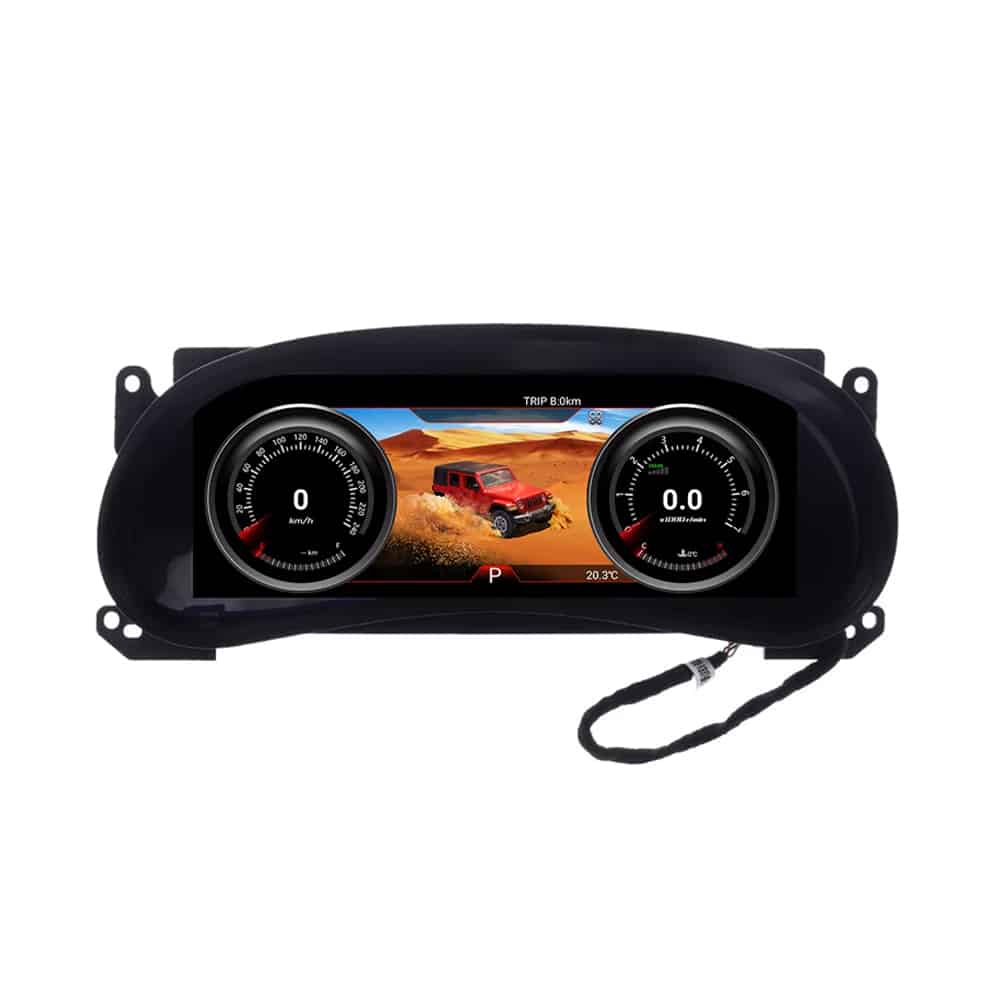
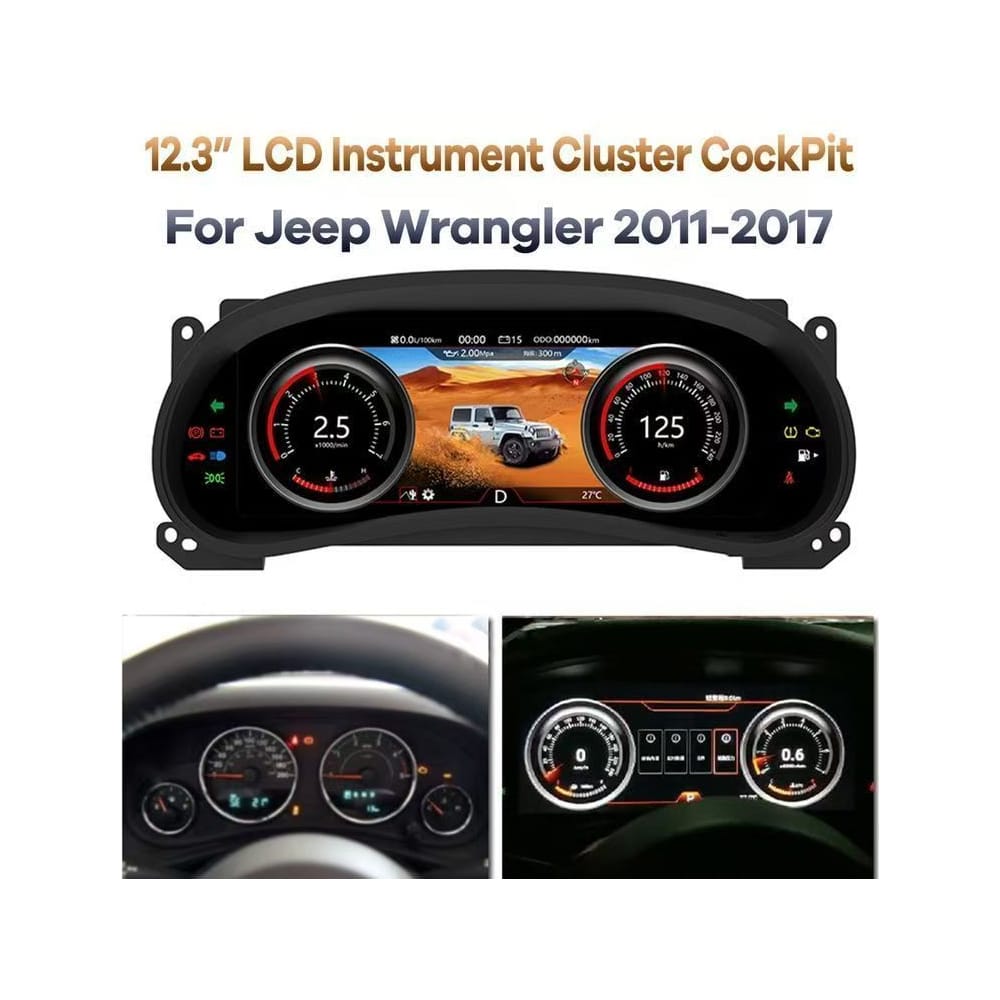
The Wrangler JK LCD Gauge Cluster replaces the dated factory-style instrument view with a 12.3-inch Linux digital dashboard designed for the 2010–2017 Jeep Wrangler JK. It brings speed, RPM, mileage, TPMS, fuel information, supported warning data, 4WD status and off-road displays into one wider, easier-to-read driving interface.
- Original steering-wheel controls supported
- Original mileage and trip information retained
- TPMS and supported vehicle warnings displayed
- 4WD and off-road vehicle data available
- Matched connection solution protects factory wiring
- Multiple Classical, Sport and Off-Road interfaces
What Is the Wrangler JK LCD Gauge Cluster?
This is a complete Jeep Wrangler JK digital instrument cluster for owners who want a wider, modern driving display instead of the original analog-style instrument view. The 12.3-inch 1920 × 720 IPS screen runs a dedicated Linux system and displays supported factory vehicle information through a Wrangler-specific connection solution.
It is not an Android radio and it does not replace your center infotainment system. It upgrades the driver’s instrument display directly in front of the steering wheel.
Why This Jeep JK Digital Dash Upgrade Changes the Driving Experience
The value is not limited to replacing two analog dials. This upgrade reorganizes the vehicle information you look at on every drive and gives an older Wrangler interior a more purposeful digital cockpit.
More Information in Your Natural Line of Sight
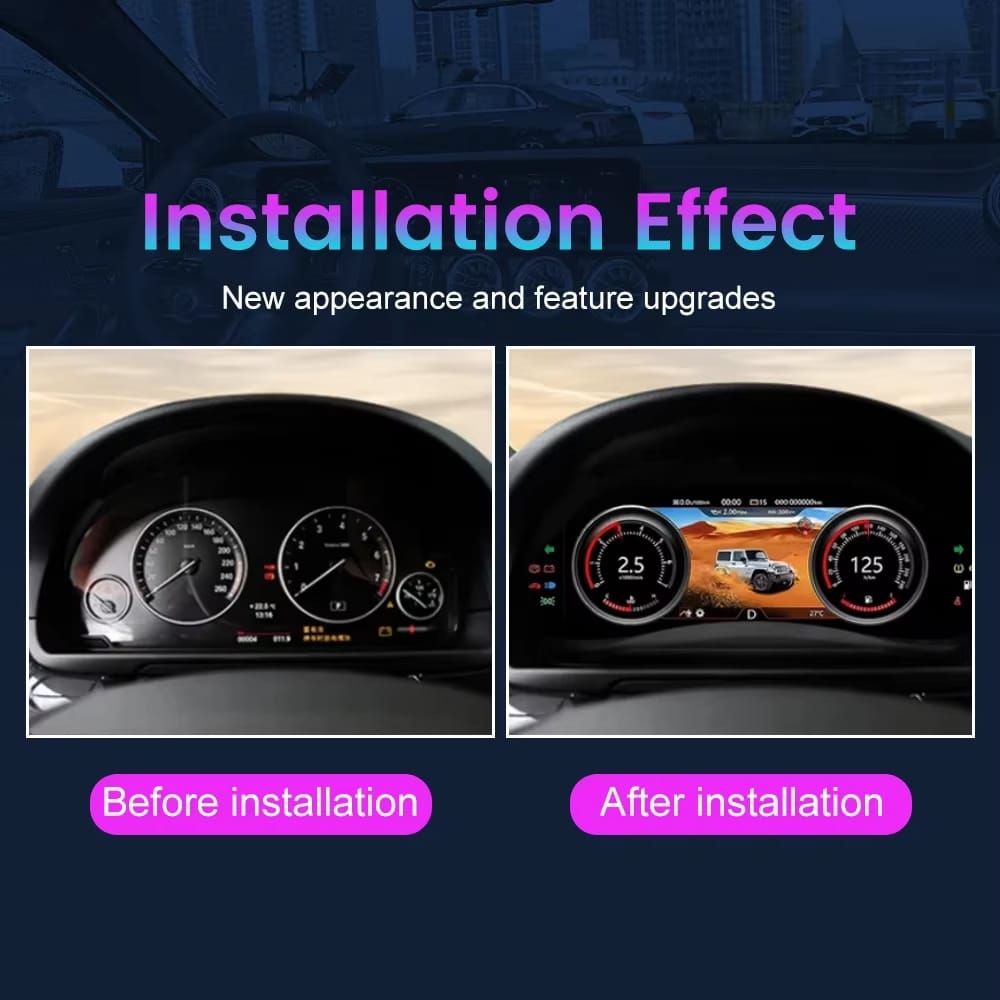
The 12.3-inch digital dash for Jeep Wrangler JK models gives speed, RPM, fuel, mileage, warning information and supported off-road data more space than the original cluster layout.
A Dashboard That Matches the Way a Wrangler Is Used
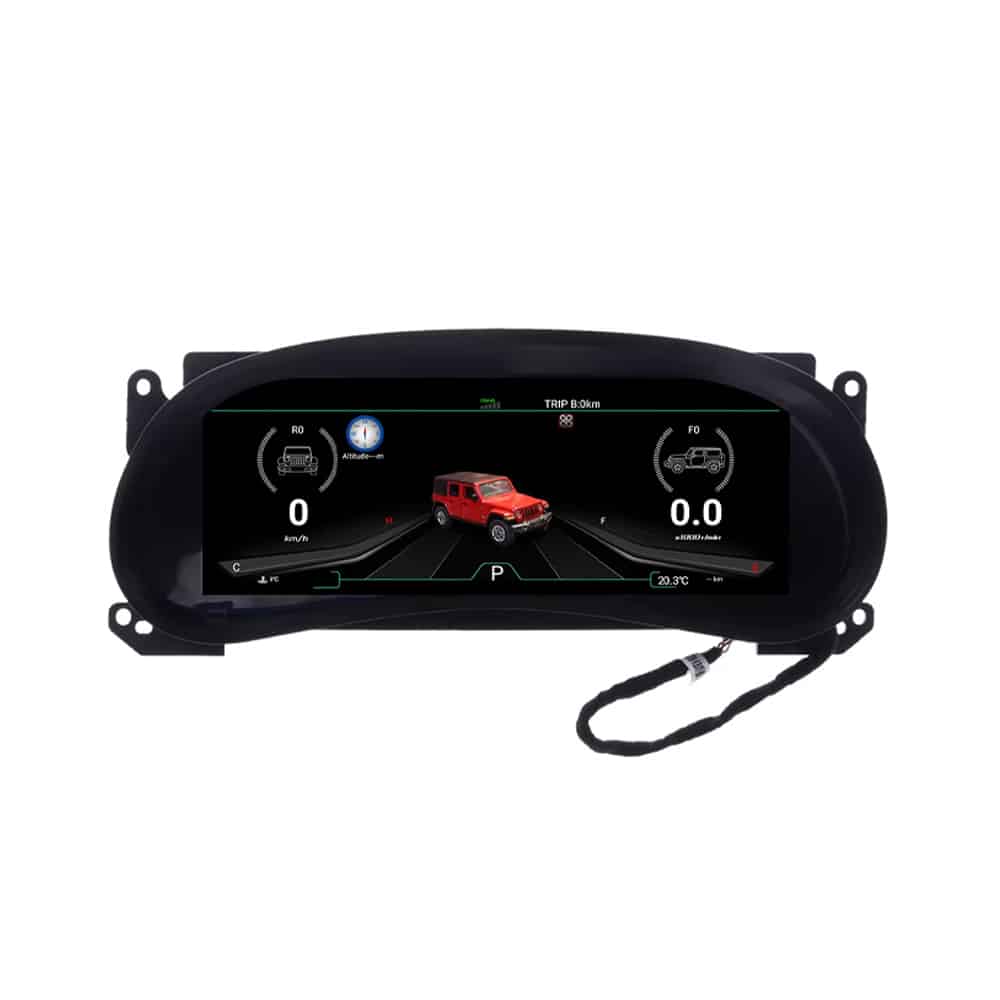
Off-Road interface modes, 4WD information and vehicle-angle displays make the cluster relevant to owners who use their JK beyond ordinary city driving.
Focused Linux Stability
The dedicated Linux platform is designed around instrument display and vehicle data rather than the heavier app workload of a complete Android multimedia head unit.
Multiple Driving Interfaces
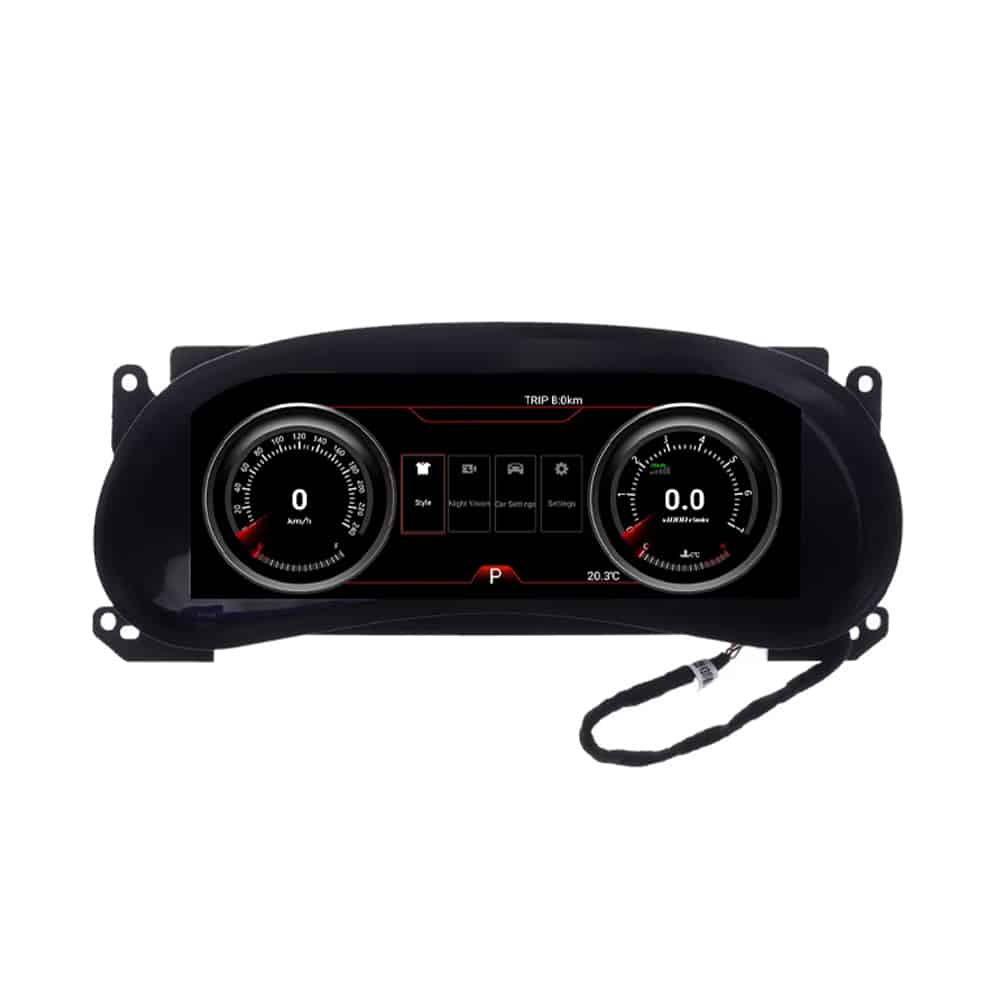
Switch between available Classical, Sport and Off-Road visual environments to choose a view that suits daily roads, longer journeys or trail driving.
Vehicle Data Instead of a Decorative Screen
The cluster connects with supported vehicle information so the display can continue presenting driving data, warning indicators and Wrangler-specific status information.
Built Around the Wrangler Dashboard Shape
The housing follows the JK instrument opening and maintains the direct, rugged character of the Wrangler interior instead of looking like a universal tablet added to the dashboard.
Wrangler JK LCD Gauge Cluster Views and Interface Themes
Original Vehicle Functions Supported
iKAGOO focuses on the complete dashboard result—not only the screen resolution. With the correct Wrangler JK version, matched connection and proper setup, the important driving information below continues to be available.
- Original steering-wheel controls are supported.
- Original odometer and trip information continue to be displayed.
- Vehicle speed and engine RPM remain available.
- Fuel level and supported fuel-consumption information remain available.
- TPMS information and supported tire-pressure warnings are retained.
- Supported vehicle warning and indicator information continues to be displayed.
- 4WD engagement and relevant drivetrain information remain available.
- Supported oil temperature, coolant temperature and oil-pressure information can be displayed.
- Door, seat-belt and supported status information remain visible.
- Available off-road attitude and vehicle-balance information can be displayed.
A Jeep Wrangler JK Off-Road Digital Dashboard You Can Read at a Glance
The wider display brings the important information into one driver-facing area while preserving the rugged, functional character of the JK dashboard.
Why Buy This Upgrade from iKAGOO?
Buying from iKAGOO means receiving more than the cluster hardware. We help prepare the product version and connection solution around the Wrangler information you provide, then support the installation and setup after delivery.
Vehicle-Specific Preparation
We use your model year, original cluster photo, steering position and dashboard layout to help match the correct Wrangler JK cluster version.
Matched Harness and Interface
The supplied connection solution is prepared around the vehicle information provided, reducing the risk of receiving a generic or incorrect interface.
Original Function Integration
We focus on mileage, warning data, steering controls, TPMS and vehicle information—not only the appearance of the display.
Factory Wiring Protection
The intended installation method uses matched connections and does not treat cutting the supported factory main harness as the normal solution.
Product-Specific Guidance
You can contact iKAGOO for help with connector identification, setup, vehicle parameters, interface selection and post-installation checks.
Support Beyond Delivery
Your order includes tracked shipping, after-sales assistance and eligible 12-month limited hardware warranty coverage.
How iKAGOO Prepares Your Order
Vehicle Information
You provide the model year, market, steering position and clear photos of the original instrument cluster and dashboard.
Cluster Version Matching
iKAGOO uses the supplied information to identify the appropriate instrument shape, interface and model-year configuration.
Harness and Connection Preparation
The applicable cluster, wiring and current connection accessories are prepared for the vehicle information supplied with the order.
Order Configuration
The product and relevant accessories are organized around the confirmed order configuration before dispatch.
Installation Support
After delivery, you can receive product-specific guidance for connection, settings and complete function testing.
Understand the Upgrade Before You Order
iKAGOO Upgrade Necessity
This upgrade offers strong value to owners who regularly drive their JK and want a clearer, more modern instrument view.
- The cluster is used on every drive.
- The wider display gives a visible daily improvement.
- Vehicle and off-road information is more concentrated.
- It suits owners planning to keep the Wrangler long term.
How this result is determined
This product is evaluated under the iKAGOO Upgrade Necessity framework, which considers the condition of the factory system, daily-use improvement, long-term ownership value, available alternatives and the practical value of the upgrade.
View the iKAGOO Upgrade Necessity framework →iKAGOO Original Vehicle Compatibility
The matched Wrangler JK version is designed to combine the wider digital display with supported factory controls, warning information and vehicle data.
- Wrangler-specific cluster housing
- Original steering-wheel control support
- Mileage, TPMS and warning-data integration
- 4WD and supported off-road information
- Matched hardware connection solution
How this result is determined
This result is based on the iKAGOO Original Vehicle Compatibility framework. It evaluates factory-function continuity, original controls, vehicle data and warning integration, physical architecture, factory-style interaction and installation integration.
The result represents the overall integration quality of the upgrade. It does not mean that the same percentage of factory functions is lost or retained.
View the iKAGOO Original Vehicle Compatibility framework →iKAGOO Installation Difficulty
This Jeep JK digital cluster installation is suitable for an experienced DIY installer or an automotive electronics installer.
- Careful cluster and trim removal
- Matched wiring connection
- Accessory placement and cable routing
- Display and vehicle setting configuration
- Complete warning, data and sleep testing
How this result is determined
This installation level is assigned under the iKAGOO Car Electronics Installation Difficulty framework. It considers dashboard disassembly, wiring connections, cable routing, configuration, function testing, power behavior and the installer experience required.
Installation difficulty describes the work required to complete the installation correctly. It does not represent lower product quality or lower upgrade value.
View the iKAGOO Installation Difficulty framework →See the Cluster, Rear Connections and Current Accessories
Wrangler JK LCD Gauge Cluster Specifications
| Product Type | Digital instrument cluster / LCD gauge cluster |
|---|---|
| Vehicle | Jeep Wrangler JK |
| Current Listing Range | 2010–2017; vehicle information and original-cluster photos are requested before shipment |
| Display | 12.3-inch IPS LCD |
| Resolution | 1920 × 720 |
| Operating System | Dedicated automotive Linux system |
| Current Processor Description | Renesas M2 architecture with T5 1.5 GHz processor stated in the current product information |
| Current Brightness Description | Up to 1000 cd/m² stated in the current product information |
| Interface Themes | Multiple themes, including Classical, Sport and Off-Road; available style set may vary by software version |
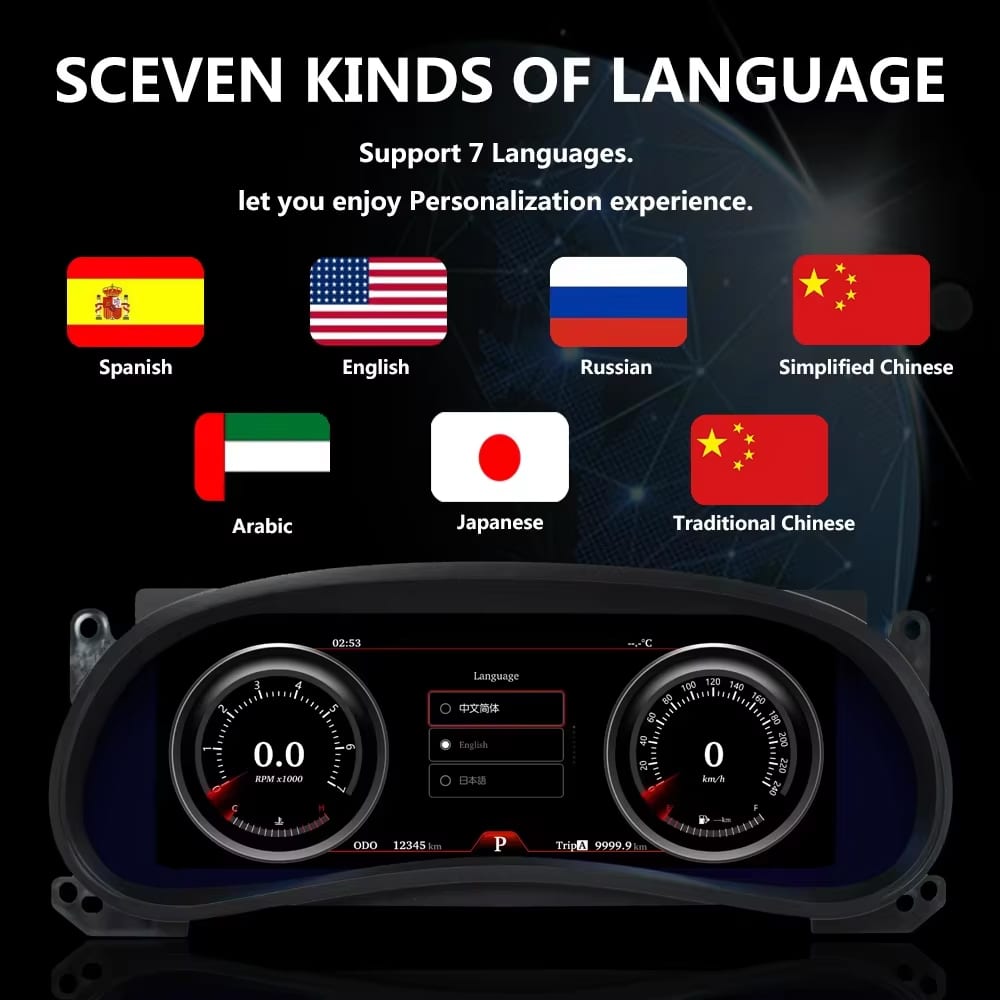
| Languages | Multi-language interface; available language set follows the supplied software version |
| Vehicle Information | Speed, RPM, odometer, trip data, fuel information, TPMS, supported warnings, 4WD status and supported temperature or pressure data |
| Original Controls | Original steering-wheel control support |
| Phone Function | Phone screen projection is listed in the current product configuration |
| Installation Method | Matched vehicle connections; the intended standard method does not require cutting the supported factory main harness |
| Installation Difficulty | Level 3 — Advanced DIY |
| Product Weight | 8 kg |
| Package Dimensions | 48 × 38 × 28 cm |
| SKU | FD-129 |
How to Select the Correct Jeep JK Instrument Cluster Version
The current purchase area does not offer RAM or storage variants. The important choice is the correct vehicle and instrument configuration.
Confirm the Exact Model Year
Provide the production or model year shown on the vehicle documents. Early and later JK instrument systems must not be selected only from a broad marketplace title.
Send the Original Cluster Photo
Photograph the complete original cluster switched on, including the dials, warning-light area and surrounding dashboard trim.
Show the Steering-Wheel Buttons
A clear steering-wheel photo helps iKAGOO understand the original control layout and prepare applicable operating guidance.
Digital Cluster Upgrade, Factory Repair or Used OEM Cluster?
| Option | What It Does Well | What to Consider |
|---|---|---|
| Wrangler JK LCD Gauge Cluster | Modernizes the driver display, adds wider vehicle-data presentation and provides selectable digital themes. | Requires correct vehicle matching, careful installation, setup and complete function testing. |
| Repair the Original Cluster | Preserves the original appearance and may be appropriate when only one confirmed hardware fault needs repair. | Does not provide the wider digital interface or new off-road display experience. |
| Used Factory Cluster | Maintains a factory-style appearance and can be useful when the correct matching part is available. | Part number, mileage, configuration and programming must be considered carefully. |
| CarPlay-Only Module | Adds phone integration to the center infotainment system. | Does not replace or modernize the instrument cluster in front of the driver. |
Jeep JK Digital Cluster Installation Overview
A plug and play digital cluster for Jeep JK models still requires careful trim removal, correct connector handling, setup and full vehicle-function testing.
Record the Original Condition
Photograph the original mileage, warning lights, fuel level, TPMS information and any existing faults before removing the factory cluster.
Protect the Interior and Prepare the Vehicle
Use trim tools and protective covers. Follow the appropriate ignition and battery procedure before disconnecting the original instrument cluster.
Remove the Original Cluster
Remove the surrounding trim and mounting hardware carefully, then release the original connectors without pulling on the wires.
Compare Every Connector
Confirm that the supplied plugs, locking tabs and cable labels match the prepared vehicle configuration before making any connection.
Connect and Temporarily Test
Connect the matched harness and accessories, power the system before final reassembly and confirm that the cluster starts normally.
Configure the Display
Set the appropriate vehicle parameters, units, language, theme and supported vehicle-data options according to the supplied guidance.
Complete Function Testing
Test speed, RPM, fuel, odometer, trip data, warning indicators, turn signals, high beam, TPMS, 4WD data, steering controls and supported temperature or pressure information.
Check Power and Sleep Behavior
Turn the vehicle off, lock it and confirm that the cluster follows the correct shutdown and sleep behavior before completing final reassembly.
Pause the Installation and Contact iKAGOO When:
- The plugs or locking tabs clearly do not match.
- The instrument layout differs from the information supplied with the order.
- The vehicle contains undisclosed aftermarket wiring or adapters.
- The cluster remains powered and does not enter the expected sleep state.
- New abnormal vehicle warnings appear after connection.
- The installation appears to require cutting the original main harness.
- A connector must be forced to fit.

Pausing at this stage protects both the vehicle and the new cluster. Send clear photos to iKAGOO so the correct connection guidance can be provided.
Interface, Control and Feature References
Shipping, Warranty and After-Sales Support
Order Preparation
Normal order preparation is approximately 1–3 business days before dispatch, including applicable vehicle-configuration preparation.
Tracked Global Shipping
International delivery is provided with tracking. Estimated transit time depends on the destination and selected shipping method.
12-Month Hardware Warranty
Eligible manufacturing defects and hardware failures under normal use are covered by the current limited hardware warranty.
Optional Duty-Paid Shipping
DDP or tax-included shipping may be available for eligible destinations when selected or confirmed before shipment.
Installation and Setup Help
iKAGOO can assist with connection identification, vehicle settings, interface setup and function-testing questions.
Vehicle-Specific Purchase Protection
When iKAGOO confirmed compatibility before purchase, the customer supplied accurate information and no reasonable installation solution is available after cooperation, the current refund policy applies.
Wrangler JK LCD Gauge Cluster FAQ
Does this Wrangler JK LCD Gauge Cluster fit my exact Jeep?
The current listing covers 2010–2017 Jeep Wrangler JK vehicles. Because early and later JK instrument configurations can differ, provide the exact year, steering position and clear photos of the original cluster before shipment. iKAGOO uses this information to prepare the appropriate version and connection solution.
Is this a complete Jeep JK LCD gauge cluster replacement?
Yes. This product replaces the driver-facing instrument-cluster assembly. It is not a center Android radio or a CarPlay-only module.
Does the Jeep JK digital speedometer keep the original mileage?
Original mileage information is supported through the matched vehicle-data connection. Record the original odometer before installation and confirm the displayed mileage during the temporary test stage before final reassembly.
Does the Jeep JK digital speedometer support TPMS?
TPMS information and supported tire-pressure warnings are retained when the vehicle is equipped with the applicable factory TPMS system and the cluster is correctly configured.
Are the original Jeep JK steering-wheel controls supported?
Yes. Original steering-wheel controls are supported with the matched vehicle configuration. Include a clear steering-wheel photo with your order information so iKAGOO can prepare the applicable version and instructions.
Does installation require cutting the factory wiring?
The intended standard installation uses matched vehicle connectors and does not require intentionally cutting the supported factory main harness. Stop and contact iKAGOO if the supplied connectors do not match or any connection appears to require cutting or forced insertion.
Is the Jeep JK digital cluster installation suitable for DIY?
The installation is rated Level 3 — Advanced DIY. It is suitable for an experienced DIY installer or automotive electronics installer who can remove the cluster carefully, identify connectors, complete setup and test all vehicle information and warning functions.
Can tire-size changes affect speedometer accuracy?
Oversized or changed tires can affect the vehicle’s calculated road speed. Confirm the vehicle’s tire-size configuration and compare the displayed speed during testing. Existing vehicle calibration issues should be corrected separately from the cluster installation.
What information should I send before ordering?
Send the Jeep model year, market or country, left- or right-hand-drive position, complete dashboard photo, original cluster switched on and a clear view of the steering-wheel controls. Photos of previous aftermarket wiring should also be provided.
What is included in the package?
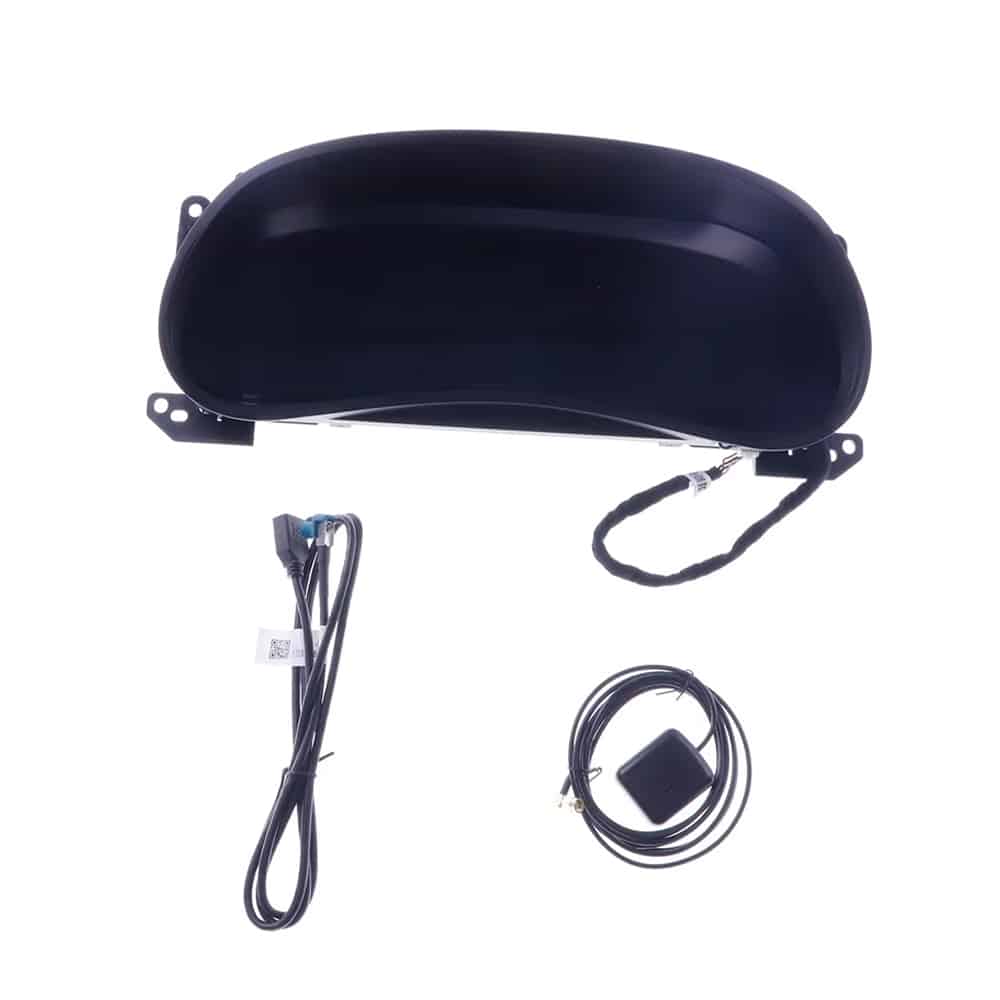
The package includes the main digital instrument cluster and the applicable connection accessories prepared for the confirmed order configuration. Refer to the package photos and order confirmation for the exact supplied components.
What warranty and support does iKAGOO provide?
Eligible hardware includes a 12-month limited warranty for covered manufacturing defects and hardware failures under normal use. iKAGOO also provides installation, connection, configuration and after-sales assistance according to the current policies.
Make Your Wrangler JK Dashboard Feel Modern Again
Select the current product in the WooCommerce purchase area, provide accurate vehicle information and let iKAGOO prepare the matched cluster and connection solution for your Jeep.
Alejandro Rojas –
Amigos, les cuento mi experiencia instalando el tablero digital de ikagoo en mi JK. Sinceramente, ya estaba harto de esos relojes naranjas que parecen de los años 90. Instalé este equipo yo mismo en mi taller de confianza aquí en La Paz y, ¡la verdad que es una maravilla!
Lo que más me sorprendió fue el modo ‘Off-Road’; te muestra la inclinación y la presión de aceite con muchísima claridad. El sistema arranca al instante, incluso cuando la temperatura baja a los -5°C por la madrugada. La resolución es tan alta que parece la pantalla de un Jeep de lujo.
Verificado mediante instalaciones reales, asegurando una integración perfecta con el vehículo.