XStore theme

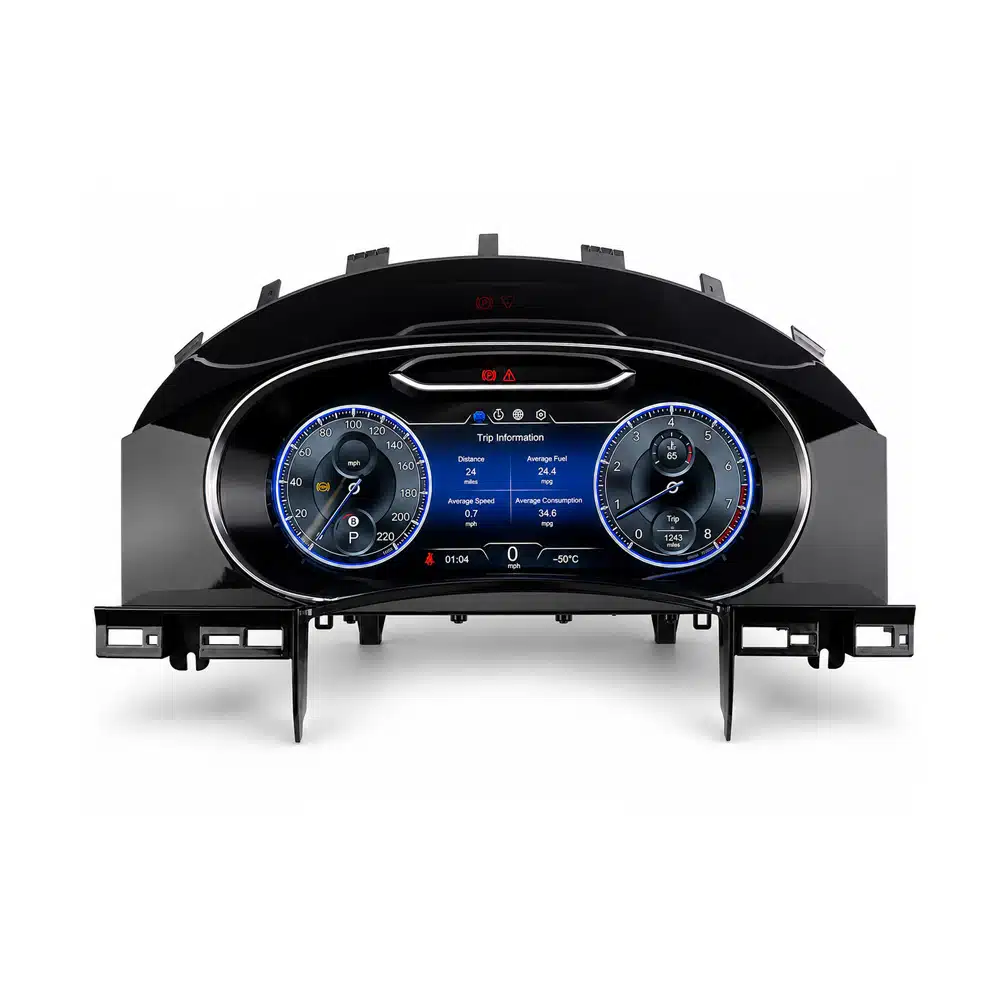
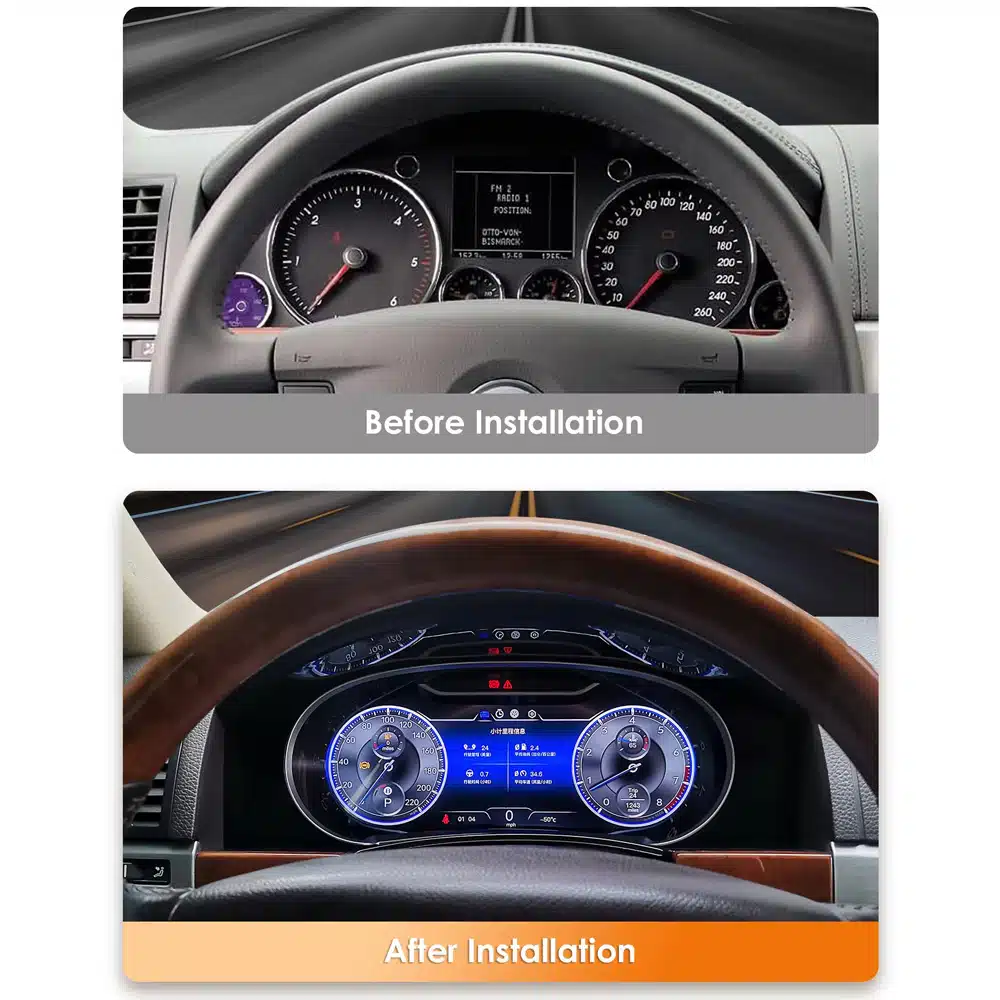
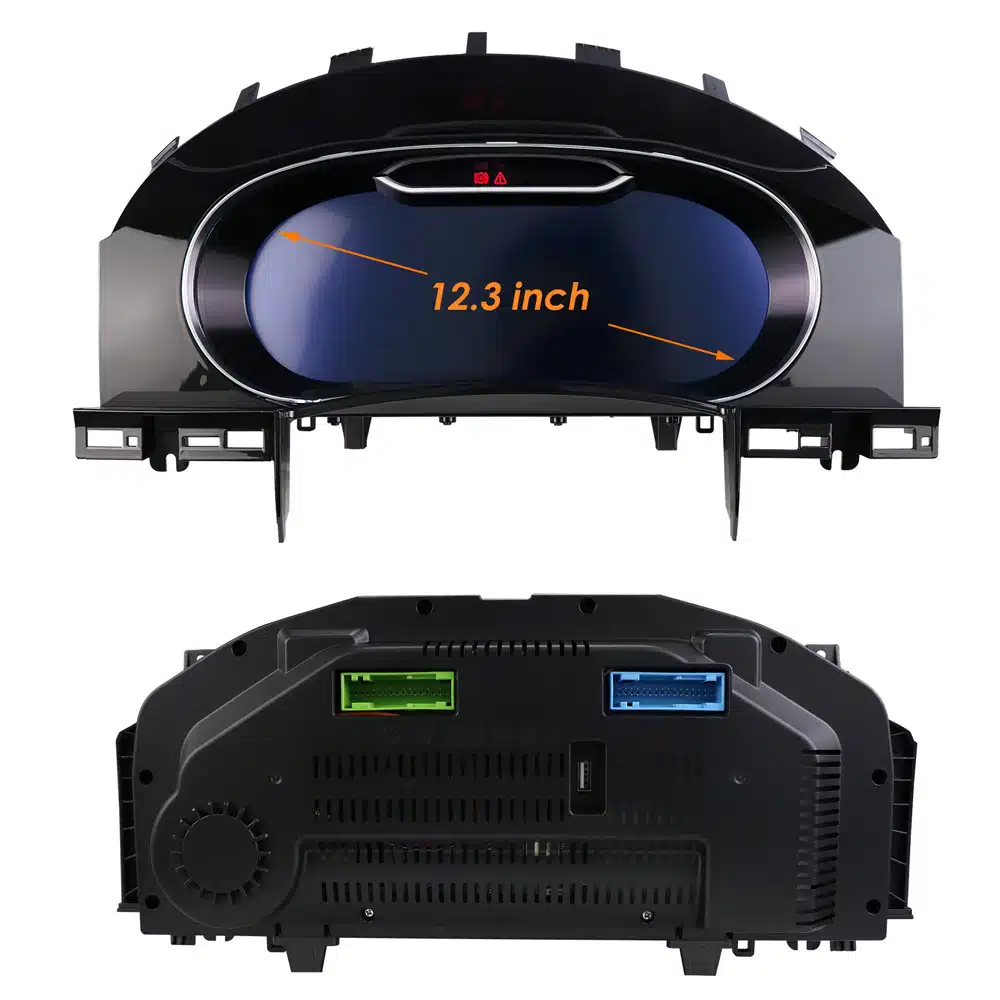
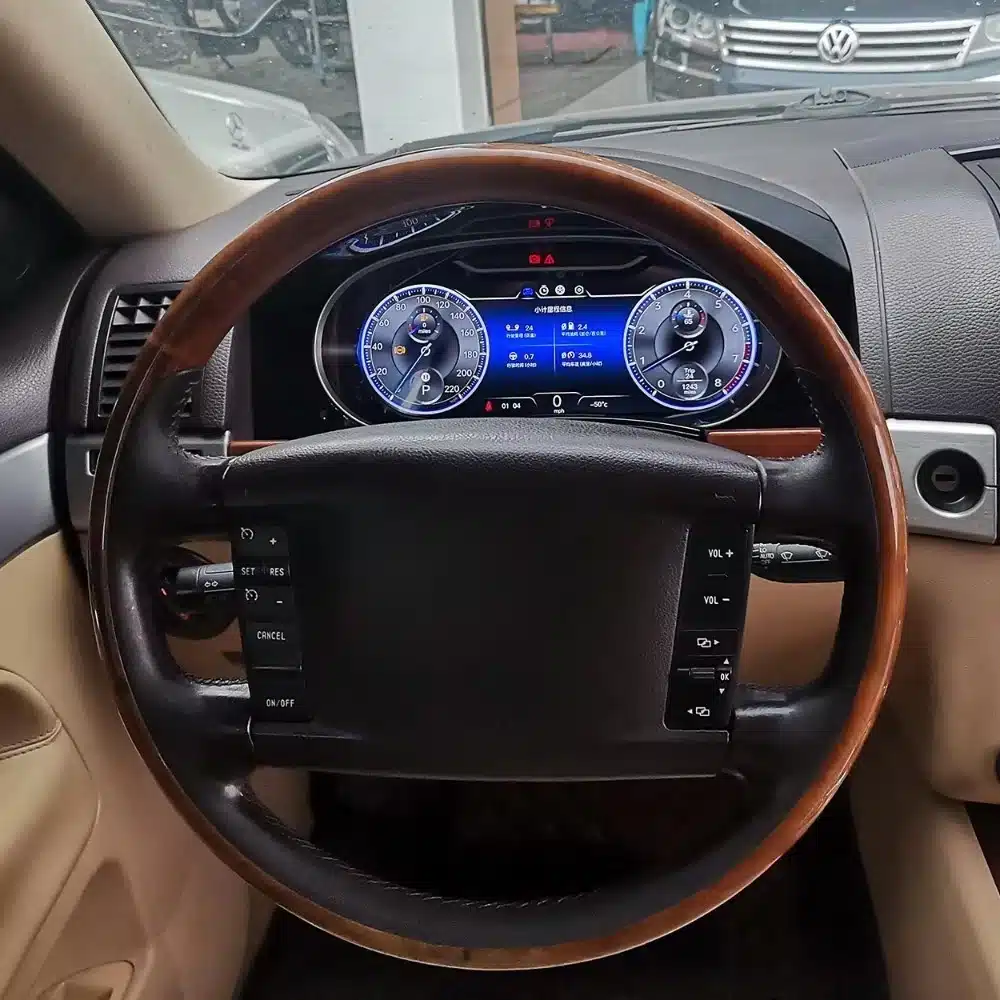
Volkswagen VW Touareg Digital Cluster 2003-2010 12.3″ LCD Virtual Cockpit with CarPlay Map Sync

(1 customer review)

Original price was: $880.00.Current price is: $548.00.

Duty-Free EU & USA · Shipping shown in cart EU & USA · Shipping in cart
Secure by PayPal
DDP Tax-Prepaid Service

We handle applicable VAT and import duties for eligible EU and USA orders. Estimated savings: $120–$280 .

Shipping is separate. The exact shipping cost is calculated by destination and shown in your cart before checkout.

USA (48 States) Austria Belgium Bulgaria Croatia Cyprus Czechia Denmark Estonia Finland France Germany Greece Hungary Ireland Italy Latvia Lithuania Luxembourg Malta Netherlands Poland Portugal Romania Slovakia Slovenia Spain Sweden
Shipping to China
Checking available shipping…
or
Pay safely with Paypal Pay safely with Visa Pay safely with Master Card Pay safely with JCB Pay safely with American Express Pay safely with Alipay Pay safely with Google pay Pay safely with Klarna Pay safely with DISCOVER Pay safely with  Apple Pay
Guarantee Safe and Secure Payment Checkout
More Than Hardware

Built to Fit. Backed Beyond Delivery.

iKAGOO reviews fitment and provides defined compatibility protection, a 1-year hardware warranty, 3-year software support and 5-year parts support for eligible products.

After Payment We Work to Get It Right the First Time
View Full Order Process Full Process
01 Order Received Order
02 Final Compatibility Check Check
03 Test & Prepare Test
04 Pack & Ship Ship
05 Tracking & Support Support

Our goal is to get your order right before it leaves us. We verify compatibility, prepare the correct setup and contact you only if something needs confirmation.

VW Golf 7 / Mk7 / Mk7.5 · 2014–2020

VW Golf Mk7 Virtual Cockpit That Modernizes What You See on Every Drive

The VW Golf Mk7 Virtual Cockpit replaces the original analog driver display with a 12.3-inch digital cluster, adding Wireless CarPlay navigation, supported live map display and configurable cockpit layouts directly in the driver's normal line of sight.

  • A more modern Golf cockpit without adding a tablet-style screen
  • 1920 × 720 digital driver display for daily driving information
  • Supported CarPlay maps move useful navigation closer to the road
  • Golf-specific fit keeps the upgrade visually integrated with the dashboard
12.3" Digital Cockpit1920 × 720 driver display
Wireless CarPlayConnect without a cable
Live Map DisplayNavigation in the driver view
Golf-Specific FitIntegrated cockpit appearance
VW Golf Mk7 Virtual Cockpit installed in Volkswagen Golf 7 dashboard
Upgrade Value

A More Modern Golf Cockpit Every Time You Start the Car

This upgrade changes the part of the Golf Mk7 interior you look at on every journey: the driver instrument area. It combines a cleaner digital layout, supported navigation and everyday vehicle information in the original cluster position.

Maps Where You Naturally LookSupported CarPlay navigation can place route information in the driver's normal instrument view.
A Newer Cockpit Every DayThe visual change happens in the dashboard area you see on every drive, not in a hidden specification sheet.
Vehicle Information Stays CentralSpeed, RPM, warnings and supported vehicle information remain central to the digital cluster.
No Tablet-Look Add-OnThe display occupies the original instrument position for a more integrated Volkswagen-style result.
VW Golf Mk7 Virtual Cockpit analog to digital dashboard comparison
From Analog Golf to Digital Cockpit

What Does a VW Golf Mk7 Virtual Cockpit Change in Daily Driving?

It changes the fixed analog gauge area into a configurable 12.3-inch driver display with driving data, selectable layouts and supported CarPlay navigation.

You keep the same Golf, steering wheel and familiar dashboard architecture, but the main driver display no longer feels like the oldest part of the cabin.

For owners planning to keep a Golf Mk7 for several more years, the upgrade continues to add value because the result is visible every time the car is driven.

12.3-Inch Digital Driver AreaReplaces the fixed analog presentation with a configurable cockpit view.
Supported NavigationBrings supported CarPlay map information into the driver display.
Original Cluster PositionModernizes the Golf without adding a separate tablet-style screen.
Wireless CarPlay + Navigation

Can the VW Golf Mk7 Virtual Cockpit Show CarPlay Navigation Maps?

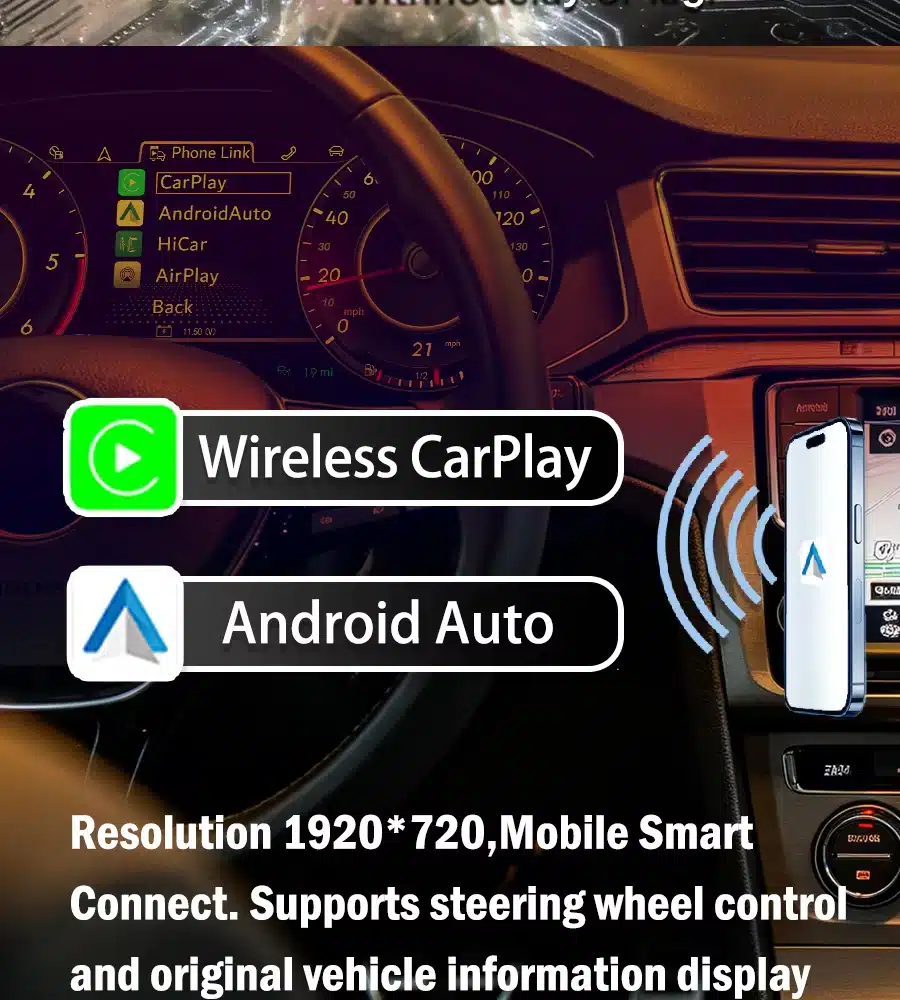
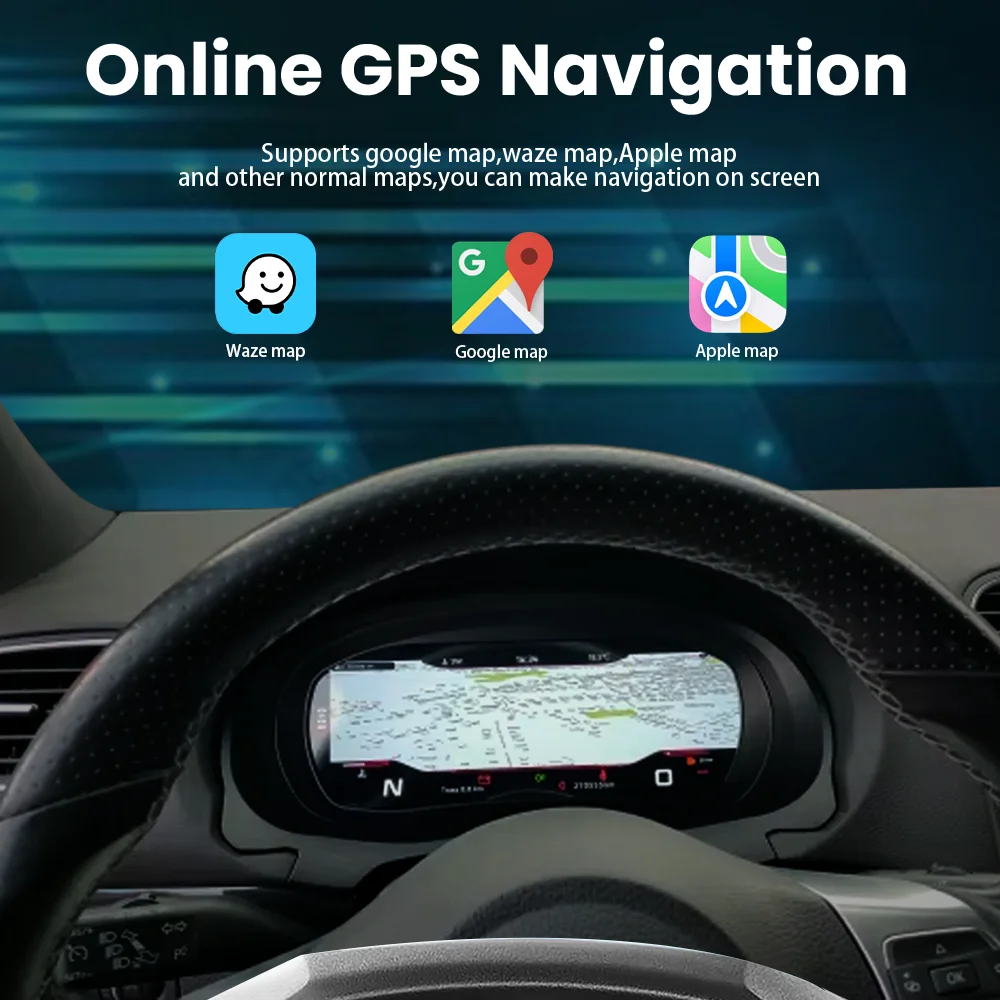
Yes. This product version supports Wireless CarPlay, and the supplied product assets show supported CarPlay navigation inside the VW Golf Mk7 Virtual Cockpit. That gives the digital cluster a practical daily-use purpose beyond changing gauge graphics.

VW Golf Mk7 Virtual Cockpit CarPlay navigation map displayed in instrument cluster
Real product asset showing CarPlay navigation inside the Golf digital cockpit.
VW Golf Mk7 Virtual Cockpit Wireless CarPlay interface
Wireless CarPlay interface shown on the actual product version.
Navigation Closer to the RoadRoute guidance sits in the driver's instrument area instead of depending only on a side display.
Wireless ConnectionConnect a compatible phone without plugging in a cable for every drive.
Useful Beyond the ThemeSupported map display adds a repeated daily-use benefit to the digital cockpit.
VW Golf Mk7 Virtual Cockpit digital speedometer and driver information screen
12.3-Inch Driver Display

What Does the 12.3-Inch VW Golf Mk7 Virtual Cockpit Add Beyond Appearance?

The 12.3-inch 1920 × 720 display gives the Golf a larger digital driver area for gauges, supported vehicle information and navigation presentation.

Because the display is directly in front of the driver, the extra visual area is used where it matters most during normal driving rather than simply making a dashboard screen larger.

On an older Golf Mk7 interior, replacing the analog instrument area creates one of the most noticeable cockpit changes without changing the basic dashboard position.

1920 × 720 DisplayAdds more visual room for gauges and supported vehicle information.
Driver-Focused PositionKeeps key information directly ahead in the normal driving view.
Vehicle Compatibility

Which Golf 7, Mk7.5, GTI and Golf R Models Fit This Virtual Cockpit?

This VW Golf Mk7 Virtual Cockpit is designed for compatible Golf 7 / Mk7 and Mk7.5 analog-cluster configurations within the supported 2014–2020 route, including compatible GTI, Golf R, GTE and R-Line variants. iKAGOO confirms the correct version from the actual vehicle and original-cluster information rather than the badge alone.

Supported Golf Route

  • Volkswagen Golf 7 / Golf Mk7
  • Volkswagen Golf Mk7.5
  • Compatible Golf GTI Mk7 / Mk7.5
  • Compatible Golf R Mk7 / Mk7.5
  • Compatible Golf GTE
  • Compatible Golf R-Line
  • LHD or RHD when the correct route is confirmed
  • Original analog / mechanical instrument-cluster baseline

How iKAGOO Prepares the Correct Version

  • Exact vehicle model and production year
  • Golf Mk7 / Mk7.5 generation
  • Original powered-on cluster photo
  • Full dashboard and steering-wheel photo
  • Left-hand or right-hand drive
  • Any previous instrument-cluster modifications
  • Important original functions and unit requirement
  • CarPlay navigation requirement
You can place the order first and then provide the required Golf details and original-cluster photos for matching. A preliminary confirmation before purchase is also available when you prefer to confirm the route first.
Browse iKAGOO Volkswagen Digital Clusters →
Original Vehicle Experience

What Original Golf Information Remains After the VW Golf Mk7 Virtual Cockpit Upgrade?

The retrofit keeps speed, RPM, warnings and supported vehicle information as core functions of the driver display, while required original cluster components are transferred into the new digital-cluster assembly. This keeps the upgrade tied to the original vehicle information route instead of treating the cluster as a separate generic screen.

Speed & Driving Data Digital speed and applicable core driving information remain in the driver-focused display.
RPM & Vehicle Data RPM and supported vehicle data remain part of the cluster's normal driving information.
Warnings Supported warning indicators and vehicle-information behavior remain part of the final function test.
Original Cluster Logic Required original internal components are transferred so the retrofit continues through the intended Golf route.
VW Golf Mk7 Virtual Cockpit product parameters and installation reference
Vehicle-Specific Installation

Does the VW Golf Mk7 Virtual Cockpit Require Coding?

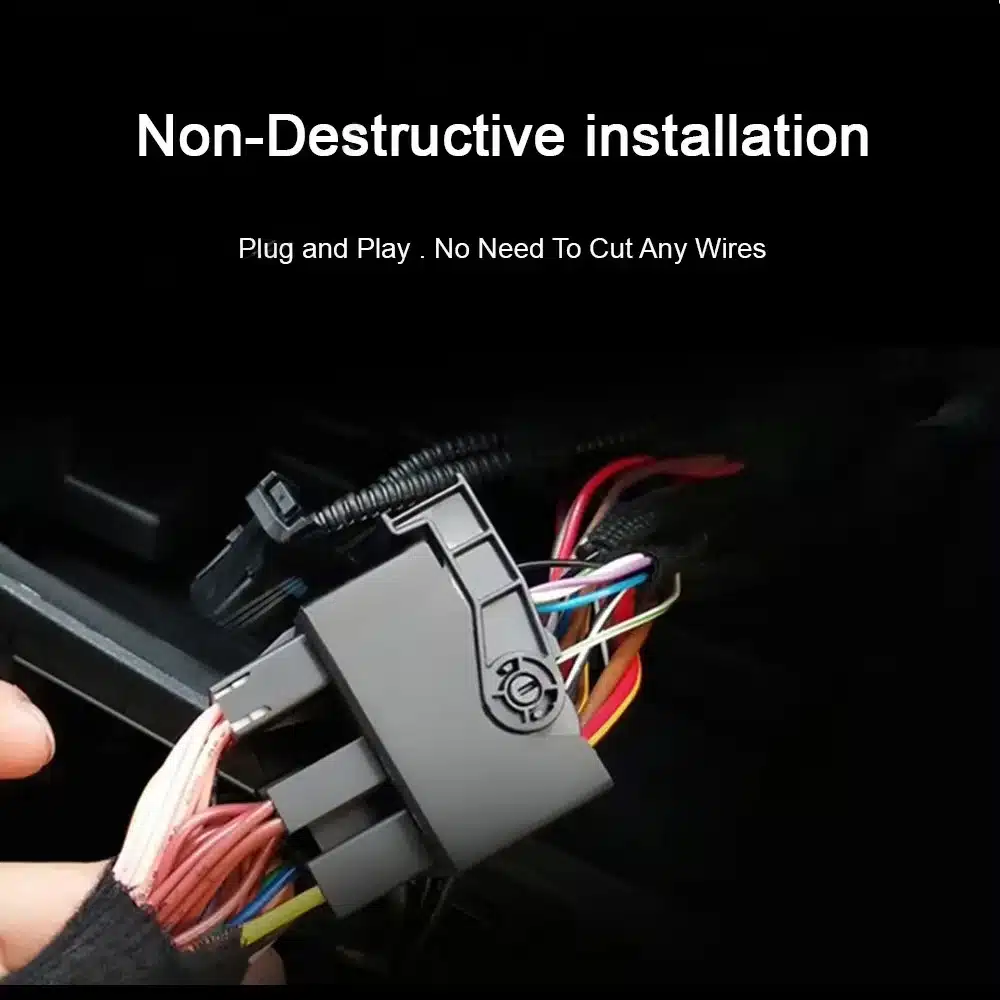
No normal ECU flashing or vehicle coding is required on the documented standard Golf Mk7 analog-cluster conversion route, and the supported vehicle wiring is not intentionally cut.

The original cluster is removed and opened so the required original internal components can be transferred into the new digital-cluster assembly. The standard supported route also uses the original dashboard position without drilling.

STEP 01 Confirm the Golf Route Use the matched model, year, LHD/RHD and original-cluster information.
STEP 02 Remove the Original Cluster Access the factory instrument area through the vehicle-specific dashboard route.
STEP 03 Transfer Required Components Move the required original internal cluster components into the digital-cluster assembly.
STEP 04 Install and Test Verify the core display, vehicle data, warnings, units, layouts and supported CarPlay route.
Final Function Test

What Should Be Tested After Installing the VW Golf Mk7 Virtual Cockpit?

Before all dashboard trim is reinstalled, verify startup, speed, RPM, applicable gear and vehicle data, warning information, unit settings, brightness, cockpit themes and the supported Wireless CarPlay/navigation route.

Driving Data Verify speed, RPM, applicable gear information and normal startup behavior.
Warnings & Vehicle Info Confirm supported warning indicators and vehicle-information behavior.
Units & Layouts Confirm unit settings, brightness and the selected cockpit presentation.
CarPlay & Navigation Complete the instrument test, then verify Wireless CarPlay and supported map display.
VW Golf Mk7 Virtual Cockpit Classic and Sport dashboard display themes
Classic · Sport · Navigation

Which VW Golf Mk7 Virtual Cockpit Layout Fits the Way You Drive?

The product includes different cockpit presentation styles, so you can choose a cleaner daily-driving layout or a stronger Sport-style display.

A standard Golf can stay visually restrained, while GTI or Golf R owners may prefer a more dynamic instrument style. When navigation is the priority, supported map information can take a more important position.

The benefit is flexibility: the virtual cockpit can match the way you use the car rather than forcing every Golf into the same generic digital layout.

Classic LayoutKeeps the cockpit visually restrained for everyday use.
Sport LayoutAdds a more dynamic presentation for GTI and Golf R style.
Navigation LayoutGives supported map information a more prominent driver-view position.
VW Golf Mk7 Virtual Cockpit 30 color ambient lighting interface
Interior Atmosphere

Can the VW Golf Mk7 Virtual Cockpit Match Different Interior Styles?

Yes. The supplied product interface includes a 30-color ambient-lighting selection view on supported configuration.

This lets the digital cockpit presentation work more naturally with the surrounding interior. It helps the completed installation feel intentional and visually integrated instead of looking like an unrelated aftermarket screen.

30-Color SelectionLets supported configurations adjust the cockpit color presentation.
More Integrated LookHelps the finished digital cockpit feel connected to the surrounding interior.
VW Golf Mk7 Virtual Cockpit real product front view
Real iKAGOO Product Reference

Is This the Actual VW Golf Mk7 Virtual Cockpit Product?

Yes. These images are real iKAGOO product reference photos for this VW Golf Mk7 Virtual Cockpit route.

The housing shape, screen proportions, UI reference and installed relationship matter on a dashboard retrofit. Showing the real product helps you understand what the completed Golf cockpit is intended to look like before you order.

Real Product ViewShows the actual cluster form and screen proportions used for this route.
Vehicle-Specific ReferenceMakes the intended dashboard relationship easier to understand before ordering.
Specifications / Product Parameters

What Are the Main VW Golf Mk7 Virtual Cockpit Specifications?

The core configuration is a 12.3-inch 1920 × 720 digital instrument cluster using a Linux-based platform with Wireless CarPlay, supported navigation-map display, multiple cockpit layouts and multilingual/unit settings.

Display 12.3-inch Digital Cluster
Resolution 1920 × 720
Navigation Supported CarPlay Map Display
Phone Connection Wireless CarPlay
Driver Information Digital Speed Display
Driving Data RPM & Supported Vehicle Data
Units Built-In Unit Settings
Display Style Classic / Sport Layouts
Product TypeVehicle-specific digital instrument cluster / virtual cockpit retrofit
Supported Vehicle RouteCompatible Volkswagen Golf 7 / Mk7 / Mk7.5 analog-cluster configurations, 2014–2020
Display12.3-inch digital driver display
Resolution1920 × 720
SystemLinux-based platform
Phone ConnectionWireless CarPlay
NavigationSupported CarPlay navigation-map display
Cockpit LayoutsClassic / Sport presentation styles plus supported navigation presentation
Vehicle InformationDigital speed, RPM, warnings and supported vehicle data
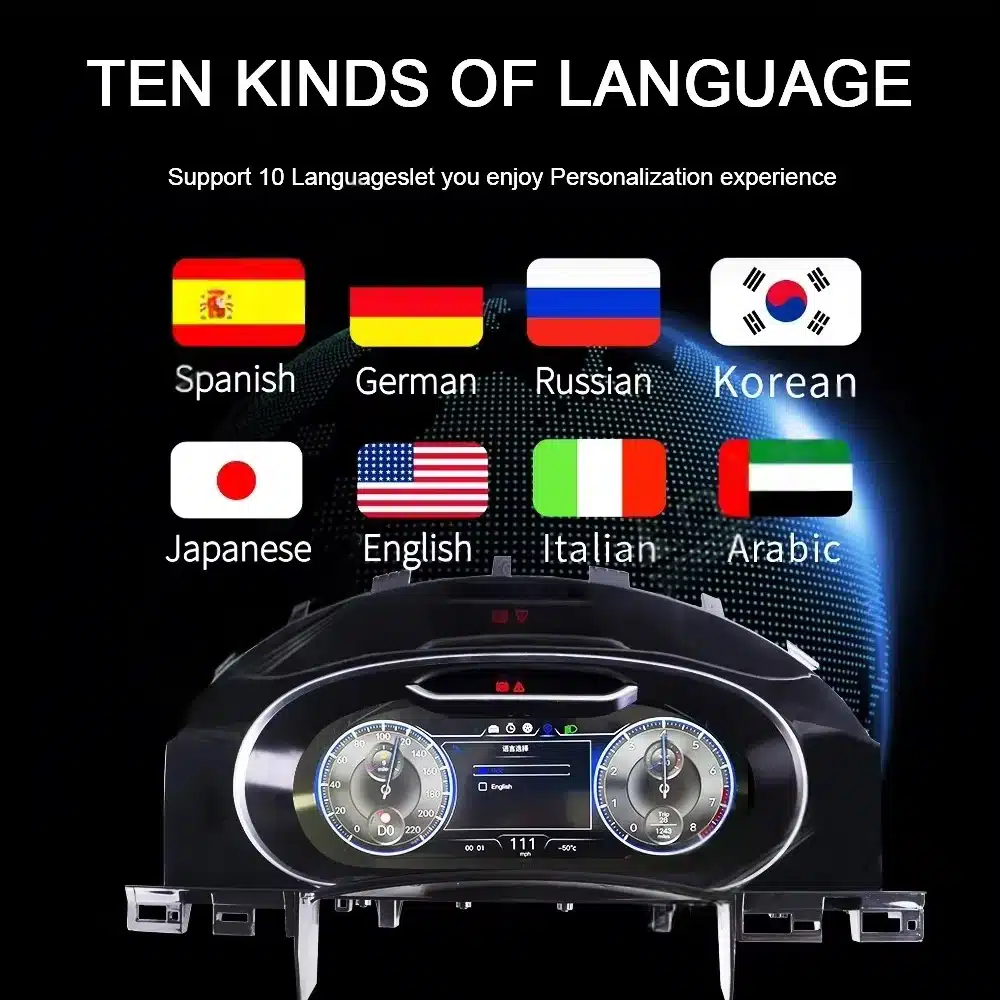
Units / LanguageBuilt-in unit settings and multilingual settings
LHD / RHDSupported when the correct Golf route is confirmed
CodingNo normal ECU flashing or vehicle coding on the documented standard conversion route
Installation RouteOriginal cluster removal, required internal component transfer, digital-cluster installation and full function testing
VW Golf Mk7 Virtual Cockpit specifications
VW Golf Mk7 Virtual Cockpit upgraded digital dashboard interface
Why Buy from iKAGOO

Why Buy This VW Golf Mk7 Virtual Cockpit from iKAGOO?

You are buying more than a screen: iKAGOO connects the hardware to vehicle-specific matching, correct-version preparation, installation support and an order-based after-sales route.

Correct Version Confirmation Your model, year, LHD/RHD position and original-cluster information are linked to the order before final preparation.
Vehicle-Specific Preparation The goal is to prepare the correct Golf route for the reviewed vehicle, not simply ship a visually similar cluster.
Installation & After-Sales Support The original order remains the reference when installation or supported later assistance is needed.
12-Month Hardware Warranty Hardware warranty responsibility remains connected to the original iKAGOO order.
Why Trust iKAGOO? →
iKAGOO Purchase Guidance

Why iKAGOO Recommends This Golf Mk7 Virtual Cockpit Upgrade

Upgrade Value Daily-use and long-term ownership value
9.1 /10 Excellent

The strongest value is how often you benefit from it: the upgraded driver display, supported navigation and modern cockpit presentation are visible on virtually every journey, making it a meaningful long-term improvement for a Golf you plan to keep.

Read the iKAGOO Upgrade Buying Guide →
OEM Retention Keeping the Golf experience familiar
8.8 /10 Very Good

The upgrade modernizes the instrument area while keeping core driving information and the original-cluster route at the center of the retrofit, so the result still feels connected to the Golf rather than like a separate generic display.

See iKAGOO Factory Function Retention Details →
Installation Friendliness Vehicle-specific retrofit path
7.6 /10 Good

The standard route is clearly defined around the original Golf cluster position, without normal ECU flashing, intentional factory-wire cutting or dashboard drilling, and iKAGOO provides a dedicated installation path for the required component transfer and final test.

View the Golf Mk7 / Mk7.5 Installation Guide →
High-Intent Buyer Questions

VW Golf Mk7 Virtual Cockpit FAQ

Does the VW Golf Mk7 Virtual Cockpit support Wireless CarPlay?

Yes. The supplied product version includes Wireless CarPlay, with the product assets showing the CarPlay interface and supported navigation route inside the virtual cockpit.

Can CarPlay navigation maps appear on the instrument cluster?

Yes. Supported CarPlay navigation can appear within the instrument interface; exact app behavior depends on the supplied product version, connected phone and supported navigation application.

Can I change between mph and km/h?

The documented Golf Mk7 route includes built-in unit settings. Tell iKAGOO your required market/unit configuration with the order so it can be included in final preparation.

Does this fit Golf Mk7.5, GTI and Golf R?

Compatible Golf Mk7.5, GTI and Golf R variants can use this route when the original cluster architecture matches; final preparation follows the actual vehicle and original-cluster information.

Do I have to contact iKAGOO before ordering?

No. You can order first and provide the requested vehicle information and original-cluster photos afterward; preliminary confirmation before purchase is optional.

Does installation require ECU coding?

No normal ECU flashing or vehicle coding is required on the documented standard Golf Mk7 analog-cluster route. Required internal cluster component transfer and full function testing are part of the installation path.

Is this VW Golf Mk7 Virtual Cockpit plug-and-play?

The supported vehicle-side wiring follows a no-cut, no-solder route. Installation also includes transferring the required original cluster components into the digital assembly so the retrofit stays connected to the Golf’s original vehicle-information logic.

Can I install the virtual cockpit myself?

Yes, if you are comfortable handling instrument-cluster internals. Otherwise, a Volkswagen retrofit or automotive-electronics installer gives you the most straightforward path, with the iKAGOO vehicle-specific installation guide available for the sequence.

What should be tested before the dashboard is reassembled?

Verify startup, speed, RPM, applicable gear and vehicle data, warnings, unit settings, brightness, cockpit themes and supported CarPlay/navigation operation before reinstalling all trim.

Why buy this Golf Mk7 digital cluster from iKAGOO instead of only comparing price?

iKAGOO links the hardware to vehicle-configuration review, correct-version preparation, installation guidance, a 12-month hardware warranty and order-based after-sales support.

Complete Your Golf Mk7 Upgrade

Make the Driver Area Feel as Modern as the Golf Still Drives

For a supported Golf 7 / Mk7 / Mk7.5 analog-cluster configuration, this upgrade is built for owners who want a 12.3-inch digital driver display, Wireless CarPlay navigation, supported live map display and selectable cockpit layouts in a vehicle-specific dashboard position.

5.00

Based on 1 reviews
1
0
0
0
0

1 review for Volkswagen VW Touareg Digital Cluster 2003-2010 12.3″ LCD Virtual Cockpit with CarPlay Map Sync

  1. Julien Moreau –

    Total rating
    Value for money

    Très satisfait. L’affichage est moderne et la navigation devant le conducteur est vraiment pratique.

    Is it helpful?
Add a review
iKAGOO vehicle compatibility, international shipping, warranty and customer support
iKAGOO Customer Support

Compatibility, Shipping & Support

Clear information about vehicle compatibility, order preparation, international delivery, warranty, returns and after-sales support.

Compatibility Review Vehicle information is checked before dispatch.
Order Processing Normally 1–3 business days before dispatch.
12-Month Warranty Limited hardware warranty for eligible defects.
Tracked Delivery Tracking information is provided after dispatch.
Vehicle-Specific Order Process

We Check the Details Before Your Order Leaves Us

Vehicle-specific electronics require the correct version, wiring and configuration. Our process is designed to reduce avoidable compatibility and installation problems.

Before Payment

Initial Compatibility Review

Vehicle model, year, original system and relevant configuration information may be reviewed before purchase to reduce the risk of selecting the wrong version.

After Payment

Final Compatibility & Configuration Check

Before dispatch, the order is checked against the confirmed vehicle information so the appropriate version, configuration and required vehicle-specific components can be prepared.

After Payment We Work to Get It Right the First Time
View Full Order Process Full Process
01 Order Received Order
02 Final Compatibility Check Check
03 Test & Prepare Test
04 Pack & Ship Ship
05 Tracking & Support Support

Our goal is to get your order right before it leaves us. We verify compatibility, prepare the correct setup and contact you only if something still needs confirmation.

Shipping, Returns, Warranty & Order Questions

A practical summary of the main terms that apply to vehicle-specific iKAGOO orders.

01

Where are orders shipped from and how long does delivery take?

Most iKAGOO orders are dispatched from our fulfillment location in China after the product configuration and vehicle information have been checked.

Normal order processing is approximately 1–3 business days. Estimated delivery after dispatch is generally:

  • USA & Canada: approximately 5–9 business days
  • European Union: approximately 7–15 business days
  • UK & Australia: approximately 7–10 business days
  • Other supported regions: approximately 7–20 business days

Customs clearance, holidays, weather, carrier delays and remote-area delivery may affect these estimates.

02

Will I need to pay VAT, import duties or customs charges?

Standard international shipping normally does not include destination-country VAT, import duties, brokerage charges or customs clearance fees.

For eligible European Union destinations, DDP shipping may be available. Import-related charges are included only when DDP is selected at checkout or confirmed by iKAGOO in writing before shipment.

When DDP is not selected, charges collected by local customs or the delivery carrier are normally the recipient's responsibility.

03

Can I request express shipping and how do I track the parcel?

Express or expedited shipping may be available for selected products and destinations. Availability, carrier and any additional cost are confirmed before shipment.

Depending on the route and product type, iKAGOO may use DHL, FedEx, UPS, EMS, 4PX or another tracked logistics provider.

After dispatch, the tracking number or tracking link is normally sent to the email address used for the order. Tracking updates may take several business days to appear during international carrier transfers.

04

What is the return and refund policy?

Return eligibility depends on the reason for return, product condition, installation status, supporting evidence and whether the return has been approved by iKAGOO.

For an approved non-defective return, the product must normally remain unused, uninstalled, complete and suitable for resale. The customer is generally responsible for approved return shipping costs.

Original shipping, DDP, VAT, customs duties and other logistics costs are generally non-refundable unless required by law or otherwise confirmed by iKAGOO.

Do not send a product back before receiving an approved return address and return instructions from iKAGOO.

05

What if the product still cannot be installed after compatibility review?

Additional protection may apply when iKAGOO reviewed the vehicle compatibility, the customer supplied accurate vehicle information and reasonable installation and diagnostic steps have been completed.

If iKAGOO confirms that no reasonable technical solution is available and the issue is reported within 7 calendar days after delivery, the customer may be eligible for a refund of the product price without being required to return the product.

Original shipping, DDP, VAT, customs duties and other third-party charges are not included in this product-price refund.

06

What warranty is provided, and does opening the product cancel it?

Eligible products include a 12-month limited hardware warranty covering verified manufacturing defects and eligible hardware failures under normal use.

Depending on the verified issue, support may include remote diagnosis, configuration assistance, replacement parts, repair, replacement, partial refund or full refund.

Inspection or third-party examination does not automatically cancel the entire warranty. However, damage caused by unauthorized repair, incorrect modification, broken circuits, improper reassembly, incorrect wiring, impact, water ingress or misuse is not normally covered.

Contact iKAGOO before dismantling, modifying or repairing the product so the correct diagnostic procedure can be provided.

07

What if my order arrives damaged or has missing parts?

Contact iKAGOO within 7 calendar days after delivery and keep the original packaging, shipping label, accessories and product.

Please provide clear photos or video showing:

  • The external shipping carton and shipping label
  • Visible packaging damage
  • The product and affected area
  • All accessories and wiring received

After verification, iKAGOO may arrange a missing-part shipment, replacement, repair, refund or another reasonable solution.

08

What if I ordered the wrong version or need to change my order?

Contact iKAGOO as soon as possible and before installation. For address, vehicle configuration or product changes, contact us preferably within 12 hours after placing the order.

An exchange or return may be approved when an incorrectly selected product remains unused, uninstalled, complete and suitable for resale. Customers are normally responsible for relevant shipping costs and price differences.

Vehicle-specific products may enter procurement, programming, testing or configuration shortly after payment. Once preparation or shipment has started, cancellation may no longer be possible, or reasonable costs already incurred may be deducted.

09

What is included in the package?

Package contents vary by product, vehicle model, factory system and selected configuration.

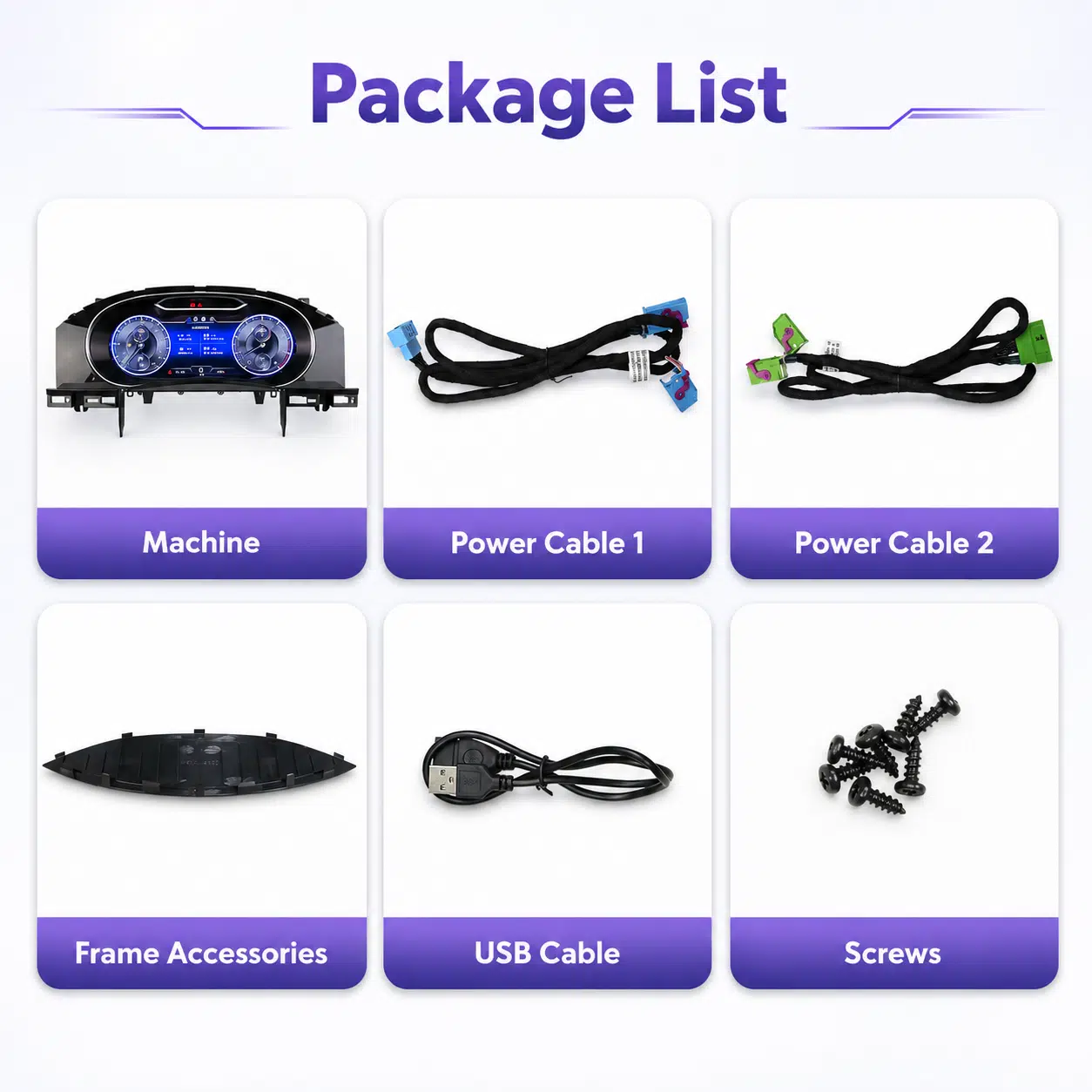
Depending on the product, the package may include the main device, vehicle-specific wiring harnesses, CANBUS interface, adapters, USB cables, antennas, microphones, mounting hardware or other required installation accessories.

Refer to the relevant product photos, specifications and order confirmation for the exact contents of your order.

10

How do I contact iKAGOO for technical or after-sales support?

You can contact iKAGOO through the website contact form, WhatsApp or other available support channels. Typical response time is within 24 business hours.

For faster technical diagnosis, include your order number, vehicle model and year, relevant factory-system photos, product photos and a clear video showing the issue.

Contact iKAGOO Support →

11

Is payment secure and are installment options available?

Payments are processed through the secure payment methods displayed during checkout.

Available card, wallet and installment options may vary by country, currency, payment provider and customer eligibility.

Installment services, including options offered by PayPal or another payment provider, remain subject to that provider's regional availability and approval requirements.

Complete iKAGOO Policies Review the published policy pages for complete terms and conditions.

This section is a simplified customer guide. The complete published policy pages, order confirmation and applicable consumer law take priority if any wording differs.

Volkswagen VW Touareg Digital Cluster 2003-2010 12.3" LCD Virtual Cockpit with CarPlay Map Sync Volkswagen VW Touareg Digital ...

Original price was: $880.00.Current price is: $548.00.

Shipping to China
Checking available shipping…
Add to cart