XStore theme

Toyota Hilux Digital Instrument Cluster 2005–2015 12.3″ LCD, No Coding, MPH/km/h Switch

Original price was: $1,437.22.Current price is: $1,044.65.

Duty-Free EU & USA · Shipping shown in cart EU & USA · Shipping in cart
Secure by PayPal
DDP Tax-Prepaid Service

We handle applicable VAT and import duties for eligible EU and USA orders. Estimated savings: $120–$280 .

Shipping is separate. The exact shipping cost is calculated by destination and shown in your cart before checkout.

USA (48 States) Austria Belgium Bulgaria Croatia Cyprus Czechia Denmark Estonia Finland France Germany Greece Hungary Ireland Italy Latvia Lithuania Luxembourg Malta Netherlands Poland Portugal Romania Slovakia Slovenia Spain Sweden
or
Pay safely with Paypal Pay safely with Visa Pay safely with Master Card Pay safely with JCB Pay safely with American Express Pay safely with Alipay Pay safely with Google pay Pay safely with Klarna Pay safely with DISCOVER Pay safely with  Apple Pay
Guarantee Safe and Secure Payment Checkout
More Than Hardware

Built to Fit. Backed Beyond Delivery.

Compatibility review, full compatibility protection, a 12-month hardware warranty and continued support after installation.

After Payment We Work to Get It Right the First Time
View Full Order Process Full Process
01 Order Received Order
02 Final Compatibility Check Check
03 Test & Prepare Test
04 Pack & Ship Ship
05 Tracking & Support Support

Our goal is to get your order right before it leaves us. We verify compatibility, prepare the correct setup and contact you only if something needs confirmation.

Toyota Hilux · Hilux Vigo · Fortuner · SW4 · 2005–2015

Turn the Original Driver Display into a Modern 12.3″ Digital Cockpit

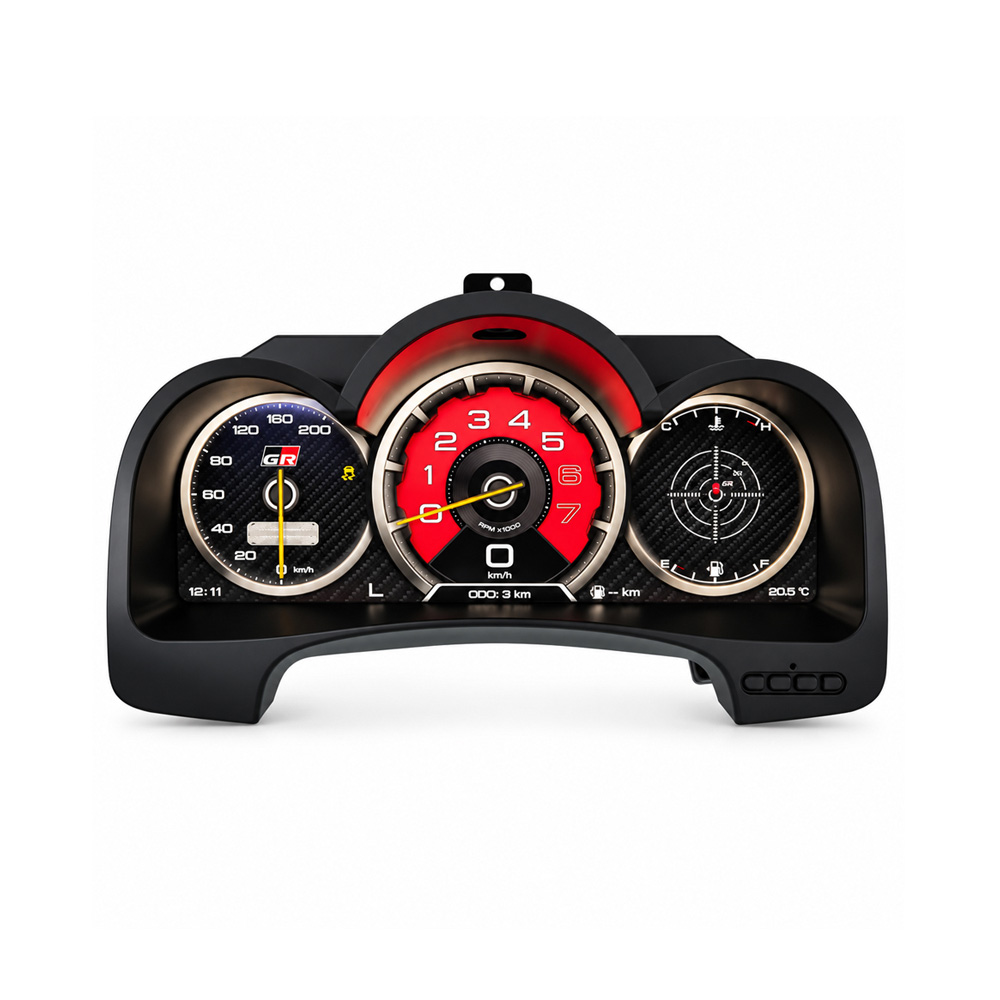
The Toyota Hilux Digital Instrument Cluster replaces the older analog-style driver display with a 12.3-inch Linux LCD cockpit built around the supported Hilux Vigo, Fortuner and SW4 dashboard route. The upgrade focuses on what you see every time you drive: clearer digital vehicle information, selectable cockpit themes, easy MPH/km/h switching and a cleaner modern instrument layout.

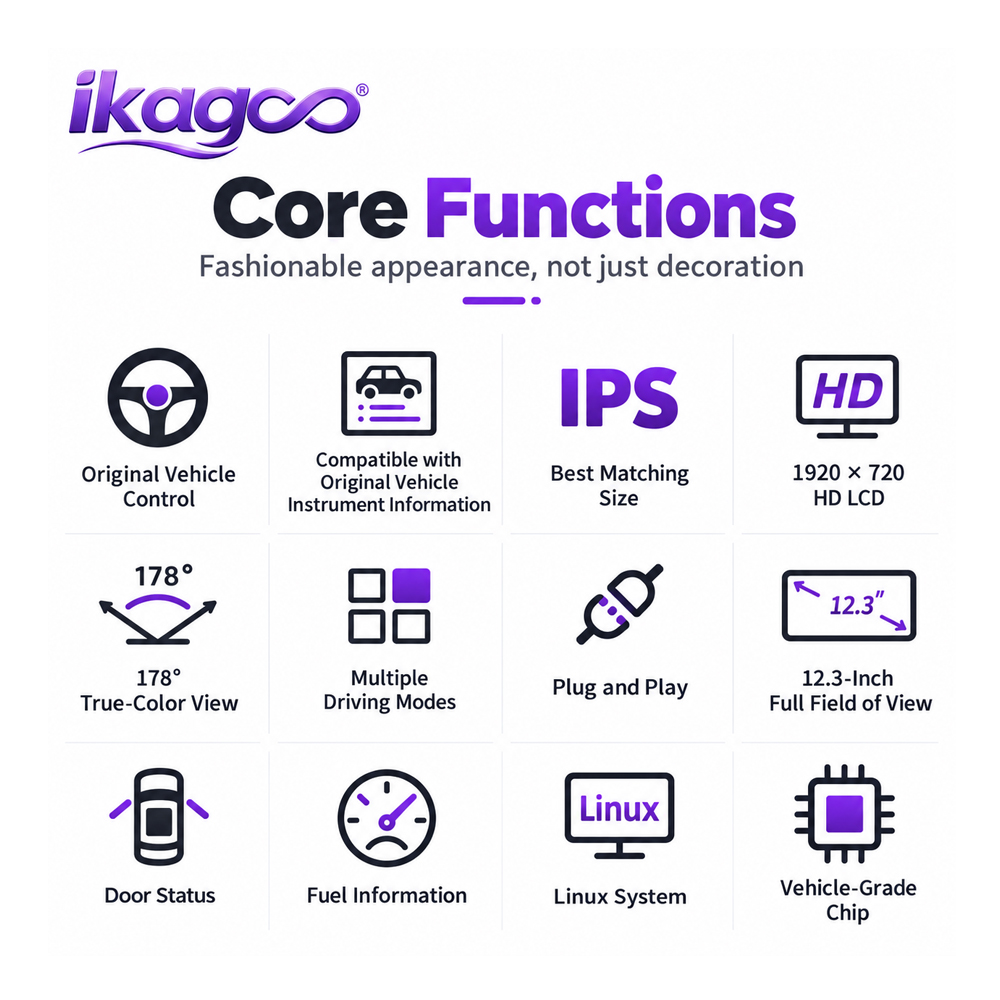
12.3″ LCD Wider digital driver view
Linux Dedicated cluster platform
IPS / HD Clear digital interface
Plug & Play Vehicle-matched route
MPH ↔ km/h Switch from the menu
No Coding No vehicle programming
Toyota Hilux Digital Instrument Cluster 2005–2015 front product view
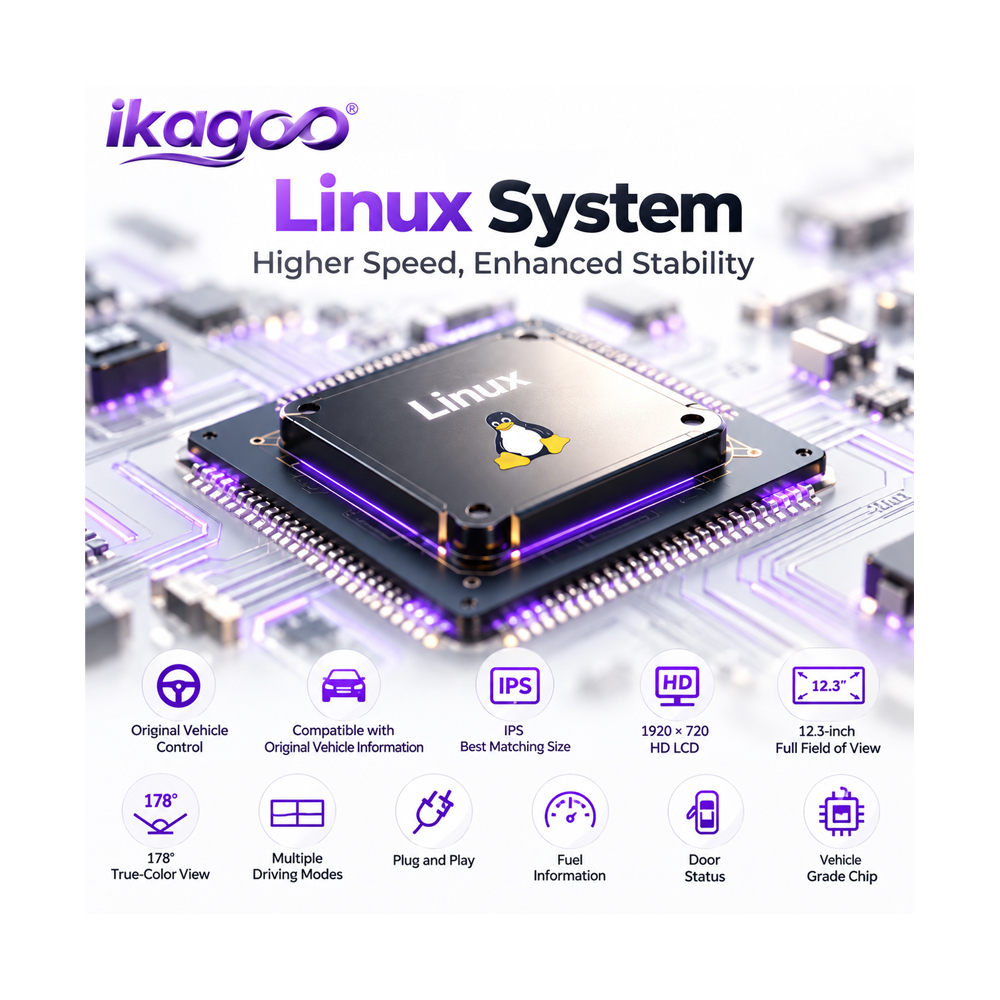
Toyota Hilux Digital Instrument Cluster Linux IPS HD plug and play features
Product feature evidence Linux platform, IPS/HD display, Plug & Play direction, driving modes and vehicle-grade hardware are shown in the supplied product asset.
The change you see every drive

What Does This Toyota Hilux Digital Instrument Cluster Actually Change?

This is not a small add-on hidden behind the dashboard. It changes the instrument area directly in front of the driver. For an older Hilux, Hilux Vigo, Fortuner or SW4, that creates one of the most visible cabin upgrades available without turning the dashboard into a generic tablet installation.

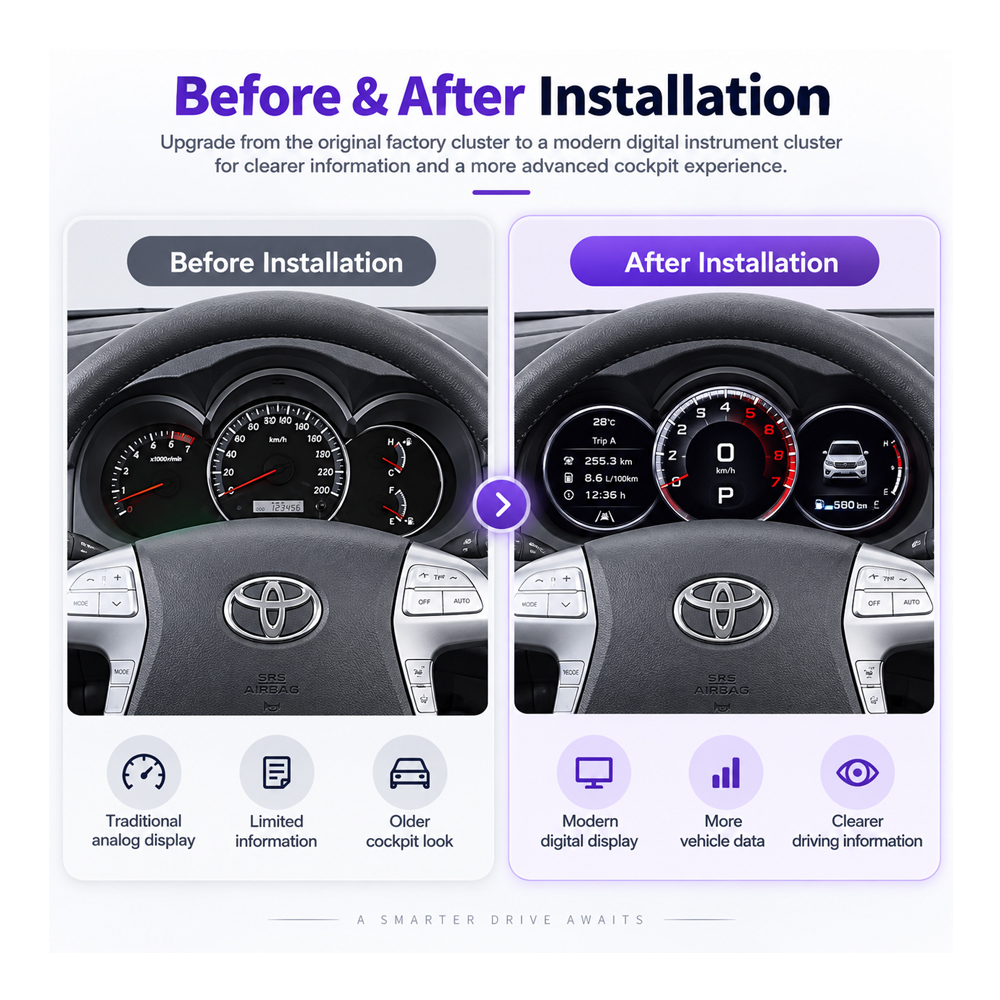
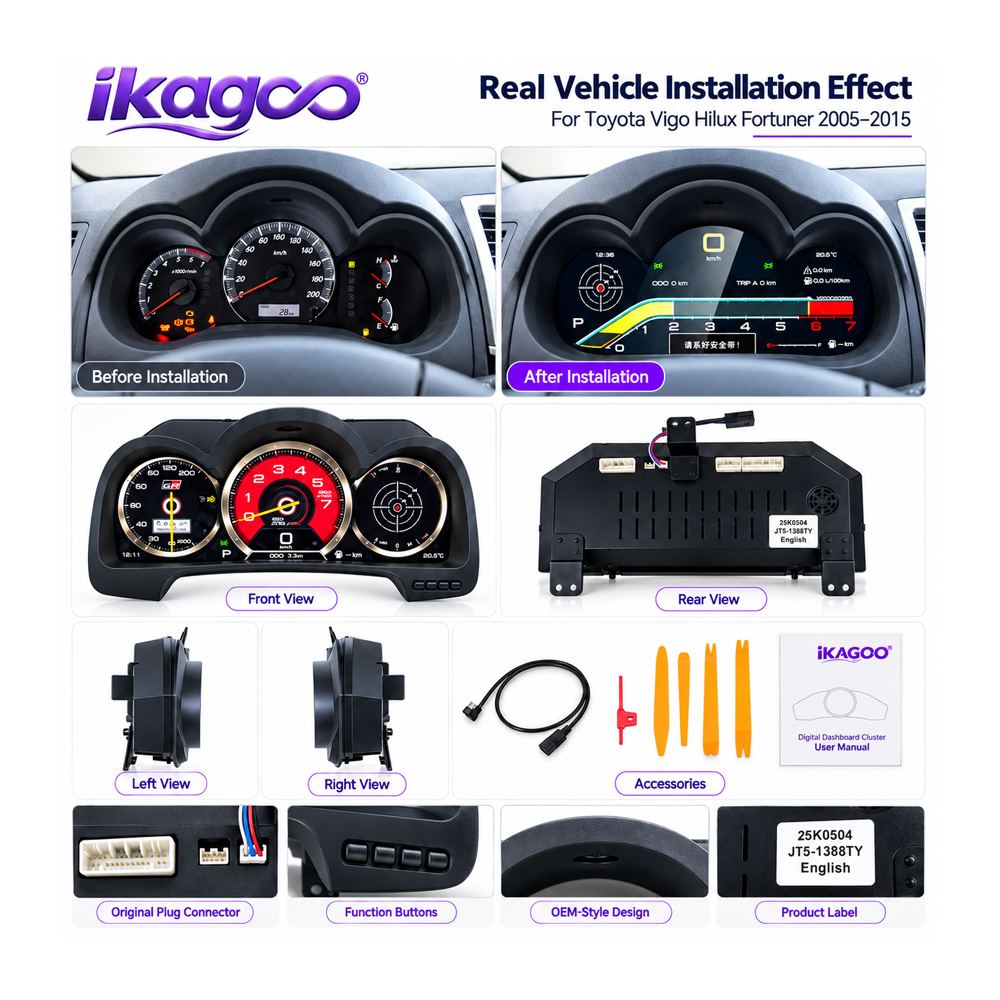
Toyota Hilux Vigo dashboard before and after digital cluster upgrade

Before and After: The Cockpit Feels Like a Different Generation

The original instrument layout is familiar and functional, but it reflects an older dashboard generation. The digital cluster changes the driver-facing area into a modern LCD cockpit while keeping the upgrade in the original instrument position.

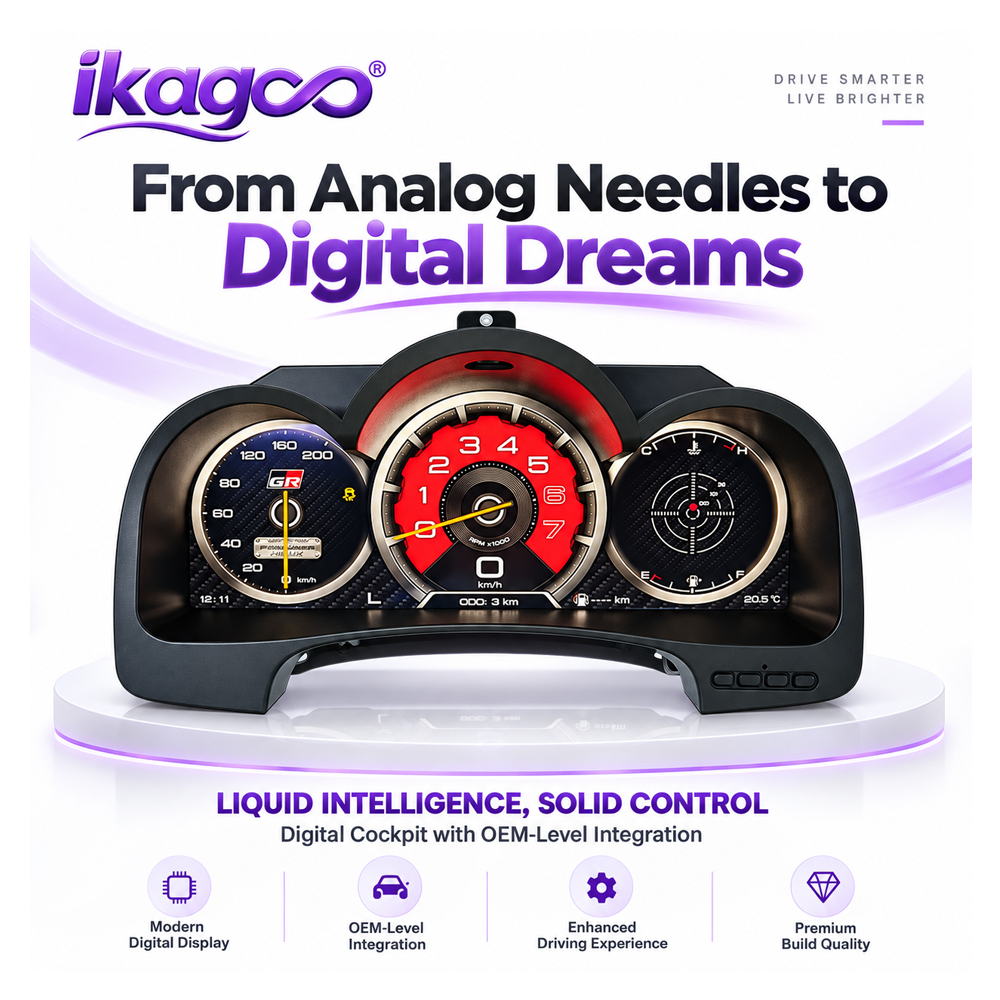
Toyota Hilux Digital Instrument Cluster product display and feature overview

Daily Value, Not Just a Startup Animation

Speed, RPM, fuel and supported vehicle information remain the reason an instrument cluster exists. The benefit of the LCD upgrade is presenting that driving information through a clearer modern interface with selectable display styles.

Buyer benefits first

Four Reasons This Upgrade Makes Sense on an Older Hilux

A Modern Cockpit Without a Generic Tablet Look

The display replaces the original instrument area instead of adding another screen on top of the dashboard. The result keeps the driver view centered where Toyota originally placed the gauges.

MPH and km/h Are Both Available from the Menu

All supported versions allow the driver to switch freely between MPH and km/h in the cluster menu. That is useful for imported vehicles, cross-border ownership and owners who prefer a different speed unit.

No Vehicle Coding or Programming Required

Supported Hilux Vigo, Fortuner and SW4 versions do not require vehicle programming or specialist coding for this cluster. The installation still includes physical cluster removal, connection and final function testing.

Multiple UI Themes Change More Than the Screen Color

Different instrument layouts let the owner choose a cockpit style that suits daily driving instead of being locked to one visual presentation.

Real product assets

See the Interface and Product Configuration Before You Buy

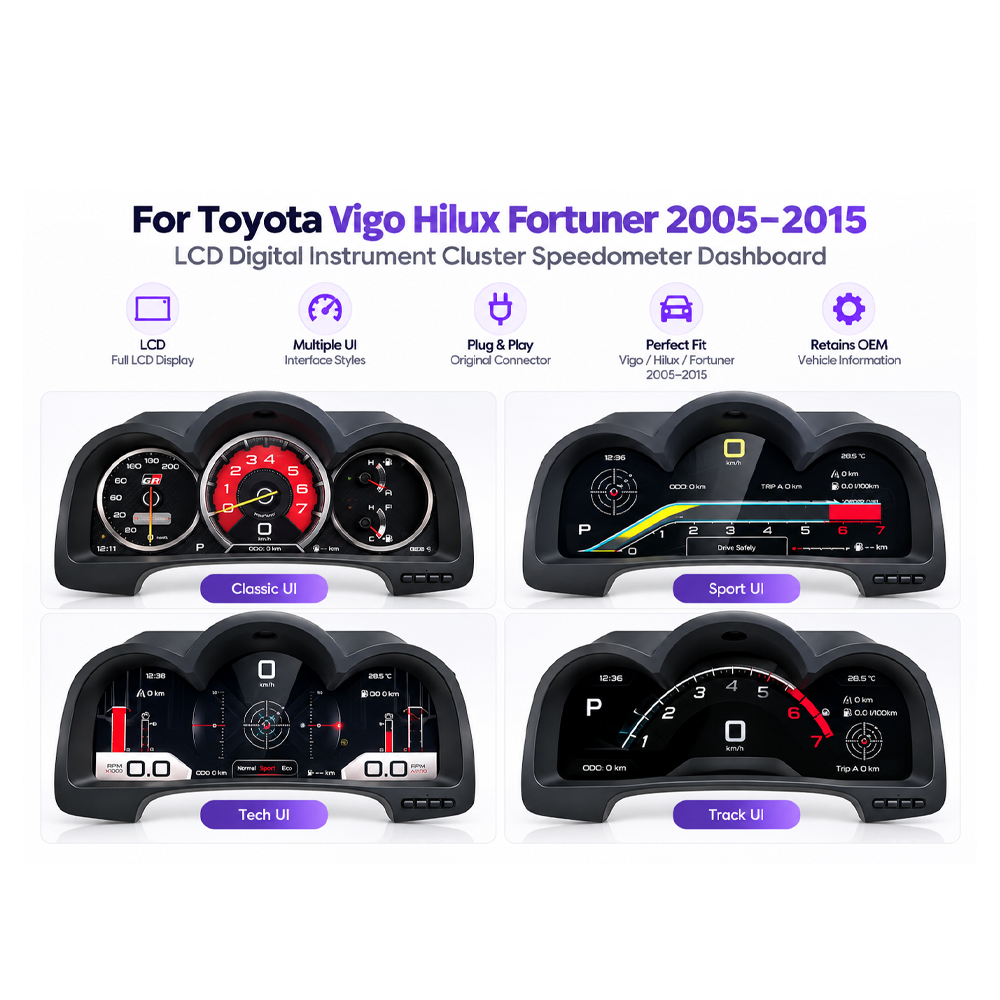
Toyota Hilux digital dashboard four selectable instrument themes

Four Digital Instrument Themes

The supplied interface asset shows multiple cluster styles so the cockpit does not depend on one fixed gauge layout.

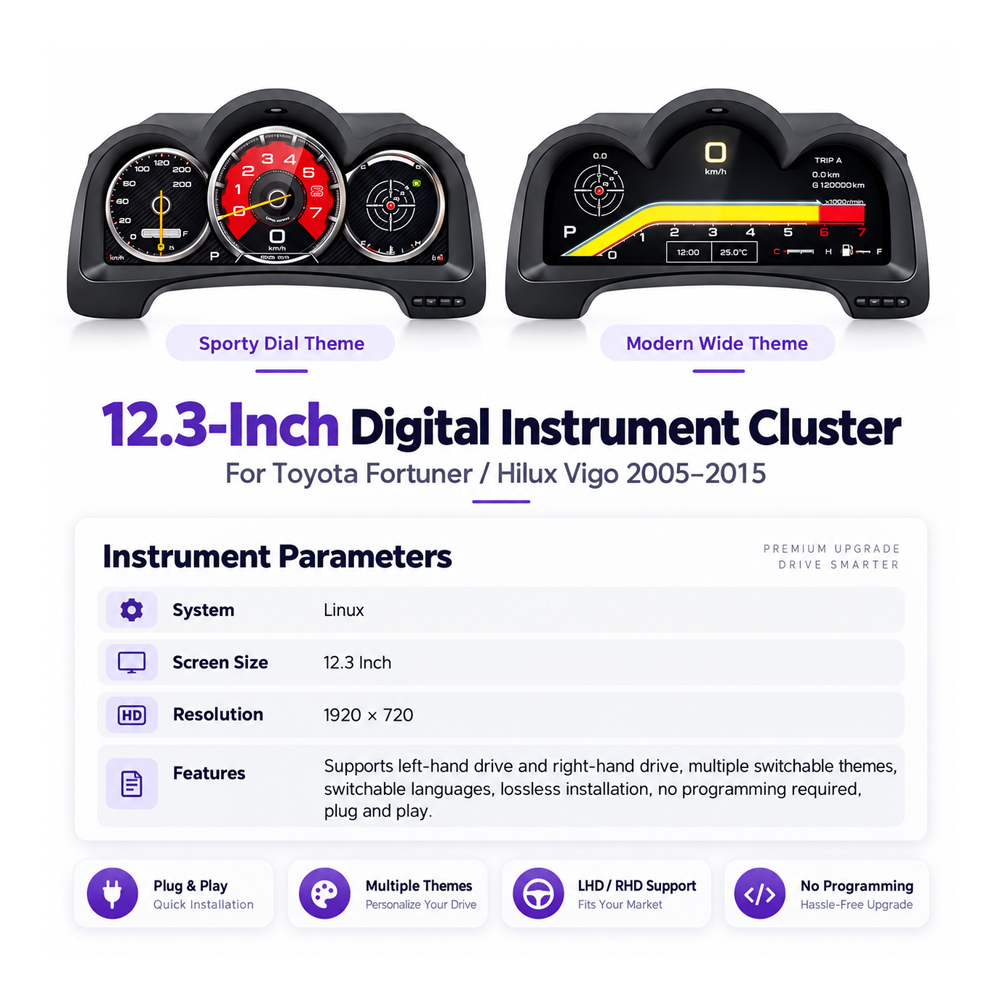
Toyota Hilux Digital Instrument Cluster parameter screen and UI themes

Dedicated Linux Instrument Platform

This product is a dedicated digital instrument cluster rather than a general-purpose Android head unit. Its job is the driver display, vehicle-data presentation and instrument interface.

Vehicle entity & regional naming

Hilux, Hilux Vigo, Fortuner or SW4: Which Name Matches Your Vehicle?

Toyota used the IMV platform across multiple markets, but buyers do not use the same name everywhere. iKAGOO treats the exact vehicle and dashboard configuration as the compatibility reference rather than assuming that every Toyota pickup or SUV with a similar age uses the same cluster.

Europe / United Kingdom Toyota Hilux is the primary consumer and search name for this generation.
Thailand / Asian Export Markets Hilux Vigo is an established Toyota name for the seventh-generation IMV pickup route.
Latin America Hilux is the pickup name and Fortuner is used for the related SUV route in multiple markets.
Brazil / South America Hilux SW4 / SW4 is an important regional SUV name for the related IMV family.

Important: Tacoma and 4Runner Are Not Compatibility Aliases

North American Toyota Tacoma and 4Runner models should not be assumed compatible just because they occupy similar pickup or SUV market positions. Their names are not alternative names for this Hilux Vigo / Fortuner / SW4 cluster.

Browse the Toyota Digital Instrument Cluster collection for other Toyota-specific dashboard routes.

Why Buy From iKAGOO

The Difference Is Not Only the LCD Screen — It Is Getting the Correct Version and Support Path

Vehicle-specific digital clusters can look almost identical in a supplier photo while using different housings, connectors, vehicle-data routes or software configurations. iKAGOO combines the hardware with vehicle review, version preparation and an after-sales route instead of leaving the buyer alone after checkout.

Compatibility First Your vehicle year, market, steering position and original cluster information are reviewed so the correct supported version can be prepared.
Correct Hardware Route The order is prepared around the correct cluster body, connection route and required supplied parts rather than screen size alone.
No Coding Surprise This product does not require vehicle coding or programming on supported versions. That requirement is stated before installation rather than discovered afterwards.
Installation Support If an installer sees an unexpected connector, warning display or vehicle-data issue, photos and symptom information can be reviewed before the dashboard is closed.
12-Month Hardware Warranty Eligible hardware follows the iKAGOO Warranty Policy .
Long-Term Product Identification Your original order remains the reference for future product-version identification and support. See how iKAGOO handles vehicle-specific orders .

Returns and compatibility remedies follow the current Return & Refund Policy .

After you order

What Happens After You Order This Toyota Hilux Digital Instrument Cluster?

You do not need to solve every compatibility detail yourself before checkout. The normal iKAGOO route is to place the order, provide the requested vehicle information, and let iKAGOO prepare the supported version before shipping.

1 Place the Order Your order creates the product and support record.
2 Send Vehicle Details Provide model year, market, steering side and clear original cluster/dashboard photos.
3 iKAGOO Reviews the Route The supported cluster version and connection configuration are checked before shipping.
4 Receive & Install Install the matched Plug & Play route. Vehicle coding is not required for supported versions.
5 Test Before Closing Verify driving data, warnings, MPH/km/h setting and required functions before final trim assembly.

See the full iKAGOO Compatibility & Installation Guide .

iKAGOO Three Standards

Three Different Questions Before You Buy — With Product-Specific Answers

These results do not measure the same thing. Upgrade Necessity asks whether the change is worth making. Original Vehicle Compatibility measures the vehicle-specific integration route. Installation Ease tells you who should install it and what work remains.

01 · SHOULD I UPGRADE?

Upgrade Necessity

90/99 Very Strong Upgrade Case

The score reflects the practical case for replacing the older driver display — not compatibility or installation convenience.

  • Original cluster limitation: 88/99 — functional, but visually from an older dashboard generation.
  • Daily driver-information value: 88/99 — the instrument display is used on every drive.
  • Cockpit transformation: 99/99 — the 12.3″ LCD makes a large visible change in the driver position.
  • International unit usability: 88/99 — MPH/km/h can be switched from the menu.
  • Alternative-route advantage: 88/99 — repairing the old cluster restores old capability but does not create the LCD cockpit result.
  • Long-term ownership value: 88/99 — strongest for owners keeping the vehicle and using it regularly.
Calculation: (88 + 88 + 99 + 88 + 88 + 88) ÷ 6 = 89.8 → 90/99.

Why not 99? The main gain is cockpit modernization and information presentation. This product should not receive extra points for unrelated Android-head-unit or CarPlay functions.

Read the Upgrade Necessity Standard →
02 · HOW CLOSELY DOES IT FIT?

Original Vehicle Compatibility

94/100 Near-OEM Vehicle-Specific Match

The result uses the six published iKAGOO compatibility dimensions. A 94/100 does not mean 6% of the vehicle functions are missing.

  • Factory Function Continuity · 94 × 25% — core driving-information route remains the priority.
  • Original Control Continuity · 93 × 15% — vehicle-control interaction follows the matched route.
  • Vehicle Data & Warnings · 93 × 20% — data and warning integration remain part of final acceptance testing.
  • Physical Architecture · 97 × 15% — vehicle-specific cluster housing is designed for the original instrument position.
  • Factory-Style UI · 92 × 15% — integrated cockpit presentation, but not falsely described as original Toyota software.
  • Hardware Integration · 96 × 10% — Plug & Play direction and no programming requirement reduce integration burden.
94×25% + 93×15% + 93×20% + 97×15% + 92×15% + 96×10% = 94.0/100.

Main deduction: the Linux interface and selectable themes are aftermarket designs. They should look integrated, but they are not presented as factory Toyota software.

Read the Original Vehicle Compatibility Standard →
03 · WHO SHOULD INSTALL IT?

Installation Ease Level

L3/5 Advanced DIY
L1 L2 L3 L4 L5

No coding or vehicle programming is required, but the original instrument area still has to be opened, connected and fully tested.

  • Original cluster / surrounding trim removal is required.
  • Matched vehicle connectors must be installed correctly.
  • No vehicle programming or coding is required on supported versions.
  • No intentional cutting, drilling or soldering of the original main harness is part of the normal matched route.
  • Speed, RPM, fuel, warnings and MPH/km/h selection must be tested before final assembly.
Why L3 instead of L2?
L2 is light trim work and basic plug connection. This job requires actual instrument-cluster removal plus vehicle-data acceptance testing.

Recommended installer: experienced DIY owner familiar with dashboard work, or an automotive-electronics installer.

Read the Installation Ease Level Standard →
Buyer concerns answered first

Does the Toyota Hilux Digital Instrument Cluster Need Coding? Can It Switch MPH and km/h?

No Coding

No Vehicle Programming Is Required

All supported Hilux Vigo, Fortuner and SW4 versions for this product install without vehicle programming or coding. Physical installation and final function testing are still required.

MPH ↔ km/h

Switch Units Directly from the Instrument Menu

You can freely change between MPH and km/h from the cluster menu on all supported versions. You do not need to replace the cluster simply because the vehicle moves between metric and imperial use.

Installation evidence

Plug & Play Does Not Mean “Skip the Testing”

Toyota Hilux Vigo digital cluster installation accessories and wiring

Cluster, Connections and Installation Parts

The supplied accessory image helps the installer identify the cluster body, rear layout, wiring and supplied installation items before dashboard reassembly.

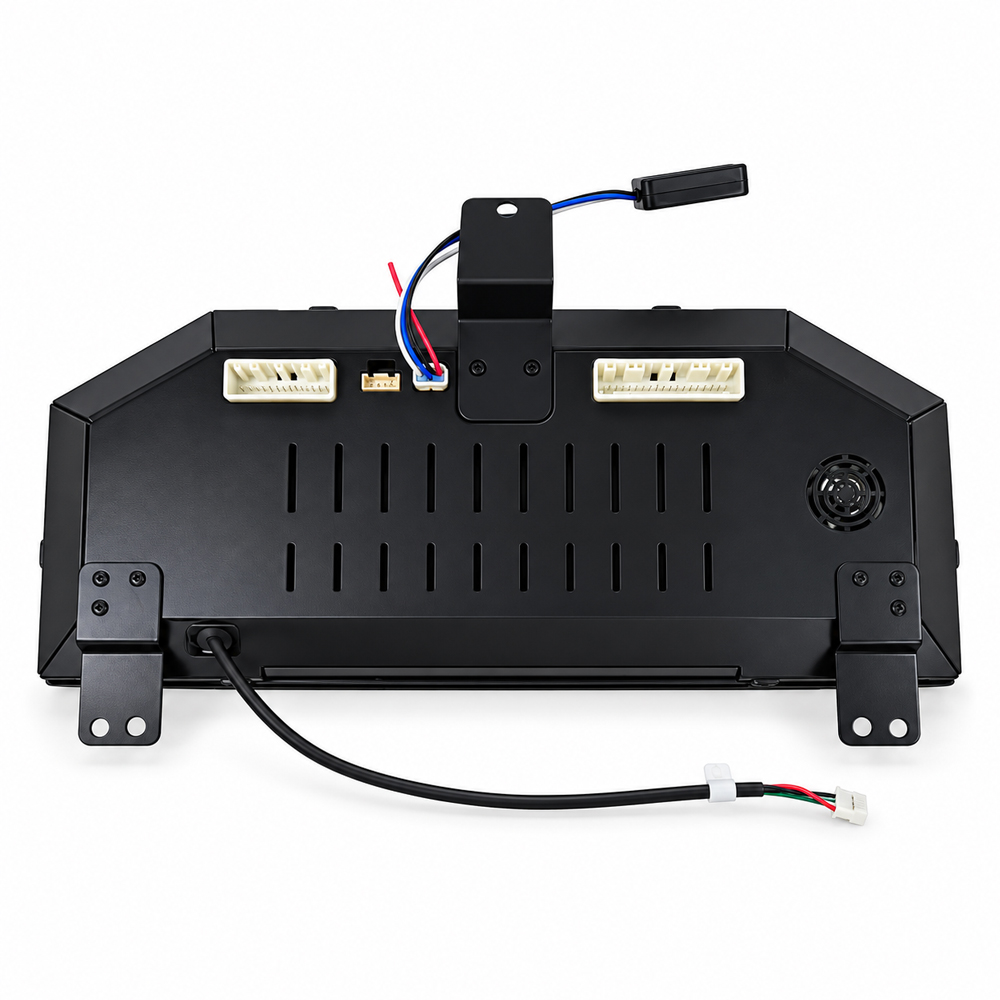
Toyota Hilux digital cluster rear housing connectors and cable

Check the Rear Housing and Connector Route Before Closing the Dash

Never force an unexpected connector. The matched version should use the intended connection route without intentional cutting, drilling or soldering of the vehicle's main harness.

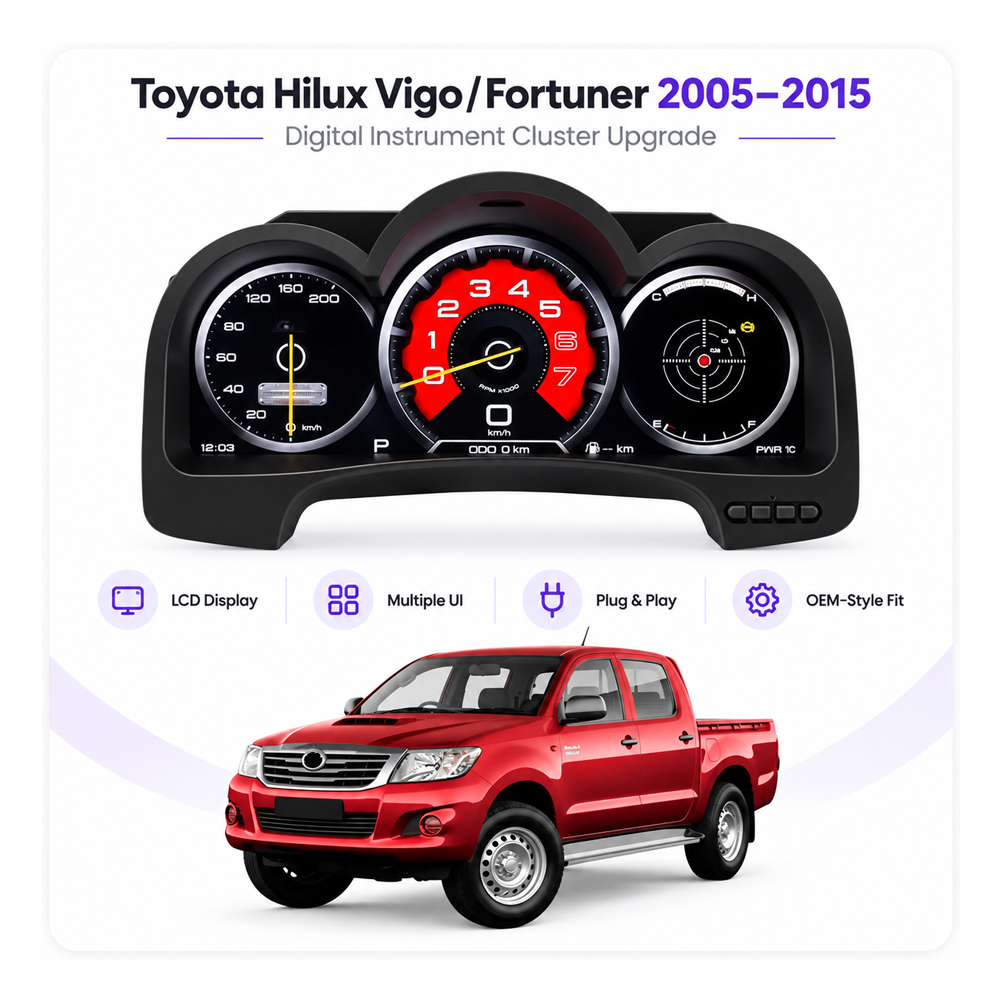
Toyota Hilux Vigo Fortuner SW4 digital cluster vehicle fitment overview

Vehicle-Specific Dashboard Context

Fitment is judged by the supported Toyota Hilux Vigo / Fortuner / SW4 vehicle route and original cluster configuration — not only by the fact that a vehicle is a Toyota pickup or SUV.

Toyota Hilux digital instrument cluster Linux system technical features

Linux-Based Instrument System

The dedicated Linux platform is focused on instrument display and vehicle-data presentation. This page intentionally does not market the product as an Android multimedia head unit.

Core product facts

Toyota Hilux Digital Instrument Cluster 2005–2015 Specifications

Primary Vehicle Toyota Hilux
Related Supported Names Hilux Vigo / Fortuner / SW4
Target Years 2005–2015
Display Size 12.3-inch LCD
Display Direction IPS / HD
System Linux
Interface Styles Multiple Themes
Vehicle Integration Vehicle-Specific / CAN Data Route
Installation Direction Plug & Play
Vehicle Coding Not Required
Speed Unit MPH / km/h Menu Switch
Product Type Digital Instrument Cluster
High-intent buyer FAQ

Toyota Hilux Digital Instrument Cluster FAQ

Does this cluster require coding or programming?
No. All supported versions of this Toyota Hilux / Hilux Vigo / Fortuner / SW4 digital cluster do not require vehicle programming or coding. The installer still needs to complete the physical installation and verify the cluster functions before final dashboard reassembly.
Can I change the cluster between MPH and km/h?
Yes. All supported versions allow MPH and km/h to be switched freely from the instrument-cluster menu.
Is installation really Plug & Play?
Yes, for the correctly matched supported version. Plug & Play describes the vehicle-matched connection route. It does not mean the cluster installs without removing trim, disconnecting the original instrument area or completing final driving-data and warning checks.
Will this fit every Toyota Hilux from 2005 to 2015?
The product covers the supported 2005–2015 Hilux Vigo / Fortuner / SW4 route, but iKAGOO still prepares the correct version according to the actual vehicle information and original cluster. You can place the order first and then provide the requested dashboard and cluster photos before shipping.
Is Hilux Vigo the same product family as the European Toyota Hilux?
For this generation, Hilux Vigo is an established name associated with the seventh-generation IMV Hilux route. European buyers normally search for Toyota Hilux, while Vigo remains useful for identifying the relevant generation and export-market vehicle.
Does this product also fit Toyota Tacoma or 4Runner?
Do not assume that. Tacoma and 4Runner are separate Toyota vehicle models and are not used as compatibility aliases for this Hilux Vigo / Fortuner / SW4 product page. Use the dedicated product for the exact vehicle.
Does this digital cluster include CarPlay?
This page does not claim built-in CarPlay. The product documented here is a Linux-based digital instrument cluster, not an Android head unit. This avoids confusing multimedia-head-unit functions with the verified functions of the instrument cluster.
What should I test before the dashboard is fully reassembled?
Confirm stable startup, speed, RPM, fuel information, required warning information, menu operation and MPH/km/h switching. If a required driving value or warning behaves incorrectly, keep the cluster accessible and contact iKAGOO before final trim assembly.

Still Comparing a Digital Cluster with Repairing the Original Dashboard?

Repair is the correct choice when the goal is simply to restore an otherwise satisfactory original cluster. A full digital cluster makes more sense when you want a visible cockpit modernization, selectable digital layouts and a driver display you will notice every day.

Read the iKAGOO Digital Instrument Cluster Buyer Guide before deciding between repair, used OEM replacement and a full LCD retrofit.

Upgrade the Hilux You Already Know — Without Turning the Purchase into a Coding Project

Choose the Toyota Hilux Digital Instrument Cluster when you want a 12.3-inch modern driver display, menu-selectable MPH/km/h, multiple cockpit themes and a supported Plug & Play installation route without vehicle programming. Place the order, send your vehicle information, and iKAGOO will prepare the supported configuration before shipment.

Reviews

There are no reviews yet.

Be the first to review “Toyota Hilux Digital Instrument Cluster 2005–2015 12.3″ LCD, No Coding, MPH/km/h Switch”
iKAGOO vehicle compatibility, international shipping, warranty and customer support
iKAGOO Customer Support

Compatibility, Shipping & Support

Clear information about vehicle compatibility, order preparation, international delivery, warranty, returns and after-sales support.

Compatibility Review Vehicle information is checked before dispatch.
Order Processing Normally 1–3 business days before dispatch.
12-Month Warranty Limited hardware warranty for eligible defects.
Tracked Delivery Tracking information is provided after dispatch.
Vehicle-Specific Order Process

We Check the Details Before Your Order Leaves Us

Vehicle-specific electronics require the correct version, wiring and configuration. Our process is designed to reduce avoidable compatibility and installation problems.

Before Payment

Initial Compatibility Review

Vehicle model, year, original system and relevant configuration information may be reviewed before purchase to reduce the risk of selecting the wrong version.

After Payment

Final Compatibility & Configuration Check

Before dispatch, the order is checked against the confirmed vehicle information so the appropriate version, configuration and required vehicle-specific components can be prepared.

After Payment We Work to Get It Right the First Time
View Full Order Process Full Process
01 Order Received Order
02 Final Compatibility Check Check
03 Test & Prepare Test
04 Pack & Ship Ship
05 Tracking & Support Support

Our goal is to get your order right before it leaves us. We verify compatibility, prepare the correct setup and contact you only if something still needs confirmation.

Shipping, Returns, Warranty & Order Questions

A practical summary of the main terms that apply to vehicle-specific iKAGOO orders.

01

Where are orders shipped from and how long does delivery take?

Most iKAGOO orders are dispatched from our fulfillment location in China after the product configuration and vehicle information have been checked.

Normal order processing is approximately 1–3 business days. Estimated delivery after dispatch is generally:

  • USA & Canada: approximately 5–9 business days
  • European Union: approximately 7–15 business days
  • UK & Australia: approximately 7–10 business days
  • Other supported regions: approximately 7–20 business days

Customs clearance, holidays, weather, carrier delays and remote-area delivery may affect these estimates.

02

Will I need to pay VAT, import duties or customs charges?

Standard international shipping normally does not include destination-country VAT, import duties, brokerage charges or customs clearance fees.

For eligible European Union destinations, DDP shipping may be available. Import-related charges are included only when DDP is selected at checkout or confirmed by iKAGOO in writing before shipment.

When DDP is not selected, charges collected by local customs or the delivery carrier are normally the recipient's responsibility.

03

Can I request express shipping and how do I track the parcel?

Express or expedited shipping may be available for selected products and destinations. Availability, carrier and any additional cost are confirmed before shipment.

Depending on the route and product type, iKAGOO may use DHL, FedEx, UPS, EMS, 4PX or another tracked logistics provider.

After dispatch, the tracking number or tracking link is normally sent to the email address used for the order. Tracking updates may take several business days to appear during international carrier transfers.

04

What is the return and refund policy?

Return eligibility depends on the reason for return, product condition, installation status, supporting evidence and whether the return has been approved by iKAGOO.

For an approved non-defective return, the product must normally remain unused, uninstalled, complete and suitable for resale. The customer is generally responsible for approved return shipping costs.

Original shipping, DDP, VAT, customs duties and other logistics costs are generally non-refundable unless required by law or otherwise confirmed by iKAGOO.

Do not send a product back before receiving an approved return address and return instructions from iKAGOO.

05

What if the product still cannot be installed after compatibility review?

Additional protection may apply when iKAGOO reviewed the vehicle compatibility, the customer supplied accurate vehicle information and reasonable installation and diagnostic steps have been completed.

If iKAGOO confirms that no reasonable technical solution is available and the issue is reported within 7 calendar days after delivery, the customer may be eligible for a refund of the product price without being required to return the product.

Original shipping, DDP, VAT, customs duties and other third-party charges are not included in this product-price refund.

06

What warranty is provided, and does opening the product cancel it?

Eligible products include a 12-month limited hardware warranty covering verified manufacturing defects and eligible hardware failures under normal use.

Depending on the verified issue, support may include remote diagnosis, configuration assistance, replacement parts, repair, replacement, partial refund or full refund.

Inspection or third-party examination does not automatically cancel the entire warranty. However, damage caused by unauthorized repair, incorrect modification, broken circuits, improper reassembly, incorrect wiring, impact, water ingress or misuse is not normally covered.

Contact iKAGOO before dismantling, modifying or repairing the product so the correct diagnostic procedure can be provided.

07

What if my order arrives damaged or has missing parts?

Contact iKAGOO within 7 calendar days after delivery and keep the original packaging, shipping label, accessories and product.

Please provide clear photos or video showing:

  • The external shipping carton and shipping label
  • Visible packaging damage
  • The product and affected area
  • All accessories and wiring received

After verification, iKAGOO may arrange a missing-part shipment, replacement, repair, refund or another reasonable solution.

08

What if I ordered the wrong version or need to change my order?

Contact iKAGOO as soon as possible and before installation. For address, vehicle configuration or product changes, contact us preferably within 12 hours after placing the order.

An exchange or return may be approved when an incorrectly selected product remains unused, uninstalled, complete and suitable for resale. Customers are normally responsible for relevant shipping costs and price differences.

Vehicle-specific products may enter procurement, programming, testing or configuration shortly after payment. Once preparation or shipment has started, cancellation may no longer be possible, or reasonable costs already incurred may be deducted.

09

What is included in the package?

Package contents vary by product, vehicle model, factory system and selected configuration.

Depending on the product, the package may include the main device, vehicle-specific wiring harnesses, CANBUS interface, adapters, USB cables, antennas, microphones, mounting hardware or other required installation accessories.

Refer to the relevant product photos, specifications and order confirmation for the exact contents of your order.

10

How do I contact iKAGOO for technical or after-sales support?

You can contact iKAGOO through the website contact form, WhatsApp or other available support channels. Typical response time is within 24 business hours.

For faster technical diagnosis, include your order number, vehicle model and year, relevant factory-system photos, product photos and a clear video showing the issue.

Contact iKAGOO Support →

11

Is payment secure and are installment options available?

Payments are processed through the secure payment methods displayed during checkout.

Available card, wallet and installment options may vary by country, currency, payment provider and customer eligibility.

Installment services, including options offered by PayPal or another payment provider, remain subject to that provider's regional availability and approval requirements.

Complete iKAGOO Policies Review the published policy pages for complete terms and conditions.

This section is a simplified customer guide. The complete published policy pages, order confirmation and applicable consumer law take priority if any wording differs.

Toyota Hilux Vigo Fortuner SW4 2005-2015 digital instrument cluster Toyota Hilux Digital Instrumen...

Original price was: $1,437.22.Current price is: $1,044.65.

Add to cart