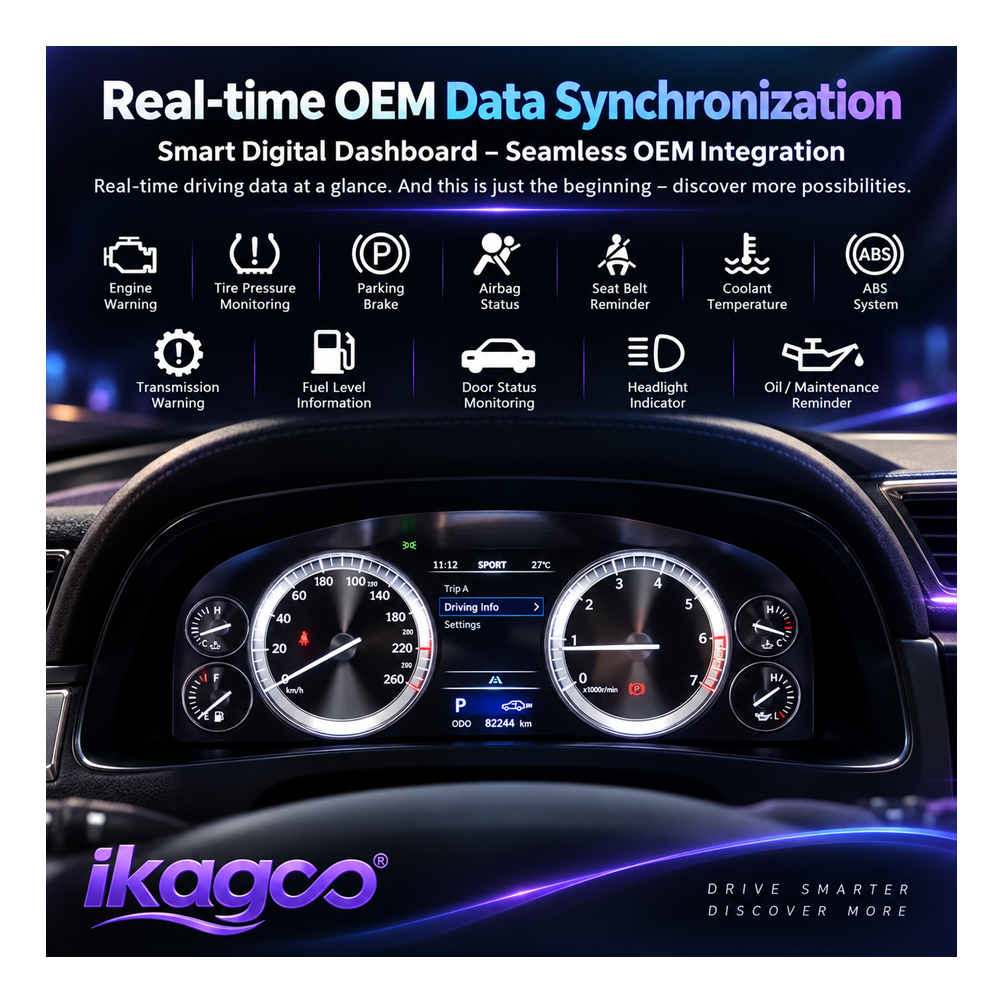
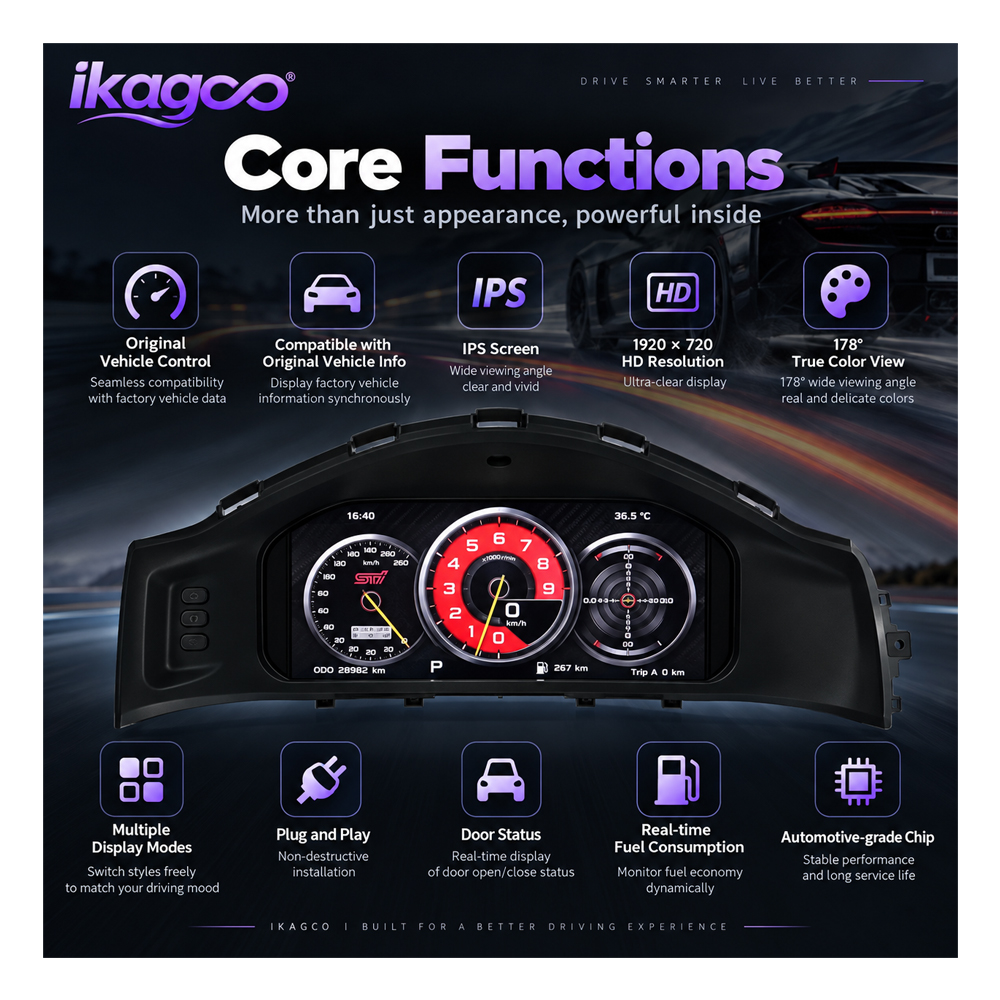

Give the 86 / BRZ Cockpit the Digital Driver Display Its Chassis Deserves
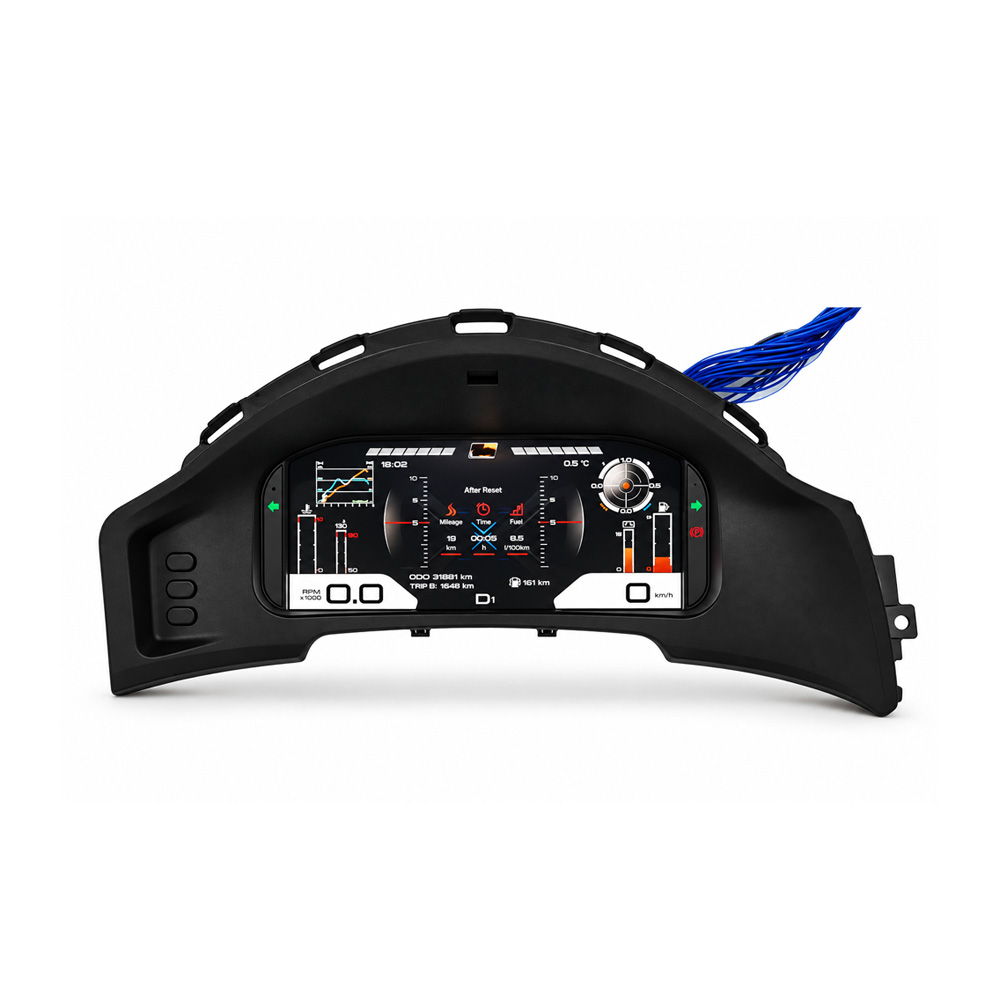
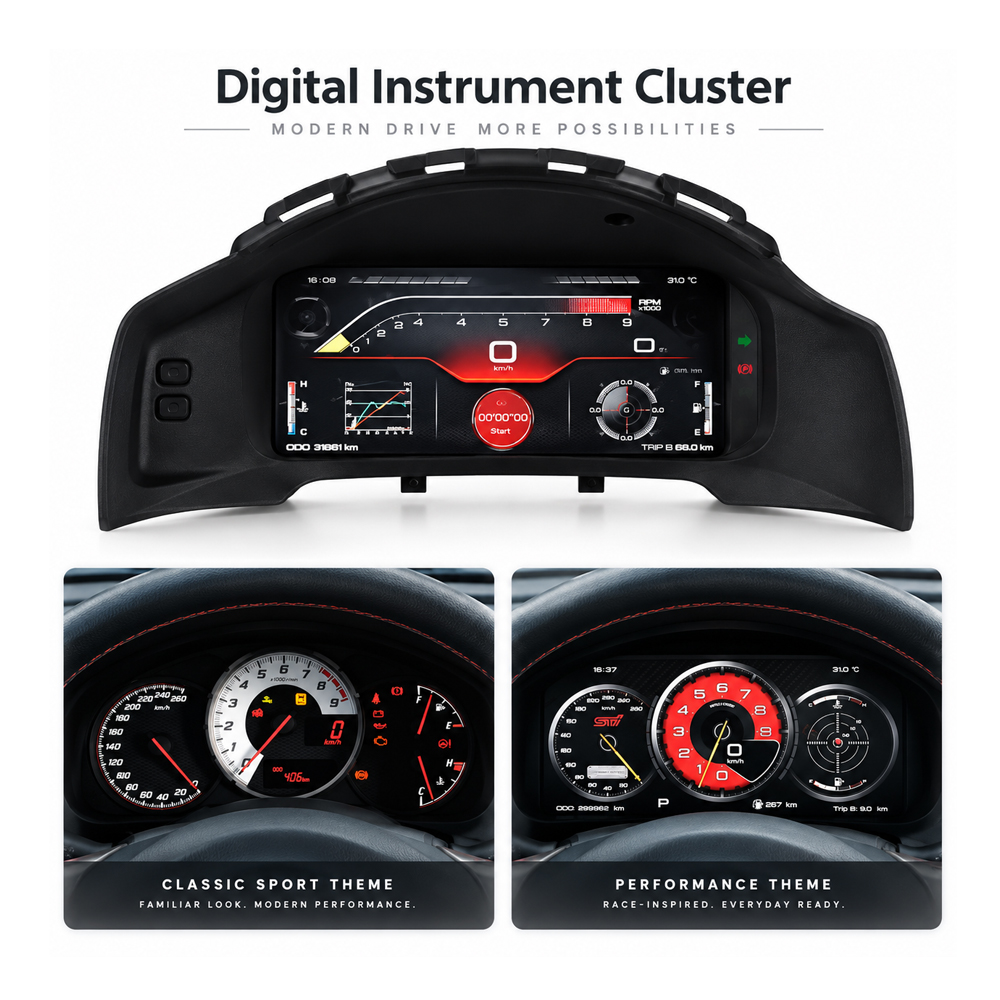
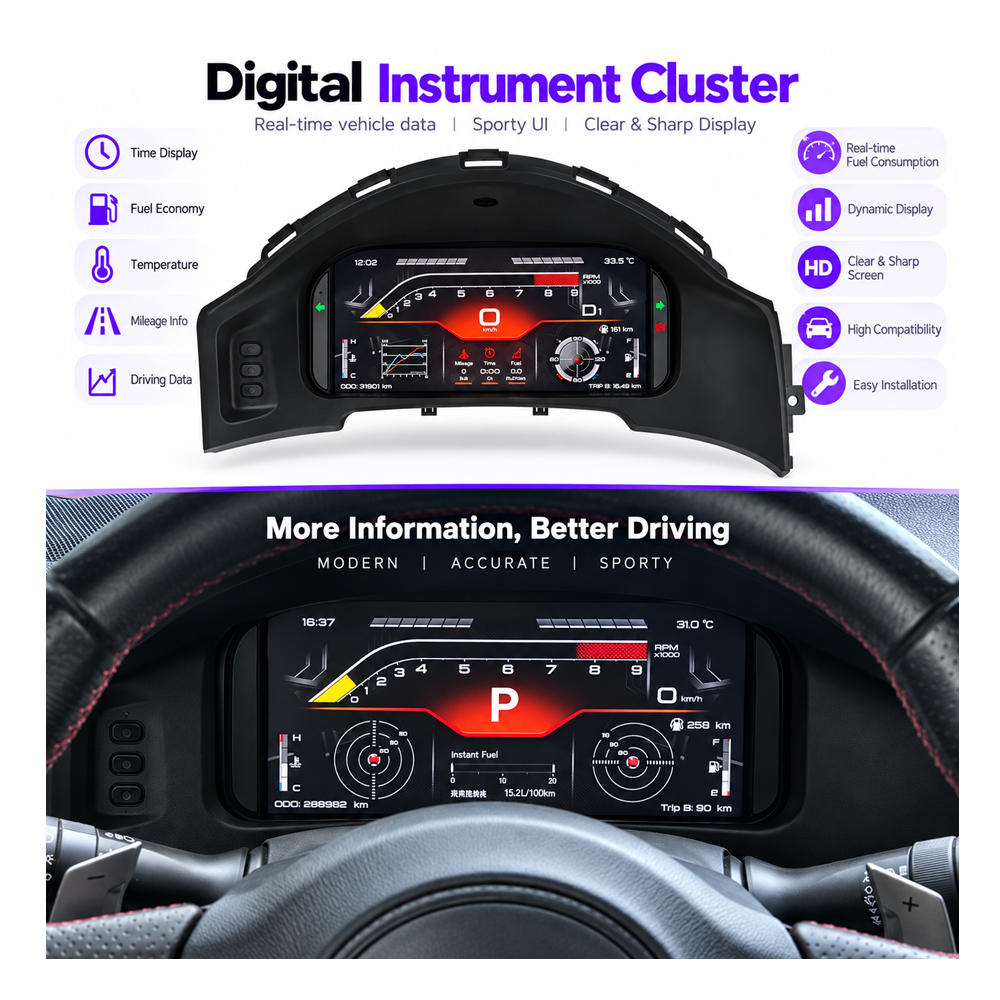
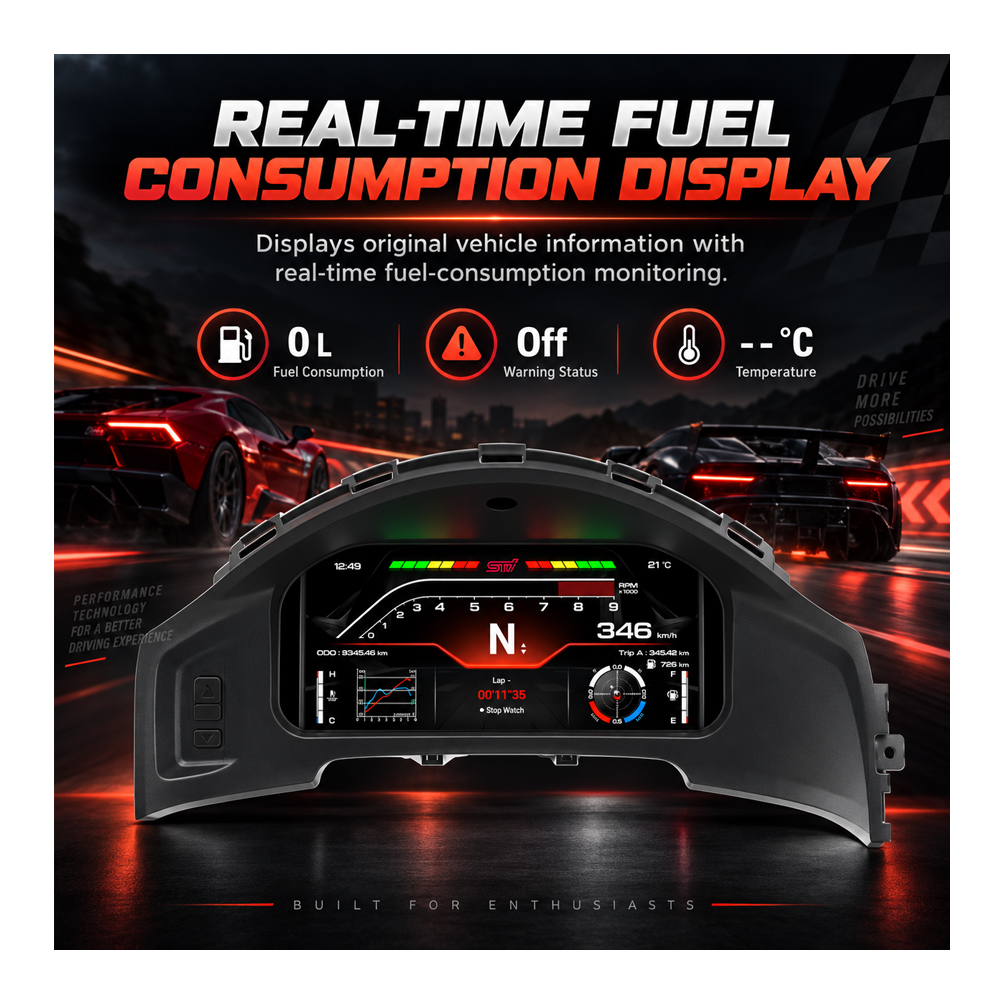
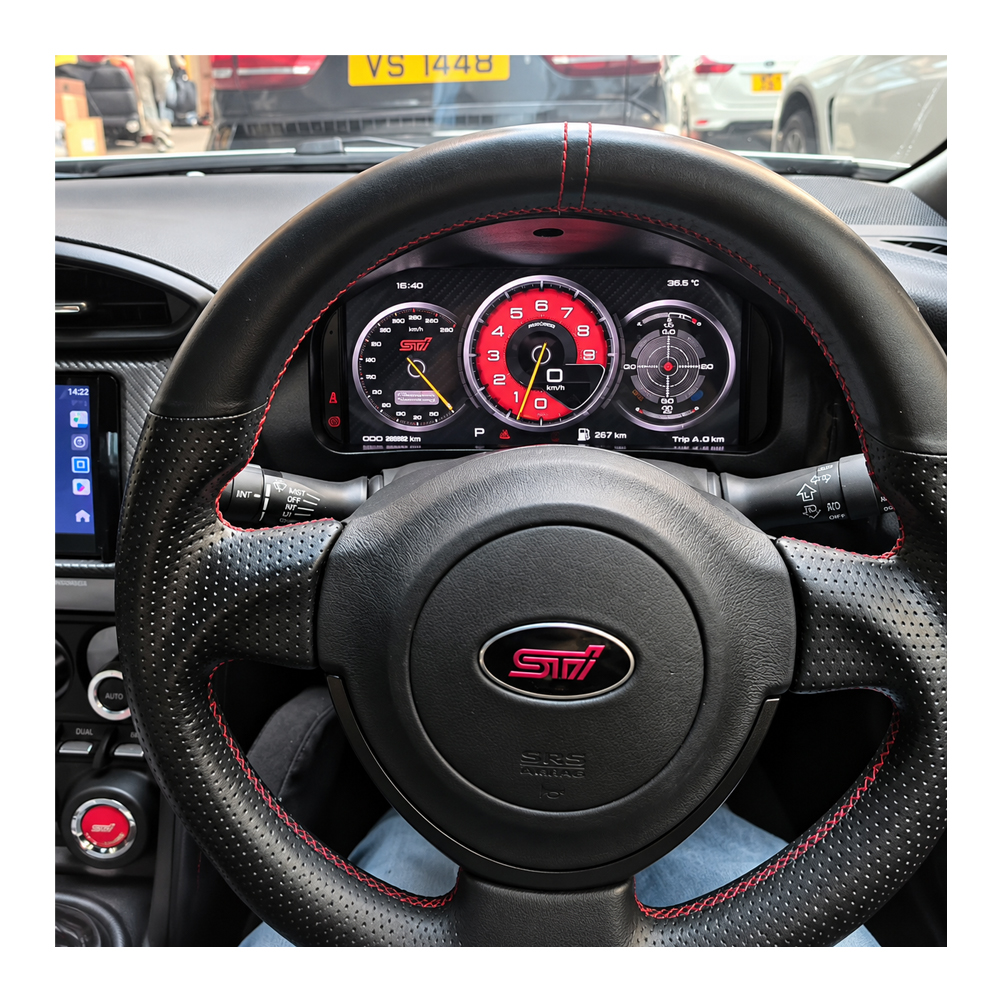
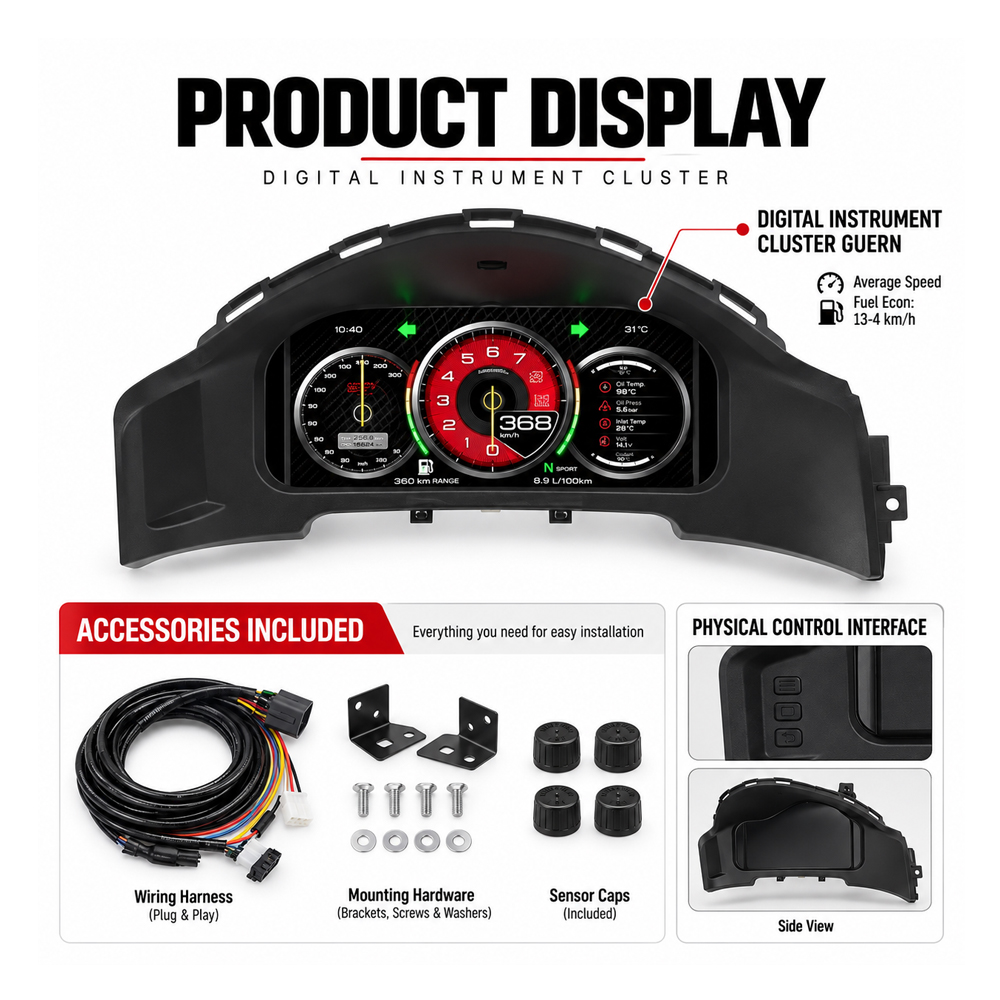
The Toyota 86 Subaru BRZ Digital Cluster replaces the analogue-led factory gauge area with a vehicle-specific 12.3-inch digital driver display. The purpose is not simply to add another screen. It modernizes the part of the cabin you watch on every drive while keeping the experience centred on driving rather than entertainment.
Vehicle Fitment
Toyota 86, GT86, Scion FR-S and Subaru BRZ — Different Names, One Shared Buying Question
This sports-car family was sold under different names depending on market and model year. The buyer should therefore identify the actual vehicle, year and steering position rather than relying on one badge name.
- 2013–2016 Scion FR-S
- 2017–2019 Toyota 86
- 2013–2019 Subaru BRZ
- 2013–2019 Toyota GT86
- 2013–2019 Subaru BRZ
- LHD and RHD routes available
- Toyota / Scion ZN6
- Subaru ZC6
- 86 / GT86 / FR-S / BRZ
Why This Upgrade Changes the Car
The 86 / BRZ Was Built Around the Driver — So Upgrade the Display the Driver Actually Watches
A centre infotainment screen changes entertainment. A digital instrument cluster changes the driving environment itself. For an owner keeping the car, that distinction matters because the cluster remains in the driver's field of view from startup to shutdown.
Replacing the analogue-led driver display makes one of the oldest-looking areas of the first-generation interior feel substantially newer.
A wide display gives the interface room to separate primary information instead of compressing everything around traditional gauge circles.
The cluster becomes the visual centrepiece while the familiar dashboard architecture around it can remain intact.
The long-term benefit comes from interacting with a clearer driver display on ordinary journeys, not only from showing a new screen on installation day.
Product Visual Evidence
Ten Product Views — Ten Different Things to Judge Before Buying
These images are not placed here as a gallery filler. Each image is used for one separate buying decision so the page does not repeat the same “12.3-inch digital cluster” message under every photo.
The Upgrade Should Look Like It Belongs in the Instrument Area
The first question is not how many graphics the screen can show. It is whether the display occupies the original driver-instrument space in a way that looks deliberate rather than added on.
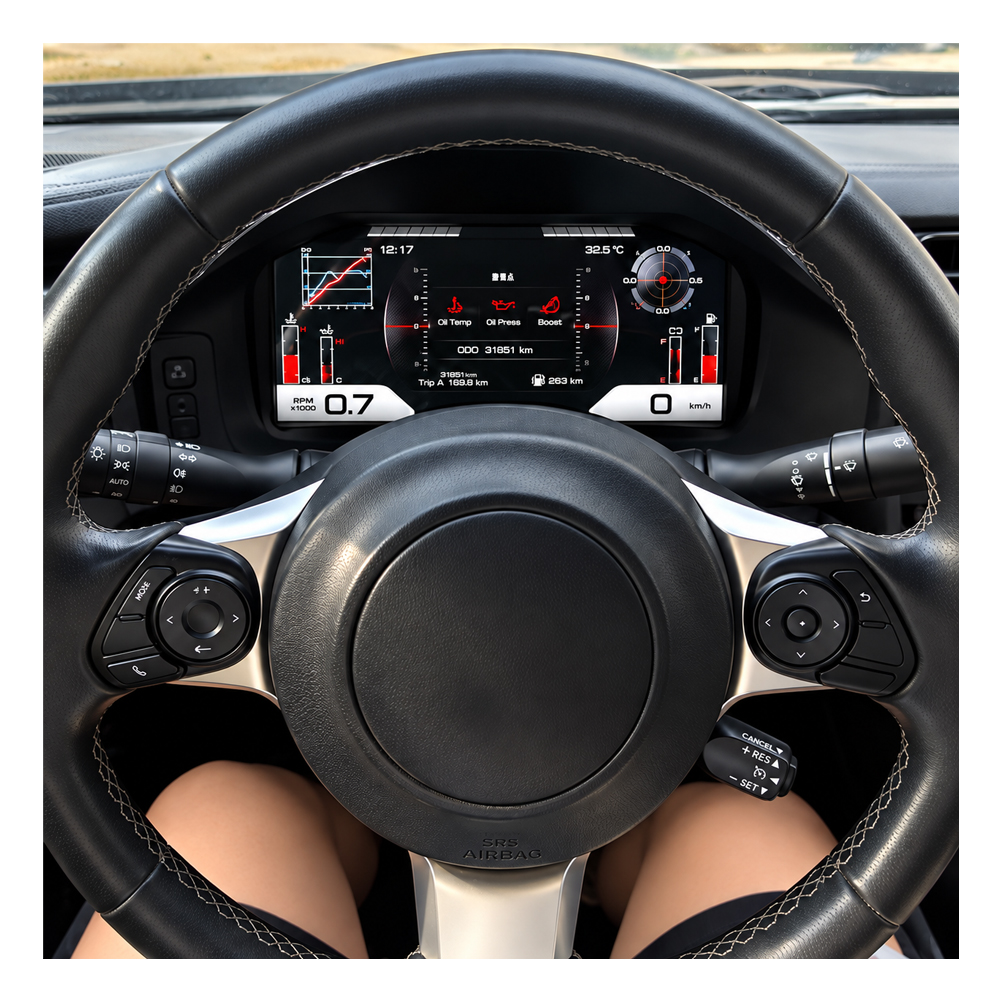
A Digital Cluster Should Make Driving Information Easier to Prioritize
A larger canvas only helps when the interface uses the space well. Look for a clear relationship between primary driving information and secondary vehicle information.
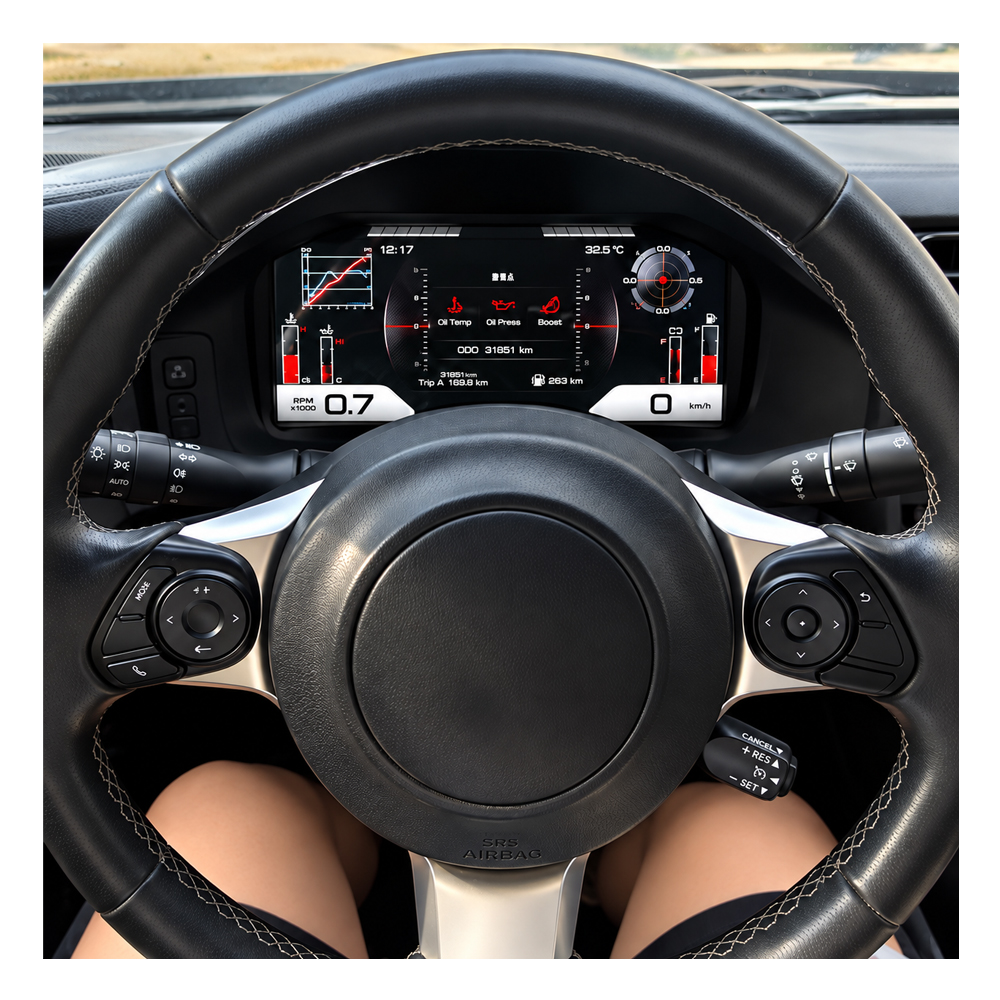
This Is Where the Cabin Can Gain Years Without Changing the Car
The original sports-car interior remains familiar, but changing the driver's main display can make the cockpit feel from a different generation.
This Is a Digital Instrument Platform — Not Another Centre Android Radio
The product's purpose is the driver display. Keeping that distinction clear prevents entertainment-system features from being confused with instrument-cluster functions.
The 12.3-Inch Format Is Valuable When It Gives Information Room to Breathe
A wide display can reduce visual crowding and create a clearer separation between the information the driver needs immediately and information that can stay secondary.
A Digital Upgrade Should Still Feel Appropriate in a Lightweight Sports Car
The 86 / BRZ does not need a heavy luxury-dashboard personality. The stronger route is a modern display that still keeps the cabin visually centred on driving.
The Best Test Is Whether the Upgrade Still Makes Sense on an Ordinary Tuesday
Themes and animations create the first impression. Long-term value comes from the supported speed, RPM and vehicle information being useful every time the car leaves the garage.
The Right-Looking Product Is Not Automatically the Right Vehicle Version
Market, steering position, model year and original instrument details can matter even when two dashboards look similar in a listing photograph.
A Successful Install Is Defined by Function Testing, Not by the Screen Lighting Up
Before the dashboard is closed, the installer should verify the supported driving information and warning behaviour expected from the matched product route.
The Product Is Only Finished When the Hardware, Configuration and Vehicle Behaviour Agree
Treat the installation as a complete vehicle-electronics upgrade: fit the correct product, connect it correctly, configure where required, then verify the car before final assembly.
Key Product Facts
The Specifications That Matter — Without Turning the Page Into a Parameter Sheet
Specifications are useful when they explain the upgrade route. Claims that vary by hardware or firmware revision should not be treated as universal features unless they are confirmed for the supplied version.
Why Buy From iKAGOO
The Hardware Is Only One Part of a Vehicle-Specific Electronics Purchase
Similar-looking digital clusters can appear at different prices. The higher-risk part of the purchase begins after checkout: receiving the correct version, completing the installation and having someone who can still identify the product when help is needed later.
Vehicle year, market, steering side, transmission and original-cluster information can be reviewed before dispatch to reduce wrong-version risk.
The order is prepared around the vehicle route rather than assuming every 86 / GT86 / FR-S / BRZ uses an identical configuration.
If an installation, display, connection or configuration issue appears, support is intended to diagnose the route instead of only resending generic instructions.
The original order keeps the vehicle and product history connected for later troubleshooting, parts investigation and applicable technical support.
Learn more about the service model: About iKAGOO .
What Happens After You Buy
From Checkout to a Working Digital Cluster
The normal buying route does not require the customer to solve every technical detail before placing an order. The important point is that the vehicle information is reviewed and the correct route prepared before shipment.
Delivery and preparation information: iKAGOO Shipping Policy .
iKAGOO Three-Indicator Evaluation
Three Different Questions Before You Commit to the Upgrade
The three indicators are not one combined score. Each one answers a different buying decision: whether the upgrade is worthwhile, how closely the product route fits the original vehicle, and what level of installer is appropriate.
91/100 — Upgrade Necessity
Direct judgment: this is a strong upgrade for an owner who wants the first-generation cockpit to feel substantially newer without replacing the car.
- 24/25 · Driver-view modernization: the cluster changes the primary display the driver watches continuously.
- 22/25 · Instrument information value: the wide digital format provides more visual space for supported driving information.
- 19/20 · Daily-use relevance: speed, RPM and supported vehicle data are part of normal driving rather than occasional functions.
- 13/15 · Long-term ownership value: the benefit remains relevant for owners keeping the vehicle.
- 13/15 · Cockpit improvement: the cluster modernizes the interior without requiring unrelated systems to be replaced.
- Owners keeping the car for several more years.
- Drivers who notice the dated instrument area more than the rest of the cabin.
- Buyers who want a cockpit upgrade rather than another phone mount or accessory screen.
- You strongly prefer the original analogue appearance.
- Your goal is only to repair a minor OEM-cluster fault at minimum cost.
Next step: decide whether your goal is restoration or modernization. If modernization is the objective, this is a strong-fit upgrade category.
95/100 — Original Vehicle Compatibility
Direct judgment: this is a vehicle-specific digital-cluster route with strong integration potential after the correct vehicle version is matched.
- 24/25 · Factory Function Continuity: supported original driving information remains the central requirement of the upgrade.
- 14/15 · Original Control Continuity: the new cluster remains part of the original driver-information environment rather than operating as a separate display.
- 19/20 · Vehicle Data & Warning Integration: supported speed, RPM and vehicle information are expected through the matched product route.
- 15/15 · Physical Architecture Match: this is designed for the 86 / GT86 / FR-S / BRZ instrument-dashboard family.
- 14/15 · Factory-Style Interaction Match: the product modernizes the UI while remaining a driver instrument rather than becoming a generic tablet.
- 9/10 · Installation & Hardware Integration: LHD/RHD and vehicle-matched connection routes reduce adaptation requirements.
- 95/100 does not mean “5% of original functions are lost.”
- It measures the quality of the fitment and retention route after correct version matching.
- Unsupported or unconfirmed functions are not silently counted as retained.
- 2013–2019 listed vehicles that still use their expected original dashboard/cluster architecture.
- Owners able to provide accurate vehicle and original-cluster information after ordering.
- Vehicle identity does not match the listed route.
- The original dashboard or instrument wiring has been substantially modified.
- A required core vehicle-information function cannot be confirmed for the intended configuration.
Next step: place the order and provide year, market, transmission, LHD/RHD and clear original-cluster photos so iKAGOO can prepare the correct version before dispatch.
L3/5 — Installation Ease Level
Direct judgment: suitable for an experienced DIY installer or an automotive electronics installer — not a simple external plug-in accessory.
Easy
Basic
Advanced
Pro
Specialist
- The original instrument cluster must be removed carefully.
- Vehicle-matched connectors and supplied hardware must be installed correctly.
- Product configuration may need to be checked before final assembly.
- Supported speed, RPM, fuel/warning information and other expected data should be tested.
- Dashboard trim should remain open until the functional test is complete.
- Experienced DIY owner familiar with vehicle trim and automotive electrical connections.
- Automotive electronics / retrofit installer.
- Connectors do not match the reviewed route.
- The original wiring has unexpected modifications.
- Critical vehicle information is missing or incorrect during testing.
Next step: if you are not comfortable removing trim and testing vehicle electronics, use an automotive electronics installer.
Installation & Programming
Does the Toyota 86 / Subaru BRZ Digital Cluster Need Coding?
The correctly matched aftermarket route is designed around a dedicated vehicle connection rather than a used OEM-cluster conversion. Dealer-style coding is not normally intended as the standard installation path.
The original cluster must still be removed, connectors checked, configuration completed where required and important vehicle information tested before dashboard reassembly.
Buyer FAQ
Questions Buyers Usually Need Answered Before Ordering
Is the Scion FR-S part of this Toyota 86 digital cluster product route?
Does this fit the Toyota GT86 sold in Europe and the UK?
Can I order first and send my vehicle details afterward?
Can the cluster be prepared for MPH or km/h?
Does this cluster require programming?
What should be tested before the dashboard is closed?
Is this the same as fitting a used newer OEM Toyota or Subaru cluster?
For broader buying checks: Digital Instrument Cluster Upgrade Guide .
Long-Term Ownership
A Digital Cluster Should Still Have a Support Route After the Installation Day
Vehicle-specific electronics are normally purchased with the expectation that they will stay in the car for years. iKAGOO therefore keeps the original order as the reference for the supplied configuration rather than treating the sale as complete when the parcel is delivered.
Applicable hardware faults are handled according to the iKAGOO warranty terms, while installation and configuration questions can be tied back to the product and vehicle information connected with the order.
Applicable troubleshooting, compatible software guidance, replacement-part investigation or repair coordination may still be available. Parts, repair or shipping charges can apply outside warranty.
Warranty terms: iKAGOO Warranty Policy . Existing-order assistance: iKAGOO Customer Support .
Ready to Upgrade Your 86 / GT86 / FR-S / BRZ Driver Display?
Place the order, then send the vehicle year, market, transmission, LHD/RHD position and clear original-cluster photos. iKAGOO reviews the route before dispatch and keeps the order available as the technical reference for installation and later support.
Reviews
There are no reviews yet.
