XStore theme
Up to 21%
  • Mercedes W176 Android Head Unit 2012–2018 with CarPlay DSP
  • Mercedes W176 A-Class Android Head Unit 2012–2018 | CarPlay DSP
  • Mercedes W176 A-Class Android Head Unit 2012–2018 | CarPlay DSP
  • Mercedes W176 A-Class Android Head Unit 2012–2018 | CarPlay DSP

Mercedes W176 Android Head Unit 2012–2018 with CarPlay DSP

(1 customer review)

From: $383.00

Duty-Free EU & USA · Shipping shown in cart EU & USA · Shipping in cart
Secure by PayPal
DDP Tax-Prepaid Service

We handle applicable VAT and import duties for eligible EU and USA orders. Estimated savings: $120–$280 .

Shipping is separate. The exact shipping cost is calculated by destination and shown in your cart before checkout.

USA (48 States) Austria Belgium Bulgaria Croatia Cyprus Czechia Denmark Estonia Finland France Germany Greece Hungary Ireland Italy Latvia Lithuania Luxembourg Malta Netherlands Poland Portugal Romania Slovakia Slovenia Spain Sweden
Shipping to China
Checking available shipping…
or
Pay safely with Paypal Pay safely with Visa Pay safely with Master Card Pay safely with JCB Pay safely with American Express Pay safely with Alipay Pay safely with Google pay Pay safely with Klarna Pay safely with DISCOVER Pay safely with  Apple Pay
Guarantee Safe and Secure Payment Checkout
More Than Hardware

Built to Fit. Backed Beyond Delivery.

Compatibility review, full compatibility protection, a 12-month hardware warranty and continued support after installation.

After Payment We Work to Get It Right the First Time
View Full Order Process Full Process
01 Order Received Order
02 Final Compatibility Check Check
03 Test & Prepare Test
04 Pack & Ship Ship
05 Tracking & Support Support

Our goal is to get your order right before it leaves us. We verify compatibility, prepare the correct setup and contact you only if something needs confirmation.

Mercedes A-Class W176 Upgrade

Give Your 2012–2018 A-Class a Wider, Smarter Center Display

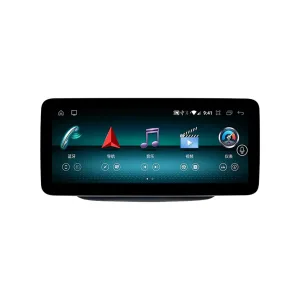
This Mercedes W176 Android Head Unit upgrades the original A-Class screen route with a 10.25-inch or 12.3-inch Android interface, wireless CarPlay, Android Auto, DSP audio and modern app-based navigation. The value is not only a larger screen; it is a vehicle-specific upgrade route prepared around your factory NTG system, dashboard layout, steering position and connector information. iKAGOO checks these details before shipment so you are not choosing only by photos or model name.

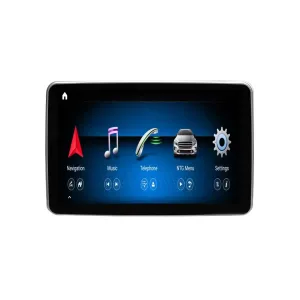
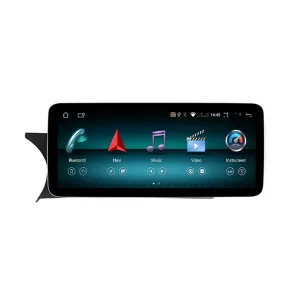
Mercedes W176 Android Head Unit for 2012-2018 A-Class dashboard upgrade
iKAGOO Vehicle-Specific Android Screen

Mercedes W176 Android Head Unit for 2012–2018 A-Class

The Mercedes W176 Android Head Unit is made for A-Class W176 owners who want a wider daily-use screen without losing the original Mercedes dashboard direction. It supports wireless CarPlay, Android Auto, Bluetooth, WiFi, 4G-capable use and DSP audio on supported configurations. Before shipment, iKAGOO checks your model year, factory NTG route, dashboard photos, LHD/RHD position, original camera and connector information to prepare the correct version.

2012–2018 W176 10.25 / 12.3 inch Wireless CarPlay Android Auto DSP Audio Version checked before shipment
Mercedes A-Class W176 Android screen system match for NTG route
Quick Answer

What This Product Does

The Mercedes W176 Android Head Unit is a vehicle-specific Android screen upgrade for the 2012–2018 Mercedes-Benz A-Class W176. It upgrades the older factory display route with a 10.25-inch or 12.3-inch Android interface, wireless CarPlay, Android Auto, DSP audio, Bluetooth, WiFi and 4G-capable use. Original steering-wheel controls, camera route, audio path and original system access are supported when the correct NTG version, harness and configuration are matched. iKAGOO checks your vehicle details before shipment to reduce wrong-version risk. This makes it a stronger route than choosing a generic screen only by price and pictures.

Fitment Checked Before Shipment

W176 vehicles can differ by factory NTG route, screen connector, radio panel, camera setup and steering position. iKAGOO prepares the version after checking your vehicle information.

Modern Phone-Based Driving

Wireless CarPlay and Android Auto make navigation, music, calls and voice control easier than relying on the older factory screen experience.

Cleaner Dashboard Upgrade

The screen is designed for a Mercedes-style dashboard direction, not a random tablet-style installation. The goal is a modern center display that still belongs in the A-Class cabin.

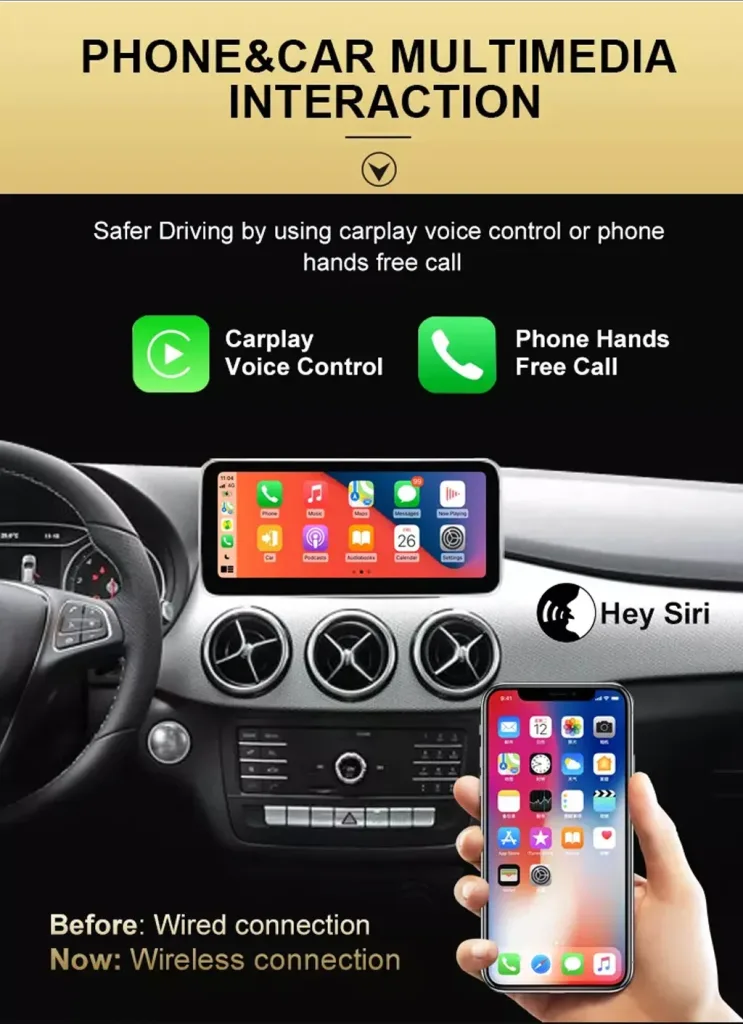
Wireless CarPlay for Navigation, Calls and Music

Wireless CarPlay gives your A-Class a modern phone-based driving experience. You can use familiar maps, calls, music and voice control without relying on the older factory display route. For family driving, it also reduces phone handling and makes daily routes easier to follow. The installer should test phone pairing, microphone behavior and audio output before final assembly.

Mercedes W176 Android screen with wireless CarPlay and hands-free calling

12.3-Inch Display Option for a Newer Cabin Feel

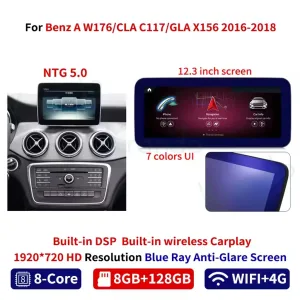
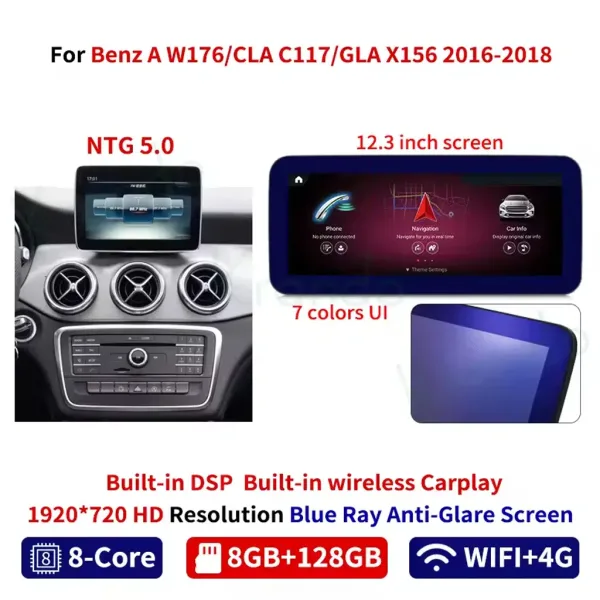
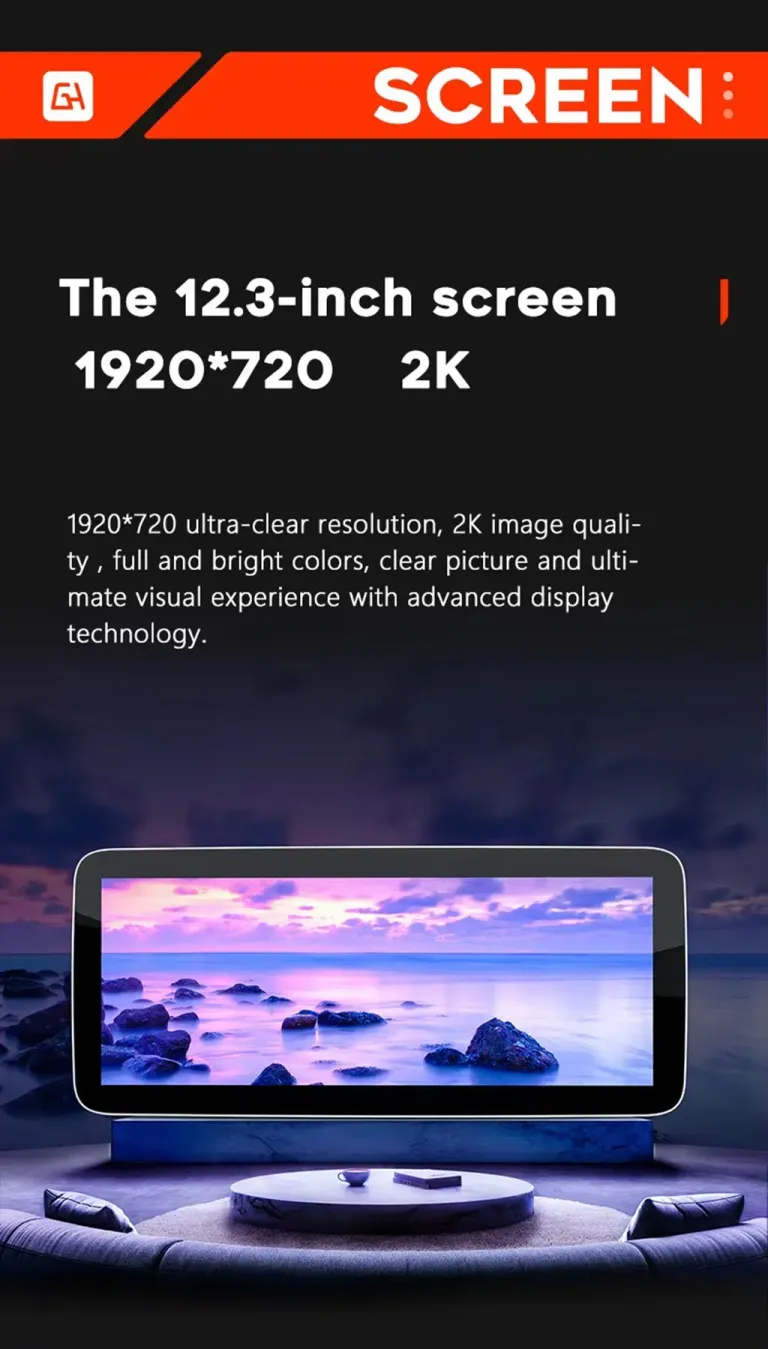
The 12.3-inch option gives the compact W176 dashboard a wider and easier-to-read visual center. Maps, media controls and app icons become easier to see at a glance. This is one of the biggest daily-use improvements compared with the older factory screen. Choose the 10.25-inch or 12.3-inch option according to your dashboard preference and configuration needs.

Mercedes W176 Android Head Unit 12.3 inch 1920x720 screen option

Mercedes-Style Interface Instead of a Random Tablet Look

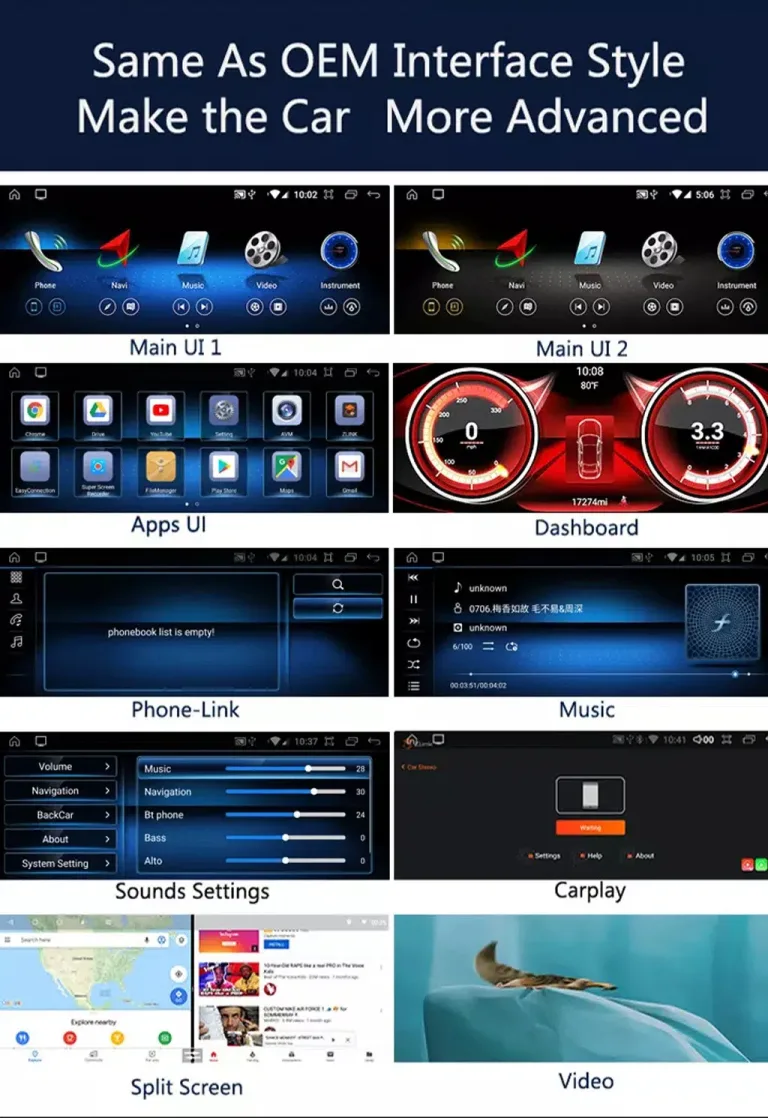
The upgrade should make the A-Class feel newer, not disconnected from its original cabin. The interface direction keeps a Mercedes-style horizontal display and gives you access to navigation, media, apps, dashboard views and split-screen use. This matters because the W176 interior is compact and a poorly matched screen can look like an afterthought. A cleaner interface improves both daily use and resale presentation.

Mercedes A-Class W176 Android Head Unit interface apps dashboard and split screen

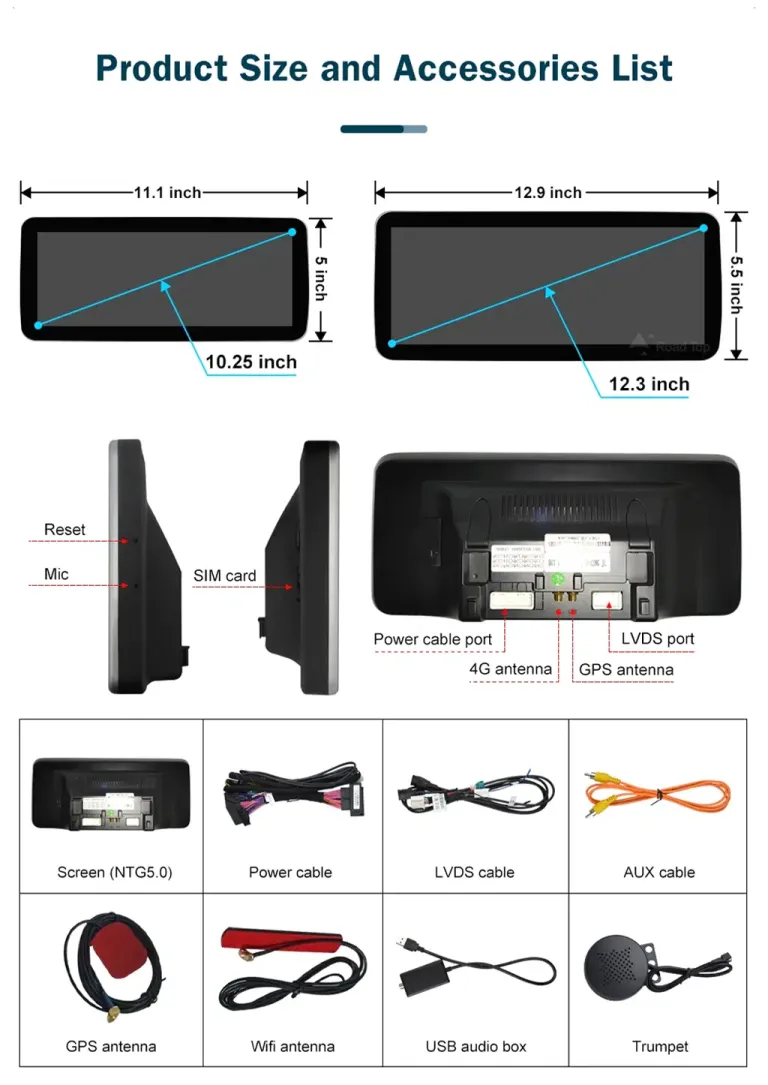
Complete Accessory Set for the Correct Connection Route

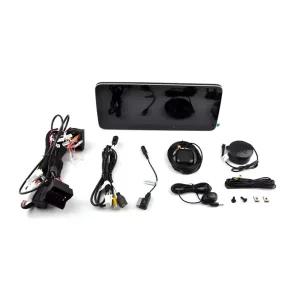
A W176 screen upgrade depends on the correct wiring path, not only the display size. The accessory set includes the screen, power cable, LVDS cable, GPS antenna, WiFi antenna, AUX cable, USB audio box and microphone-related route shown for this product family. These parts help your installer connect the screen more cleanly and test functions before reassembly. Keep all accessories visible until steering-wheel controls, audio, camera and phone connection are tested.

Mercedes W176 Android Head Unit accessories harness LVDS GPS antenna
What Changes After Installation

A-Class W176 Cabin, Newer Daily Interface

This is not only a bigger screen. The upgrade changes how you use navigation, phone calls, music, reversing view and system switching every day.

Wireless CarPlay and Android Auto

Use modern maps, calls, music and supported apps through the upgraded screen. This makes the older W176 cabin feel closer to a newer Mercedes daily interface.

10.25 / 12.3 Inch Screen Options

The wider display improves readability for maps, media and settings. The 12.3-inch option gives the strongest visual upgrade while still requiring correct version matching.

DSP Audio Tuning

DSP tuning gives you more control over the cabin sound profile. This is useful for clearer vocals, better balance and stronger daily music usability.

4G, WiFi and Bluetooth

Bluetooth supports calls and music, WiFi supports app use, and selected configurations support 4G with compatible carrier coverage. This improves online navigation and app convenience.

Factory Function Route

The matched harness and vehicle interface are prepared to keep supported steering-wheel controls, camera route, audio path and original system access after correct installation.

Non-Destructive Direction

The intended route uses matched connectors and harnesses. No intentional cutting of supported factory wiring is part of the correct installation path.

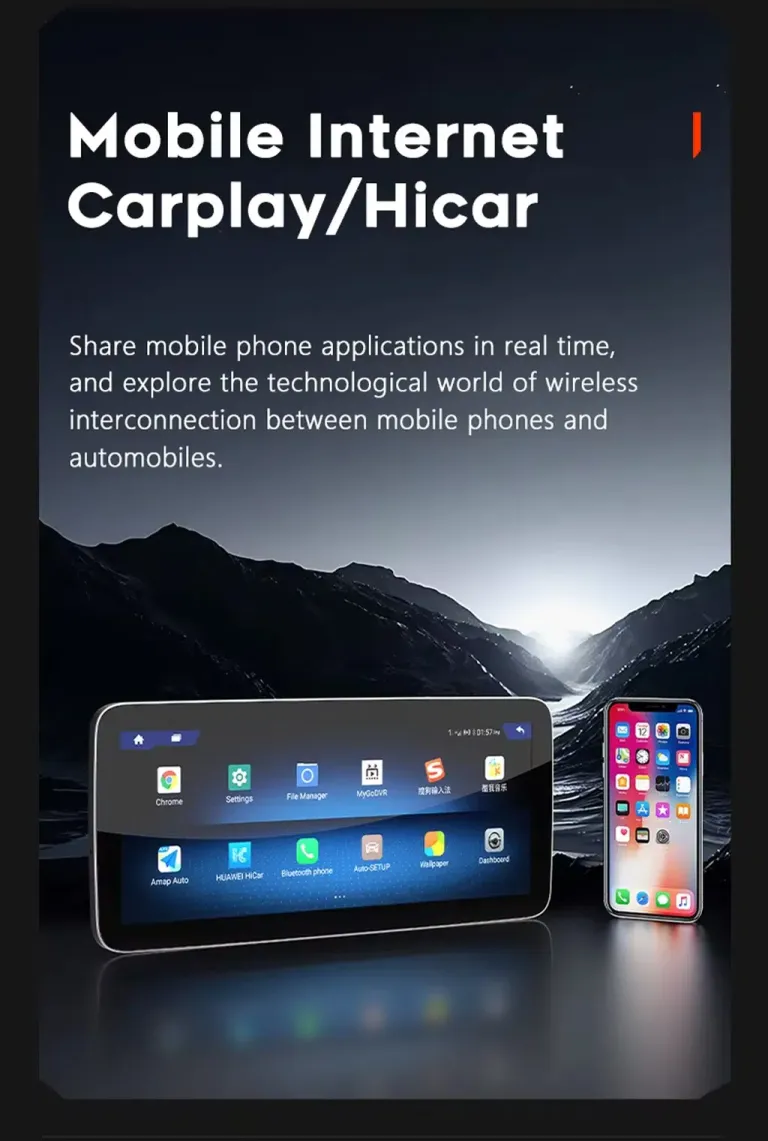
Mobile Internet and App Use on the Dashboard

Mobile internet support makes the Android screen more useful for online maps, app access and daily route information. It is valuable if you do not want to rely only on old map data or a phone hotspot. The practical benefit is simple: more useful information on the main display. Network performance depends on your selected configuration, SIM support and local carrier coverage.

Mercedes W176 Android Head Unit mobile internet CarPlay Android Auto apps

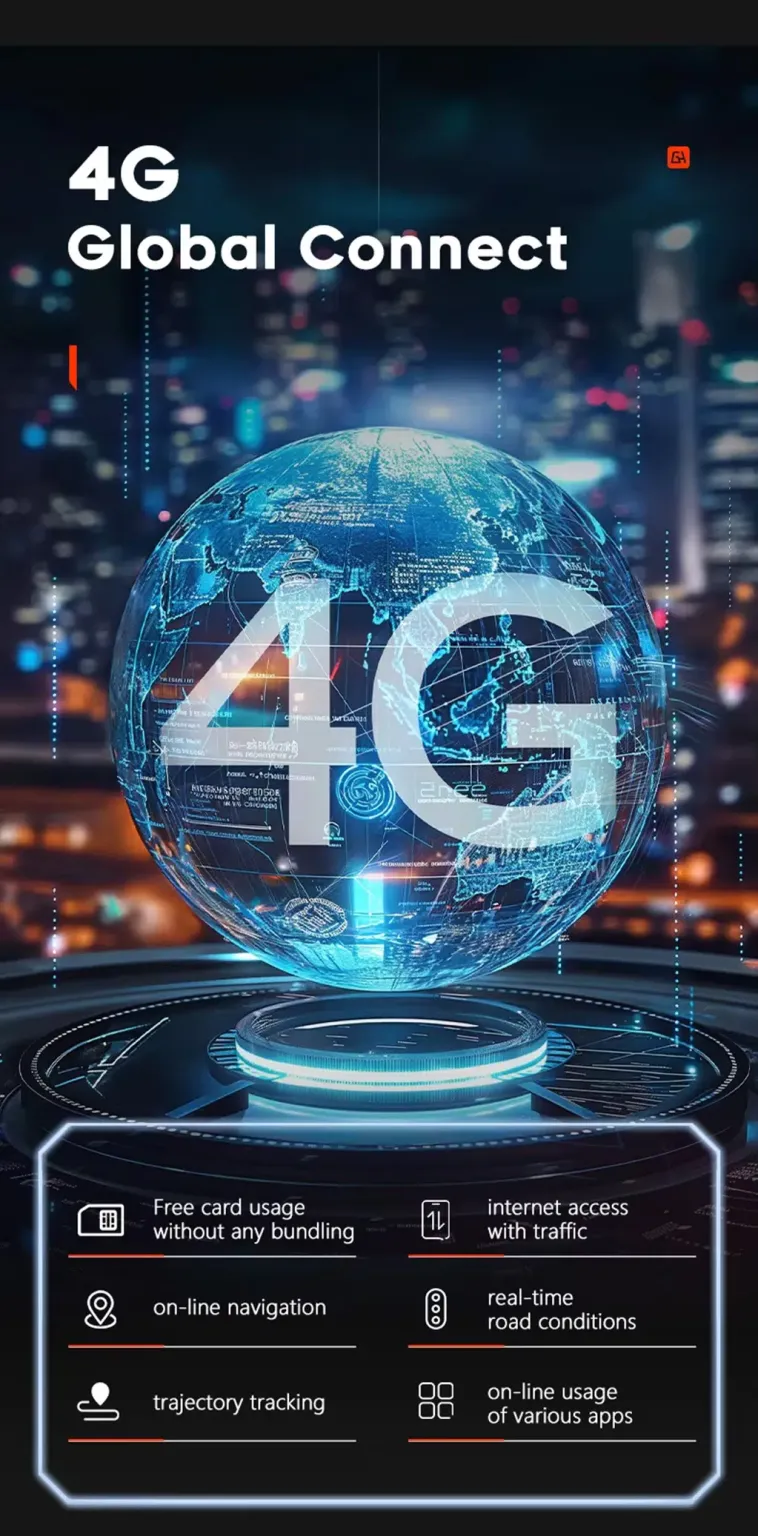
4G-Capable Route for Online Navigation

Selected configurations support 4G use, which can make online navigation and app use more stable on long trips. This is useful for drivers who want the screen to work independently instead of always depending on phone sharing. It also improves long-term ownership value because the screen becomes a real daily-use system. Confirm the configuration if 4G use is important to your order.

4G support for Mercedes W176 Android screen online navigation

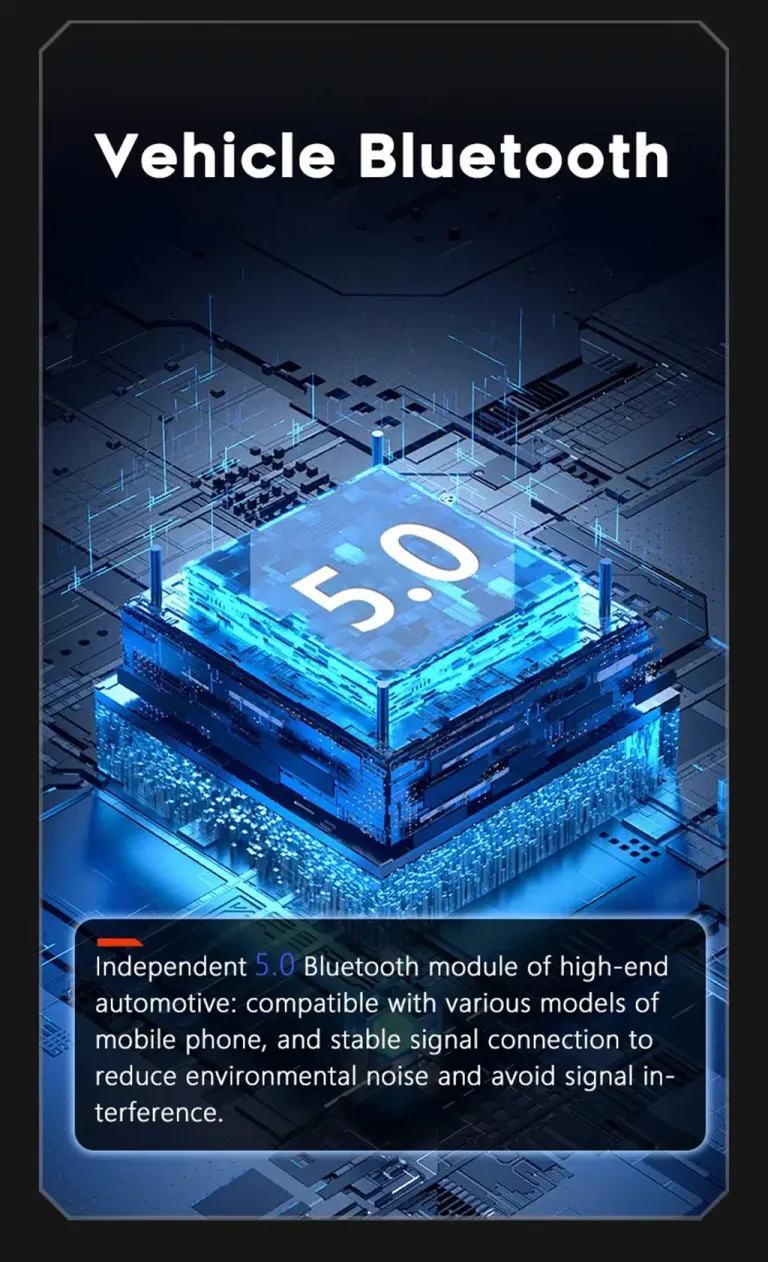
Bluetooth 5.0 for Calls and Music

Bluetooth support improves daily calling and music playback in an older A-Class cabin. It also makes the vehicle easier for different drivers in the family to use. During installation, call audio, microphone input and speaker output should be tested before the dashboard is closed. That prevents avoidable rework later.

Bluetooth 5.0 for Mercedes W176 Android car stereo calls and music

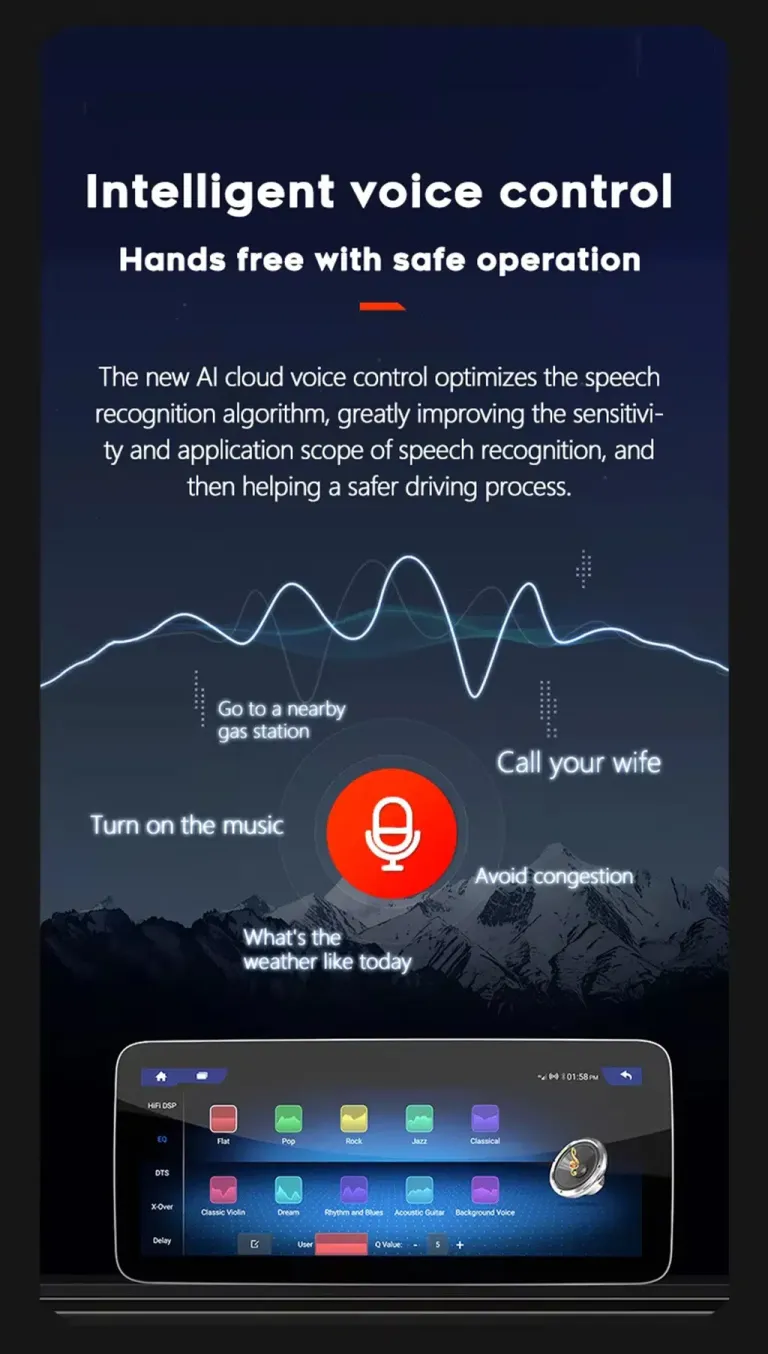
Voice Control for Safer Interaction

Voice control can help you start navigation, make calls or control music with less manual screen operation. The benefit is practical: you keep more attention on driving while still using modern apps. Voice behavior depends on phone connection, microphone route and software configuration. Test voice input before final trim assembly.

Voice control for Mercedes A-Class W176 Android screen upgrade

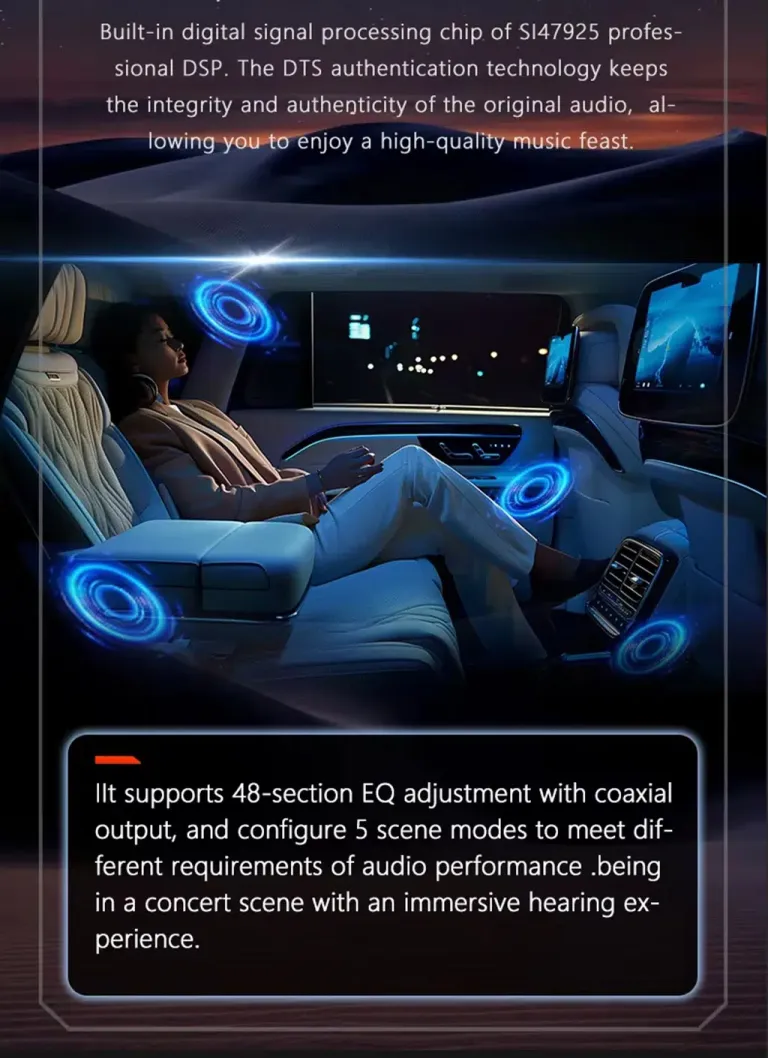
DSP Sound Control for a Better Cabin Experience

DSP audio tuning gives the A-Class a more flexible sound route than a simple screen-only upgrade. You can adjust the audio profile for vocals, bass, balance and different listening scenes. Good audio matters because a modern display feels incomplete if the sound is weak. Vehicles with special factory audio systems should send details before shipment.

DSP audio tuning for Mercedes W176 Android Head Unit

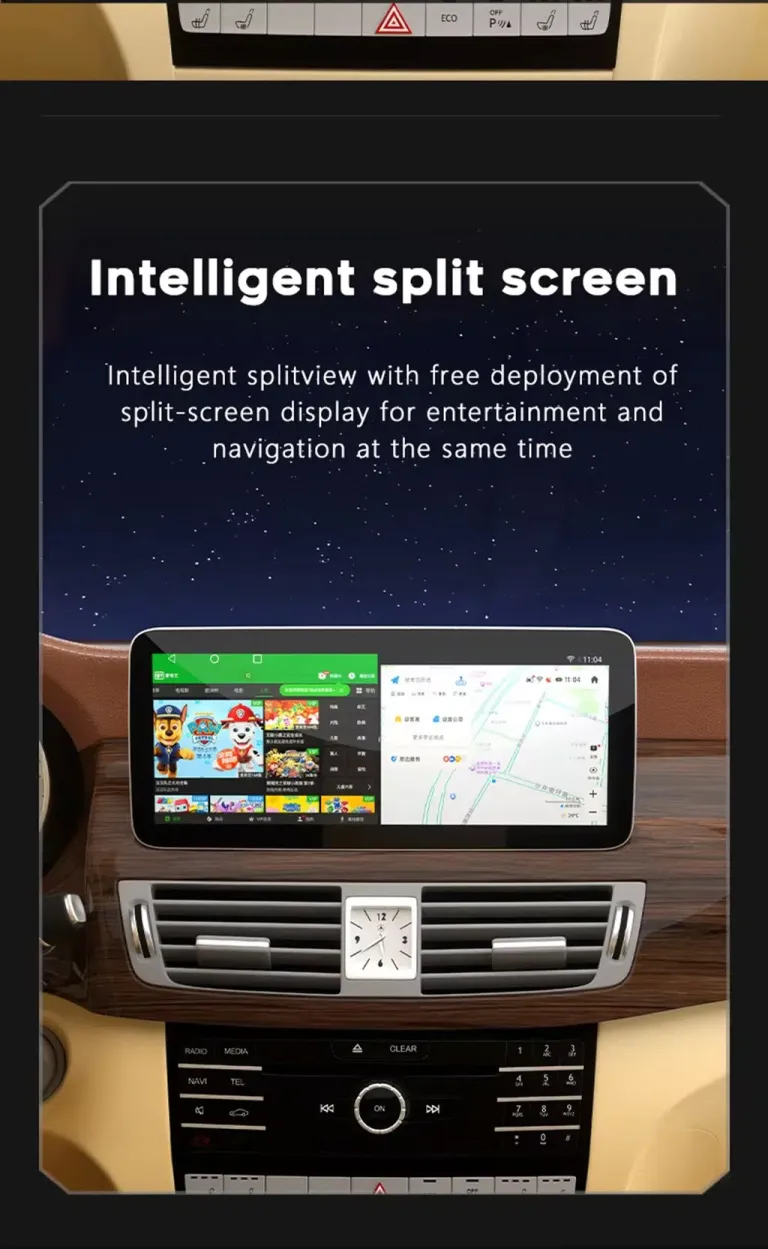
Split Screen for Maps and Media

Split-screen use lets you keep navigation visible while using music or another supported app. This reduces constant switching during city routes and long trips. On the 12.3-inch display, split screen becomes much more useful because the screen has enough space for two tasks. This is one of the upgrades that affects daily driving immediately.

Mercedes W176 Android screen split screen navigation and media

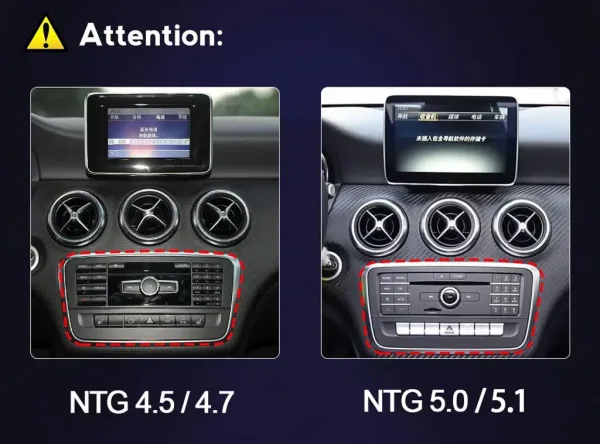
Check the Factory NTG Route Before Ordering

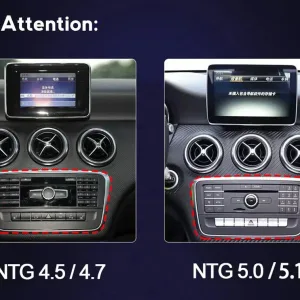
The same W176 model name can hide different factory system routes. Your dashboard button layout, original screen, NTG route and connector style decide how the screen should be prepared. This is why iKAGOO asks for photos before shipment instead of assuming all W176 vehicles are identical. Correct confirmation reduces wrong-cable risk and saves workshop time.

Mercedes W176 factory NTG route confirmation before Android Head Unit shipment
Factory Functions Retained

Designed to Keep the Mercedes Controls You Still Need

Correct function retention depends on the vehicle year, factory NTG system, connector route, original camera, audio system and previous modifications. iKAGOO prepares the order after checking the details you provide.

  • Original steering-wheel controls are supported after correct connection and CANBUS or vehicle-interface configuration.
  • The factory reverse camera or supported camera route is retained when the wiring and interface match.
  • Factory audio output is supported through the matched harness and selected audio configuration.
  • The original Mercedes system route remains accessible where the matched configuration supports it.
  • The intended wiring route uses matched connectors instead of intentionally cutting supported factory wiring.
  • Special amplifier, previous retrofit or uncommon regional configuration should be confirmed before packing.
Configuration

Mercedes W176 Android Head Unit Details

VehicleMercedes-Benz A-Class W176
Model Years2012–2018, factory route must be confirmed
Product TypeStandard Android Head Unit / Android screen
Screen Size10.25 inch or 12.3 inch
Memory Options4GB/64GB or 8+128GB listed on current product options
Phone ConnectionWireless CarPlay and Android Auto supported
Network4G, WiFi and Bluetooth support
AudioDSP audio tuning on supported configuration
Order CheckYear, NTG route, LHD/RHD, dashboard, connector, camera and audio details
iKAGOO Product Evaluation

Three Checks Before You Buy

These iKAGOO standards help you understand upgrade value, original vehicle function retention and the right installation path before ordering.

iKAGOO Standard

Upgrade Necessity

92/100 Strong Upgrade Case

This score means the upgrade improves daily driving value, not only the appearance of the dashboard.

  • Wireless CarPlay and Android Auto make navigation, calls and music easier than the older factory display route.
  • The 10.25-inch or 12.3-inch screen gives the A-Class cabin a more modern visual center.
  • DSP audio tuning, Bluetooth, WiFi and 4G-capable use add practical ownership value.
  • It is a more complete upgrade than adding only a CarPlay box while keeping the small original display.
Read the iKAGOO Upgrade Necessity Standard
iKAGOO Standard

Original Vehicle Compatibility

90/100 Near-OEM Match

A score of 90/100 does not mean that 10% of factory functions are lost. It measures the upgrade route, interface matching and vehicle-specific preparation.

  • Factory Function Continuity 25%: original system route, camera route and audio path are considered during matching.
  • Original Control Continuity 15%: steering-wheel controls are supported after correct connection and configuration.
  • Vehicle Data & Warning Integration 20%: CANBUS or vehicle-interface communication is part of the correct setup route.
  • Physical Architecture Match 15%: W176 dashboard layout and screen size route are checked before shipment.
  • Installation & Hardware Integration 10%: harness, LVDS and accessory route reduce wrong-connection risk.
Read the iKAGOO Original Vehicle Compatibility Standard
iKAGOO Standard

Installation Ease Level

Level 3 Advanced DIY

This level is suitable for experienced DIY installers or automotive electronics installers who can remove trim carefully, connect the matched harness and complete function testing.

  • Installation involves screen replacement, dashboard trim removal and factory screen route access.
  • Requires power cable, LVDS, GPS, WiFi, microphone and vehicle-interface connection checks.
  • Requires testing steering-wheel controls, audio, camera display, Bluetooth and CarPlay or Android Auto before final assembly.
  • No intentional cutting of supported factory wiring is part of the intended installation route.
Read the iKAGOO Installation Ease Level Standard
Why Buy from iKAGOO

You Are Buying the Matching Work Around the Hardware

A cheaper listing may look similar in photos. The real difference is whether the seller checks your vehicle route, prepares the right harness and stays involved after delivery.

Generic Marketplace Screen

Main risk: You often choose mainly by picture, size and price. If the NTG system, connector or camera route differs, the issue appears only after the dashboard is open.

CarPlay-Only Module

Main limit: It can add phone projection, but it does not give the same larger Android screen, app environment, DSP audio route and wider visual upgrade.

Used Factory Screen Repair

Main limit: It may restore the old display, but it does not modernize app-based navigation, wireless phone use or daily media control.

iKAGOO Mercedes W176 Android Head Unit

Better route: iKAGOO checks vehicle details, prepares the matching screen and wiring route, and provides installation and after-sales support through the original order.

After You Order

What Happens After You Place an Order?

iKAGOO does not only send a screen after payment. The order becomes the support record for vehicle confirmation, preparation, tracking, installation help and after-sales handling.

Step 1

Secure Checkout

Your order number becomes the reference for vehicle confirmation, shipment and later technical support.

Step 2

Vehicle Review

iKAGOO checks the year, W176 generation, steering position, factory screen, NTG route and connector details.

Step 3

Correct Version Preparation

The screen, harness, vehicle interface and accessories are prepared according to the confirmed vehicle route.

Step 4

Actual Photos When Requested

If you ask before packing, iKAGOO can provide photos of the prepared unit and visible accessories for confirmation.

Step 5

Packing and Dispatch

After confirmation, the order is packed and dispatched according to product preparation and logistics conditions.

Step 6

Tracking Follow-Up

Tracking is added when available. DDP routes may show international and local delivery updates at different times.

Step 7

Installation Support

If an installer finds a cable, setting, camera or sound issue, iKAGOO asks for photos and videos instead of guessing.

Step 8

Engineer Escalation

When the issue requires technical judgment, iKAGOO can organize useful evidence for the equipment engineer route.

Step 9

Software or Setting Route

If settings, firmware or instructions are involved, iKAGOO coordinates suitable guidance after confirming the hardware version.

Step 10

Cable or Accessory Handling

If a confirmed cable or accessory is missing or incorrect, iKAGOO arranges the appropriate replacement or approved solution.

Step 11

Confirmed Hardware Mismatch

If no reasonable software, harness or accessory route can solve confirmed hardware incompatibility, iKAGOO provides a clear product-resolution path.

Step 12

Support After Success

After installation, your original order remains the basis for compatible maintenance, troubleshooting and supported software service routes.

Installation and Testing

Test Before You Reassemble the Dashboard

The right installation method is careful, reversible and test-driven. Do not complete reassembly until the main functions have been checked.

Function Test Checklist

  • Steering-wheel buttons
  • Factory audio output
  • Bluetooth calls and music
  • Wireless CarPlay and Android Auto
  • Reverse camera and parking display
  • Original system switching route
  • GPS, WiFi and 4G route where used

When to Stop and Contact iKAGOO

  • The connector does not match the prepared harness.
  • The original screen or radio route is different from your photos.
  • The vehicle has previous aftermarket wiring.
  • Camera, audio or CANBUS behavior is abnormal after connection.
  • An installer suggests cutting factory wiring before checking with iKAGOO.
FAQ

Mercedes W176 Android Head Unit FAQ

These answers focus on real buying concerns: fitment, original functions, installation route, version choice and support after ordering.

Will this fit my exact 2012–2018 Mercedes A-Class W176?

It depends. The product is for the Mercedes-Benz A-Class W176 generation, but iKAGOO still needs to check your model year, factory NTG system, dashboard layout, steering position and connector photos before shipment. This reduces the risk of ordering a screen that looks right but uses the wrong system route.

Will my original steering-wheel controls still work?

Yes. Steering-wheel controls are supported after correct connection and configuration. The matched harness and vehicle interface are used so daily operation still feels familiar. If the buttons behave incorrectly during testing, send a short video before reassembling the dashboard.

Will the factory camera or parking sensors continue to work?

It depends. Supported factory camera and parking display routes are retained when the vehicle interface and wiring match. Vehicles with non-standard cameras, previous retrofits or uncommon regional configurations may need extra instructions. Send photos before shipment so iKAGOO can prepare the correct route.

Does it support Apple CarPlay and Android Auto?

Yes. The Mercedes W176 Android Head Unit supports wireless CarPlay and Android Auto on the supported configuration route. This gives you modern navigation, calls, music and voice control from your phone. Availability and behavior can still depend on phone model, software version and final configuration.

Do I need to cut factory wiring?

No. The supported route is based on matched harnesses and connectors rather than intentional factory-wire cutting. If a connector does not match, stop and contact iKAGOO before changing pins or forcing the plug. A clean and reversible route is the correct installation direction.

Is this only a CarPlay module?

No. This is a Mercedes W176 Android Head Unit upgrade with a 10.25-inch or 12.3-inch Android screen route. A CarPlay-only module can add phone projection, but this product also upgrades the display size, Android app environment, DSP route and dashboard interface.

What should I send before shipment?

Send your vehicle details clearly. Useful information includes vehicle year, dashboard photo, original screen photo, radio button panel photo, LHD or RHD position, connector photos if available, and details about factory camera or special audio systems.

Is it suitable for DIY installation?

It depends on your experience. The Installation Ease Level is Level 3 — Advanced DIY, meaning it is better for experienced DIY installers or automotive electronics installers. It requires trim removal, wiring connection, CANBUS or interface settings and full function testing.

What happens if my installer finds a cable or setting issue?

Contact iKAGOO before forcing a connection. Send photos, videos, connector views, system settings and a description of the fault. This gives the support team enough information to identify whether the issue is wiring, setting, camera route, audio route or software-related.

Can I ask for actual product photos before packing?

Yes, if you request them before packing. iKAGOO can provide actual product or visible accessory photos for confirmation when requested before dispatch. This is useful for international orders where version confidence matters.

Why buy from iKAGOO instead of a cheaper generic unit?

Because the risk is not only the screen price. A W176 upgrade depends on the correct NTG route, harness, connector, camera behavior and support after delivery. iKAGOO checks the vehicle route before shipment and keeps the order as the basis for later support.

Compatibility and Installation

Review vehicle-specific fitment, installation preparation and function testing before ordering this W176 upgrade.

Warranty Policy

Eligible hardware defects are handled under the iKAGOO 12-month limited hardware warranty route.

Refund and Returns

Vehicle-specific products require clear confirmation and policy-based handling if a confirmed issue remains unresolved.

Ready to Confirm Your Version

Order the W176 Upgrade With Fitment Checked First

Choose your memory and screen size on the product page, then send your vehicle year, factory system and dashboard photos. iKAGOO will use those details to prepare the correct Mercedes W176 Android Head Unit route before shipment.

5.00

Based on 1 reviews
1
0
0
0
0

1 review for Mercedes W176 Android Head Unit 2012–2018 with CarPlay DSP

  1. Lucas Parker –

    Total rating
    Value for money

    Installed in my 2014 A-Class for UI testing. Fits like OEM, screen is responsive and bright. Wireless CarPlay paired instantly in my mock test. Good DSP options for audio tuning.

    Is it helpful?
Add a review
iKAGOO vehicle compatibility, international shipping, warranty and customer support
iKAGOO Customer Support

Compatibility, Shipping & Support

Clear information about vehicle compatibility, order preparation, international delivery, warranty, returns and after-sales support.

Compatibility Review Vehicle information is checked before dispatch.
Order Processing Normally 1–3 business days before dispatch.
12-Month Warranty Limited hardware warranty for eligible defects.
Tracked Delivery Tracking information is provided after dispatch.
Vehicle-Specific Order Process

We Check the Details Before Your Order Leaves Us

Vehicle-specific electronics require the correct version, wiring and configuration. Our process is designed to reduce avoidable compatibility and installation problems.

Before Payment

Initial Compatibility Review

Vehicle model, year, original system and relevant configuration information may be reviewed before purchase to reduce the risk of selecting the wrong version.

After Payment

Final Compatibility & Configuration Check

Before dispatch, the order is checked against the confirmed vehicle information so the appropriate version, configuration and required vehicle-specific components can be prepared.

After Payment We Work to Get It Right the First Time
View Full Order Process Full Process
01 Order Received Order
02 Final Compatibility Check Check
03 Test & Prepare Test
04 Pack & Ship Ship
05 Tracking & Support Support

Our goal is to get your order right before it leaves us. We verify compatibility, prepare the correct setup and contact you only if something still needs confirmation.

Shipping, Returns, Warranty & Order Questions

A practical summary of the main terms that apply to vehicle-specific iKAGOO orders.

01

Where are orders shipped from and how long does delivery take?

Most iKAGOO orders are dispatched from our fulfillment location in China after the product configuration and vehicle information have been checked.

Normal order processing is approximately 1–3 business days. Estimated delivery after dispatch is generally:

  • USA & Canada: approximately 5–9 business days
  • European Union: approximately 7–15 business days
  • UK & Australia: approximately 7–10 business days
  • Other supported regions: approximately 7–20 business days

Customs clearance, holidays, weather, carrier delays and remote-area delivery may affect these estimates.

02

Will I need to pay VAT, import duties or customs charges?

Standard international shipping normally does not include destination-country VAT, import duties, brokerage charges or customs clearance fees.

For eligible European Union destinations, DDP shipping may be available. Import-related charges are included only when DDP is selected at checkout or confirmed by iKAGOO in writing before shipment.

When DDP is not selected, charges collected by local customs or the delivery carrier are normally the recipient's responsibility.

03

Can I request express shipping and how do I track the parcel?

Express or expedited shipping may be available for selected products and destinations. Availability, carrier and any additional cost are confirmed before shipment.

Depending on the route and product type, iKAGOO may use DHL, FedEx, UPS, EMS, 4PX or another tracked logistics provider.

After dispatch, the tracking number or tracking link is normally sent to the email address used for the order. Tracking updates may take several business days to appear during international carrier transfers.

04

What is the return and refund policy?

Return eligibility depends on the reason for return, product condition, installation status, supporting evidence and whether the return has been approved by iKAGOO.

For an approved non-defective return, the product must normally remain unused, uninstalled, complete and suitable for resale. The customer is generally responsible for approved return shipping costs.

Original shipping, DDP, VAT, customs duties and other logistics costs are generally non-refundable unless required by law or otherwise confirmed by iKAGOO.

Do not send a product back before receiving an approved return address and return instructions from iKAGOO.

05

What if the product still cannot be installed after compatibility review?

Additional protection may apply when iKAGOO reviewed the vehicle compatibility, the customer supplied accurate vehicle information and reasonable installation and diagnostic steps have been completed.

If iKAGOO confirms that no reasonable technical solution is available and the issue is reported within 7 calendar days after delivery, the customer may be eligible for a refund of the product price without being required to return the product.

Original shipping, DDP, VAT, customs duties and other third-party charges are not included in this product-price refund.

06

What warranty is provided, and does opening the product cancel it?

Eligible products include a 12-month limited hardware warranty covering verified manufacturing defects and eligible hardware failures under normal use.

Depending on the verified issue, support may include remote diagnosis, configuration assistance, replacement parts, repair, replacement, partial refund or full refund.

Inspection or third-party examination does not automatically cancel the entire warranty. However, damage caused by unauthorized repair, incorrect modification, broken circuits, improper reassembly, incorrect wiring, impact, water ingress or misuse is not normally covered.

Contact iKAGOO before dismantling, modifying or repairing the product so the correct diagnostic procedure can be provided.

07

What if my order arrives damaged or has missing parts?

Contact iKAGOO within 7 calendar days after delivery and keep the original packaging, shipping label, accessories and product.

Please provide clear photos or video showing:

  • The external shipping carton and shipping label
  • Visible packaging damage
  • The product and affected area
  • All accessories and wiring received

After verification, iKAGOO may arrange a missing-part shipment, replacement, repair, refund or another reasonable solution.

08

What if I ordered the wrong version or need to change my order?

Contact iKAGOO as soon as possible and before installation. For address, vehicle configuration or product changes, contact us preferably within 12 hours after placing the order.

An exchange or return may be approved when an incorrectly selected product remains unused, uninstalled, complete and suitable for resale. Customers are normally responsible for relevant shipping costs and price differences.

Vehicle-specific products may enter procurement, programming, testing or configuration shortly after payment. Once preparation or shipment has started, cancellation may no longer be possible, or reasonable costs already incurred may be deducted.

09

What is included in the package?

Package contents vary by product, vehicle model, factory system and selected configuration.

Depending on the product, the package may include the main device, vehicle-specific wiring harnesses, CANBUS interface, adapters, USB cables, antennas, microphones, mounting hardware or other required installation accessories.

Refer to the relevant product photos, specifications and order confirmation for the exact contents of your order.

10

How do I contact iKAGOO for technical or after-sales support?

You can contact iKAGOO through the website contact form, WhatsApp or other available support channels. Typical response time is within 24 business hours.

For faster technical diagnosis, include your order number, vehicle model and year, relevant factory-system photos, product photos and a clear video showing the issue.

Contact iKAGOO Support →

11

Is payment secure and are installment options available?

Payments are processed through the secure payment methods displayed during checkout.

Available card, wallet and installment options may vary by country, currency, payment provider and customer eligibility.

Installment services, including options offered by PayPal or another payment provider, remain subject to that provider's regional availability and approval requirements.

Complete iKAGOO Policies Review the published policy pages for complete terms and conditions.

This section is a simplified customer guide. The complete published policy pages, order confirmation and applicable consumer law take priority if any wording differs.

Mercedes W176 Android Head Unit 2012–2018 with CarPlay DSP Mercedes W176 Android Head Uni...

From: $383.00

Shipping to China
Checking available shipping…
Select options