A Mercedes W212 CarPlay upgrade brings wireless phone integration and a larger touchscreen to the cabin you already enjoy. Keep the familiar dashboard layout while choosing an iKAGOO screen matched to your original NTG system, preferred display size and everyday driving.
Start with your original NTG system. Then choose the screen size and configuration that suit your car.
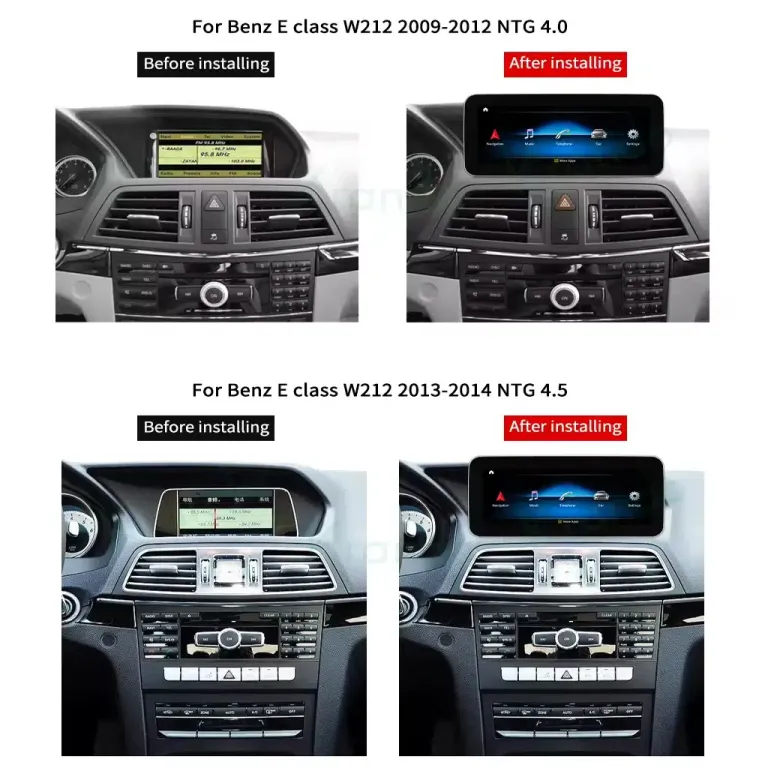
W212 product fitment examples: the larger display sits above the original centre controls. Match your original system and dashboard to the appropriate kit.
01 · Find the screen for your NTG system
NTG identifies the generation of the original Mercedes infotainment system. It determines which screen connection and vehicle interface your upgrade needs. The number describes the original system; it is not a performance tier for the new Android screen.
Where should NTG 4.5 and NTG 5.0 owners shop?
W212 with NTG 4.0 or NTG 4.5
Use the W212 NTG 4.0 / 4.5 product range. For an NTG 4.5 CarPlay upgrade, this is the relevant starting point. Choose the screen size and memory option there, and provide the original-system details for kit preparation.
Use the separate NTG 5.0 W212 product page, listed for 2015–2016 applications. It provides the corresponding screen and connection setup. The original system and dashboard photos complete the selection.
The listed year ranges overlap. Your original NTG system determines which of these two product ranges to choose.
How do I identify my W212 NTG system?
Start with two photos: the complete centre dashboard and the original screen switched on to its main menu. Include the radio controls below the vents. These give the iKAGOO team useful details for matching the upgrade without asking you to dismantle the dashboard first.
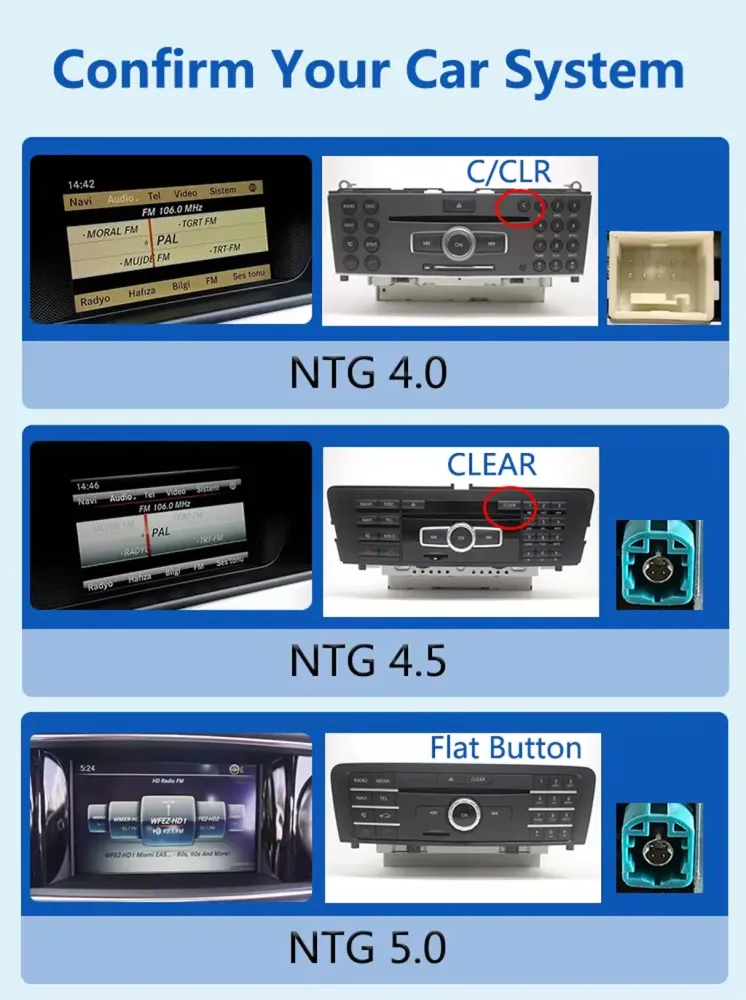
The reference image shows examples of NTG 4.0, 4.5 and 5.0 menus, controls and connectors. Treat the whole configuration as the reference rather than choosing from one button or the registration year alone. If connector details are useful, your installer can provide those during preparation.
Send your model year and left- or right-hand-drive layout with the photos. For a car with a previous screen retrofit, include its current display too, so the recommendation follows the equipment actually in your car.
System reference from the iKAGOO product material. Dashboard and menu photos help match the complete setup.
02 · Choose 10.25 or 12.3 inches
Once the system is matched, screen size becomes a personal choice. A 10.25-inch display suits an owner who prefers a more restrained centre-screen presence. The 12.3-inch option gives maps and media a wider display area and makes a more noticeable change to the dashboard.
Your preference
What to consider
A restrained cabin appearance
Start with the 10.25-inch option and compare its installed proportions.
A wider navigation and media display
Look at the 12.3-inch option available for your matched product.
Phone-based maps, calls and music
Prioritise the correct NTG version and phone-integration setup.
More apps running on the Android screen itself
Compare the memory and storage options on the product page.
Screen size and memory solve different needs. A larger display changes what you see; additional memory is more relevant to how you use the Android side. Choose around your own routine rather than assuming the biggest configuration is automatically the best fit.
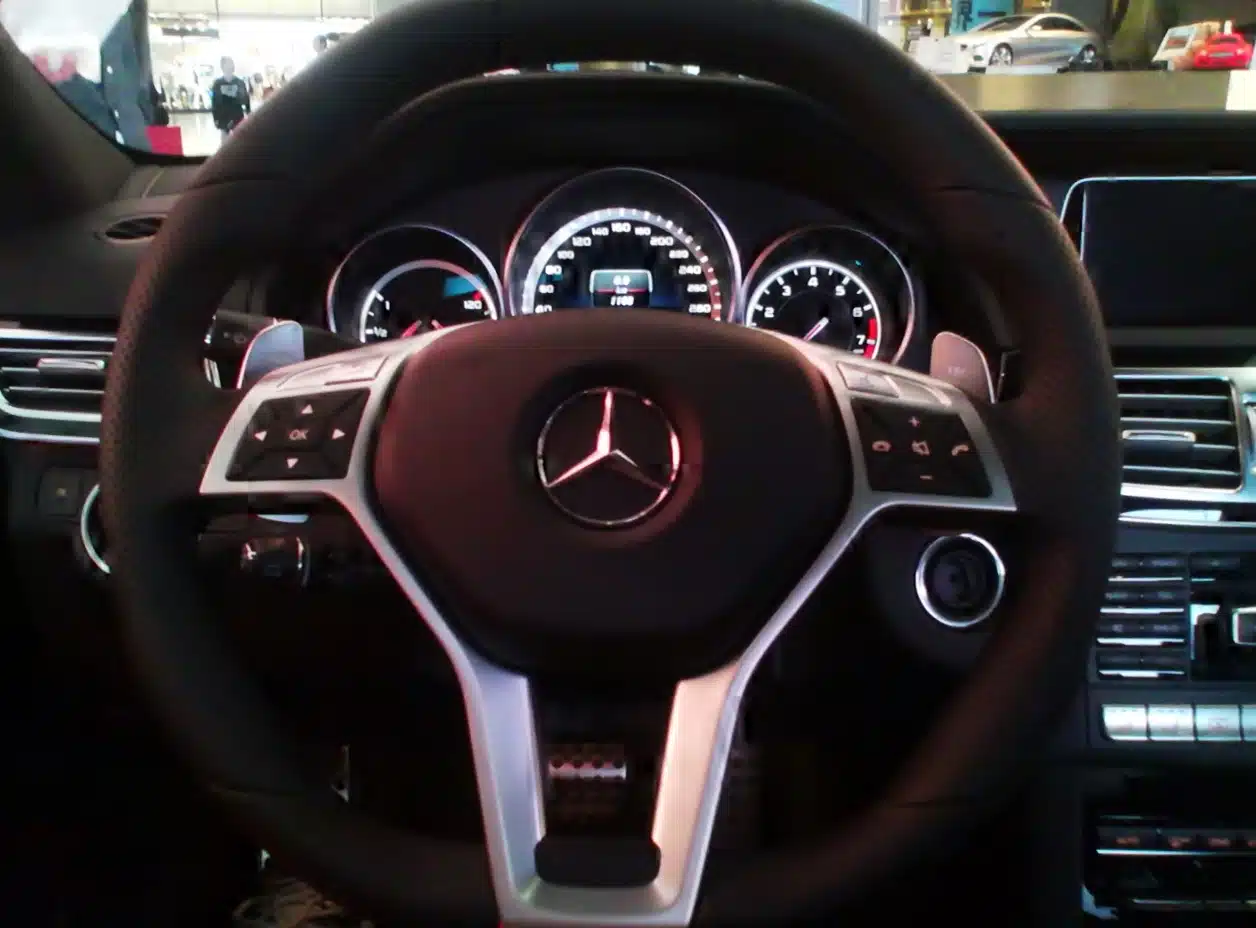
Original-cabin reference: W212 E63 AMG, model year 2013. Notice the relationship between the screen, vents and centre controls when comparing upgrade proportions. Photo: Tokumeigakarinoaoshima, Wikimedia Commons, CC0.
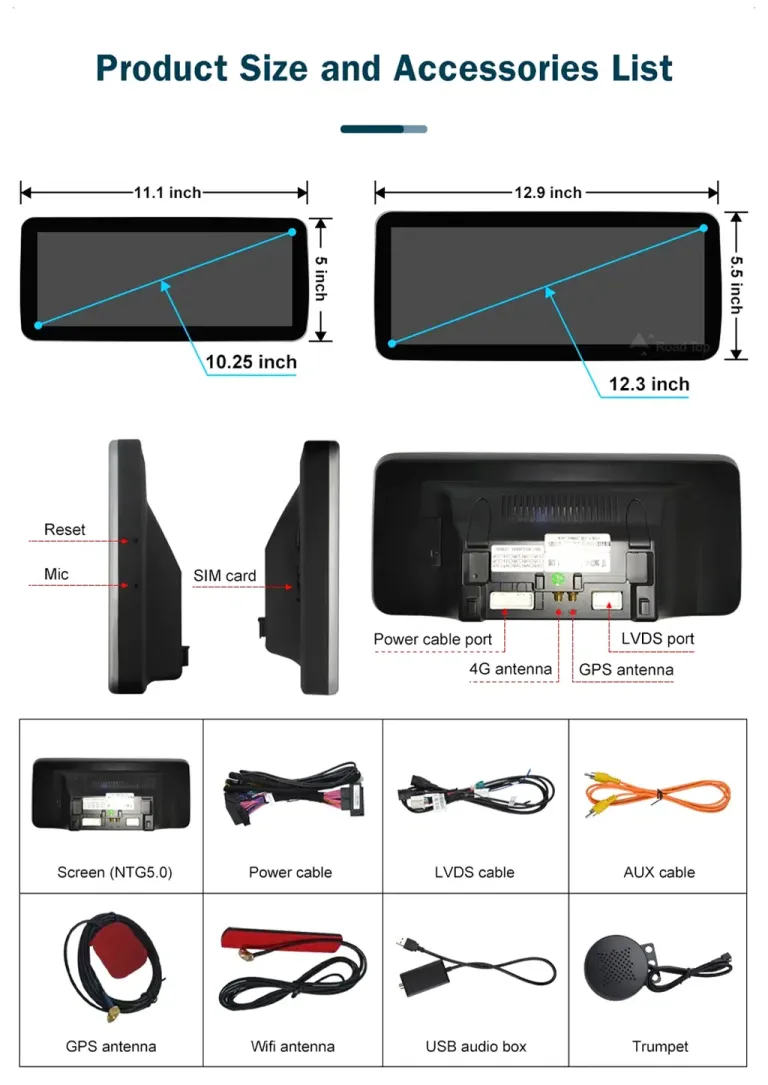
Compare the screen dimensions and connection layout before choosing your configuration. The accessories shown are an NTG 5.0 example; your package follows the selected kit.
03 · What changes on everyday drives
The difference is easiest to picture on a normal journey. You choose a destination, follow a familiar map app, listen to a playlist and take a call through the car’s upgraded screen. Wireless CarPlay brings compatible iPhone apps to the display; Android Auto provides the corresponding phone-integration option for Android users.
An Android screen also gives you a separate on-screen app environment. That makes it worth considering when you want both smartphone integration and a larger display. A CarPlay interface module is a different type of upgrade: it adds phone integration through an existing display. Here, the choice is a replacement centre-screen setup with its own touchscreen and Android interface.
For someone keeping a W212 for the next few years, this is a change you use on ordinary drives as well as longer trips. The dashboard’s vents, switches and trim remain the visual centre of the cabin, while the screen becomes a more useful place for maps and media.
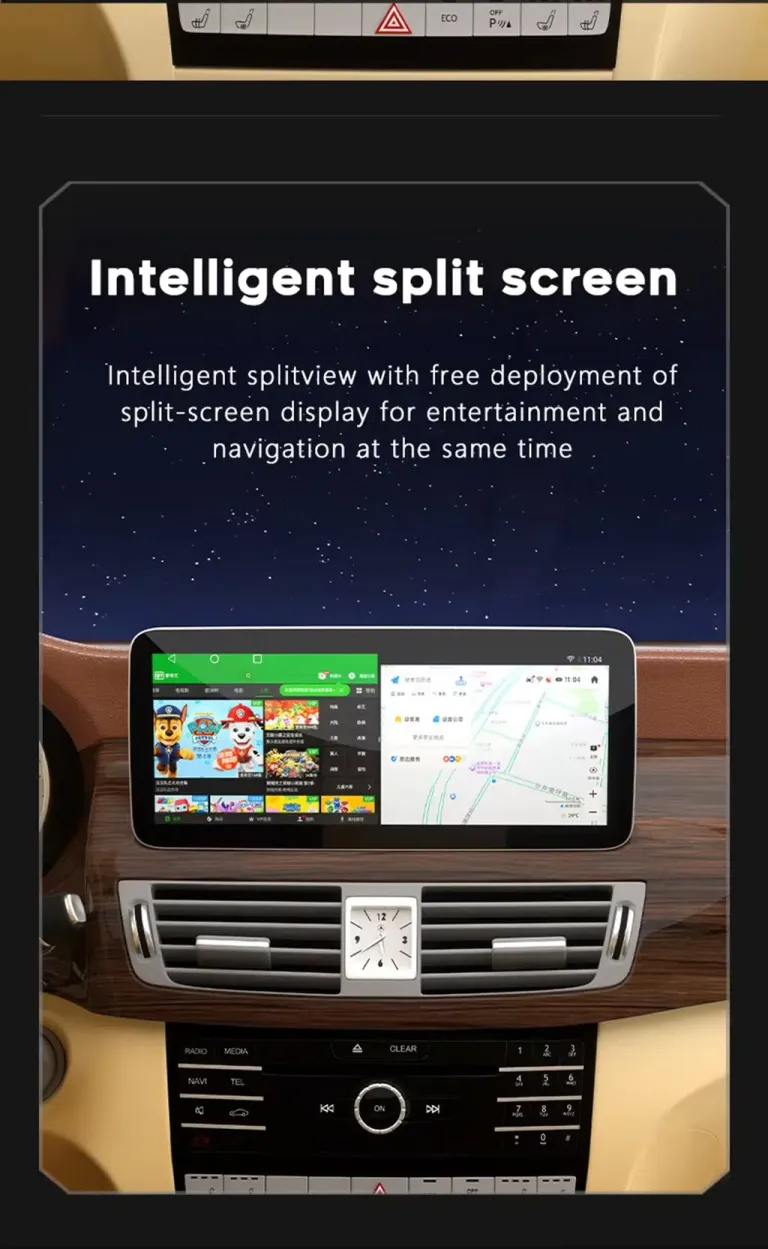
Android interface example from the product material. Split-screen operation depends on the apps used; this illustrates the Android environment rather than the CarPlay interface.
Can I use wireless Apple CarPlay and Android Auto?
Yes. Both linked iKAGOO W212 product ranges list CarPlay and Android Auto, with wireless phone integration described in their product information. Choose the range for your NTG system, then select your preferred configuration on that product page. Phone pairing and the correct vehicle audio setup are part of getting the finished system ready for everyday use.
04 · From matched kit to finished dashboard
The screen, matching connections and final setup work together to deliver the finished cabin upgrade.
For your order, the practical sequence is to match the original system, prepare the corresponding harness and interface, connect the screen, and test the functions before refitting the trim. An experienced automotive-electronics installer can use your vehicle details and kit instructions to plan the work.
During the final checks, pair your phone, play audio, test the supported steering-wheel controls and select reverse to check the camera display. Completing these checks while the connections are accessible helps the installer finish the dashboard neatly.
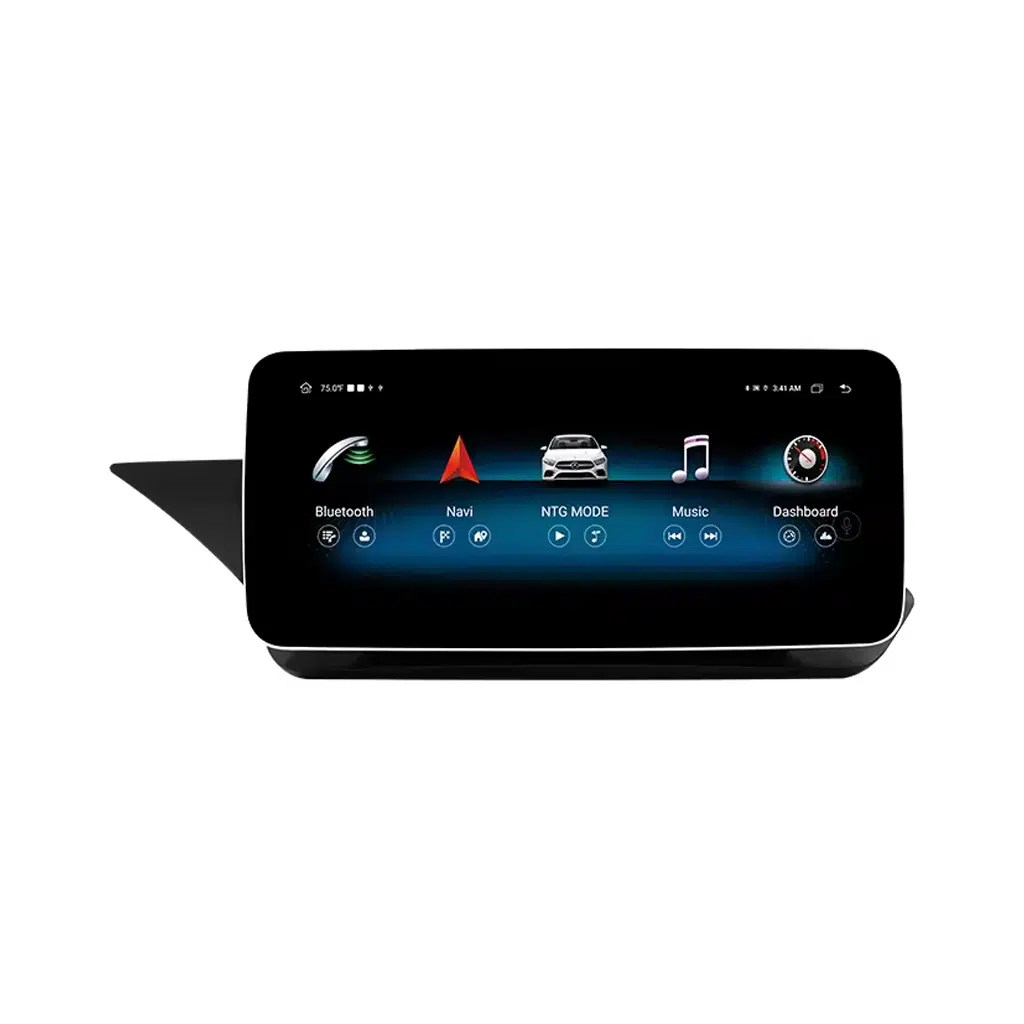
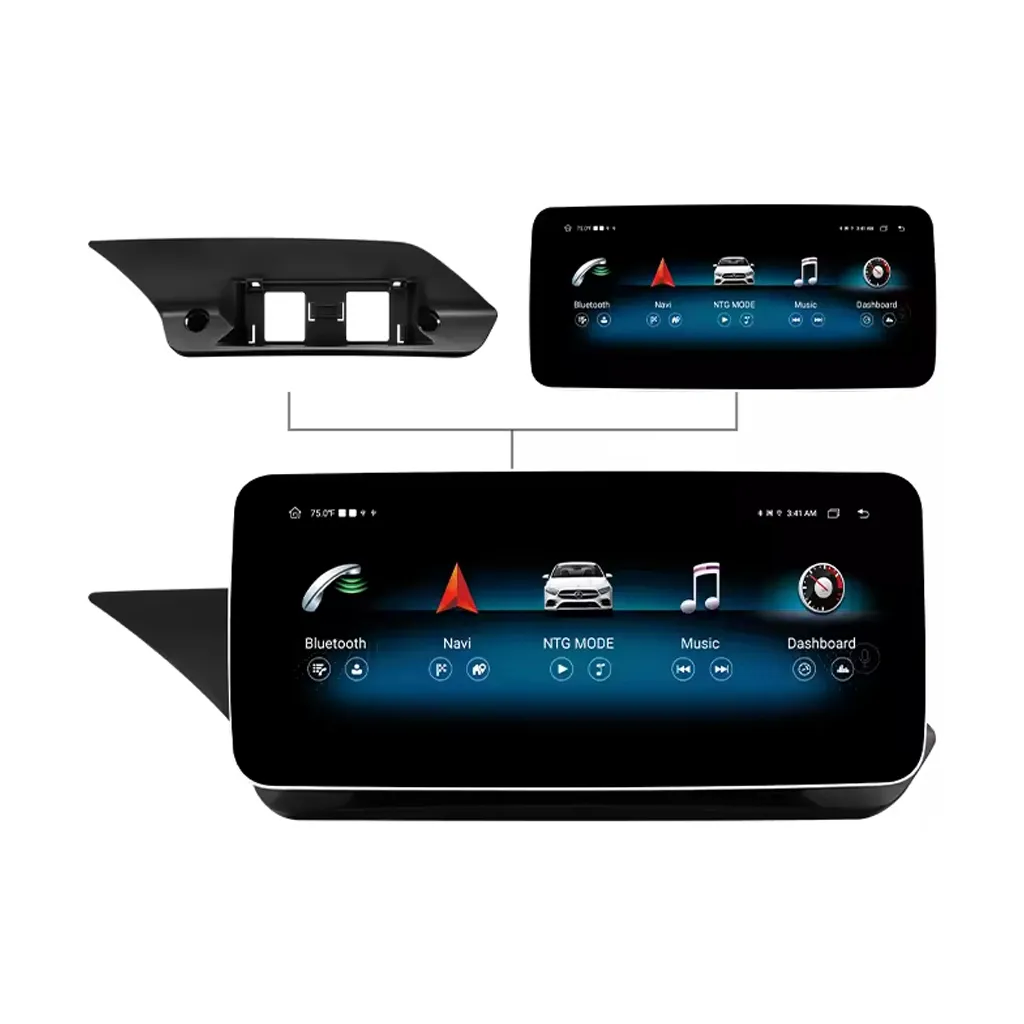
The display and shaped mounting base form the dashboard assembly. This product view helps your installer understand how the screen sits on its matched base.
What installation support comes with an iKAGOO order?
iKAGOO can review your vehicle information before dispatch and help with the matched connection and setup instructions. During installation, photos of the actual connectors and a short video of the screen give the support team something specific to work from. Keep your order number with the installation information so support can refer to the right device and configuration.
You can also see what happens after payment, including the vehicle-information review, preparation and dispatch stages. Eligible products have a 12-month limited hardware warranty, three-year software support and five-year parts and upgrade support under the published support terms.
05 · Answers before you order
How does the upgraded screen work with my reversing camera?
The NTG 4.0 / 4.5 product lists rear-camera input with AHD and CVBS connection options. Tell iKAGOO whether your car has its original camera or an added camera, and share the existing reverse-view image. The team can then match the connection instructions to your camera and chosen screen. For NTG 5.0, use that product’s camera configuration when preparing the order.
What cables and accessories will I receive?
Your package is prepared for the selected screen and original system. The product material shows the power-harness, display-signal, antenna and audio-connection components used across these configurations. The exact contents follow your selected kit and order confirmation. You can request a photo of the prepared screen and visible accessories before packing.
Can I keep my factory audio and steering-wheel controls?
The matched W212 upgrade is designed to retain supported original controls and work with the vehicle’s audio setup. Include your factory audio-system details with the order, especially when the car has a separate amplifier. Matching the audio connection and vehicle-interface settings lets your installer keep the familiar controls useful alongside the new screen.
How do I see the price delivered to my country?
Open the matching product page, select your configuration and enter your delivery address in the cart or checkout. You can review the available shipping methods and total before payment. Where a DDP option is offered, selecting it includes the import charges covered by that service. The shipping policy explains the available arrangements.
Choose the screen you want to drive with
If you know your NTG version, go straight to the corresponding product page to compare configurations and place your order. If you would like help choosing, send your dashboard photo, model year and destination country through iKAGOO support. We can help you select the screen and connection setup for your car.
Product and service references: the linked iKAGOO W212 product pages and current support policies. See About iKAGOO for the business behind your order.
The previous conversion quote has expired. Here is your new quote:
Total
$
You Pay
Compatibility Check
Find the right fit for your car.
Tell us what you’re upgrading. We’ll review the details.
1Product
2Vehicle
3Photos
Your details are used for your compatibility request.
Your compatibility request has been received.
We will review the details and send the recommended
product version to your email.
Create an iKAGOO account
Continue with Google to access your iKAGOO account
and manage future orders more easily.
Continue with Google
Privacy & Cookies
We use essential cookies to keep the site secure and working properly. With your consent, we may also use analytics cookies to improve browsing experience. See our Privacy Policy.









Add comment