


Clearer Driving Data
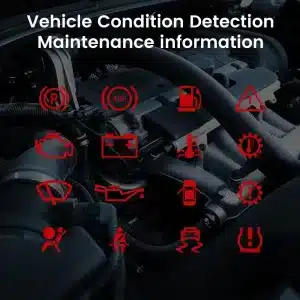
Speed, RPM, gear position, fuel range, oil information, water temperature, TPMS and supported warnings are easier to read than on the original analog layout.
| Weight | 4.5 kg |
|---|---|
| Dimensions | 45 × 35 × 25 cm |
| Support Car | 2009-2012, 2013-2014 |
| Product compatibility | Plug and play |
| Product origin | No Genuine original product |


From: $1,380.00

We handle applicable VAT and import duties for eligible EU and USA orders. Estimated savings: $120–$280 .
Shipping is separate. The exact shipping cost is calculated by destination and shown in your cart before checkout.
Final shipping is confirmed from your delivery address at checkout.
Compatibility review, full compatibility protection, a 12-month hardware warranty and continued support after installation.


Our goal is to get your order right before it leaves us. We verify compatibility, prepare the correct setup and contact you only if something needs confirmation.
2009–2014 F-150 · 2010–2014 SVT Raptor
This Ford F150 digital instrument cluster 2009-2014 upgrades the original analog gauge area into a 13.1-inch Linux virtual cockpit. It keeps important original vehicle information visible, adds multiple Raptor-style UI themes, supports factory steering-wheel controls and gives the driver a much more modern instrument layout.
iKAGOO prepares the correct Ford F150 Raptor Digital Cluster 2009–2012 or 2013–2014 version, matched connection solution and installation guidance from your vehicle information.

Daily-Use Improvement
The strongest value is not only the screen size. The upgrade changes how you read speed, RPM, tire pressure, oil information, fuel data, warnings and off-road status during normal driving.
Speed, RPM, gear position, fuel range, oil information, water temperature, TPMS and supported warnings are easier to read than on the original analog layout.
The wider digital layout brings supported fuel, temperature, tire-pressure, warning and drivetrain information into a clearer driver-focused display.
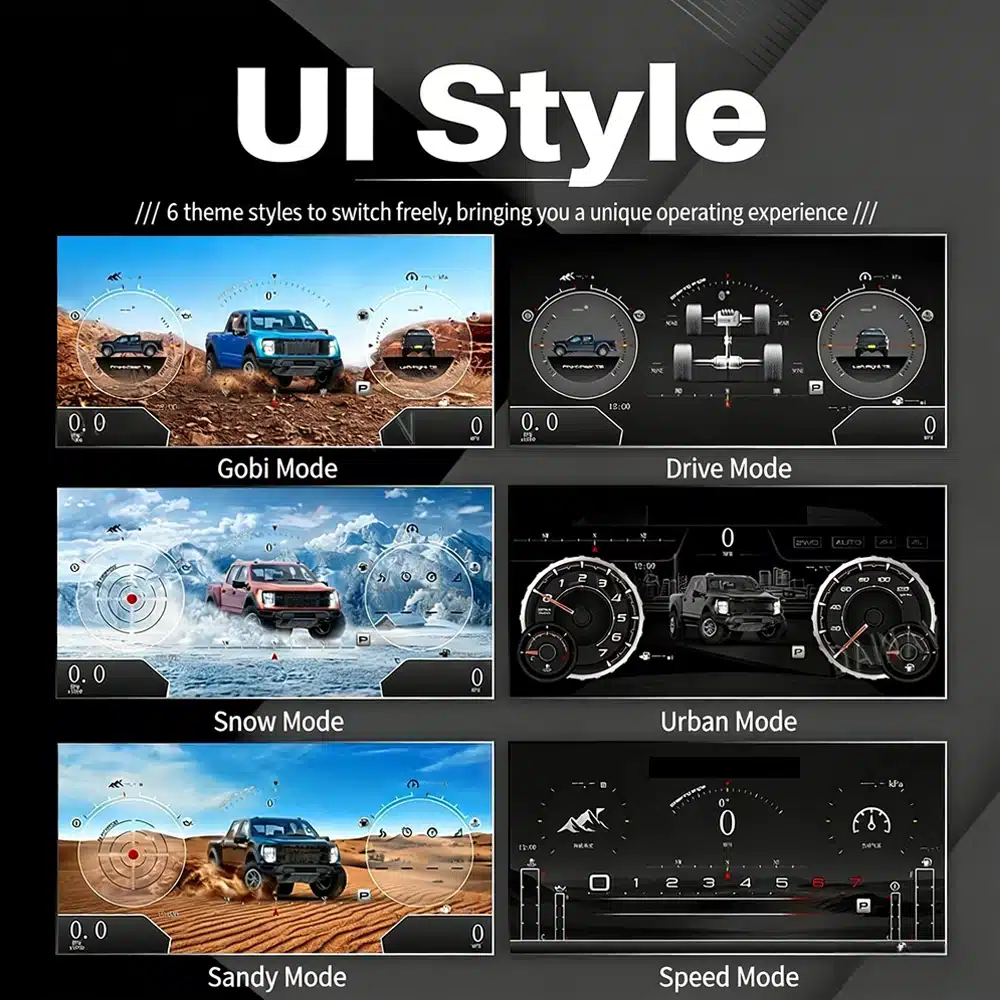
The interface includes multiple visual themes for city driving, speed-focused driving, snow, sand, desert and drivetrain-focused views, making the upgrade feel closer to a modern Raptor cockpit.
Factory Functions Retained
With the correct year version, retained original instrument electronics and proper installation, the cluster continues to present the important driving information your F-150 supplies.
Prepared for Your Truck
We separate the Ford F150 Raptor Digital Cluster 2009–2012 and 2013–2014 dashboard versions instead of treating every 12th-generation F-150 as identical.
We confirm your model year, original cluster layout, steering-wheel controls and required instrument configuration before preparing the correct version.
The installation path retains the required original instrument electronics so vehicle-specific data is not treated like a generic replacement cluster.
We help you check speed, RPM, gear, warnings, TPMS, steering controls, units and sleep behavior before final reassembly.
The matched installation is designed to connect without intentionally cutting the supported factory main wiring.
You receive installation and configuration assistance plus a 12-month limited hardware warranty for eligible manufacturing defects.
Vehicle-Specific Hardware
The molded housing follows the original instrument opening so the finished result looks like a deliberate cockpit upgrade rather than a tablet added on top of the dashboard.
Correct Year Selection
The 2009–2012 and 2013–2014 factory layouts are not identical. Choose the matching year option and send your original cluster photo. The cluster can retain supported original vehicle data when the correct year version and retained instrument electronics are installed properly.
High-Definition UI Styles
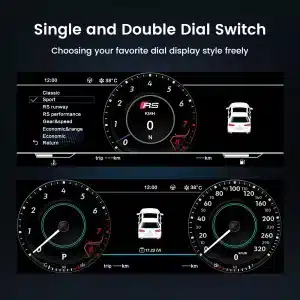
This clear UI image replaces the low-resolution dial-switch image. The available styles include Gobi Mode, Drive Mode, Snow Mode, Urban Mode, Sandy Mode and Speed Mode, giving your F-150 or Raptor a more modern factory-style digital cockpit.
Selectable Cockpit Themes
The display can prioritize different information depending on how you use the truck: city driving, highway speed, desert driving, snow, sand, drivetrain status or daily vehicle information.
Multilingual Interface
The Linux interface supports multiple languages, including English, Spanish, French, German, Russian, Portuguese, Turkish, Korean, Chinese and Arabic. Ask iKAGOO about your preferred language when placing the order.
Warnings and Maintenance
Supported warning indicators, maintenance information and vehicle-status messages remain part of the driving experience, helping you notice issues without returning to the limited original display.
Fast Linux Startup
A dedicated Linux platform keeps startup focused on driving information. The specified startup time is under two seconds after ignition.

Installed Driving View
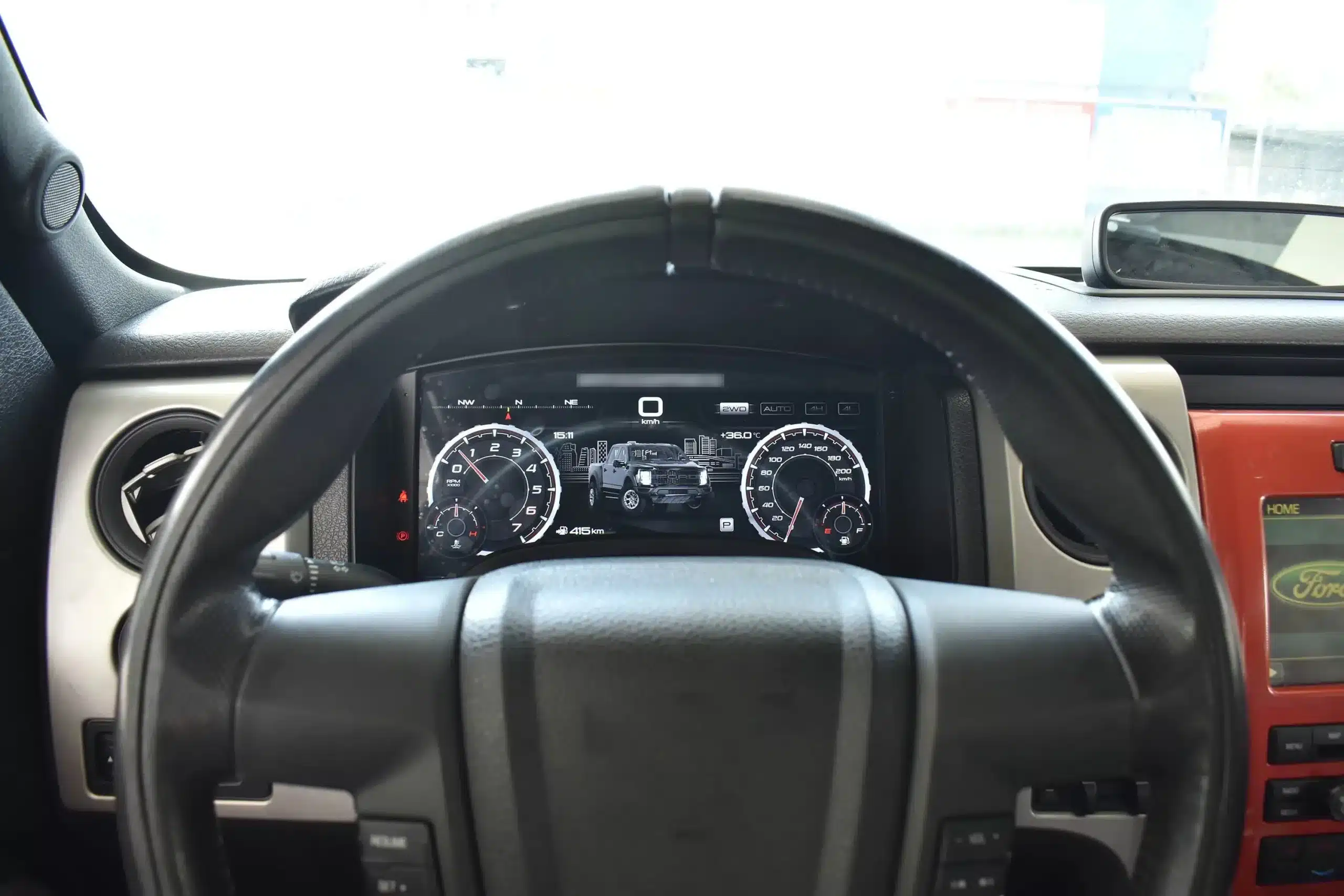
The wide screen sits behind the original steering wheel and within the existing dashboard architecture, creating a larger visual upgrade while leaving the center stack and surrounding interior intact.
Before and After
The original analog cluster provides basic information, while the digital replacement creates a wider, brighter and more configurable view directly in the driver’s normal line of sight.

Factory Controls
The supported factory arrow and OK controls let you move through cluster pages, settings and UI modes without adding an unrelated controller to the dashboard.

Vehicle Data
The screen layout can vary by year version and selected theme, but the purpose is consistent: make supported vehicle, maintenance and off-road information easier to find during daily use.

Feature Overview
The cluster is built around Linux, selectable layouts, steering-wheel control, mileage display and supported vehicle-status information. For your order, iKAGOO prepares the 13.1-inch, 1920 × 932 configuration stated in the purchase specifications.

Vehicle and Regional Name Guide
This cluster is built around the 12th-generation F-150 dashboard architecture. The purchase area currently provides two hardware groups because the original cluster structure changes across the production run.
Select the Ford F150 Raptor Digital Cluster 2009–2012 option and provide a clear photo of the original cluster. This includes matching trucks with the earlier gauge layout.
Select the 2013–2014 option and provide the later original cluster photo so the correct physical version can be prepared.
The first-generation Raptor belongs to this F-150 generation. Match by model year and original cluster appearance; there is no 2009 model-year SVT Raptor.
Mexican-market badge names can refer to the same generation, but the dashboard, original cluster and connector configuration must match before ordering.
This product is prepared around the North American left-hand-drive dashboard shown. For an aftermarket RHD conversion, send full dashboard and steering-control photos before purchase.
Do not choose this 2009–2014 version. Use the separate 2015–2020 F-150 digital cluster page .
Product Specifications
Order Preparation
Provide the model year, trim, engine/fuel type and market.
Send the original cluster and a full driver-side dashboard photo.
We match the 2009–2012 or 2013–2014 hardware configuration.
Confirm the original steering-wheel controls and instrument layout before shipment.
After delivery, use the provided guidance and contact iKAGOO if the display, controls or vehicle-data behavior differs.
iKAGOO Purchase Evaluations
A score of 92/100 does not mean that 8% of factory functions are lost. The score also reflects that the new Linux interface and menu structure differ from the original Ford analog cluster.
Suitable for an experienced DIY installer or an automotive electronics installer. The level describes the work required; it does not indicate lower product quality or lower upgrade value.
Compare the Real Outcomes
Installation
This is not a simple USB accessory. Correct work requires careful trim removal, cluster removal, original-component handling, matched connection, vehicle-setting configuration and complete function testing.
Shipping and Support
Normally 1–3 business days before dispatch, with additional time when vehicle information or configuration needs clarification.
Typical delivery after dispatch: USA/Canada 5–9 business days, EU 7–15, UK/Australia 7–10, other supported regions 7–20.
Eligible manufacturing defects and hardware failures under normal use are covered by the current limited hardware warranty.
When iKAGOO confirmed compatibility from accurate pre-purchase information but no reasonable solution works, the current published refund policy applies.
Buyer Questions
Ready to Upgrade
Choose the correct year version, send the requested vehicle photos and let iKAGOO prepare the matched digital cluster configuration, UI setup and installation guidance for your truck.


Clear information about vehicle compatibility, order preparation, international delivery, warranty, returns and after-sales support.
Vehicle-specific electronics require the correct version, wiring and configuration. Our process is designed to reduce avoidable compatibility and installation problems.
Vehicle model, year, original system and relevant configuration information may be reviewed before purchase to reduce the risk of selecting the wrong version.
Before dispatch, the order is checked against the confirmed vehicle information so the appropriate version, configuration and required vehicle-specific components can be prepared.
Our goal is to get your order right before it leaves us. We verify compatibility, prepare the correct setup and contact you only if something still needs confirmation.
A practical summary of the main terms that apply to vehicle-specific iKAGOO orders.
Most iKAGOO orders are dispatched from our fulfillment location in China after the product configuration and vehicle information have been checked.
Normal order processing is approximately 1–3 business days. Estimated delivery after dispatch is generally:
Customs clearance, holidays, weather, carrier delays and remote-area delivery may affect these estimates.
Standard international shipping normally does not include destination-country VAT, import duties, brokerage charges or customs clearance fees.
For eligible European Union destinations, DDP shipping may be available. Import-related charges are included only when DDP is selected at checkout or confirmed by iKAGOO in writing before shipment.
When DDP is not selected, charges collected by local customs or the delivery carrier are normally the recipient's responsibility.
Express or expedited shipping may be available for selected products and destinations. Availability, carrier and any additional cost are confirmed before shipment.
Depending on the route and product type, iKAGOO may use DHL, FedEx, UPS, EMS, 4PX or another tracked logistics provider.
After dispatch, the tracking number or tracking link is normally sent to the email address used for the order. Tracking updates may take several business days to appear during international carrier transfers.
Return eligibility depends on the reason for return, product condition, installation status, supporting evidence and whether the return has been approved by iKAGOO.
For an approved non-defective return, the product must normally remain unused, uninstalled, complete and suitable for resale. The customer is generally responsible for approved return shipping costs.
Original shipping, DDP, VAT, customs duties and other logistics costs are generally non-refundable unless required by law or otherwise confirmed by iKAGOO.
Do not send a product back before receiving an approved return address and return instructions from iKAGOO.
Additional protection may apply when iKAGOO reviewed the vehicle compatibility, the customer supplied accurate vehicle information and reasonable installation and diagnostic steps have been completed.
If iKAGOO confirms that no reasonable technical solution is available and the issue is reported within 7 calendar days after delivery, the customer may be eligible for a refund of the product price without being required to return the product.
Original shipping, DDP, VAT, customs duties and other third-party charges are not included in this product-price refund.
Eligible products include a 12-month limited hardware warranty covering verified manufacturing defects and eligible hardware failures under normal use.
Depending on the verified issue, support may include remote diagnosis, configuration assistance, replacement parts, repair, replacement, partial refund or full refund.
Inspection or third-party examination does not automatically cancel the entire warranty. However, damage caused by unauthorized repair, incorrect modification, broken circuits, improper reassembly, incorrect wiring, impact, water ingress or misuse is not normally covered.
Contact iKAGOO before dismantling, modifying or repairing the product so the correct diagnostic procedure can be provided.
Contact iKAGOO within 7 calendar days after delivery and keep the original packaging, shipping label, accessories and product.
Please provide clear photos or video showing:
After verification, iKAGOO may arrange a missing-part shipment, replacement, repair, refund or another reasonable solution.
Contact iKAGOO as soon as possible and before installation. For address, vehicle configuration or product changes, contact us preferably within 12 hours after placing the order.
An exchange or return may be approved when an incorrectly selected product remains unused, uninstalled, complete and suitable for resale. Customers are normally responsible for relevant shipping costs and price differences.
Vehicle-specific products may enter procurement, programming, testing or configuration shortly after payment. Once preparation or shipment has started, cancellation may no longer be possible, or reasonable costs already incurred may be deducted.
Package contents vary by product, vehicle model, factory system and selected configuration.
Depending on the product, the package may include the main device, vehicle-specific wiring harnesses, CANBUS interface, adapters, USB cables, antennas, microphones, mounting hardware or other required installation accessories.
Refer to the relevant product photos, specifications and order confirmation for the exact contents of your order.
You can contact iKAGOO through the website contact form, WhatsApp or other available support channels. Typical response time is within 24 business hours.
For faster technical diagnosis, include your order number, vehicle model and year, relevant factory-system photos, product photos and a clear video showing the issue.
Payments are processed through the secure payment methods displayed during checkout.
Available card, wallet and installment options may vary by country, currency, payment provider and customer eligibility.
Installment services, including options offered by PayPal or another payment provider, remain subject to that provider's regional availability and approval requirements.
This section is a simplified customer guide. The complete published policy pages, order confirmation and applicable consumer law take priority if any wording differs.
Upgrade your 2011-2014 VW with a VW Jetta Digital Instrument Cluster, 10.25-inch LCD,...
From: $1,380.00
Final shipping is confirmed from your delivery address at checkout.

Select what you plan to buy. We only show the details needed for that product.
We will review the details and send the recommended product version to your email.
We use essential cookies to keep the site secure and working properly. With your consent, we may also use analytics cookies to improve browsing experience. See our Privacy Policy.




Michael Brown –
I installed this on my 2009 Raptor. The ‘Off-road Mode’ is absolutely amazing—seeing the real-time pitch, roll angles, and tire pressure on the 13.1-inch HD screen makes the stock analog gauges look like they’re from the Stone Age. The installation was truly plug-and-play
The installation was plug-and-play, the menu is lag-free, the visual effects are stunning, and the resolution is extremely high