VW Polo Mk5 Digital Instrument Cluster for a Cleaner OEM-Style Driver Display
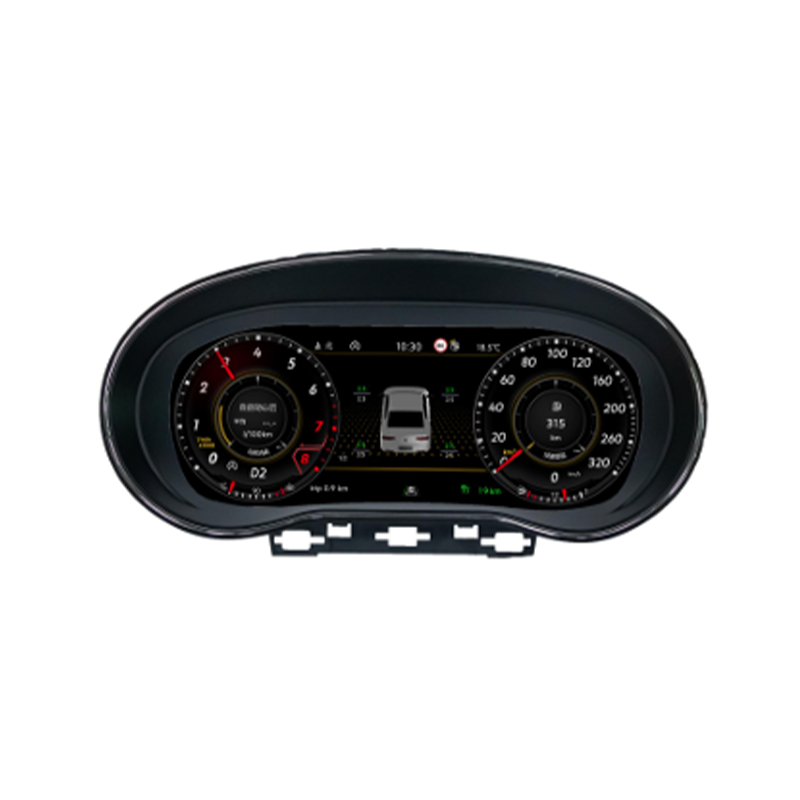
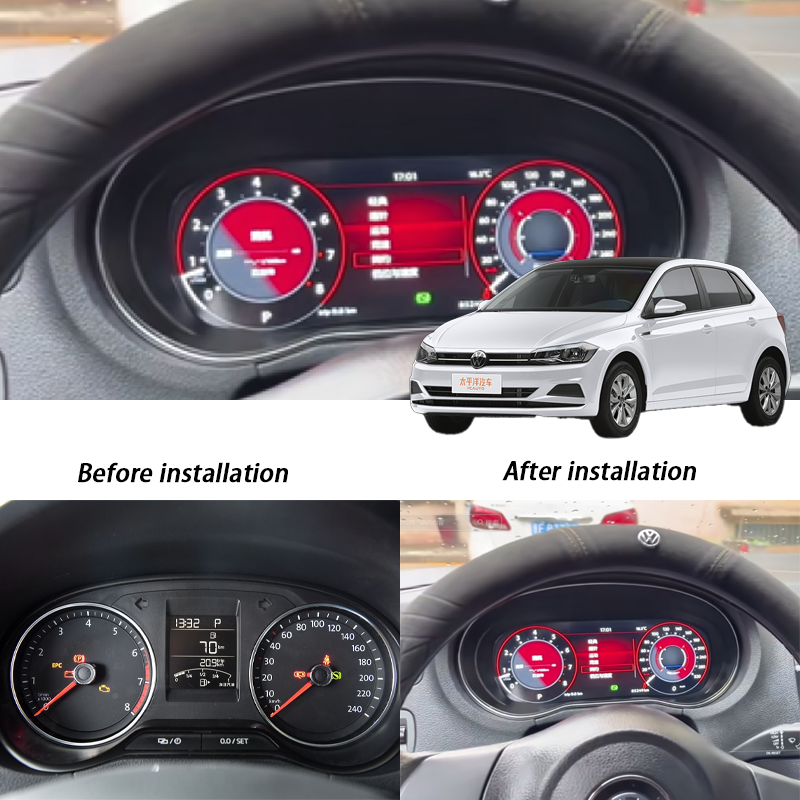
The VW Polo Mk5 Digital Instrument Cluster upgrades supported 2009-2017 Polo 6R and 6C dashboards from an older analog-style gauge area to a cleaner 10.25-inch LCD driver display. The main value is clearer vehicle information, a newer cockpit look, retained original driving data and iKAGOO fitment checking before shipment.
Is This the Right Digital Cluster for Your Polo Mk5?
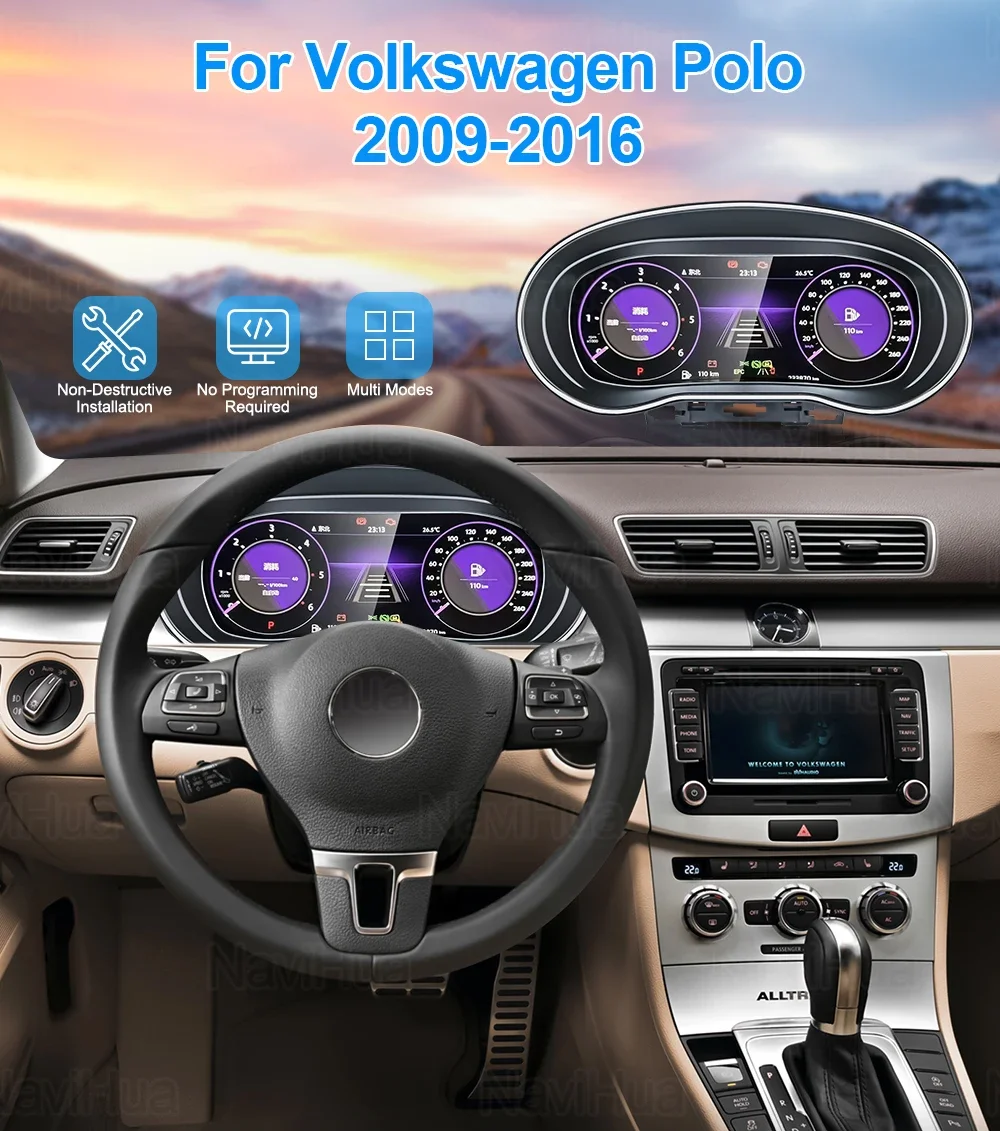
The VW Polo Mk5 Digital Instrument Cluster is a 10.25-inch LCD instrument upgrade for supported Polo 6R 2009-2014 and Polo 6C 2014-2017 vehicles. It replaces the old analog-style gauge display with a cleaner digital cockpit while keeping the cluster focused on vehicle data, warnings and daily driving information. Supported steering-wheel operation, CAN-bus vehicle data and original vehicle information continue through the matched vehicle route after correct installation. CarPlay, Android Auto and navigation display behaviour depend on the selected version and connected source route. Before shipment, iKAGOO checks your year, dashboard photo, LHD/RHD position, original cluster photo and connector details to reduce wrong-version risk.
First 5 Buyer Concerns
What This Upgrade Changes in Your Vehicle
These sections focus on the actual buyer value: clearer information, a newer Polo cockpit, retained vehicle data and a cleaner retrofit route.
A Newer Polo Mk5 Driver Area
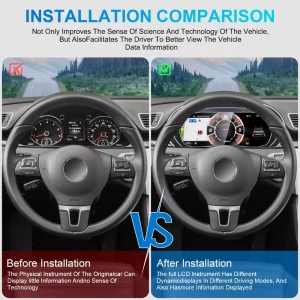
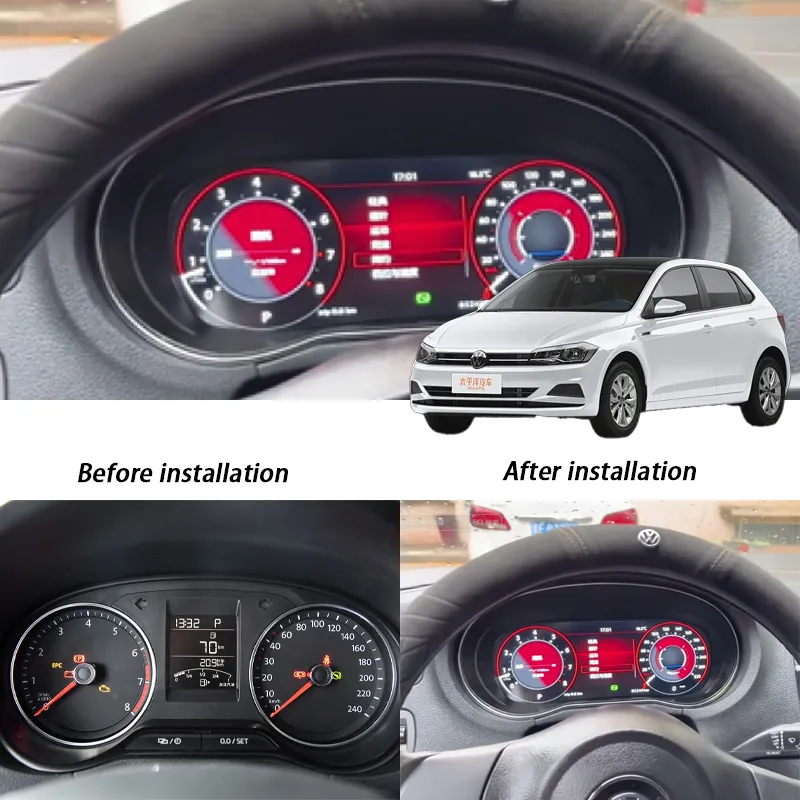
The old analog-style cluster can make a reliable Polo feel older than it drives. This retrofit gives the driver a cleaner LCD information area while keeping the display in the original instrument position. That means the upgrade feels integrated, not like a loose aftermarket tablet.
10.25-inch LCD for Daily Visibility
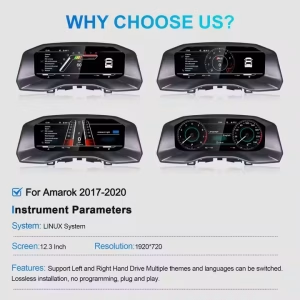
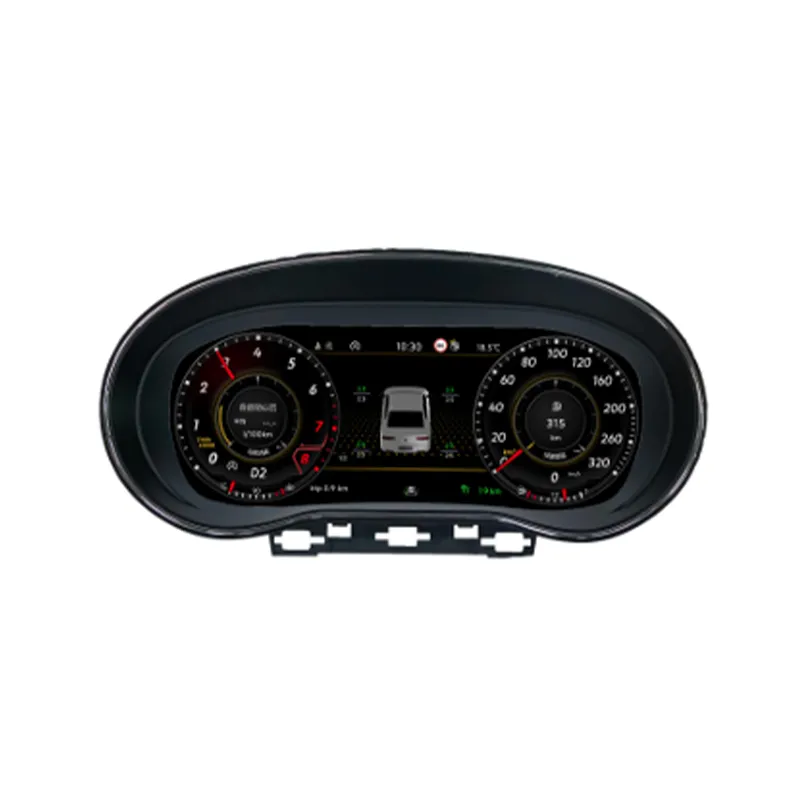
The 10.25-inch IPS LCD gives the driver a sharper view of speed, RPM, fuel, temperature and supported warning information. For commuting and night driving, the benefit is practical: the information area becomes easier to read. The final display behaviour depends on the selected version and vehicle configuration.
Classic, Sport and GTI-Style Display Choices
The screen-based cockpit can show different display layouts, helping the driver choose a view that fits daily use. A classic layout keeps the familiar VW feel, while sport or GTI-style themes make the dashboard feel newer. This makes the upgrade practical for both conservative owners and buyers who want a more modern cockpit.
Navigation Display Support When the Route Allows It
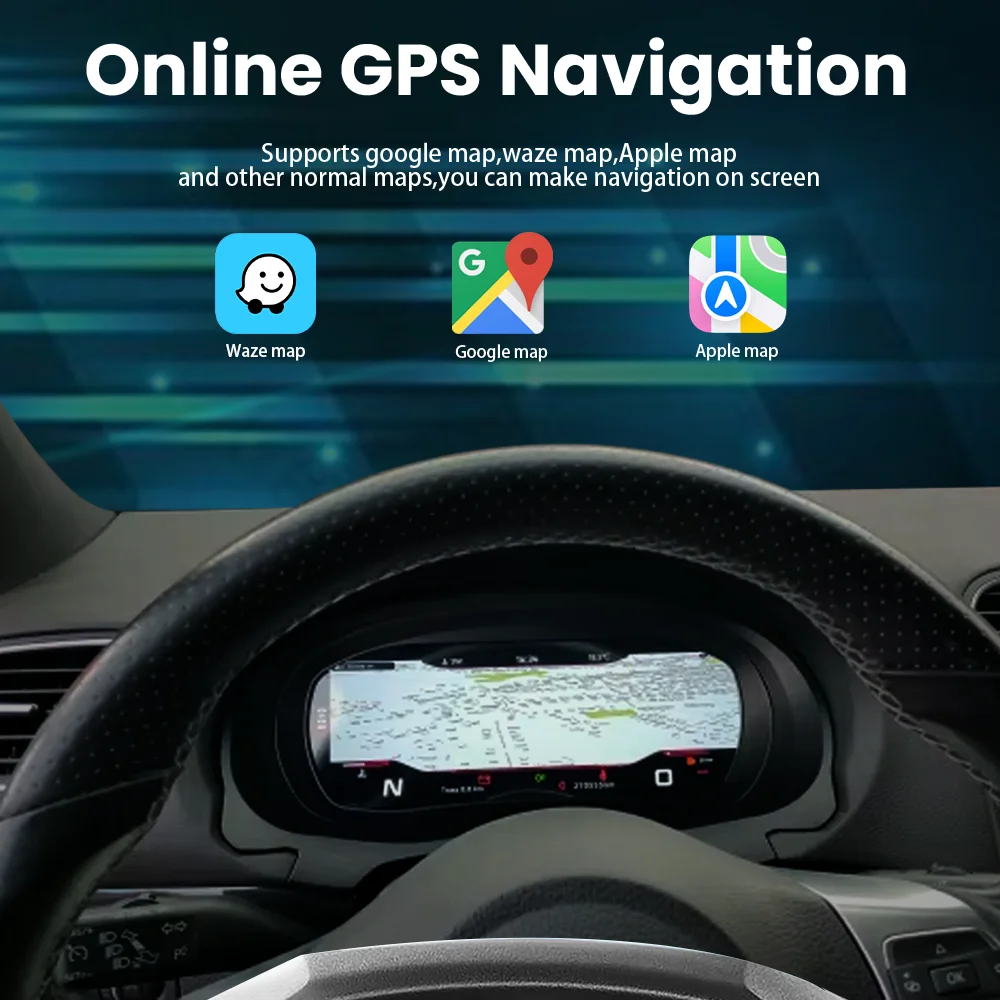
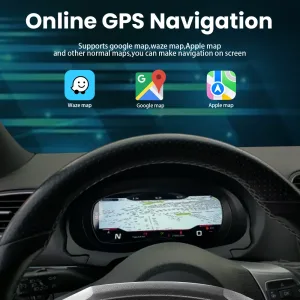
On equipped routes, navigation or phone-related information can be shown closer to the driver instead of forcing every glance to the center screen. This is useful for city driving, delivery work, long trips and unfamiliar roads. Because this depends on the selected version and connected source route, iKAGOO confirms the practical support direction before shipment.
Housing and Dashboard Fitment Matter
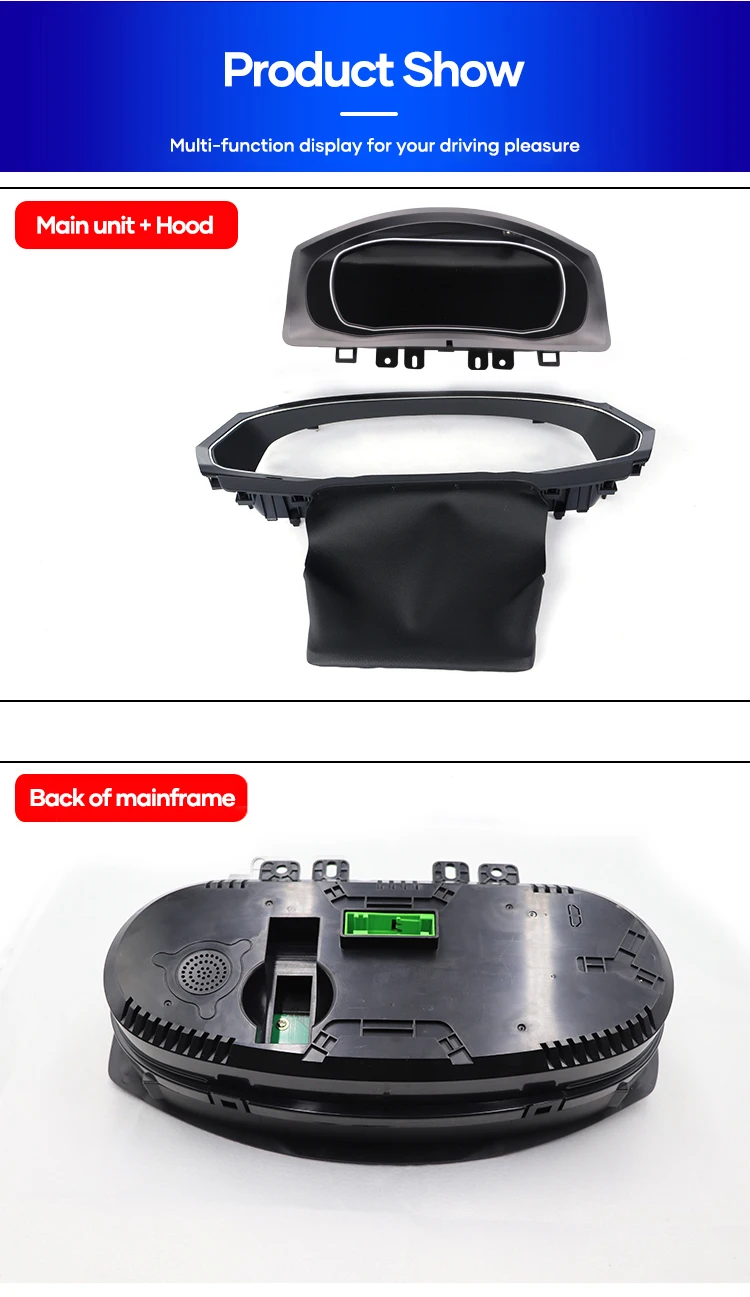
A digital instrument cluster is not only a screen. The housing, rear structure and original dashboard position must match the Polo Mk5 route so the installation looks clean. iKAGOO checks the original cluster and dashboard photos before shipment to avoid preparing the order from a product photo alone.
Steering-Wheel Controls Stay Familiar
Supported steering-wheel operation is important because drivers should not lose normal control habits after upgrading the display. With the correct vehicle route and setup, supported controls continue to work in a familiar way. If your steering-wheel buttons or trim level look unusual, send photos before shipment.
Factory-Style Vehicle Data Is the Real Value
A good Polo Mk5 digital cluster retrofit should continue showing the information needed for safe driving. Supported data can include speed, RPM, fuel, coolant temperature, mileage, door status and warning information. This is why fitment confirmation and post-installation testing matter more than screen appearance alone.
Clearer Viewing for Everyday Driving
Polo owners often use the car for commuting, city driving and daily family use. A clearer LCD display helps reduce the strain of reading small analog details, especially at night or in traffic. The driver keeps the information in the original line of sight instead of depending only on the center screen.
Original System Logic Must Be Respected
Digital cluster retrofits can involve original vehicle data logic, warning behaviour and dashboard communication. The correct route should not be guessed from appearance. Your installer should stop and contact iKAGOO if the original cluster, connector or warning behaviour differs from the supplied direction.
Why This Upgrade Is Worth Buying
The purchase value comes from a cleaner cockpit, retained vehicle data, factory-style control logic and iKAGOO's vehicle-specific preparation process.
10.25-inch LCD Driver Display
The old analog-style gauge area is replaced by a larger LCD driver display. It makes the Polo Mk5 cabin feel closer to a newer digital cockpit without moving important information away from the driver.
Real Vehicle Data
The cluster focuses on speed, RPM, fuel, temperature, mileage and supported warning information. This makes the upgrade useful every day, not only visually different.
Polo 6R / 6C Route
Polo Mk5 fitment depends on the exact vehicle generation, original cluster condition, dashboard layout and regional configuration. iKAGOO checks these before shipment.
Steering-Wheel Control Support
Supported steering-wheel operation is retained after correct installation and setup. This keeps daily use familiar instead of making the cluster feel like a separate aftermarket device.
No Intentional Wire Cutting
The intended route uses matched connectors and wiring. If your installer believes cutting, drilling or soldering is required, stop and contact iKAGOO before continuing.
iKAGOO Fitment Check
Before packing, iKAGOO can review the model year, original cluster photo, dashboard layout, connector details and existing modification status.
Original Vehicle Functions Supported
Support depends on the correct model year, Polo 6R / 6C route, dashboard layout, regional configuration and correct installation.
Polo 6R 2009-2014
The product route supports Polo Mk5 6R vehicles when the dashboard, original cluster and connector condition match the prepared version.
Polo 6C 2014-2017
The facelift Polo 6C route is also supported, but photos are still recommended because regional and trim differences can affect preparation.
Body Styles
Supported body styles can include 3-door hatchback, 5-door hatchback, CrossPolo and GTI when the vehicle route matches.
Vehicle Data
Supported driving information includes speed, RPM, mileage, trip, fuel level, coolant temperature, door status and warning indicators.
Steering-Wheel Controls
Supported steering-wheel controls continue to work on compatible trims after correct connection and configuration.
CarPlay / Android Auto Route
CarPlay, Android Auto and full-screen navigation behaviour are version-dependent and may require a compatible connected source route.
Key Product Details
These specifications are written as buying and installation guidance, not as a horizontal table.
Product Type
Digital Instrument Cluster / LCD Cluster / Virtual Cockpit Retrofit route for supported VW Polo Mk5 vehicles.
Display
10.25-inch IPS LCD driver display with a 1920 x 720 resolution for clearer vehicle information reading.
Power
12V DC vehicle power route with matched wiring supplied for the supported vehicle version.
Themes
Classic, sport and GTI-style display routes are available depending on the supplied version and configuration.
Languages
Multi-language OSD support is included for international buyers and installers.
Daily Use
The product is intended for normal vehicle operation after correct installation, setup and complete function testing.
How iKAGOO Checks the Correct Polo Mk5 Version
The goal is to catch generation, dashboard, original cluster, connector and regional configuration differences before international shipping.
Confirm Year and Generation
Send the exact model year and whether your vehicle is Polo 6R or Polo 6C. Polo Mk5 naming can vary by market.
Check Original Cluster
Send a clear photo of the original analog cluster and surrounding dashboard area.
Confirm Connector Photos
Connector photos are important if the vehicle history is unknown, the cluster was repaired or the car has previous modifications.
Review LHD / RHD
Steering position can affect the dashboard route and trim direction, so it should be confirmed before shipment.
Check Existing Changes
Previous cluster swaps, aftermarket head units, camera changes or warning-light problems should be reported before packing.
Prepare the Route
iKAGOO prepares the cluster, wiring direction and support path according to the confirmed vehicle information.
Three Checks Before You Buy
These iKAGOO standards help you judge upgrade value, original vehicle compatibility and the correct installation path.
Upgrade Necessity
This score explains why the upgrade makes sense for daily use, not only whether the display looks newer.
- The Polo Mk5 cockpit gains a 10.25-inch LCD driver information area.
- Vehicle data, warnings and driving information remain central to the upgrade.
- The cabin feels closer to newer VW digital cockpit models without changing the vehicle itself.
- iKAGOO fitment checking helps reduce wrong-version risk before shipment.
Original Vehicle Compatibility
A score of 90/100 does not mean that 10% of factory functions are lost. It describes the upgrade route, data retention and vehicle-specific matching.
- Factory Function Continuity: supports the main driver information route.
- Original Control Continuity: steering-wheel support is retained on compatible trims.
- Vehicle Data & Warning Integration: speed, RPM, fuel, temperature and warnings remain central.
- Physical architecture and hardware integration depend on the correct Polo Mk5 dashboard route.
Installation Ease Level
Suitable for experienced DIY users or automotive electronics installers who can remove trim, identify connectors and complete function testing.
- Requires original cluster removal and careful connector handling.
- The original Polo 6R or 6C route must be confirmed before installation.
- No intentional cutting of supported factory wiring is part of the intended method.
- Full power, warning, data, brightness and steering-wheel tests should be completed before reassembly.
Digital Cluster, Used OEM Cluster or Simple Repair?
The best choice depends on whether you only need repair or want a cockpit upgrade with clearer daily information.
Used OEM Cluster
A used cluster may be cheaper, but coding, mileage, immobilizer, trim and condition risks can be unclear. It also may not include a clean support path after purchase.
Repair Old Unit
Repair may restore a failed analog cluster, but it keeps the same older display style. It is useful when originality matters more than upgrade value.
iKAGOO Digital Cluster Route
The iKAGOO route gives a 10.25-inch LCD cockpit, retained vehicle information, vehicle-specific fitment checking and support if installation questions appear.
What Happens After You Place an Order?
This process is designed to prevent a blind shipment and give you a clearer support path after payment.
Secure Checkout
Your order number becomes the base record for shipment, support and future service.
Vehicle Information Review
iKAGOO may check your year, market version, dashboard photo, steering position and original connector details.
Correct Version Preparation
The cluster route is prepared according to the confirmed Polo Mk5 vehicle information.
Actual Photos When Requested
If you ask before packing, iKAGOO can provide visible product or accessory photos when practical.
Packing and Dispatch
The order is packed after confirmation. Preparation time may vary when vehicle-specific checks are needed.
Tracking Follow-Up
Tracking is added when available. International route updates may appear in stages after handoff.
Installation Support
If an issue appears, send photos, videos, connector views and the exact function that is not working.
Engineer Escalation
If the issue is not a normal setting question, useful evidence can be organised for technical review.
Settings or File Help
When electronic instructions or files are suitable, iKAGOO coordinates the support route after confirmation.
Accessory Issue Handling
If a confirmed accessory issue exists, iKAGOO arranges the required replacement or approved solution.
Confirmed Hardware Mismatch
If no reasonable software, wiring or accessory route can solve a confirmed mismatch, iKAGOO provides a policy-based product resolution path.
After It Works
You can continue to contact iKAGOO with your order number for eligible maintenance, troubleshooting or service route questions.
What Your Installer Should Check Before Reassembly
Power-on is not enough. The cluster should be tested as a vehicle information system before the trim is closed.
Power and Boot
Confirm normal wake-up, start-up and sleep behaviour before reinstalling all trim pieces.
Speed and RPM
Check speed, RPM and gear-related display information in a safe test condition.
Warnings
Confirm supported warning icons and vehicle information appear normally without new unrelated alerts.
Wheel Controls
Test supported steering-wheel buttons and menu operation before final reassembly.
Display Settings
Check theme, brightness, language and display mode options before daily use.
Stop Conditions
Stop installation if the connector route, original cluster status or warning behaviour differs from the supplied direction.
Support for a Vehicle-Specific Digital Cluster Upgrade
iKAGOO focuses on version checking, tracked delivery, installation guidance and a policy-based after-sales route.
Processing
Normal order processing is usually 1-3 business days before dispatch after required vehicle checks.
Delivery
International delivery time depends on destination, customs, route and local carrier handoff.
DDP
For eligible destinations, DDP shipping may be available when selected or confirmed before shipment.
Warranty
Eligible hardware defects are covered under iKAGOO's 12-month limited hardware warranty policy.
Install Help
Support can include connector checking, wiring review, settings guidance and function testing direction.
Returns
Return eligibility depends on product condition, installation status, evidence, approval and the applicable policy.
VW Polo Mk5 Digital Instrument Cluster FAQ
These answers focus on real buyer concerns: 6R / 6C fitment, vehicle data, steering-wheel controls, CarPlay route, installation and after-order support.
Yes, if your vehicle matches the supported Polo 6R 2009-2014 or Polo 6C 2014-2017 route and the original cluster, dashboard and connector condition are correct. Send your year, dashboard photo and original cluster photo if you are unsure. iKAGOO prepares the order by vehicle route, not only by model name.
Yes. Polo 6R generally refers to the 2009-2014 route, while Polo 6C refers to the facelift 2014-2017 route. They are related Polo Mk5 versions, but the dashboard and connection route still need confirmation before shipment.
Yes, supported data such as speed, RPM, mileage, trip, fuel level, coolant temperature, door status and warning indicators are part of the intended route. Exact items depend on sensors, trim level and correct installation. Test all key data before reassembly.
Yes, supported steering-wheel controls are retained on compatible trims after correct connection and setup. If your wheel button layout is different, send photos before shipment. This avoids guessing after the dashboard has been opened.
It depends on the selected version and connected source route. Some equipped versions can show navigation-related information through the cluster route, but CarPlay and Android Auto behaviour should be confirmed before shipment. Do not assume every vehicle or head unit will behave the same way.
No. The intended installation route does not require intentional cutting of supported factory wiring. If your installer believes cutting, soldering or drilling is required, stop and contact iKAGOO first.
It depends on the vehicle condition and configuration. Many supported routes are designed to work with matched hardware and setup, but some vehicles may need adaptation or configuration checking. If your vehicle has previous modifications, report them before shipment.
It depends on your experience. iKAGOO rates this as Level 3 - Advanced DIY. It suits experienced DIY users or automotive electronics installers who can remove trim, identify connectors and test vehicle functions.
Send your vehicle model, year, market name, LHD/RHD position, original cluster photo, dashboard photo and connector photo if requested. Mention previous wiring changes, aftermarket head units or warning light problems. This helps iKAGOO prepare the correct version.
It depends on the year, dashboard route and original cluster condition. The product route can cover supported CrossPolo and GTI versions when the vehicle information matches. Send photos before shipment instead of ordering only by trim name.
Yes. If you ask before packing, iKAGOO can provide photos of the prepared product or visible accessories when practical. This is useful for international buyers who want confirmation before dispatch.
Because the risk is not only price. A digital cluster must match the dashboard, original cluster route, vehicle data logic and installation process. iKAGOO adds fitment checking, support and policy-based handling after shipment.
Check Standards, Policies and Volkswagen Cluster Pages
These links help buyers understand compatibility, installation route, warranty and product category context.
Virtual Cockpit Retrofit
Learn the broader digital cluster upgrade route.
Digital Instrument Clusters
Browse vehicle-specific LCD cluster upgrades.
Volkswagen Upgrades
Find VW digital cluster and display products.
Compatibility & Installation
Check what information helps confirm the correct version.
Is iKAGOO Reliable?
See how iKAGOO handles review, shipping and support.
Warranty Policy
Review eligible hardware warranty coverage.
Refund & Returns
Understand return and refund requirements.
Contact iKAGOO
Send vehicle photos and fitment questions.
Confirm Your Polo 6R or 6C Route Before Shipment
The safest order is not the fastest guess. Send your Polo year, original cluster photo, dashboard photo and connector details if you are unsure, then iKAGOO can prepare the correct digital cluster route.


Laura.Martinez –
El cuadro de instrumentos digital de Ikagoo es una buena mejora para mi VW Polo 2014. La instalación fue fácil y la pantalla es clara. Me gusta mucho el nuevo diseño y la mejor visibilidad.
Tobias Schneider –
Der Polo ist zuverlässig, aber der Innenraum wirkt mit den alten Anzeigen irgendwann einfach müde. Technisch gab es keinen Grund zu wechseln, emotional aber schon. Ich wollte keine Spielerei, sondern etwas, das den Alltag angenehmer macht und optisch passt.
Plug-and-Play spart Zeit und Nerven,
Marcin Lewandowski –
Polo to auto typowo użytkowe, ale po latach zegary zaczęły wyglądać naprawdę staro. Nie kupiłem tego z myślą o efekcie „wow”, tylko żeby jazda była przyjemniejsza i spokojniejsza.
DDP = brak nerwów przy odbiorze paczki