


Mercedes W213 Android Head Unit Dual Screen Upgrade digital instrument cluster Upgrade Guide
Mercedes W213 Android head unit — Dual 12.3" Digital Cluster + Android Player
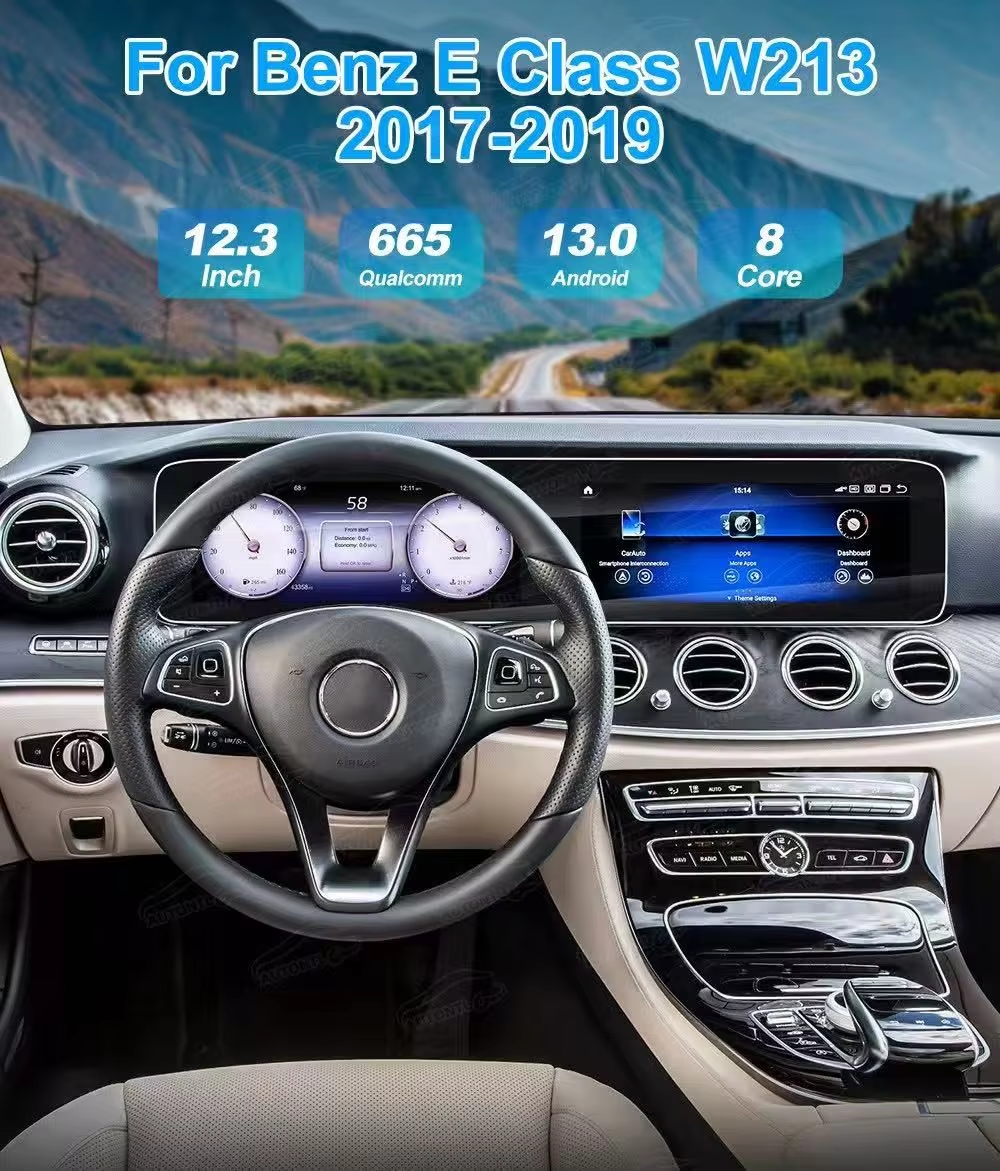
This guide covers a complete W213 Android head unit retrofit for the E-Class—pairing a 12.3" cluster with a 12.3" center screen. It focuses on real fitment notes for Mercedes W213 E200/E300 2016–2019, audio and camera integration, and a practical W213 installation case study.
Upgrade Your Car — Save $30
New-customer offer on the Mercedes W213 Android head unit and digital cluster bundle.
· First-time customers only · One use per customer · Excludes sale items
1) Why choose a Mercedes W213 dual 12.3-inch screen upgrade?
Pain: Eyes off the road / poor legibility
Analog dials are hard to read in bright sun or at night. Navigation and speed live on different screens, forcing frequent eye shifts.
Gain: Key info, front and center
A W213 digital cluster upgrade moves speed limits and next-turn prompts to the driver’s line of sight, while the center screen keeps a full-map view.
Pain: Fragmented system / limited apps
Legacy head units can’t keep up with modern navigation, music, voice, and multitasking demands.
Gain: One smart hub
The Mercedes W213 Android head unit consolidates maps, media, and wireless CarPlay/Android Auto into a responsive, daily-driver setup. It’s a clean W213 COMAND to Android conversion path without cutting wires.
Pain: Dated look / resale drag
Outdated UI hurts luxury feel and buyer perception.
Gain: Modern cockpit
A unified Mercedes W213 dual 12.3-inch screen layout elevates the interior and overall ownership experience.
2) 12.3" Digital Instrument Cluster: Specs & Boundaries
- Panel: 12.3" LCD, up to 1920×720, auto brightness and night mode.
- Boot: lightweight OS, ~3-second quick start; −35°C to +80°C rating.
- Themes: Classic / Sport / Progressive layout options for nav prompts/limits.
- CAN: steering-wheel keys, doors, TPMS, lights, etc.
- Safety: no interference with SRS/ABS telltales or system self-checks.
3) 12.3" Android Head Unit (Center Screen): Selection & Setup
- Spec baseline: W213 Android head unit 12+512GB with Mercedes W213 wireless CarPlay upgrade and Android Auto.
- Display & UX: 12.3" 2K panel, split-screen widgets, voice assistant, floating navigation.
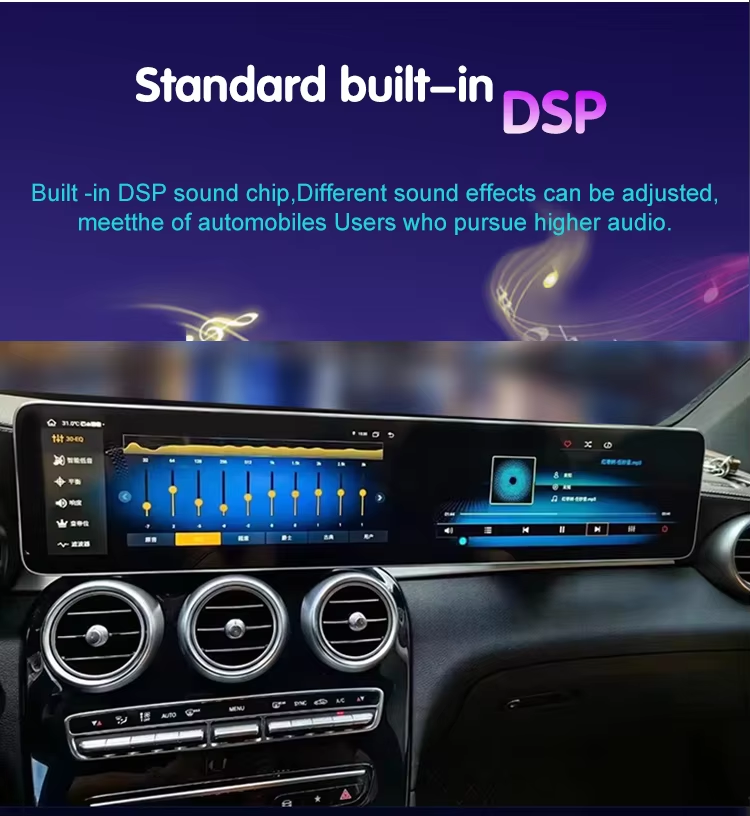
- Audio path: W213 MOST fiber amp compatibility with proper gain/phase/latency tuning.
- Peripherals: 360 camera, AHD reverse, DVR, TPMS, OBD, ambient-light control.
- Apps: Google Maps, Spotify/Apple Music, YouTube Premium, and more.
4) Dual-Screen Synergy: Clear Roles, Seamless Flow
Info allocation
Instant driving info on the 12.3" cluster; content and control on the 12.3" center screen.
Visual consistency
Matched theme/font/color temperature; auto day/night to reduce glare.
Interaction continuity
Routes planned on center screen with key prompts mirrored to the cluster; steering-wheel keys retain priority.
5) Supported Models (W213 Only)
Focused on Mercedes W213 E200/E300 2016–2019. Please verify compatibility before ordering.
6) Install Cases — a W213 installation case study (×3)
Case 1 | W213 E200 (2016–2019, COMAND + MOST)

- Focus: confirm COMAND architecture & MOST fiber amp; dedicated harness + decoder.
- Steps: panel → HVAC → OEM screen → harness; set CAN; verify steering-key mapping.
- Tuning: wireless CarPlay, reverse/360, OEM camera/radar, gain/phase optimization.
- Time: ~2.5–3.5 hours including tuning.
Case 2 | W213 E300 (2016–2019, dual 12.3")

- Notes: CAN keycodes vary by gateway; verify mapping; keep steering keys primary.
- Tip: For COMAND systems, a clean W213 COMAND to Android conversion avoids wire cutting.
- Time: ~2–3 hours; add ~0.5h if camera wiring upgrade.
Case 3 | W213 (2016–2019) with 360 Surround
- Focus: confirm 360 protocol/resolution; rehearse AHD path and source switching.
- Linkage: auto engage on “R”; front radar at low speed; return to prior screen after exit.
- Time: ~3–4 hours including signal-path verification and latency tests.
Note: These cases summarize real-world practices and are intended as a W213 installation case study.
7) Install Basics & Labor
- Pre-check: confirm VIN/year, COMAND type, MOST amp model, 360 presence; photo back-side connectors.
- Disassembly: panel → HVAC → OEM display → harness; protect trims/leather.
- Protocols: dedicated harness first; no wire cuts; match CAN profile per gateway/year.
- Tuning: CarPlay/Android Auto, reverse/360, camera/radar, audio gain/phase/latency.
- Handover: return OEM parts; provide revert guidance and warranty terms.
8) Risks & Compliance
- Compatibility: year/gateway/amp/camera protocols vary; verify on the specific vehicle.
- Safety: do not affect SRS/ABS indicators; retrofit must be reversible.
- Regulations: video-in-motion rules differ by region—comply locally.
- Electrical: no tap-cuts; fuse/load matching; proper routing and thermal management.
9) Buy & Pilot Intake
Buy · Mercedes W213 Android head unit (12+512GB)
Dual 12.3" layout with Mercedes W213 wireless CarPlay upgrade and Android Auto.
Buy Now · W213 Head UnitW213 Pilot Intake · Free Feasibility Check
Submit model/year/VIN, back-side connector photos for cluster and head unit, MOST/360 status.
Submit Vehicle Data · FixMyDashOther In-Stock Kits
Audi/VW dedicated kits, 12+512GB, wireless CarPlay/Android Auto, worldwide shipping.
Browse In-Stock · IkagooFast Contact
- ✅ Worldwide shipping (DHL/UPS)
- ✅ 24-hour response SLA
- ✅ 1-year warranty / DOA replacement
- ✅ Secure payments (PayPal/Airwallex)
10) Frequently Asked Questions
Will OEM functions be affected?
With dedicated harnessing and the right protocol, steering keys, parking radar/camera, TPMS and door alerts remain functional. Always keep a reversible path.
Does it work with MOST fiber amps?
Yes—use the proper decoder/adapter and tune gain/phase/latency to minimize noise and delay. This ensures stable W213 MOST fiber amp compatibility.
Is this a full W213 COMAND to Android conversion?
Yes, the retrofit replaces the legacy stack with a W213 Android head unit retrofit, preserving OEM harnessing and CAN features where supported.
Does it support 360 surround?
Yes, with verified wiring and protocols for W213 360 camera integration; auto engage on “R”, low-speed front radar, and safe return logic.









Add comment